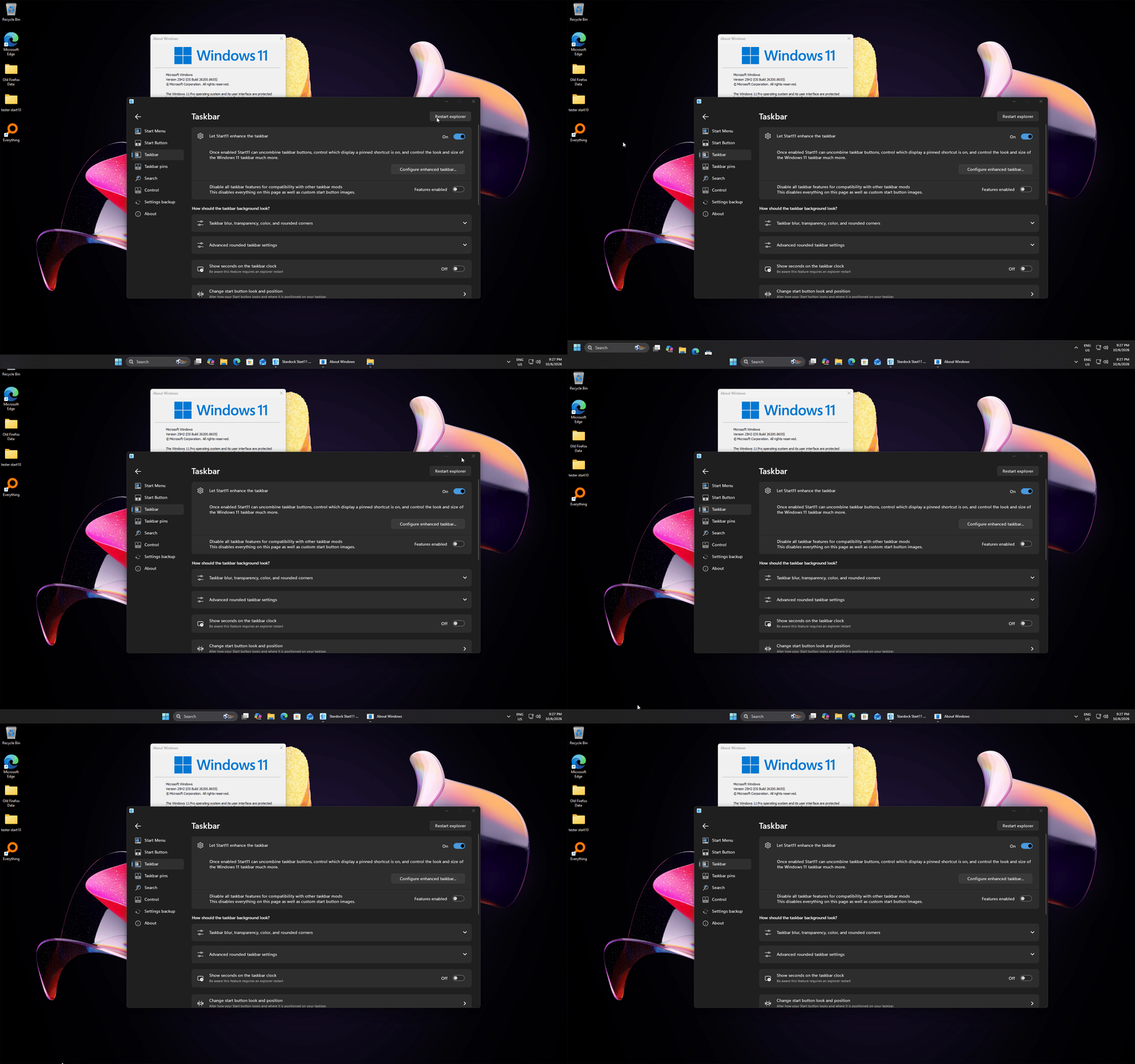
Report on the Issue of Desktop Icons Shifting Down One Row

Dear, Support Team.

I recently performed a clean installation of Start11 v2.72. My system is running Windows 11 (25H2, OS Build 26200.8524), and I have my taskbar positioned at the top of the screen.

I am writing to report a minor issue I encountered while using the software:

  1. Whenever I restart my computer, close a full-screen program, or restart Windows Explorer (explorer.exe), the desktop icons shift down by exactly one row.

I have already tried reinstalling Start11 to resolve this, but the issue persists.

While this does not prevent me from using the software, I wanted to report this inconvenience in hopes of a future fix.

Thank you for your time and assistance. I look forward to hearing from you.

Best regards,

LeeGundal

Start11_Report.mp4

252 views 3 replies
Reply #1 Top

Hello,

Sorry to hear you are having issues. Can't reproduce it on my system and seem, from what I remember, you're the first one reported such issue. First, to make sure all files were properly install. please try, uninstall Start11, reboot immediately (important), download latest version available in your account product download page: https://store.stardock.com/myaccount/products. Install it, reboot immediately again. Retest it and report back.

If the issue still appear. Need to know few more details.

  1. Look like you have multiple display system. Does the issue appear on any monitors or just specific monitors.
  2. Details on monitors such as Resolutions, Windows scales factors etc.
  3. Start11's Enhance taskbar turn on or off? Just as a test, If it was on, turn it off and see if that make any different.
  4. Do you have any other 3rd party application that control how your Taskbar or desktop icons work.

Thank you,

Basj,

Stardock Community  Assistant.

Reply #2 Top

Thank you for your response.

As you suggested, I performed a clean reinstall by uninstalling Start11, rebooting my computer, and then installing the latest version. However, the icon shifting issue persists.

Here are additional details about my system environment to help with troubleshooting:

  1. I am using a multi-monitor setup, and this issue occurs on both monitors.

  2. Both monitors are set to 1920x1080 FHD resolution with 100% scaling. The desktop icon size is also set to default.

  3. The issue occurs regardless of whether Start11’s taskbar enhancement feature is enabled or disabled.

  4. I do not use any other taskbar customization software. Regarding desktop icons, I am currently using a utility called 'DesktopOK' to save my layout due to this bug. Since this tool only restores icon positions upon manual user request, it does not interfere with or cause the issue described.

If a solution is not immediately available, I am willing to wait for a fix in a future update.

Thank you again for your time and assistance.

Best regards,

LeeGundal

Reply #3 Top

Here what I get when I tested it on my system. The icons moved but return to its original location when I restart explorer.exe. BTW, just to confirm, my Windows "Auto arrange icons" is turned off.

Moving forward, would like to recommend to try Clean boot, refer here for Steps: https://support.stardock.com/space/SHC/1334935592/Start11+Clean+Boot. Do not that Clean boot need to be done with care. Try it and report back. 

Thank you,

Basj,

Stardock Community  Assistant