How to skin Winstep Xtreme?

HELP!!

Hi guys, I purchased Winstep Xtreme today and I would like to try my hand at making a theme. I found what I thought was a tutorial, which said to open an existing theme and save it under a different title and author. I assumed that would then mean changing the graphics for my own. BUT I can't even find where you save a theme in the settings, as it doesn't seem to be in the Theme Manager as the tutorial said.

Any ideas where I go from here, or can anyone point me to the save theme function?  I'm stumped before I even get started! I want to make a Parisienne theme to match my WB skin.

Thanks in advance. B[]

2,027 views 16 replies
Reply #2 Top
Answer

Ohhhhh boy....

Many eons ago (until November 2009) the skinning settings and normal application settings co-existed with each other in the same UI (last version that supported this was v9.5). The problem was that less than 1% of users make themes and the skinning options for the rest of them would only add to the clutter of what is already a very busy interface (because Winstep Xtreme is so powerful and flexible, it has a ton of options and settings).

So, when I decided to completely change the Preferences GUI to leave behind the (then already old fashioned) NeXT OS style look plus add multi-language support, I made a deliberate decision not to add those skinning settings to keep things simple(r). The plan was to add them later to a separate application, the Winstep Theme Builder.

You can guess what happened next, no? I did start making the Theme Builder and you can still use it today to make native Nexus themes, but I didn't see a lot of enthusiasm, most of the skinners were already used to edit text configuration files anyway, and so I never finished or released it.

This is kind of where we are today. In the past year or so I have been tying a TON of loose ends (i.e. stuff that had been on the to-do list for a VERY long time, e.g. multi-icon selection on shelves and grid stacks, per-monitor high DPI support, multi-drives monitor widget, etc) and the two MAJOR remaining things that are on that to-do list are an up-to-date User Guide (I noticed how badly this was needed when a user reminded me of a setting I no longer remembered implementing lol) and - of course - the Winstep Theme Builder.

I actually talk about BOTH this things in the So, what's next after v26.1 post at the Winstep Forums.

My idea is similar to that story of the prodigal son (eheh), that is, re-integrate the Theme Builder into the main application (which makes it ten times easier to actually finish it), but at the same time make it "look" as if it is a completely individual application (i.e. continue to separate all the skinning settings from the rest of the application).

Until then making Winstep Themes will remain an archaic art of editing configuration files (looking at how other themes do things, talking to other Winstep skinners, etc). PITA, I know, but for the time being it is what it is (and given the current frantic pace of development and my - for now - focus on functionality rather than skinning settings, I really don't have time to help much)

IIRC, the late Steve (miss ya buddy, RIP) also had an old version of v9.5 installed along side more modern releases to help him make new themes. 

This said, there are two very prolific Winstep skinners (BassDudeNZ and Picco14) that usually hang around the Theme Approach thread in the Winstep forums. You can always try asking them for some guidance, pretty sure they would take some time to help you...

_________________
Jorge Coelho 
Winstep Xtreme - Xtreme Power! 
https://www.winstep.net - Winstep Software Technologies

+1 Loading…
Jump to answer in thread
Reply #1 Top

Bry...I so wish Steve was still with us. He was a great teacher and super expert in Winstep. The Giz Academy would have had you set.

Maybe the best guide would be Jorge...Redneck Dude could but he hasn't been around for some time. Same with Mindy.

Sent you an email.


+1 Loading…
Reply #2 Top
Answer

Ohhhhh boy....

Many eons ago (until November 2009) the skinning settings and normal application settings co-existed with each other in the same UI (last version that supported this was v9.5). The problem was that less than 1% of users make themes and the skinning options for the rest of them would only add to the clutter of what is already a very busy interface (because Winstep Xtreme is so powerful and flexible, it has a ton of options and settings).

So, when I decided to completely change the Preferences GUI to leave behind the (then already old fashioned) NeXT OS style look plus add multi-language support, I made a deliberate decision not to add those skinning settings to keep things simple(r). The plan was to add them later to a separate application, the Winstep Theme Builder.

You can guess what happened next, no? I did start making the Theme Builder and you can still use it today to make native Nexus themes, but I didn't see a lot of enthusiasm, most of the skinners were already used to edit text configuration files anyway, and so I never finished or released it.

This is kind of where we are today. In the past year or so I have been tying a TON of loose ends (i.e. stuff that had been on the to-do list for a VERY long time, e.g. multi-icon selection on shelves and grid stacks, per-monitor high DPI support, multi-drives monitor widget, etc) and the two MAJOR remaining things that are on that to-do list are an up-to-date User Guide (I noticed how badly this was needed when a user reminded me of a setting I no longer remembered implementing lol) and - of course - the Winstep Theme Builder.

I actually talk about BOTH this things in the So, what's next after v26.1 post at the Winstep Forums.

My idea is similar to that story of the prodigal son (eheh), that is, re-integrate the Theme Builder into the main application (which makes it ten times easier to actually finish it), but at the same time make it "look" as if it is a completely individual application (i.e. continue to separate all the skinning settings from the rest of the application).

Until then making Winstep Themes will remain an archaic art of editing configuration files (looking at how other themes do things, talking to other Winstep skinners, etc). PITA, I know, but for the time being it is what it is (and given the current frantic pace of development and my - for now - focus on functionality rather than skinning settings, I really don't have time to help much)

IIRC, the late Steve (miss ya buddy, RIP) also had an old version of v9.5 installed along side more modern releases to help him make new themes. 

This said, there are two very prolific Winstep skinners (BassDudeNZ and Picco14) that usually hang around the Theme Approach thread in the Winstep forums. You can always try asking them for some guidance, pretty sure they would take some time to help you...

_________________
Jorge Coelho 
Winstep Xtreme - Xtreme Power! 
https://www.winstep.net - Winstep Software Technologies

+1 Loading…
Reply #3 Top

Quoting JcRabbit, reply 2

Until then making Winstep Themes will remain an archaic art of editing configuration files (looking at how other themes do things, talking to other Winstep skinners, etc). PITA, I know, but for the time being it is what it is (and given the current frantic pace of development and my - for now - focus on functionality rather than skinning settings, I really don't have time to help much)
End of JcRabbit's quote

Maybe make 9.5 available (there's an option on the Winstep Extreme Support tab (I think) for old versions but it only goes as far as 16.5 (on the right side of the page) and/or a skinning forum/subforum where folks interested could ask questions - or is that the Theme Approach thread? [Just my senile meanderings].

Reply #4 Top

OK Jorge and Doc, thanks for the insight. B[]  I guess if I can skin Litestep, WB, DX, Xion etc, I should be able to figure this out!  I was just looking for an easy head start.

I will take apart some other themes and figure it out from there. 25 years of doing this should help..... Right?? LOL

Thanks again guys, appreciate it, and look out for a Parisienne theme.

+1 Loading…
Reply #5 Top

The tutorial you found is correct in theory, but it forgot to mention that this process happens in Windows Explorer, not inside the Winstep settings UI.

There is no built-in 'Save Theme' function in the Theme Manager. Instead, go toC:\Users\Public\Documents\Winstep\Themes\copy an existing theme folder, and rename the copy to 'Parisienne'. Then, open the configuration files inside that folder using Notepad to edit the title and author names. Once you reload Winstep, your new theme will appear in the manager, and you can start modifying the image assets

Reply #6 Top

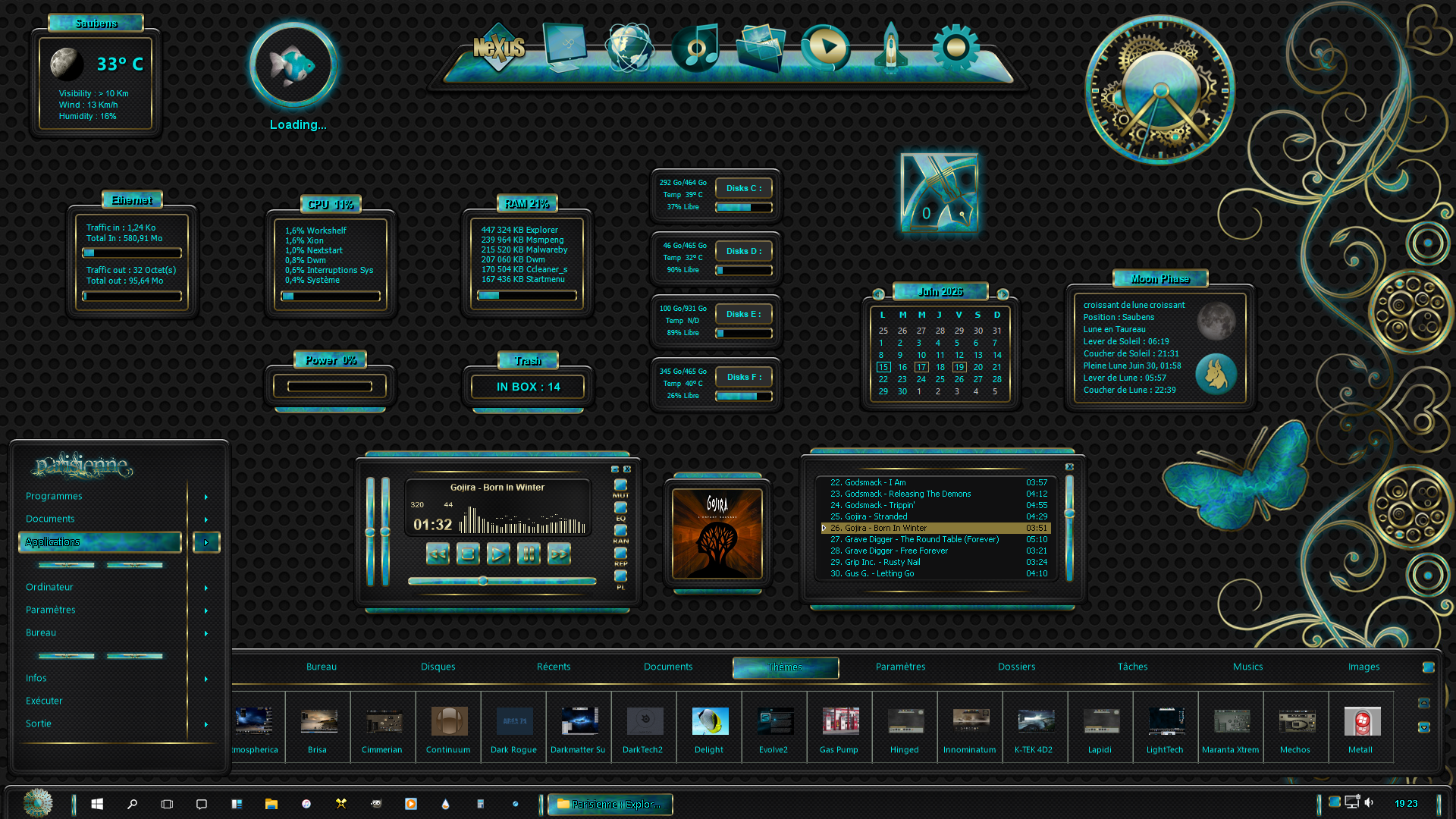
"Parisienne" theme for Winstep, based on the theme of the same name for windowblinds by BoXXi, with Xion Player also by BoXXi. 

Playlist and album art added.

+1 Loading…
Reply #7 Top

Hey Picco14, that looks GREAT!! You can go ahead and release it if you want, I won't be making one. (If you don't want to release it could you send me a copy to bo21graphics@gmail.com ?) Thank you. You've done a fantastic job, much better than I would have! B[]

Reply #8 Top

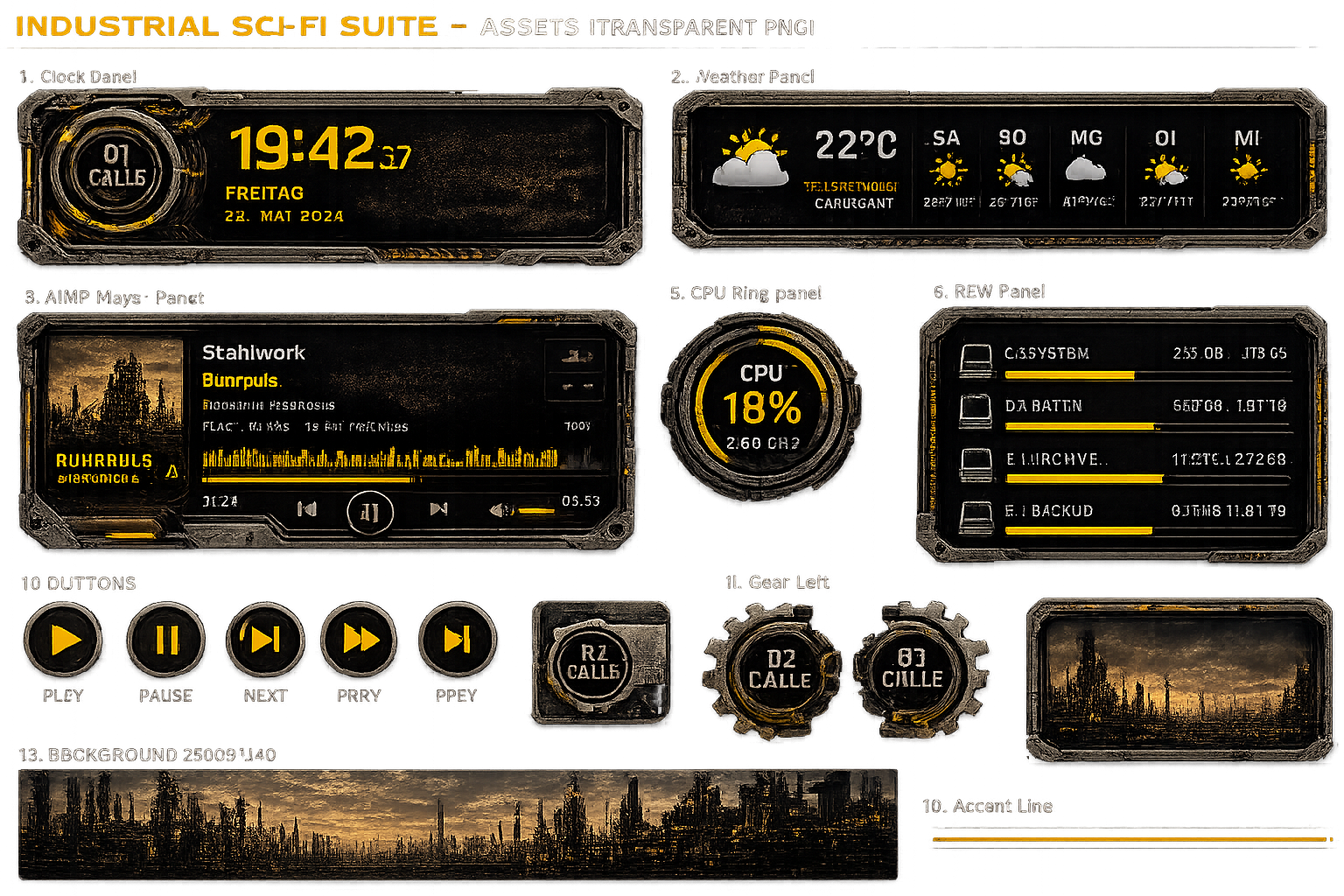
I am nearly finished with creating one purely with AI (Chat GPT). It has a learning (and patience) curve getting the prompts right, but I will let You know, how it works. (Yes, I am back to Windows and PCs).

If this works out, I will try Rainmeter also.

+1 Loading…
Reply #9 Top
Quoting c242, reply 3994627

am nearly finished with creating one purely with AI (Chat GPT). It has a learning (and patience) curve getting the prompts right

End of c242's quote

Luckily ChatGPT doesn't seem to mind "colloquial" German.  ;)

Reply #10 Top

Winstep Xtreme is an interesting program! But there's one drawback. The update subscription is valid for one year, and the price is quite high. Stardock software updates are also valid for one year, but there are many of them, and they're interesting. That's a big plus!

Reply #11 Top
Quoting ppetroff60, reply 3994648

Winstep Xtreme is an interesting program! But there's one drawback. The update subscription is valid for one year, and the price is quite high. Stardock software updates are also valid for one year, but there are many of them, and they're interesting. That's a big plus!

End of ppetroff60's quote

Once you purchase a Winstep subscription, it doesn't stop working at the one year mark. Also, it is incredibly customizable. I can't think of any setting which can't be changed. Also, there are many skins and if you learn to skin, you can produce more of your own! Also, Winstep ca be used along with Windowblinds, Fences, etc. without conflict.

Reply #12 Top

A few years ago, I bought an official WinStep Xtreme key and used it for a year. The program works without updates. I especially liked the Wanda fish and the many skins for the program. But I always want the latest version. Buying WinStep Xtreme is too expensive for me now.

Reply #13 Top

Even after all these years you can still get Winstep Xtreme again for the reduced renewal price - you don’t need to buy a new license. Just email Winstep Support with the details of your original registration and I’ll sort it out for you.

Let’s put the pricing in its proper context. Winstep Xtreme costs less than a single modern game, yet - unlike a game - it isn’t something you use for a weekend and forget. It’s a productivity tool you’ll rely on every day, for years, long after any game has been uninstalled and forgotten. The value you get from it is measured in thousands of hours, not a handful of play sessions.

The only reason anyone thinks Xtreme is expensive is because, years ago, Stardock went scorched‑earth and slashed the price of ObjectDock to absurd levels. Back in 2000's ObjectDock sold for $19.95, which was perfectly normal for a dock at the time. Then they dropped the price so low that it devalued the entire category of desktop enhancement software. It distorted expectations, not reality.

I refused to follow that race to the bottom. I kept my pricing stable and fair. And here’s the kicker: if you adjust for inflation, Winstep Xtreme should cost around $80 today. In other words, the real price hasn’t gone up - the world just got used to artificially cheap alternatives.

Winstep Xtreme isn’t overpriced. If anything, it’s undervalued for what it delivers.

When you buy Winstep Xtreme, you get far more than the version you download today - you get a full year of free upgrades, and every version released during that year is yours permanently. The software never expires, never shuts down, and never forces you to renew. After that first year, if you want the newest features, you can renew your upgrade subscription for a fraction of the initial purchase price, which gives you another full year of updates. There’s no penalty for waiting and no tricks: you renew only when you decide the new features are worth it.

This model benefits everyone. It keeps development active year‑round - in fact, development is currently moving at an accelerated pace because I don’t have to hold features back for "major paid releases". You get improvements the moment they’re ready, and you can try any new version for 30 days before deciding whether to renew, with a built‑in rollback if you don’t. Most importantly, this system keeps me in business. A lifetime license is worthless if development stops because the developer went out of business. The upgrade subscription ensures Winstep remains sustainable, so the software you rely on continues to grow, improve, and exist for the long term, as it has.


+2 Loading…
Reply #14 Top
Quoting JcRabbit, reply 3994711

A lifetime license is worthless if development stops because the developer went out of business. The upgrade subscription ensures Winstep remains sustainable, so the software you rely on continues to grow, improve, and exist for the long term, as it has.

End of JcRabbit's quote

Exactly. Well said.