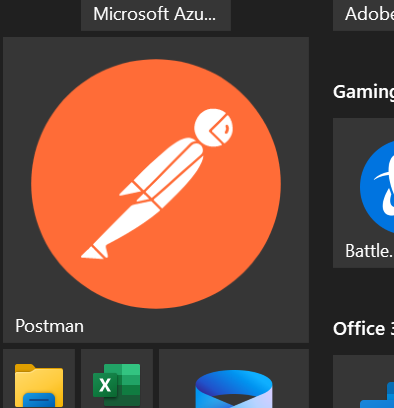
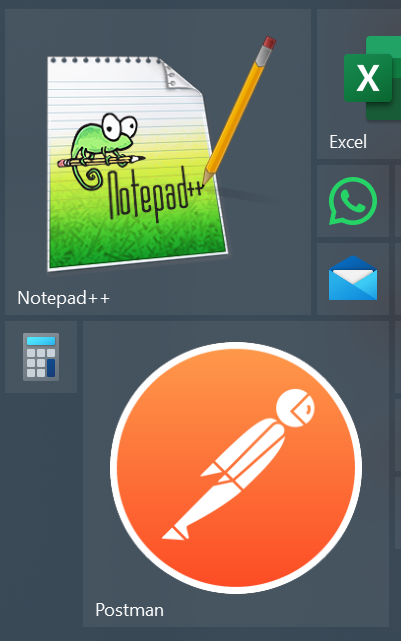
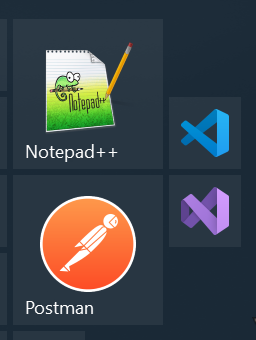
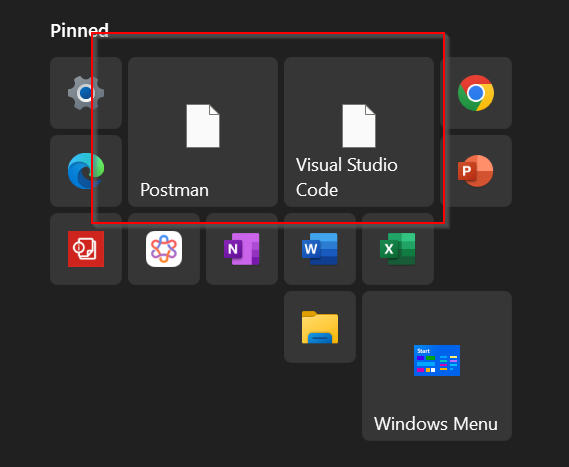
Icons showing as white boxes - only in Start11, not on my system or Win 11 standard menu

Icons showing as white boxes - only in Start11

I started with an older version of Start11 I paid for a long time ago...got everything set up how I wanted - then suddenly many of my icons just turned to white boxes. So I instead installed Start11 V2 trial - same thing.

I've tried installing and uninstalled Start11 four or five times now, and a bunch of reboots and nothing seems to solve this issue.

I've searched and cannot find any definitive answer.

Anyone know how to solve this? Only in Start11 do certain icons just show up as white boxes. For instance, software like Postman, Notepad++, Visual Studio Code, etc... 

Thanks for any help. I'll happily buy the V2 software if I can resolve this, otherwise its kind of pointless.

3,683 views 19 replies
Reply #1 Top

Hello,
Sorry to hear you are having issues. Possible icon cache issue. Try unpin those application and re-pin it does that resolved your issue?

Thank you,
Basj,
Stardock Community Assistant.

Reply #2 Top

Hi there, thanks for the fast reply.

Pinning/unpinning from Start11 does nothing to resolve it.

I've tried everything I can think of so far, even uninstalling reinstalling the apps themselves (like Visual Studio Code, etc). Still shows as white boxes in Start11. Natively, the icons are fine, however. On my file system, and in the native Windows 11 start menu the icons are there.

Reply #3 Top

UPDATE: I also tried deleting the icon cache from %USERPROFILE%\AppData\Local - it changed nothing for Start11. 

Does Start11 have it's own caching system somehow? This is what I see, no matter how many times I uninstall/reinstall - either Start11 and/or the actual software I'm trying to link to.

* One thing to note is - this *only* happens on the "Windows 10" setting, which unfortunately is the exact one I want to use. None of the other options cause this "white icon" thing to happen...just in case that helps troubleshoot. I'd love to get this working - with the Windows 10 setup.

Reply #4 Top

Just curious, how did you pinned these application? Try using "Pin to Start11" option do you still see the same issue.

Thank you,

Basj,
Stardock Community Assistant


Reply #5 Top

Hi thanks. Yes, that is how I have been adding icons.

Seems to suddenly work now - I have no idea why. I turned off my machine, let it sit overnight, booted up - now the icons appear. Only thing I did differently was a complete shutdown instead of "restart". 

In any case thank you for your help!

Reply #6 Top

Great, glad to hear that.

Thank you,

Basj,
Stardock Community Assistant

Reply #7 Top

So, this issue/bug is "back". Or rather, I figured out what scenario seems to cause it.

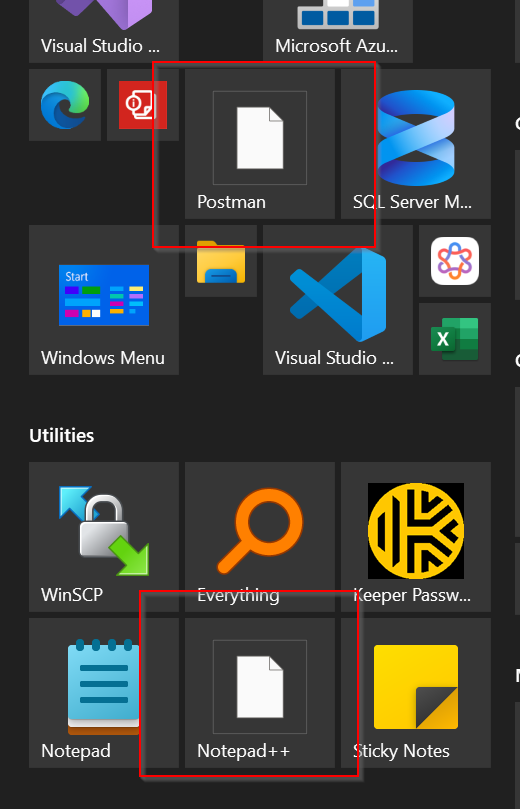
Certain icons *only* show up if I have "Scale" set to 175% or higher...which is way too large for me, especially when extending to external monitors.

Screenshot at 150% Scaling:


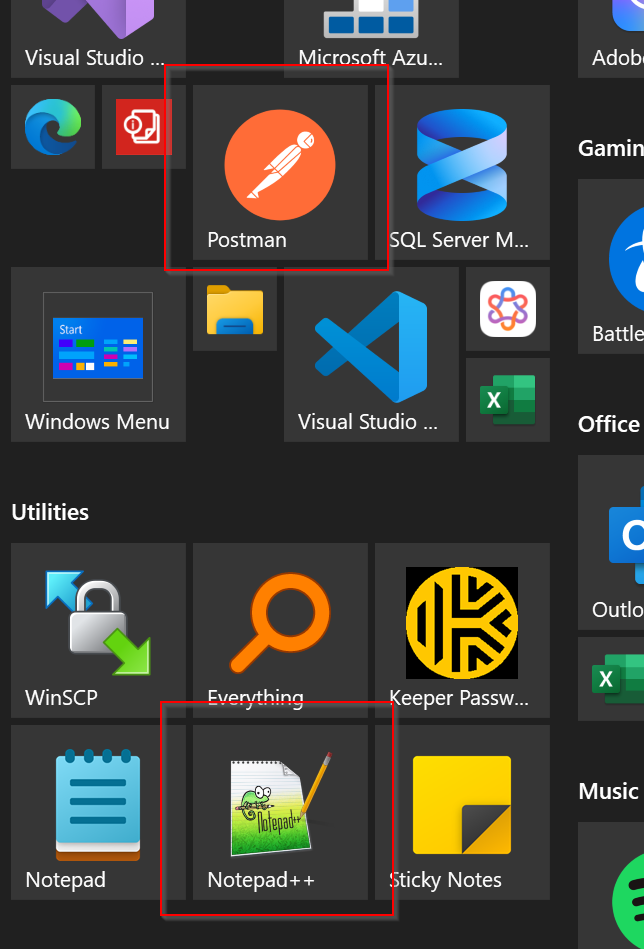
Same menu - screenshot at 175% (or higher) scaling - everything works fine:

This happens on my native laptop, as well as any external monitors I port out to.

Any reports of this, or any workaround that you know of?

Thanks

Reply #8 Top

sorry about the duplicate post, it won't let me delete it.

Removed duplicate post

Reply #9 Top

Need to know we things.

  1. Windows 11 full version and OS Build number. Please use Winver.exe to get these numbers.
  2. Start11 full version numbers.
  3. Monitor/s information, resolution, If you have multi-monitos, does the issue appear on all monitors? Issue appear on 100% scale too?

Thank you,

Basj,
Stardock Community Assistant

Reply #10 Top

Hi Basj,

Edition Windows 11 Pro

Version 24H2

Installed on ‎9/‎26/‎2025

OS build 26100.6584

Experience Windows Feature Experience Pack 1000.26100.234.0

-----

Start11 v. 2.53 - I'm on a 30 day trial currently, but really want to buy, and I used to own a previous version.

My laptop is a Lenovo Thinkpad X1 Carbon Gen 13 Aura - screen res. 2880x1800 120 refresh

External Monitor #1 is: ViewSonic 4K VX2776-4K-MHDU IPS Monitor 

External Monitor #2 is: 
ViewSonic 4K UHD VX3276-4K-MHD Monitor


I just double-checked all of this again. On my laptop. and both external monitors this happens at 150% Scaling. I'm not seeing it at 100%, or 125% now. But consistently at 150% on all three screens.


Hope that helps - thanks for looking into it!

Reply #11 Top

The issue only appear on these few applications? Postman, Notepad++ and Visual Studio Code? or any other application randomly?

Thank you,

Basj,
Stardock Community Assistant

Reply #12 Top

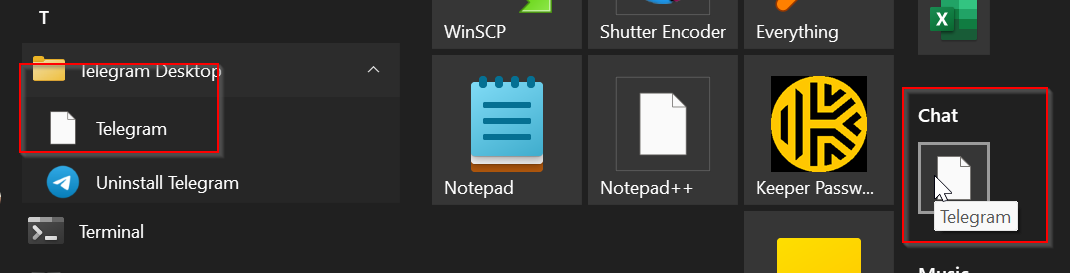
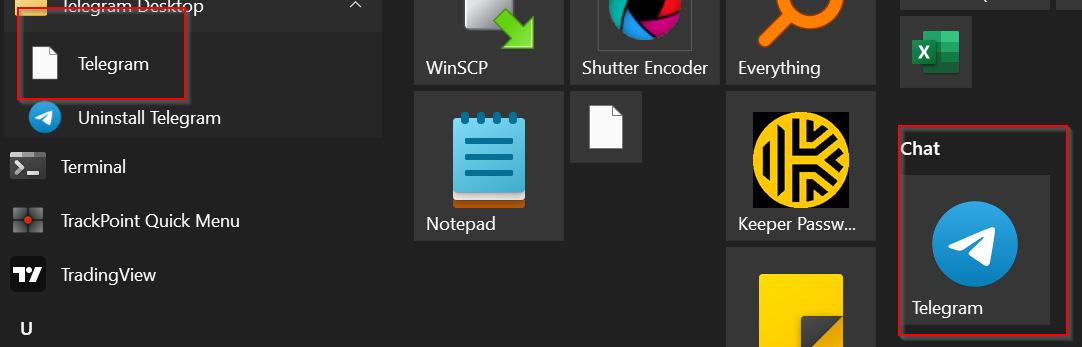
I see it also on Telegram:


...however - if I change the Telegram icon on the right there from small to "medium" - it shows up - but it never shows up in the left menu:


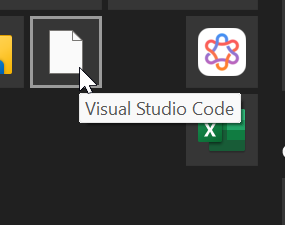
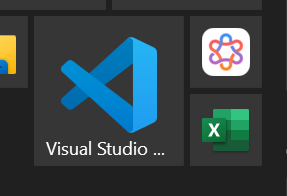
VS Code icon is white when it is "small" - but shows up when medium or higher:


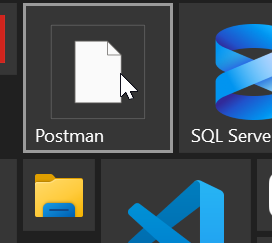
The Postman icon is white when small, medium or wide - 


but if you set it to Large - does it show up:


Anyway I hope this is helpful. 

Reply #13 Top

Need to know if the issue appear on your Main laptop monitor without any external monitor?

Thank you,

Basj,
Stardock Community Assistant

Reply #14 Top

Also here is what I get when I set my screen at 150% and Postman Icon and Notepad++ to large.

This with Notepad++, Postman medium and small on Visual Studio Code.

Thank you,

Basj,
Stardock Community Assistant

Reply #15 Top

Yes, same issue on the laptop itself with no monitors attached.

Reply #16 Top

Not sure what to say - I just uninstalled and reinstalled postman, visual studio code, telegram, notepad++... i watched the icons disappear from start11 when I uninstalled. When I reinstalled - same issue immediately - white icons reappear, but only at certain sizes.

*** I thought this only happened on the Windows 10 setting, but it also happens on any of the Windows 11 settings *** at 150% scaling (but not 125%, 175%, or 200%)

I've uninstalled and reinstalled Start11 multiple times as well. My setup is very standard...its just a Thinkpad running Windows 11. Anyway, issue persists on laptop with no monitors attached - as well as with monitors attached. 

It's like there's a permanent cache somewhere that I can't get rid of. I've tried deleting the icon cache multiple times as well...

I also just did a "restore" of all settings in Start11... same issue.

Reply #17 Top

Perhaps, try purge and reinstall steps as mention here : [Link]. Just make sure to redownload the latest version from your account page. Reboot after the purge. Reinstall and reboot again after the installation. Retest and report back here.

Thank you,
Basj,
Stardock Community Assistant.

Reply #18 Top

The total purge .bat script seems to have solved it! |-)  

Here's my guess. I started with installing an old version of Start11 that I had a key for (and a download link from an old email), from a long time ago. Then I upgraded to the new version after that. Somewhere in that upgrade, things got wonky and stuck in a limbo state.

Anyway thanks for all the help!

And now I will be saved from the awful, infuriating Windows 11 default start menu. 

Cheers

Reply #19 Top

Great, really glad to hear that.

Thank you,

Basj,
Stardock Community Assistant