Start11 feedback

taskbar height

I definitely enjoy all of the Stardock / Objectdock products ... well designed and overall solid.

Having an issue getting my taskbar overflow and system icons to show properly.  What I'm asking is if there's a way to size the bottom right taskbar of system icons in a way that allows them to be in 1 to 3 rows, like the overflow taskbar can do.

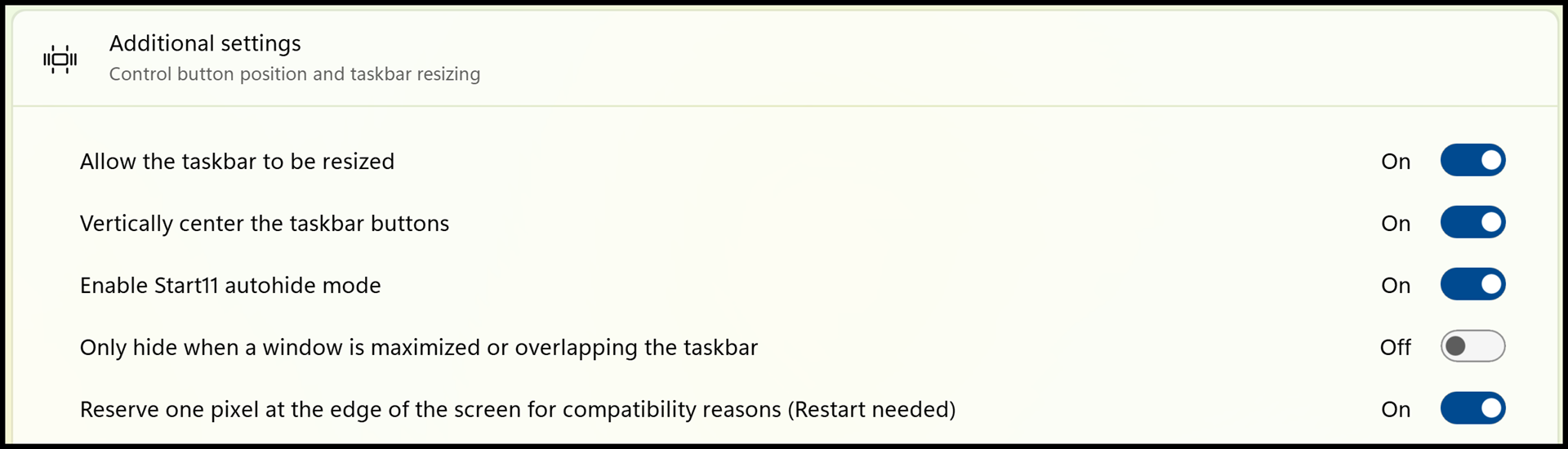
Also, it's very complicated to get the basic taskbar to be automatically hidden AND be multiple rows AND have the bottom right area to also have multiple rows.

The image below is a snapshot of that bottom row of all icons.  Hoping you can help to make them spread out more evenly and customly adjustable.

And it is set up with Start11 ...

xx@gmail.com (removed)


,

1,501 views 11 replies
Reply #1 Top

Hello,
Sorry to hear you are having issues. First, for the multi-row taskbar tray icons, this something that changed on Windows 11 and has been requested by others for Start11. Nothing yet announced on this one.

For the question on taskbar area, need to know more.

  1. Windows 11 full version and OS Build number.
  2. Start11 full version number.
  3. Start11 enhance taskbar turn on or off?

Thank you,
Basj,
Stardock Community Assistant.

Reply #2 Top

Try adding ExplorerPatcher and selecting the TaskBar style Windows 10 (ExplorePatcher)

Really the Start11 team ought to be talking to Amr Satiro.

https://github.com/valinet/ExplorerPatcher/

Reply #3 Top

Quoting celvidge, reply 2

Try adding ExplorerPatcher and selecting the TaskBar style Windows 10 (ExplorePatcher)

Really the Start11 team ought to be talking to Amr Satiro.

https://github.com/valinet/ExplorerPatcher/
End of celvidge's quote

We don’t recommend using ExplorerPatcher together with Start11, as it may cause conflicts and unexpected behavior. Thank you for your understanding.

Basj,
Stardock Community Assistant

Reply #5 Top

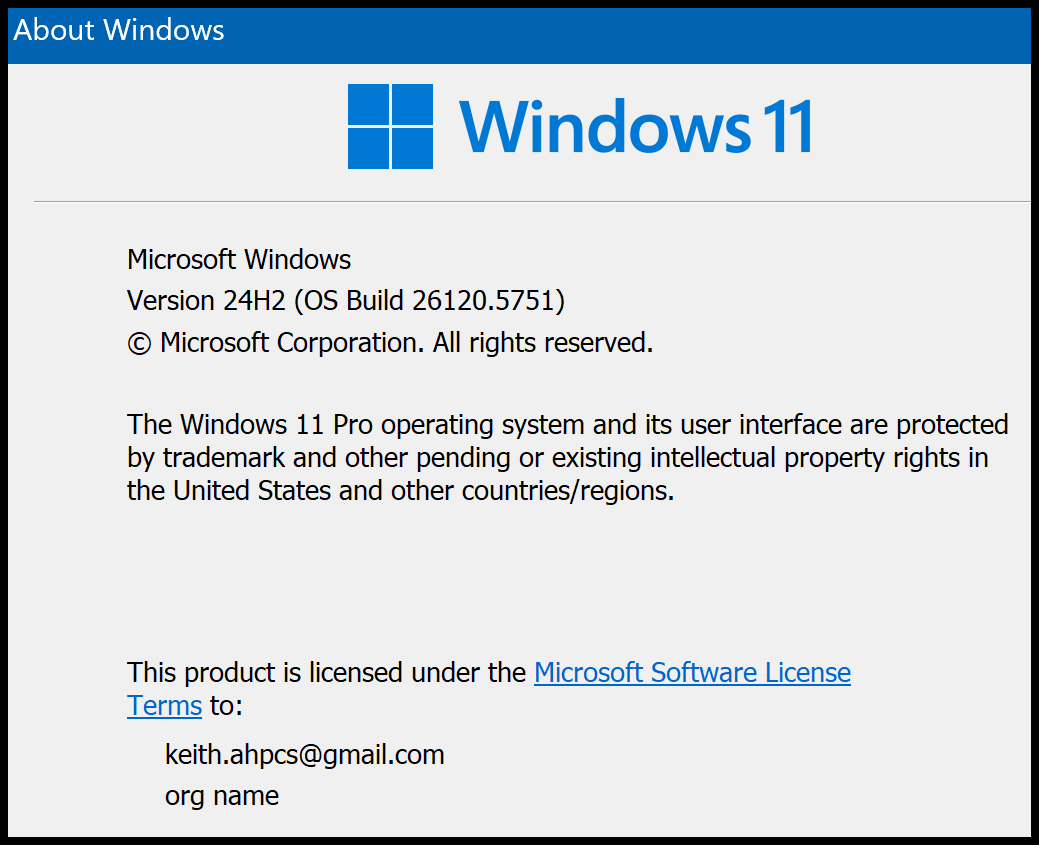
Here is what I'm currently using ...

  1. Windows 11 full version and OS Build number.
    • MS Windows 11 Pro
    • Version 10.0.261210
    • Build 26120
  2. Start11 full version number.
    • Version 2.55
  3. Start11 enhance taskbar turn on or off?
    • At present, ON
    • Never combine taskbar buttons - ON
Reply #6 Top

It seem I can not reproduce your issue on my system. Issue on the taskbar buttons. Refer to my screenshot below.

Look like on my taskbar I don't see the scrollbar which appear on your system and the cut-off Search icon right next to your Start button. Do you have any other application or taskbar setting that I might need to reproduce your issue on my system?

Thank you,

Basj,
Stardock Community Assistant

Reply #7 Top

Additional info …

About 2-3 weeks ago, I completely reset my laptop as a new device … to totally start from a clean slate.  Now, there are only 3 pgms installed that affect the desktop …

- Object Desk 3.0

- Start11 v2.55

- Gadget Pack … puts widgets onscreen but does not affect the taskbar. 

Keith


Reply #8 Top

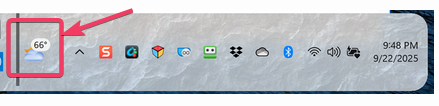
One question, how did you manage to get the Weather to appear after the scrollbar and before the taskbar tray area?

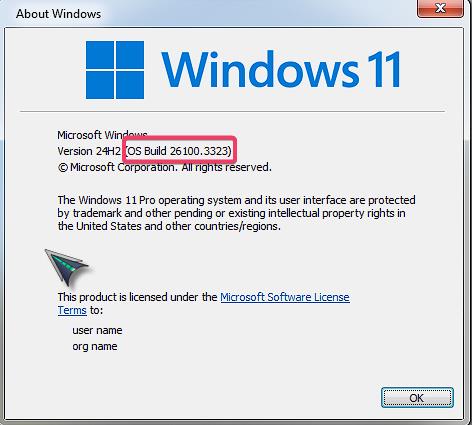
Also, need your OS Build number. Use Winver.exe, which come with Windows to get something like my screenshot below.

Thank you,

Basj,
Stardock Community Assistant

Reply #9 Top

The weather/Bing News seems to automatically be applied with my version of Windows ... I did nothing to make it appear there.  Again, I complete erased / reset my laptop a few weeks ago.  Wanted to start with a complete fresh copy.  What you've seen is what comes as default ...


Keith

Reply #10 Top

Okay, got it, thank you. I get the Widget to appear if I set the Start button to appear to the left. Yet I can not get the cut off part.

Perhaps, to make sure everything get install properly, try this, uninstall Start11, reboot immediately (important), download latest version available in your account product download page: https://store.stardock.com/myaccount/products. Install it, reboot immediately again. Retest it and report back.

Thank you,

Basj,
Stardock Community Assistant