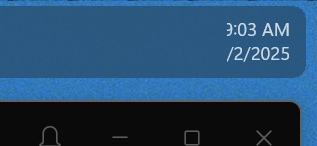
Start11 causing issues on taskbar

After installing Start11, my sound and network icon as well as the calendar/notifications tray do not open.  
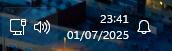
I also had an issue where my "show hidden icons" tray would open at the top of my screen as opposed to right above the taskbar, but reinstalling Start11 solved this issue. 

Any help with this would be greatly appreciated.

Moved to Start Menu Products area

1,217 views 5 replies
Reply #1 Top

Hello,
Sorry to hear you are having issues. First try this, please try, uninstall Start11, reboot immediately (important), download latest version available in your account product download page: https://store.stardock.com/myaccount/products. Install it, reboot immediately again. Retest it and report back.

If the issue still there, please report back with few more details on your system.

  1. Windows 10 or 11, full version and OS Build number. Please use Winver.exe to get these number.
  2. Start11 full version number.

Thank you,
Basj,
Stardock Community Assistant.

Reply #2 Top

Hi Basj,
I’m having the same issue. After installing Start11, the network, sound, and clock/calendar icons don’t open when I click them. I’m on Windows 11 Pro, version 23H2, build 22631.3737.

I tried uninstalling Start11, rebooting, and then reinstalling the latest version, followed by another reboot, but the problem still happens.


Let me know if you need anything else to help figure it out. Thanks.

Reply #3 Top
Quoting laudock, reply 2

Hi Basj,
I’m having the same issue. After installing Start11, the network, sound, and clock/calendar icons don’t open when I click them. I’m on Windows 11 Pro, version 23H2, build 22631.3737.

I tried uninstalling Start11, rebooting, and then reinstalling the latest version, followed by another reboot, but the problem still happens.


Let me know if you need anything else to help figure it out. Thanks.

End of laudock's quote

Hello,
Sorry to hear you are having issues. Please test it in Windows sandbox and see if the issue appear while in there. Refer here: https://support.stardock.com/space/SHC/1416855562/Testing+Start+in+Sandbox. Try it and report back. 

Thank you,
Basj,
Stardock Community Assistant.

Reply #4 Top

I am having a tangential issue.  My primary tray icons work fine, but on my second monitor they are exhibiting the same problems as those here but with the additional issue of them being cut off, and the amount being cut off depends on the number of open programs on that display.


I have tried removing and reinstalling and it does not fix it.

Reply #5 Top

Quoting LogicWavelength, reply 4

I am having a tangential issue.  My primary tray icons work fine, but on my second monitor they are exhibiting the same problems as those here but with the additional issue of them being cut off, and the amount being cut off depends on the number of open programs on that display.


I have tried removing and reinstalling and it does not fix it.
End of LogicWavelength's quote

Hello,
Sorry to hear you are having issues. But, do know that your issue is different than OP. OP issue is on his primary monitor. For your issue, please create your own thread and we will try to help you there. Also, please include details such as Windows full version and OS Build numbers and Start11 verstion numbers.

Thank you,
Basj,
Stardock Community Assistant.