Pinning msft "apps" to start11 start menu shows generic folder icon, clicking opens "Apps" folder, not the app itself

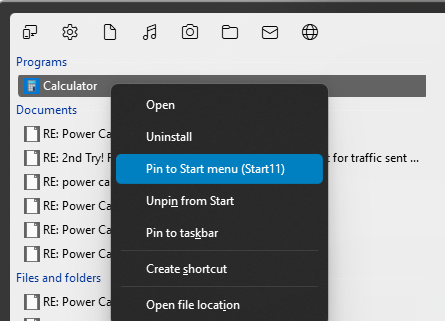
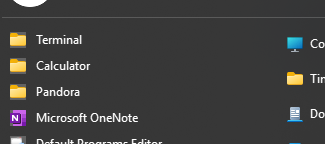
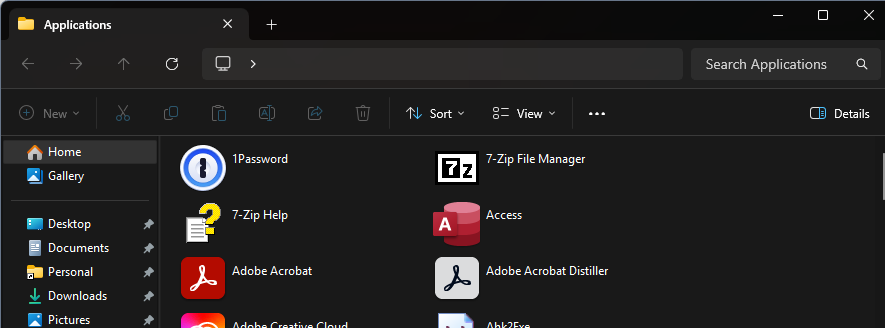
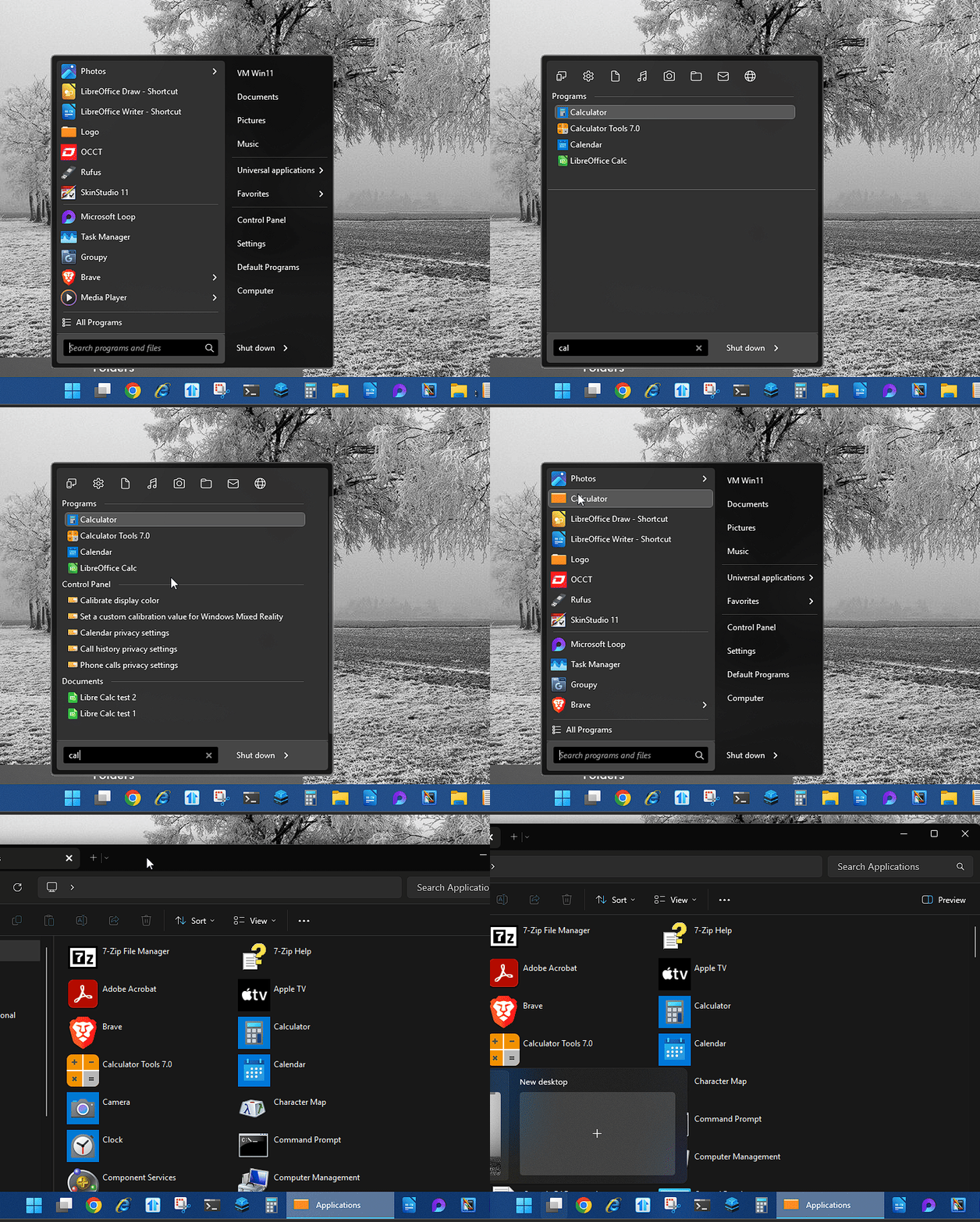
Hi, when choosing "Pin to Start menu (Start11)" on a microsoft "store app" - something like Calculator, Terminal, Snipping tool, etc., it just pins a folder icon with that name and clicking that doesn't open the app, it opens a folder showing all apps. Should be easy to reproduce assuming it's pervasive - just type "calculator" in the start11 search, pick the msft calculator app, right click and pin, then look at the pinned items in the start11 menu.

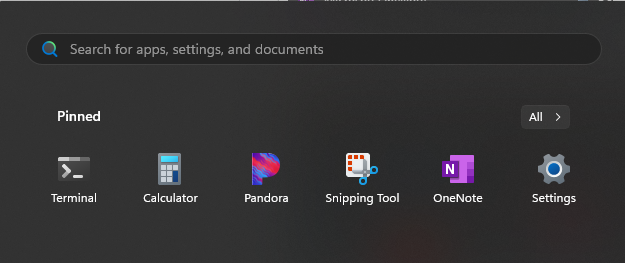
If I pin to the "real" windows start menu then it shows up and works as expected (icon is correct, clicking it opens the calculator).

Start11 v 2.51, Windows 11 v 24H2 build 26100.2894

Pinning to the start11 menu:
 

Items pinned to Start11:
 

Clicking any of those folder items opens this window:
Pinning to the "real" start menu:
Thanks.
2,085 views 5 replies
Reply #1 Top

Hello,
Sorry to hear you are having issues. But, look like I can not reproduce your issue on my system. Need to know, which Start11v2 Start panel style you're currently using? From your screenshot it look like Windows 7/Modern style?

Thank you,
Basj,
Stardock Community Assistant.

Reply #2 Top

If you're in fact on Windows 7 or Modern style, I can reproduce your issue. Refer screen grab below.


I have forwarded your problem to Stardock Support Team for their assistance. Please keep an eye on this thread for any updates. We appreciate your feedback and patience.

Thank you,

Basj,
Stardock Community Assistant

Reply #4 Top

Hi timstevenson,

Thanks for posting.  We now have this logged internally.

Reference: ODNT-9565

Best regards,

Adam McGuinness
Stardock Customer Support Specialist

Reply #5 Top

Hello again,

This has been addressed in a recent beta release of the program.  We encourage you to give it a try and let us know what you think.  

For instructions how to get the latest Beta, and additional details and feedback, please see:

Thanks again and best regards,

Adam McGuinness
Stardock Customer Support Specialist