
Start11 Swipe Up on Menu

Since the most recent update, swiping up on the taskbar does not trigger start11's start menu.

Either I get the windows 11 default start menu, or I get nothing at all.

Also touching the start button does not work, however if i connect a mouse I can click it ok to load the menu.
1,603 views 8 replies
Reply #1 Top

Hello,
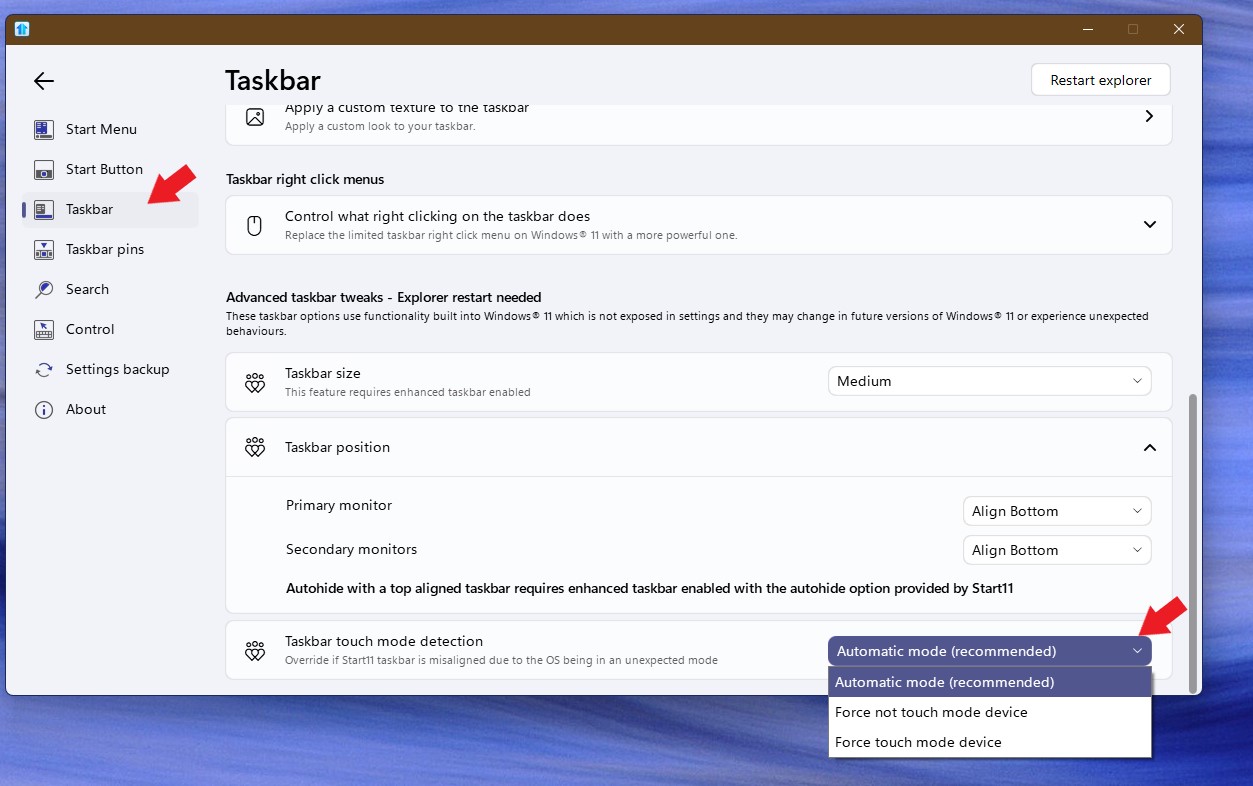
Sorry to hear you are having issues. Please try changing this setting and see if it make any different and report back.

Thank you.
Basj,
Stardock Community Assistant.

Reply #2 Top

Setting was already on Automatic. With either of the other options, it is more consistent (I always get a response), however it is the windows 11 default start menu not Start11.

For information I have a few of your softwares installed (Fences, WindowBlinds, Groupy, Multiplicity, TouchTasks as well as Start11). Latest versions of all are installed. I also have DisplayFusion Pro installed which I know has caused issues previously according to your change logs. Current version of Winows is Win 11 24H2.


Reply #3 Top

I notice you have Stardock's Touchtasks installed on you Windows 11. Do know that Touchtasks is not officially compatible with Windows 11. Not sure if it was the cause of your issue, but you could try uninstall it, reboot and test it.

Thank you,

Basj,
Stardock Community Assistant

Reply #4 Top

I've always had Touchtasks installed and never been an issue before.

I will however, remove it to see if this resolves my current issue as Start11 is more important than Touchtasks even though they serve a different purpose.

I will post back with an update.

Reply #6 Top

May I know more information on your system.

  1. Windows 11 24H2 OS Build number. Use Winver.exe.
  2. Start11 full version number.

Thank you,

Basj,
Stardock Community Assistant

Reply #7 Top

Windows Ver: 24H2 26100.2894

Start11 Ver: 2.51

Part of the issue may be caused by WindowBlinds. When I had no theme attached, swiping up over the start button brought up Start11, however swiping up on the bar still brought up the windows default.

With WindowBlinds theme activated, swiping up on the start button is the same as swiping on the bar.

If I turn off "Optimise taskbar for touch interactions..." from the windows personalisation>taskbar setting, then the bar stay available so I can at least tap on the start button to get start11 menu. Not ideal, but a short term solution.

Reply #8 Top

Hello,
I have forwarded your problem/question to Stardock Support Team for their assistance. Please keep an eye on this thread for any updates. We appreciate your feedback and patience.

Basj,
Stardock Community Assistant