Reply #1 Top

Hello,
Sorry to hear you are having issues. And sorry that I have missed your post on that other thread. First, we need more information on your system.

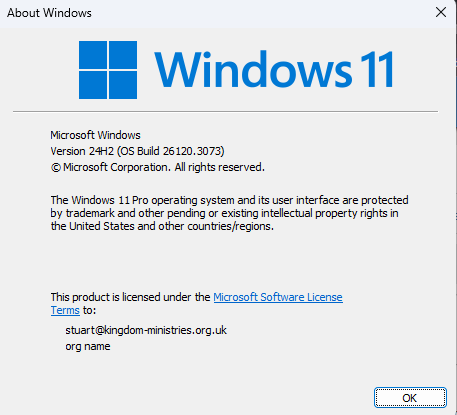
  1. Windows full version and OS Build number. Please use Winver.exe.
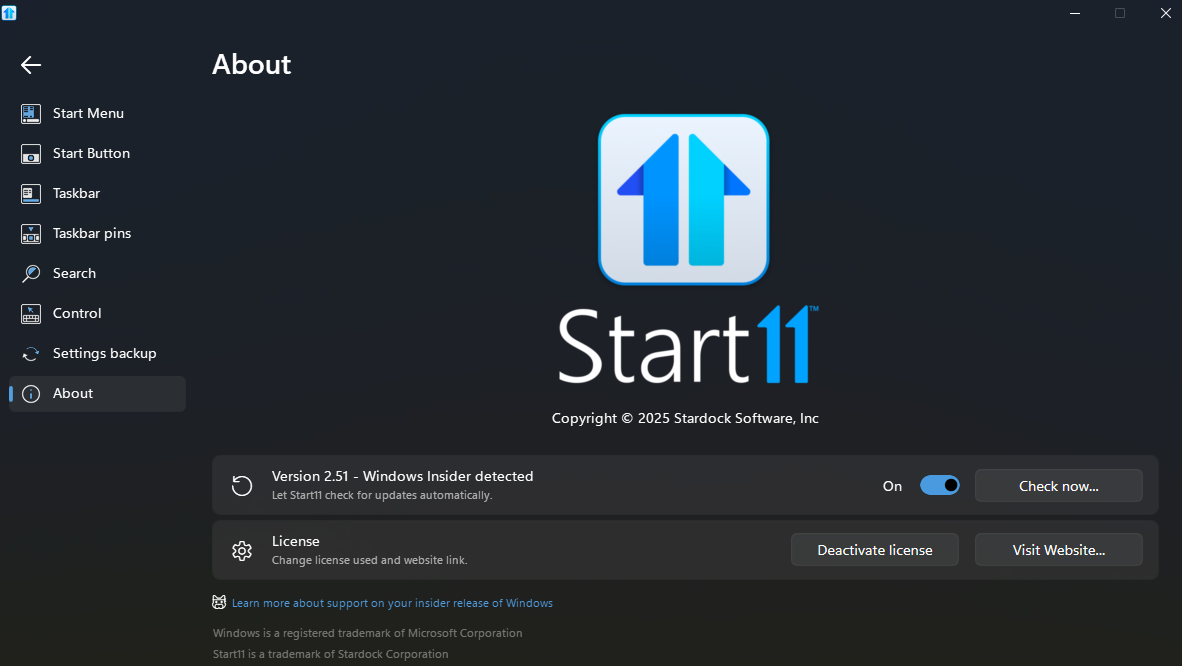
  2. Start11 full version you have now.

Thank you,
Basj,
Stardock Community Assistant.

Reply #2 Top

Ok, here's how things went earlier today -

I thought that using only the windows key was going to be my workaround. So I decided to use the remove start button feature.

Once set, I restarted. Lo and behold when things finished loading, I saw that my preferred icon was active on the start button, as well as secondary displays. The start 11 menu now works like it should and opens the start 11 menu I configured.

Is that the modus of changing the main start button? because if that is what had to be checked in preferences, it works correctly.

I hope future win 11 updates do not scramble everything. The last one I installed broke my PC. I went into safe mode and found that I could remove the last feature update. Fortunately everything was back to normal... except start 11.

Well, now it works. So, if what I did helps anyone that would be great because some features are not 100% instant, like secondary display start buttons.


Thank you for looking in on this Basj. [smiley face]


Cheers.

Reply #3 Top

Actually, I am not sure on what you trying to do and what you did to resolved your issue. But, if it work for you, than, why not. As for if your workaround still work after another Windows update is beyond me.

Thank you,

Basj,
Stardock Community Assistant


Reply #4 Top

Back to add to this topic. The Start 11 start button does not remain if the power gopes out or I do a system reboot for updates.


The fix is to set the start 11 setting "No start button on the main display.


Then once restarted, the win 11 button should show again after selectin the preset "use Start 11 button" always checked for the secondary displays will not have the custom start button. Turning the 'Hide main display back on" should show the alt start button.


What this is all about is just tooo basic - the main start button reverts to win 11 start. Simple. Ok?


Follow these steps then you'll be ok.


Lastly, my system is a behemoth rig worth upward of 10,000 dollars.


I have 6 32 inch displays on a rig that allows the sides to be set facing me.


The PC itself is made specifically for this purpose.


SO that 'might' explain it for you.

Reply #5 Top

I'm having the same issue. START 11 was all working fine until this morning. Now when I hit the windows icon on taskbar I get the useless standard Windows 11 start menu not my usefuk custom Start 11 one.


Reply #6 Top

Quoting rege0036, reply 5

I'm having the same issue. START 11 was all working fine until this morning. Now when I hit the windows icon on taskbar I get the useless standard Windows 11 start menu not my usefuk custom Start 11 one.


End of rege0036's quote

Hello,
Sorry to hear you are having issues. Please create your own thread so we can help you from there. Also please include all information you posted here.

Thank you,
Basj,
Stardock Community Assistant.

Reply #7 Top

Quoting rege0036, reply 5

I'm having the same issue. START 11 was all working fine until this morning. Now when I hit the windows icon on taskbar I get the useless standard Windows 11 start menu not my usefuk custom Start 11 one.

End of rege0036's quote

Does the windows key work?  Make sure all settings on the control page are set correctly too.

If not it might be S11 isn't starting up for some reason.