sdRohan sdRohan

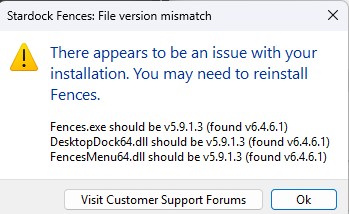
Fences 5 File Version Mismatch Message

Fences 5 File Version Mismatch Message

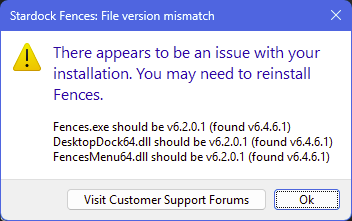
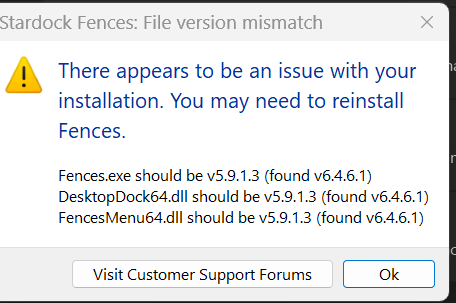
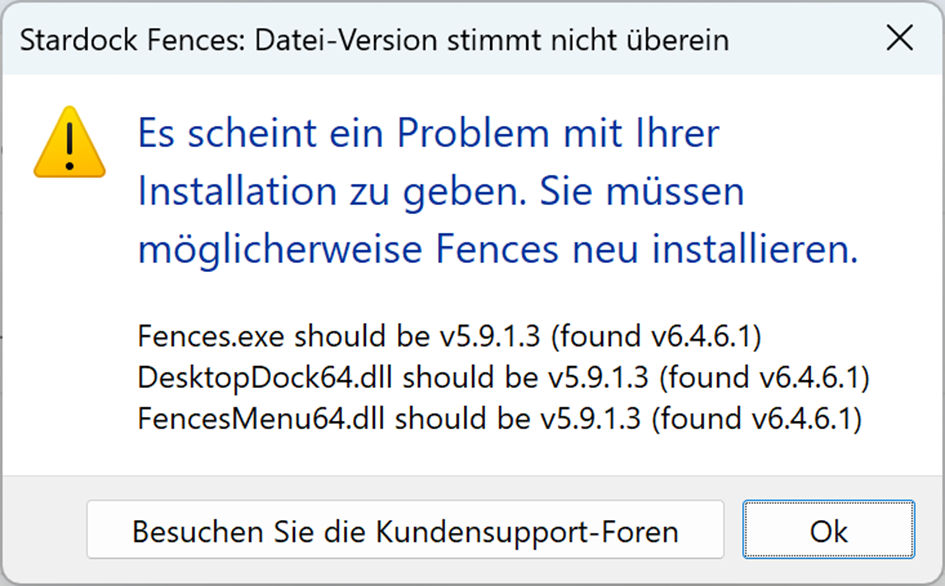
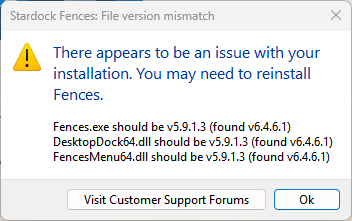
In an effort to improve the reliability of Fences 5 installs that are done overtop an already existing installation of Fences 5, we have added some messaging that will display if there are any file version mismatches. 

If you received that message, we would like to get more information from you.

  • Did the instructions to perform a reinstallation with the same installer work to resolve it?
  • What version of Windows are you running?
  • What anti-virus software are you using?

Thanks for your feedback and time.

Sean Drohan
Stardock Product Lifecycle Manager

31,395 views 39 replies | Pinned +1 Loading…
Reply #26 Top

thanks grfxguy,


Quick question, wondering if you installed standalone or with the Object Desktop Manager? Guessing standalone but just checking. Thank you!

Reply #27 Top

Got the message. I am using windows 11 Enterprise. I tried reinstalling but still get the version messgae. I don't have any other installer. Do I need to reinstall and if so can you point me to the correct installation file?

Jon

Reply #28 Top
  • Did the instructions to perform a reinstallation with the same installer work to resolve it?
    • No
  • What version of Windows are you running?
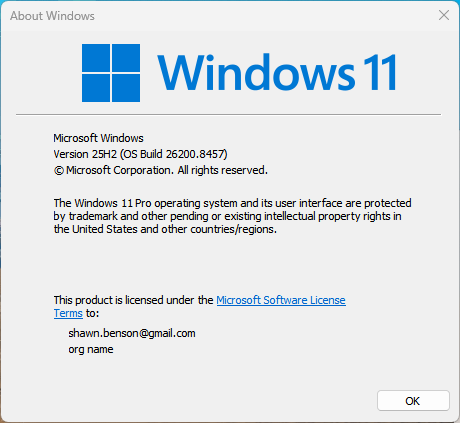
    • Windows 11 ENT
  • What anti-virus software are you using?
    • Iolo-Real Time Protection
Reply #29 Top

Windows 11 Enterprise

25H2 26200 8246 

malwarebytes


Habe den obigen Fehler nach der Aktualisierung von Fences 5

Reply #30 Top

Quoting PeLa-1, reply 29

Windows 11 Enterprise

25H2 26200 8246 

malwarebytes

Habe den obigen Fehler nach der Aktualisierung von Fences 5

Hello,
Sorry to hear you are having issues. Did the issue resolved after reinstalling?

Thank you,
Basj,
Stardock Community Assistant.

Reply #31 Top

Nachtrag.

Guten Tag

Nach Deinstallier und neu Setup von der Upgrade Datei ging es dann.

Habe aber , lange nicht getraut das zu machen wegen Meiner Einstellungen.

Da Ich nichts fand , wo die Backup abgelegt werden.

Das ist auch noch Mein Hindernis für den neuen PC.

Somit das gesamte Forum absuchen ob was find , darüber.

Grüsse.

Reply #32 Top

Quoting PeLa-1, reply 31

Nachtrag.

Guten Tag

Nach Deinstallier und neu Setup von der Upgrade Datei ging es dann.

Habe aber , lange nicht getraut das zu machen wegen Meiner Einstellungen.

Da Ich nichts fand , wo die Backup abgelegt werden.

Das ist auch noch Mein Hindernis für den neuen PC.

Somit das gesamte Forum absuchen ob was find , darüber.

Grüsse.

Please use this guide for Fences backup steps: https://support.stardock.com/space/SHC/1416429609/Backup+of+Fences+Configuration+Settings.

Thank you,

Basj,
Stardock Community Assistant


Reply #34 Top

Quoting PeLa-1, reply 33

Danke Danke ,

sage besten Dank

Grüsse

Glad to help.

Thank you,

Basj,
Stardock Community Assistant

Reply #35 Top

Hello,

Updated from Fences 5.8.6.8 to Fences 5.9.1.3 and noticed that this had some negative effects on changes I have made to Windows 11 U.I. with Winaero Tweaker 1.65.  Specifically affected is the on-screen context menu opened by right clicking on the desktop.  Options "Windows Security," "Shutdown," and "Safe Mode" no longer display properly or function at all.  Re-installing version 5.8.6.8 cured to problem ad is fine for my needs.  -Just an FYI you may find of interest.

Reply #36 Top

Quoting SHRather, reply 35

Hello,

Updated from Fences 5.8.6.8 to Fences 5.9.1.3 and noticed that this had some negative effects on changes I have made to Windows 11 U.I. with Winaero Tweaker 1.65.  Specifically affected is the on-screen context menu opened by right clicking on the desktop.  Options "Windows Security," "Shutdown," and "Safe Mode" no longer display properly or function at all.  Re-installing version 5.8.6.8 cured to problem ad is fine for my needs.  -Just an FYI you may find of interest.

Hello, I’m sorry to hear you’re experiencing this issue. Just to clarify, when Winaero Tweaker is disabled or uninstalled, does the problem go away?

Thank you,


Basj,
Stardock Community Assistant.

Reply #37 Top

Had this event popup today after opening the Fences app.

It seems odd that it expected an older version.

Attempted to backup the registry entries using the bat file and running it from a Windows PowerShell.  The script executed without errors but the .reg files it said it exported can't be found (I searched my entire system with the Everything utility).  Probably because I've moved my Documents folder to another drive.

Found the registry entries manually.  HKCU was as expected.  HKLM had 2 entries under Stardock - Fences & Fences6.  Backed them both up.

Downloaded a fresh Fences 6 installer from Stardock.

  • Did the instructions to perform a re-installation with the same installer work to resolve it?
    • Yes
  • What version of Windows are you running?
    • Windows 11 Home Version 10.0.26200 Build 26200
  • What anti-virus software are you using?
    • Microsoft Defender

Hope this helps.

Reply #38 Top

Upgraded from Fences 4 to Fences 6.

Got a Fences 5 was expected upon installation.

 Nstalled again and got this error message. 

I paid for a good nstall. Make it so.


Reply #39 Top
Quoting StarDock260511reply 3992834

Upgraded from Fences 4 to Fences 6.

Got a Fences 5 was expected upon installation.

 Nstalled again and got this error message. 

I paid for a good nstall. Make it so.


Hello, Sorry to hear you are having issues. First, please try purge and reinstall steps as mention here : [ https://support.stardock.com/space/SHC/1332477959/Fences+purging+and+re-installing ]. Just make sure to redownload the latest version from your account page. Reboot after the purge. Reinstall and reboot again after the installation. Retest and report back here. Thank you, Basj, Stardock Community Assistant.