Start11/Curtains transparency problem

can't make Start11 menu opaque

I'm trying to make everything opaque, but the Start11 menu insists on being transparent.

Using Start11 version 2.08, Curtains 1.19.1, Windows 10.

I have "Transparency effects" disabled in Windows Settings, "Enable transparency effects" disabled in Curtains. The Start11 menu is set to "Windows App Style" and "Menu background transparency level" is set to "100% solid". Oh, and Curtains style is "Play Cyan".

Any suggestions?
1,952 views 7 replies
Reply #1 Top

Hello,
Sorry to hear you are having issues. Need to know you are using which Start11 menu style?

Thank you.
Basj,
Stardock Community Assistant.

Reply #2 Top

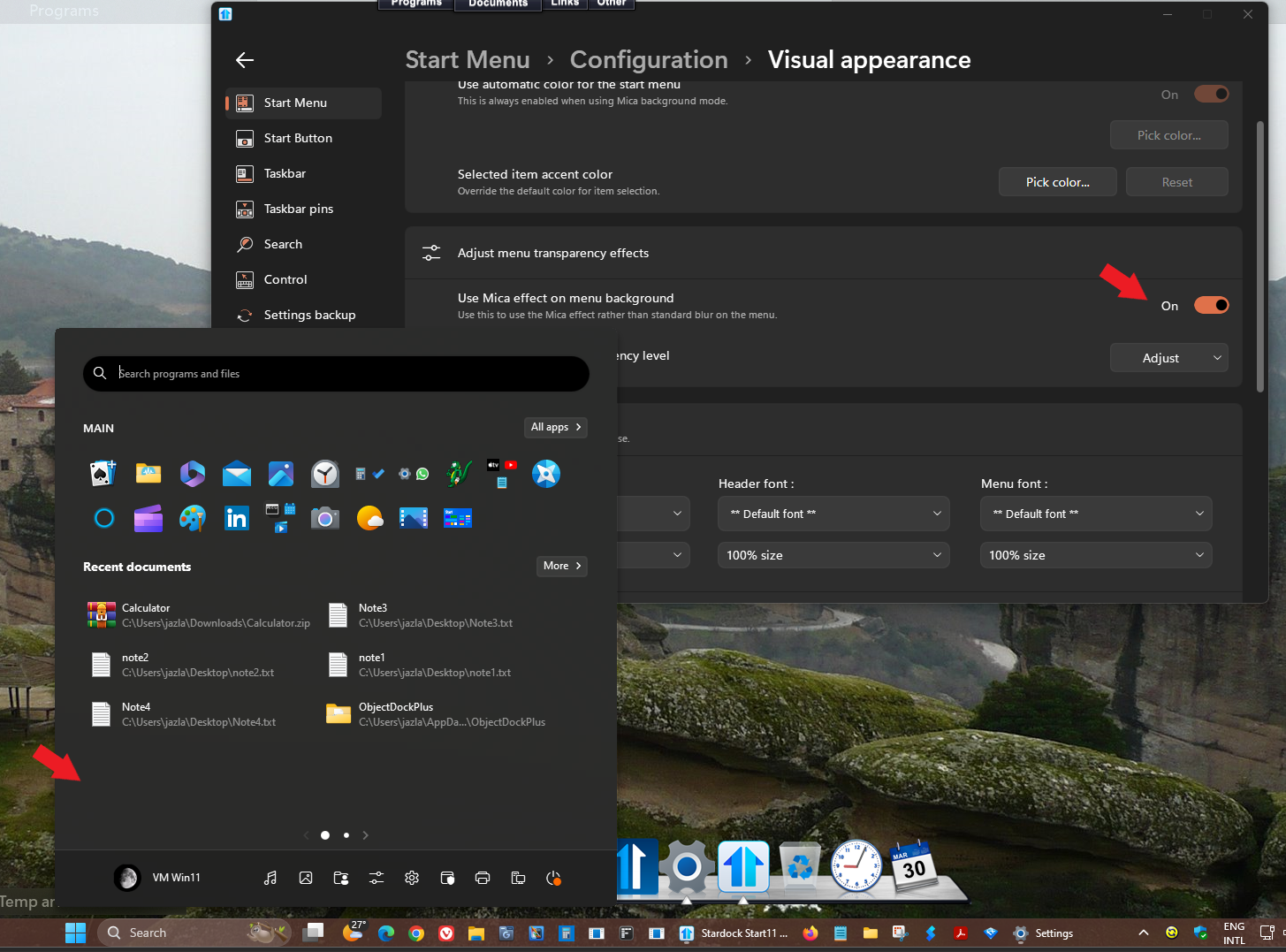
Also, try turn on Mica effect in Start11->Start Menu->Configuration->Visual appearance->Adjust menu transparency effects.

Thank you,

Basj,
Stardock Community Assistant

Reply #3 Top

Hi Basj,

Quoting basj, reply 1

Need to know you are using which Start11 menu style?
End of basj's quote

Windows App Style (I did say :) ).

Quoting basj, reply 2

Also, try turn on Mica effect
End of basj's quote

That does make it opaque--but also removes the ability to set the menu background color? Is there a way achieve both?

Thanks,

-Jim

Reply #4 Top

I've experimented a bit more--it does depend on the Start11 style. Everything works for "Windows 7", "Modern Style",  "Windows 10 Style", and "Windows 11 Style", but not for the other three.

Reply #5 Top

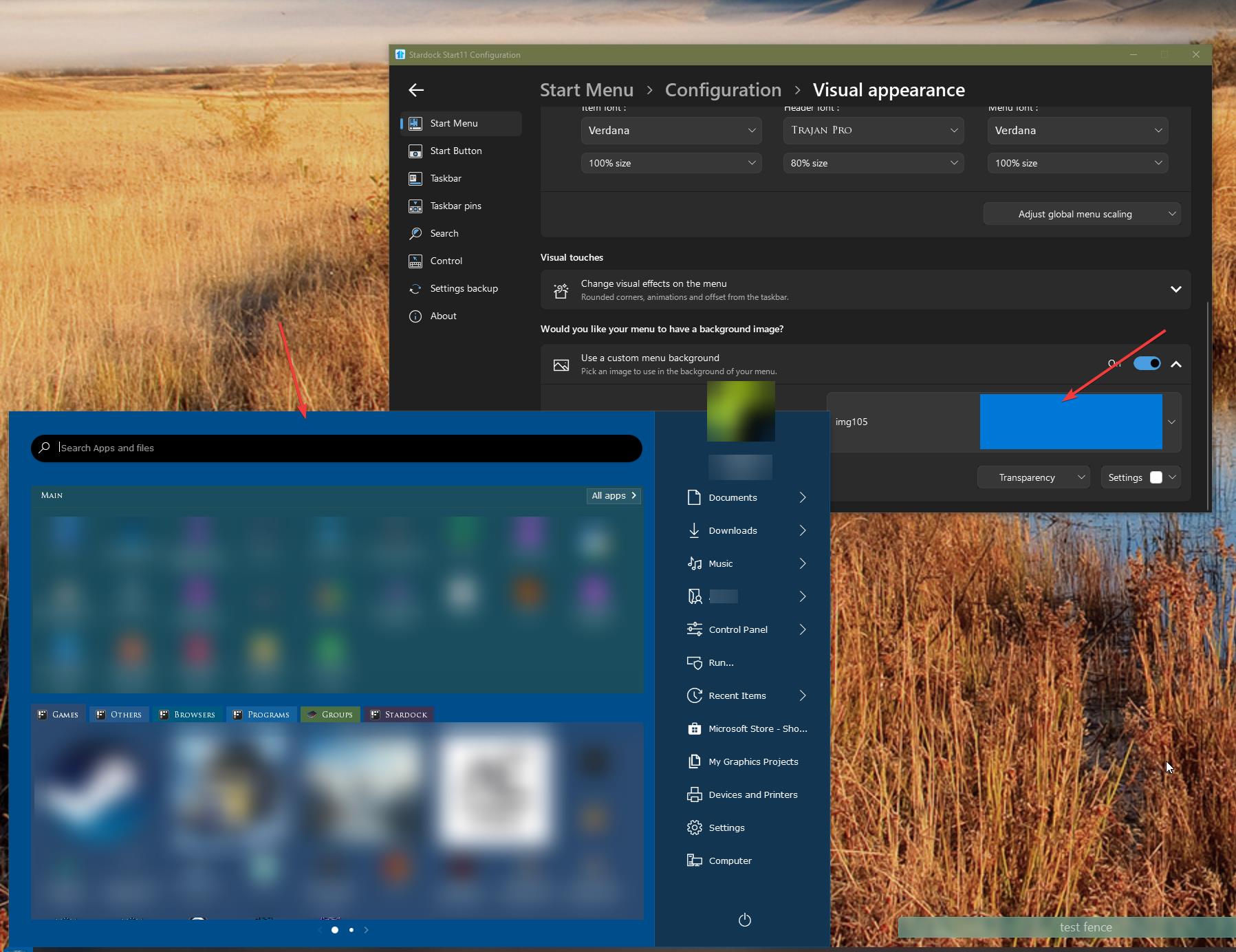
I checked and I believe, you can have opague color background by applying custom menu background and choose a solid color background. For example, if you wish to have blue background, you can make or download a blue background and save it in your system. Select that blue background file as your custom background.

Something like screenshot below.

Thank you,

Basj,
Stardock Community Assistant

Reply #6 Top

Quoting basj, reply 5

I checked and I believe, you can have opague color background by applying custom menu background and choose a solid color background.
End of basj's quote

D'oh! Of course that works!

Thanks,

-Jim

Reply #7 Top

Great, glad it work.

Thank you,

Basj,
Stardock Community Assistant