Search field not correctly aligned

Hello,

I don't know if it's an issue or my bad configuration.

Windows 11 24H2 build 26100.1150

Start11 v.2.08

Style Windows Pro

Transparent Taskbar

Let Start11 manage Taskbar

Rounded corners enabled 

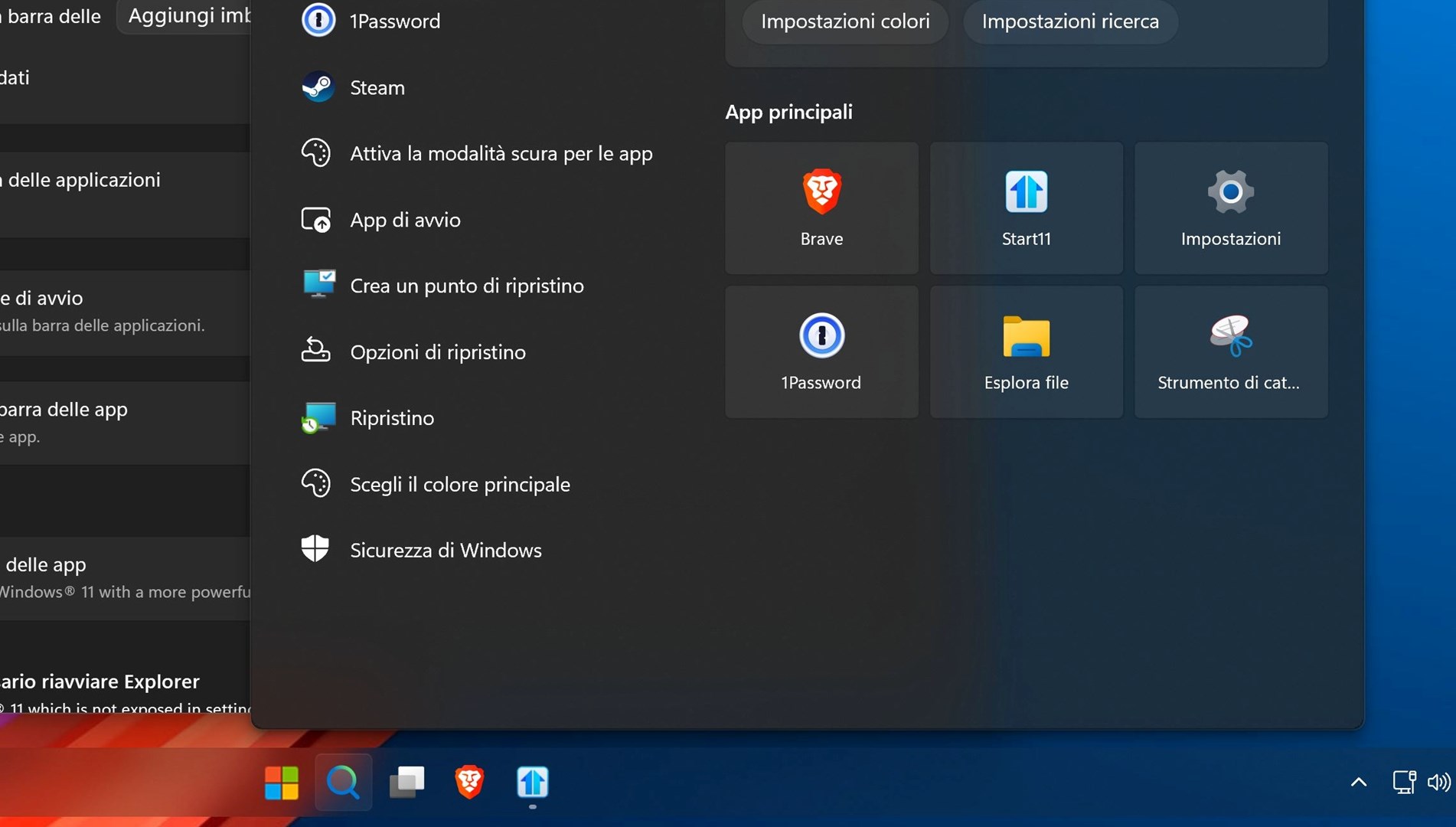
If I click in the Search field next to start button, the field displaces vertically. Here's a screenshot
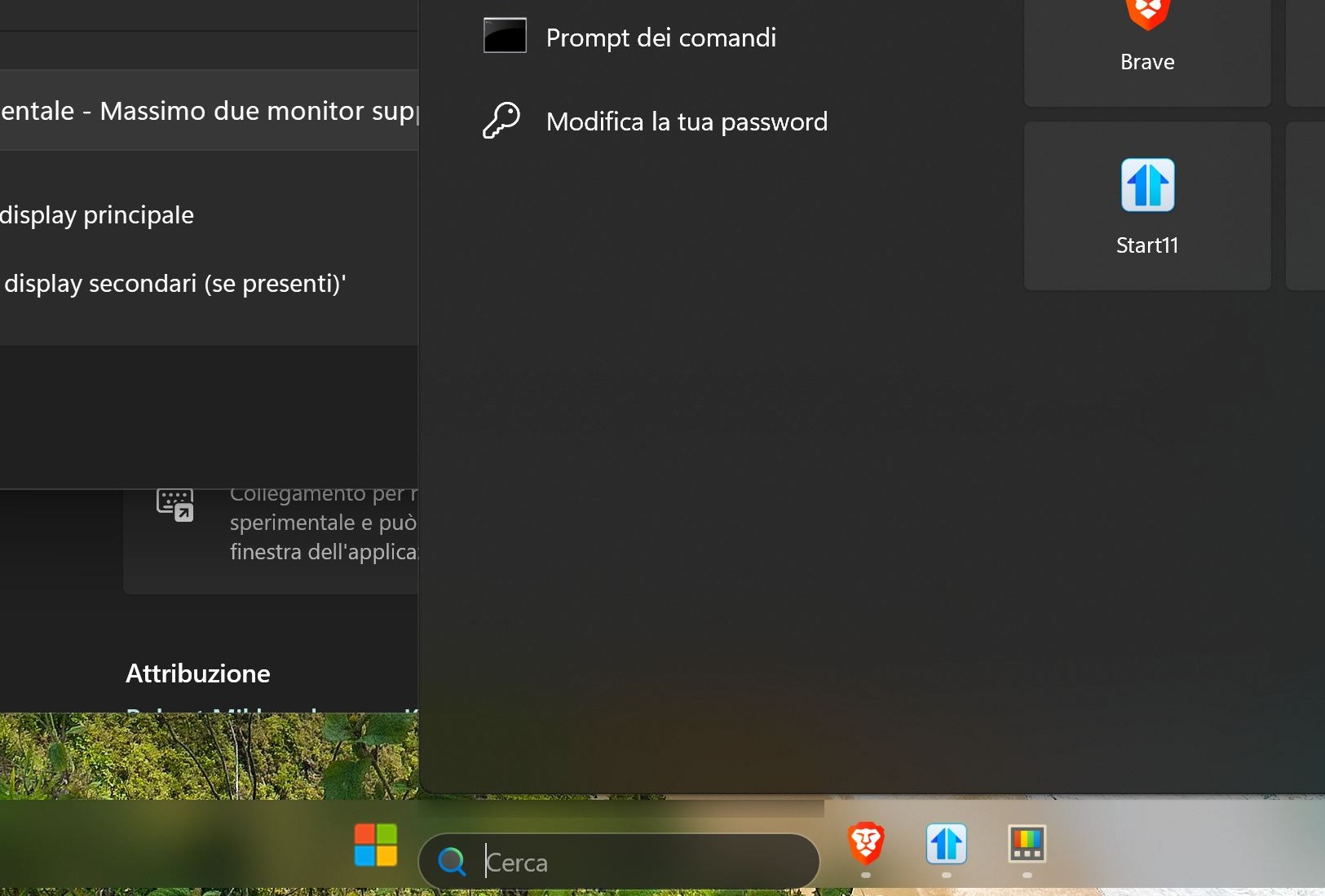
 

How can vertically center the search field?


Thanks 
 

3,189 views 14 replies
Reply #1 Top

Hello,
Sorry to hear you are having issues. I don't have this Windows version yet, is this a new build/purchase system or you on insider preview release?

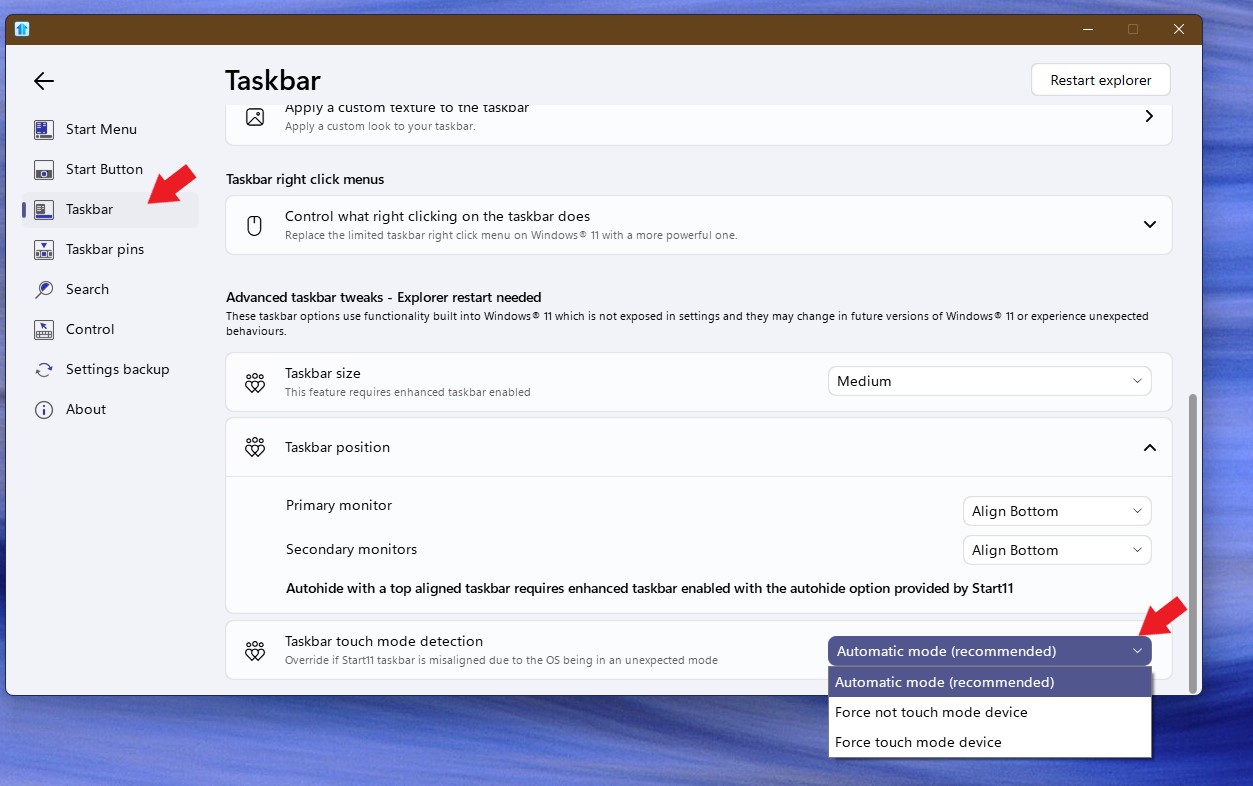
And, it might need to try these touch mode settings. Try all three settings and see if any of it reset the search box to proper vertical center location. Might need to restart Explorer.exe to see the difference.

Thank you.
Basj,
Stardock Community Assistant.

Reply #2 Top

Thanks,

unfortunately none of these settings seemed to help. I don't think it's related to my windows version (Enterprise), as I was experiencing the same issue with the previuos version (Education)


christian

Reply #3 Top

Great, glad you have confirmed that. If you have experienced it on your previous version, what was that version? My current Windows 11 version 23H2 (OS Build 22631.3880) but, I don't see this issue.

Perhaps, there is conflict happening with other software running on your system. To verify, if Windows Sandbox available in your system. Please test intalling Start11 v2.08 in it and see if the issue also appear in there:  https://forums.stardock.com/505872/start11-support-faq#windowssandbox. Try that and report back.

Thank you,

Basj,
Stardock Community Assistant

Reply #4 Top

I can't find the Windows Sandbox app even if virtualization seems enabled in BIOS.

If I choose to show just search icon intead icon+search field, evertything is vertically aligned. I think I'll stay this way.


Thanks anyway.

Christian

Reply #5 Top

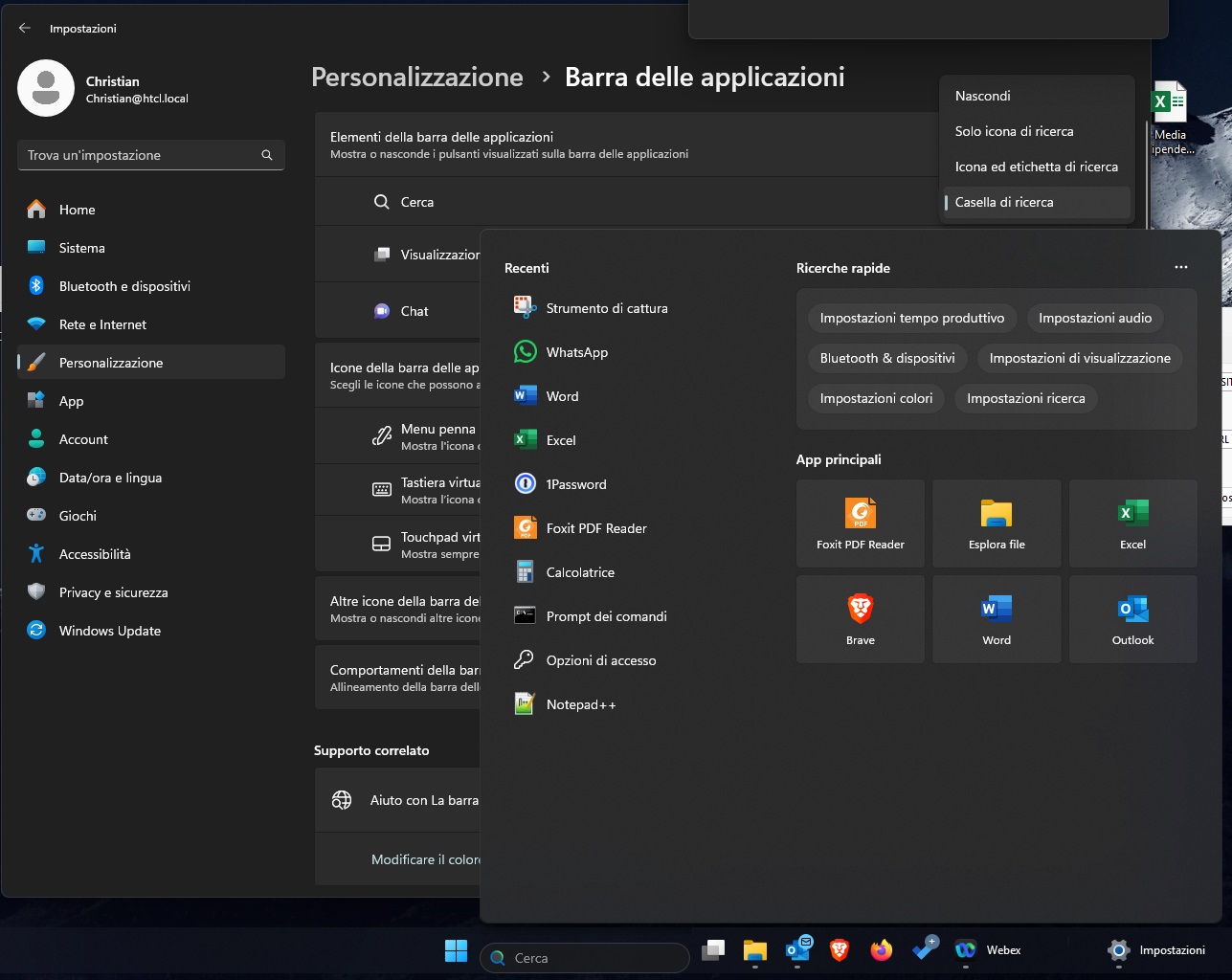
You will have to install the Windows Sandbox from the "Optional features" in Windows Settings.

Reply #6 Top

Same issue on my other pc (office)

Windows 11 22H2 (build 22621.3880)

Start11 v. 2.08

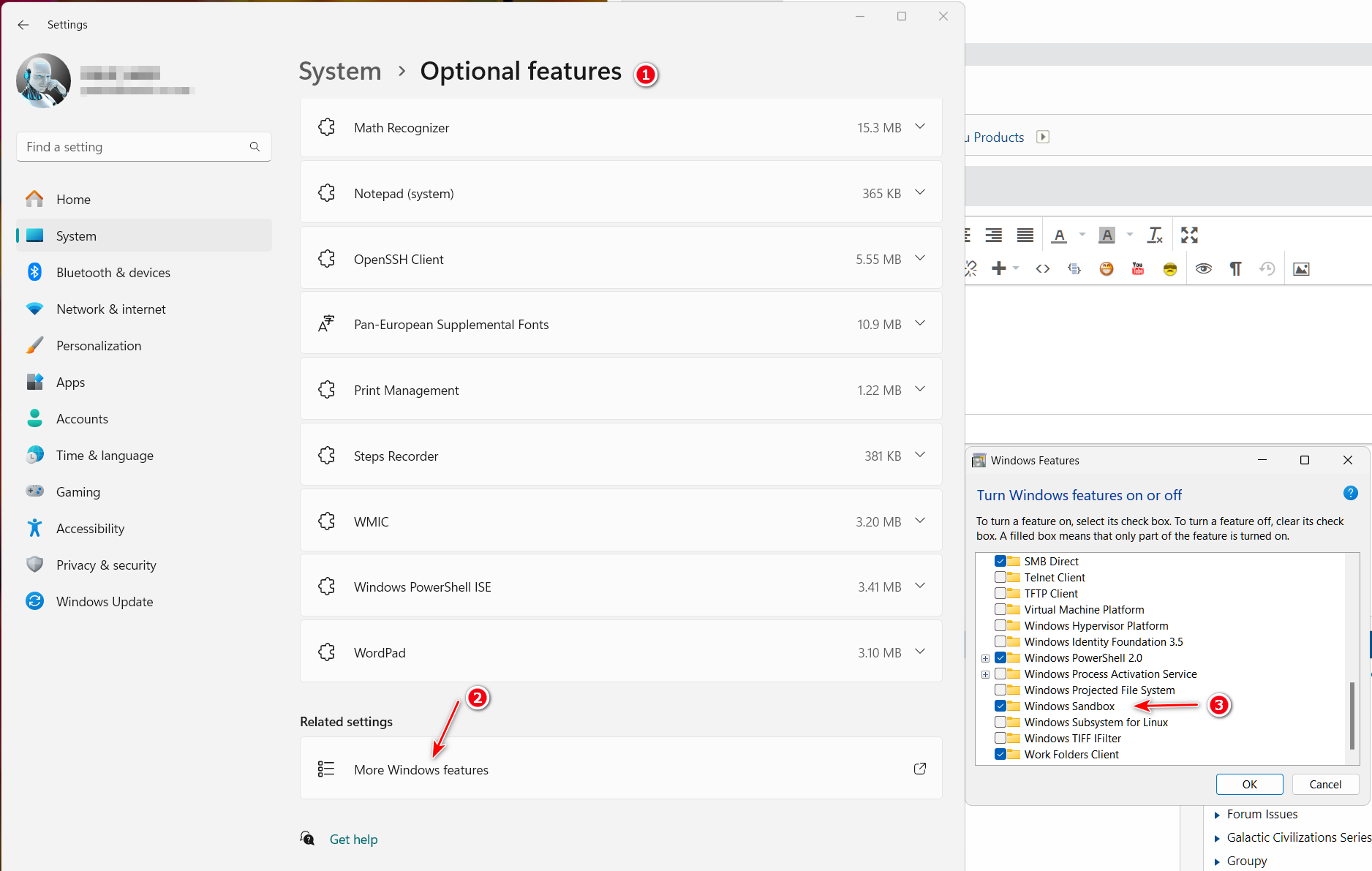
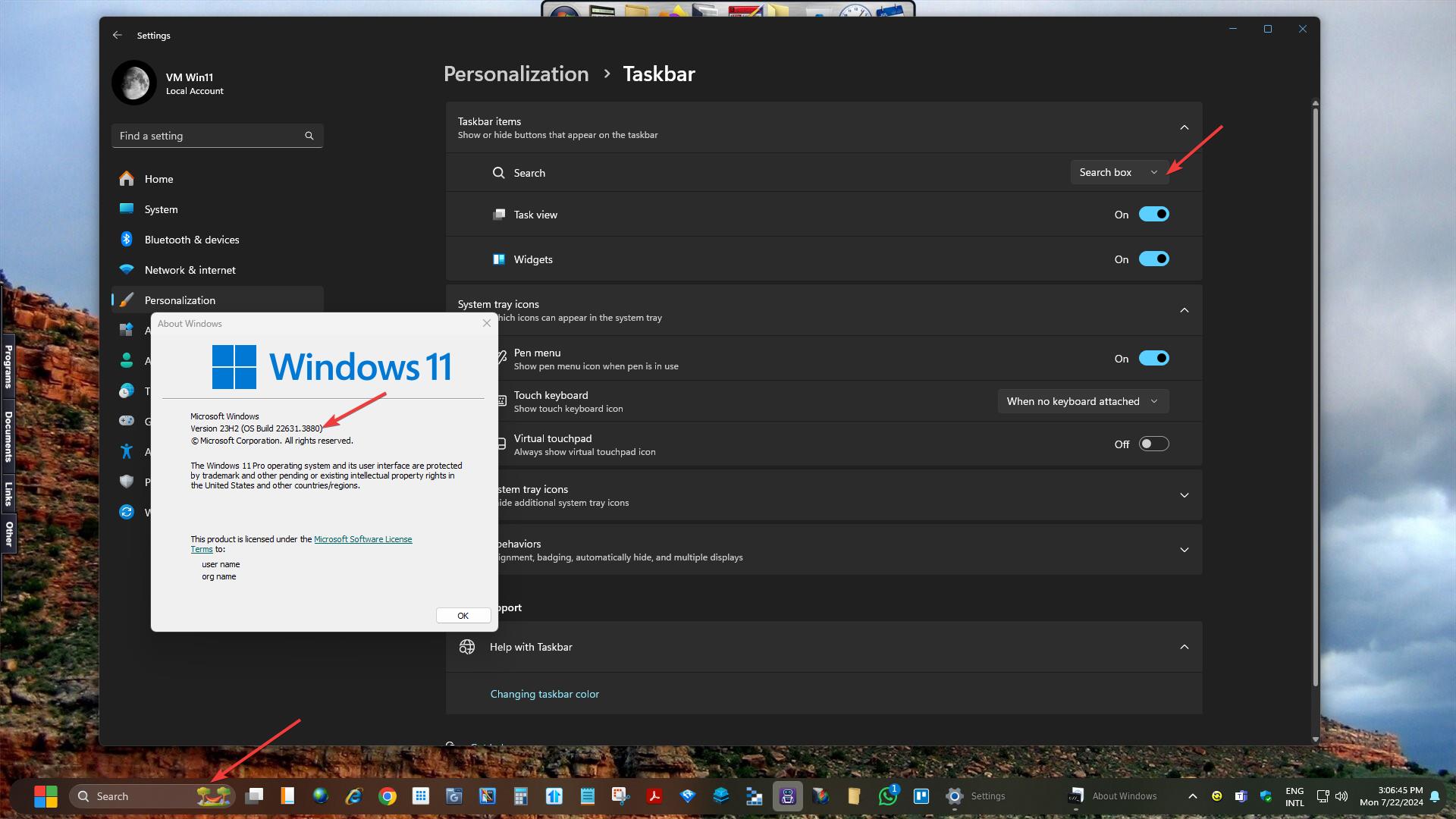
Issue only happens when, in Personalization/taskbar, I choose the fourth option (Hide, Icon, ...) as you can see in the screenshot. 


Christian

Reply #7 Top

Quoting christian_saccani, reply 6

Same issue on my other pc (office)

Windows 11 22H2 (build 22621.3880)

Start11 v. 2.08


Issue only happens when, in Personalization/taskbar, I choose the fourth option (Hide, Icon, ...) as you can see in the screenshot. 

Christian
End of christian_saccani's quote

Hello,
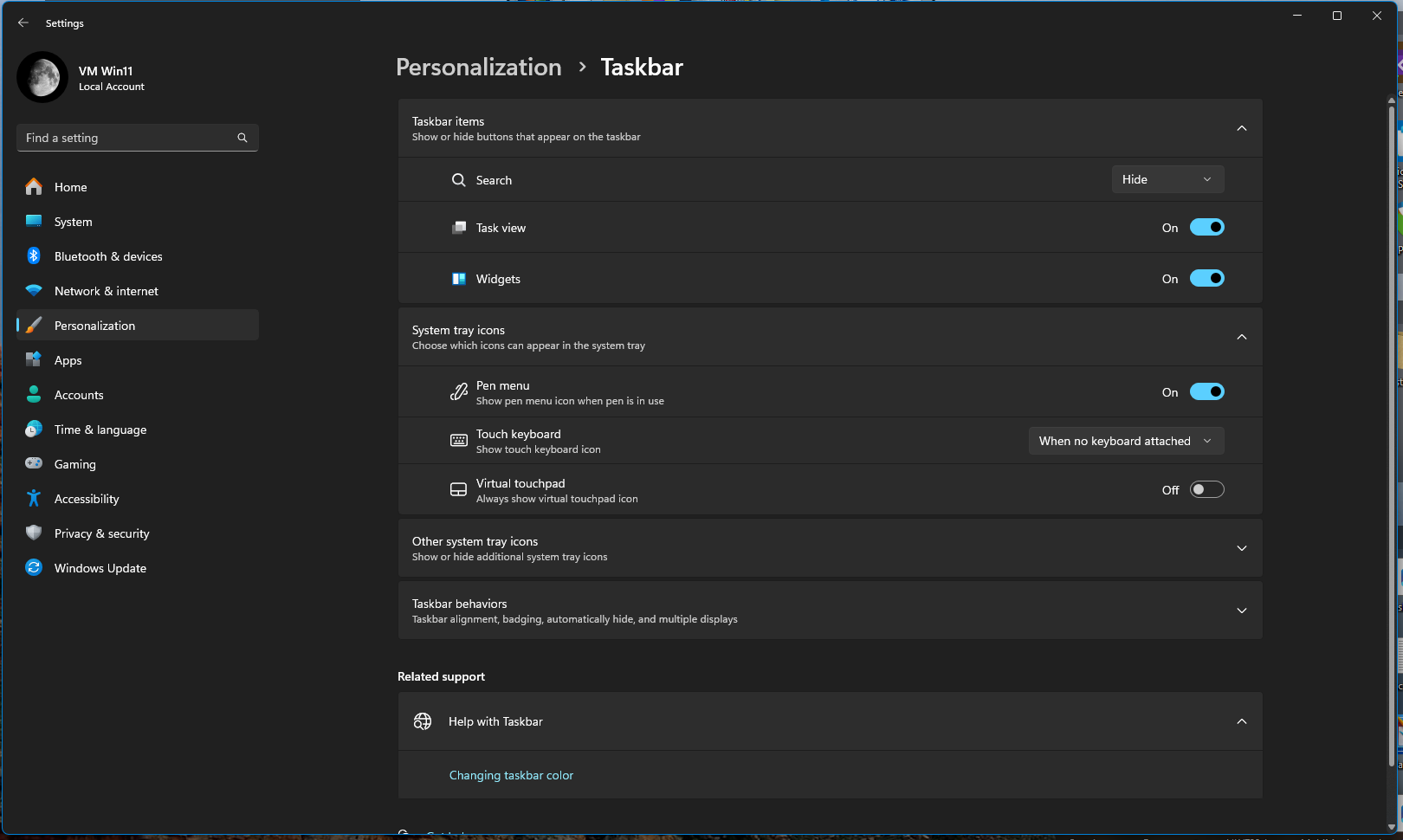
Sorry to hear you are having issues. But, I can not get to your setting here is what I get when I go to Personalization>taskbar. Which button to get to "I choose the fourth option...." you mentioned above?

Thanks
Basj,
Stardock Community Assistant.

Reply #9 Top

Okay, I turn that on and I can't reproduce your issue. Possible issue with Win11 V22H2. Please try to update your Windows to the latest release version V23H2. Below is my screenshot on what I get on my system.

Thank you,

Basj,
Stardock Community Assistant

Reply #10 Top

Hello,

the issue only happens if I click on the search bar on bottom. Did you try this as well?

Unfortunately the OS version installed is the latest available (no pending updates).


Christian

Reply #11 Top

Okay, I see the issue, but only if I disable "Start11 Enhance taskbar". If it set to "On" that issue do not appear. Refer video below.

I have forwarded your problem/question to Stardock Support Team for their assistance. Please keep an eye on this thread for any updates. We appreciate your feedback and patience.

Thank you,

Basj,
Stardock Community Assistant

Reply #12 Top

Hi christian_saccani,

Thanks for catching this and posting.  I've also reproduced this in the Windows 11 Sandbox client with your specifications.  I've logged it internally. 

Internal Ref: ODNT-8480

Best regards,

Adam McGuinness
Stardock Customer Support Specialist

Reply #14 Top

Great, glad to hear that.

Thank you,

Basj,
Stardock Community Assistant