Start Menu Resolution with 3 Monitors

Does anyone have any issues with the third monitor with using Start11 v2 with Windows 11?  The resolution is blown out when you go from the main monitor to the third monitor.  So my set up is as follows:

Left Monitor (3) - 27" 1920x1080
Middle Monitor (1) - 32" 3840x2160
Right Monitor (2) - 27" 1920x1080

When using the start menu and then going from monitor 1 to 3 the resolution is not right.  1 to 2 is good and 1 to 2 to 3 is good.  Only going from the higher resolution monitor one to the third monitor messes up.

2,859 views 13 replies
Reply #1 Top

Hello,
Sorry to hear you are having issues. Don't have 3 monitors to test it out. However, I have forwarded your problem/question to Stardock Support Team for their assistance. Please keep an eye on this thread for any updates. We appreciate your feedback and patience.

Note: Need to know few things first.

  1. Windows 11 full build number. Use Winver.exe to get it.
  2. Start11v2 full version number.
  3. Each Monitors scale factor (100%,150%, 200% etc)

Thanks
Basj,
Stardock Community Assistant.

Reply #2 Top

1. Version 23H2 (OS Build 22631.3593)

2. Version 2.08

3. Left Monitor (3) - 27" 1920x1080 - Scale 100%
Middle Monitor (1) - 32" 3840x2160 - Scale 150%
Right Monitor (2) - 27" 1920x1080 - Scale 100%

Reply #3 Top

Just as a test, and you can set the scale back to your choice after the test,  if you set the middle monitor to 100%, restart Explorer.exe, does the issue go away?

How to restart Explorer.exe? : https://www.howtogeek.com/198815/use-this-secret-trick-to-close-and-restart-explorerexe-in-windows/

Thank you,

Basj,
Stardock Community Assistant

Reply #4 Top

Hello,

Changing the scale of the middle monitor and restarting the Windows Explorer process did not fix it.  Same issue.

Reply #5 Top


The resolution is blown out when you go from the main monitor to the third monitor
End of quote

Please post a video of this issue so we understand what you mean by "blown out"

Thank you,

Basj,
Stardock Community Assistant


Reply #6 Top

Hello,

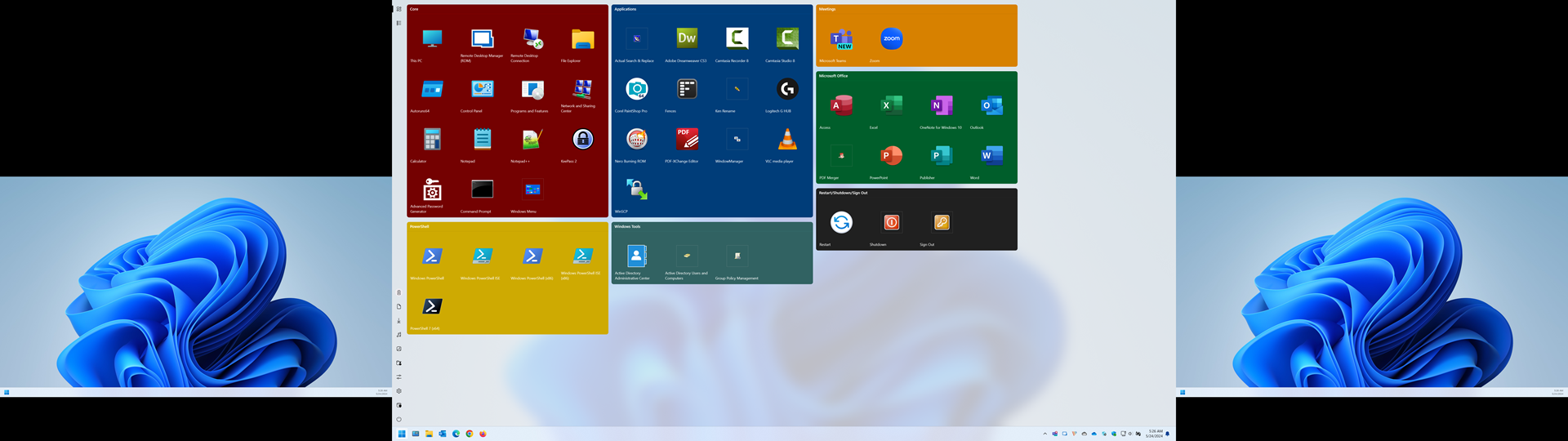
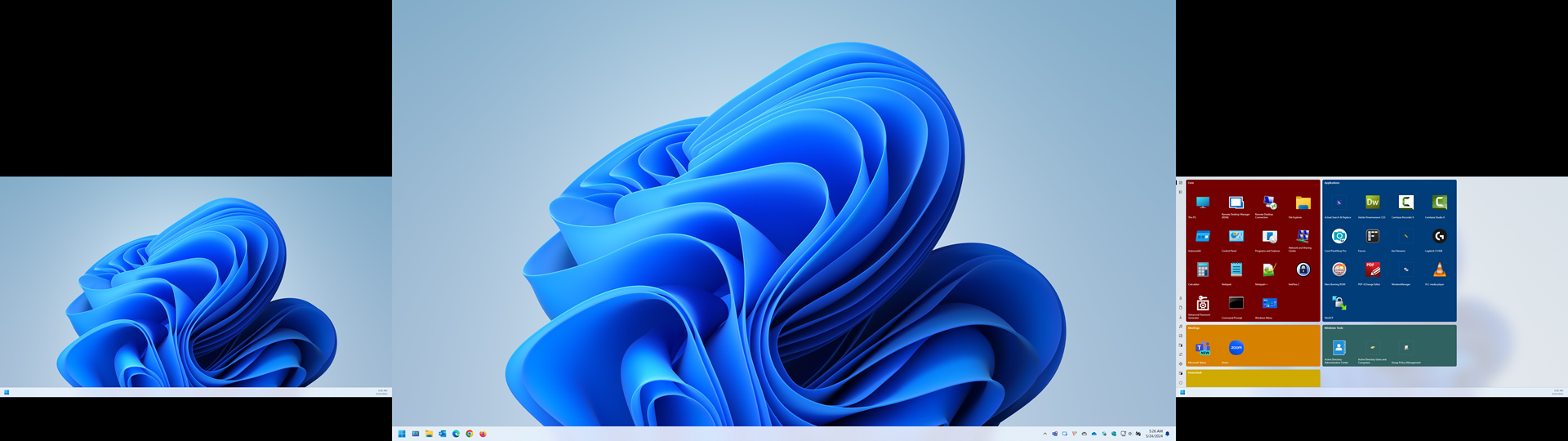
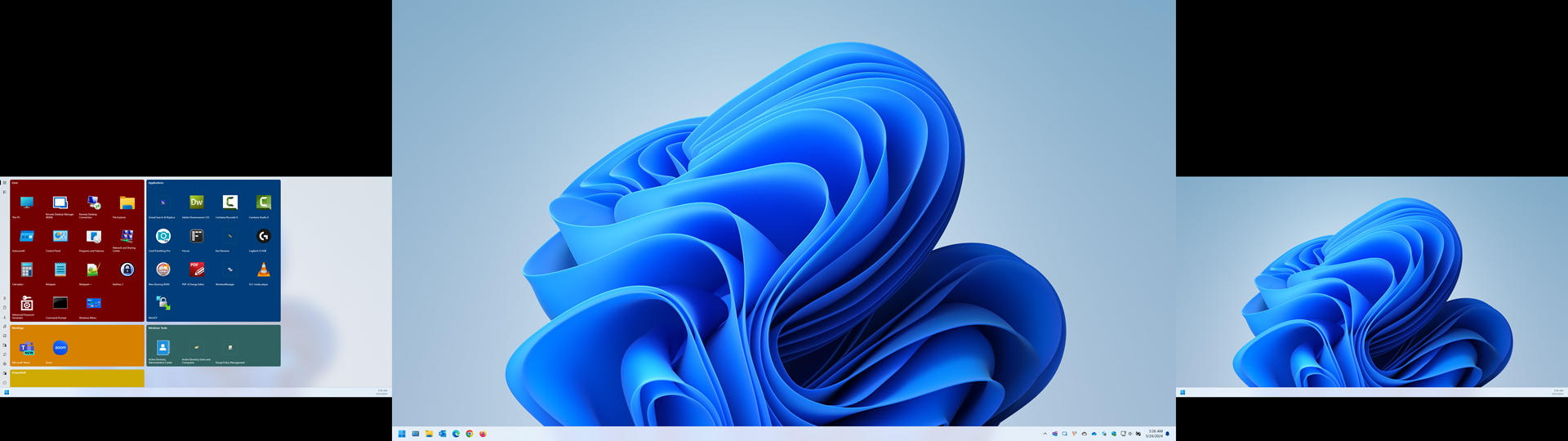
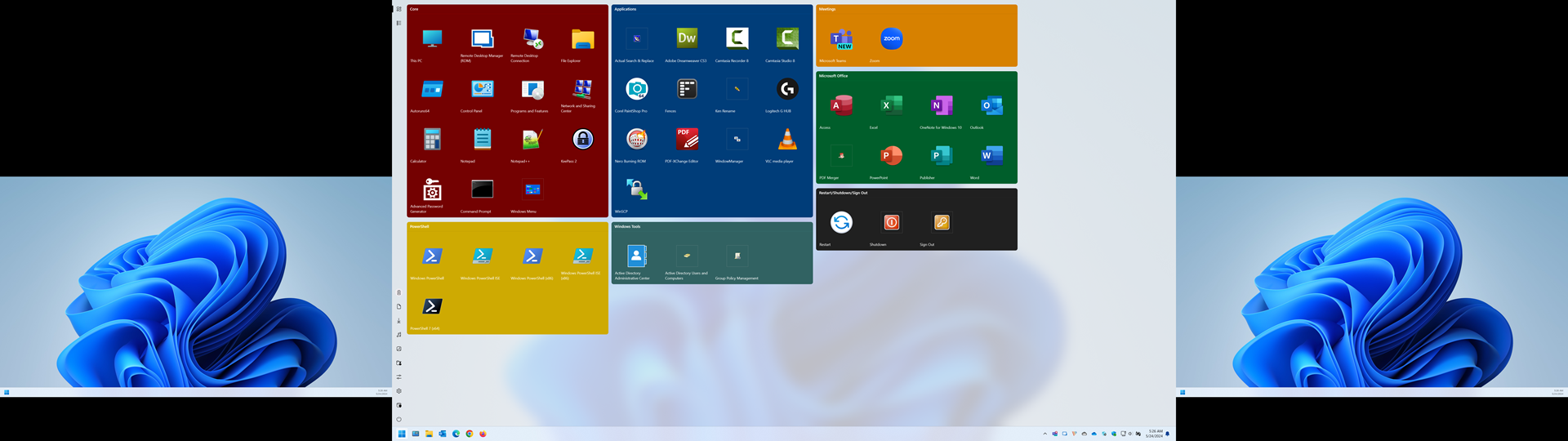
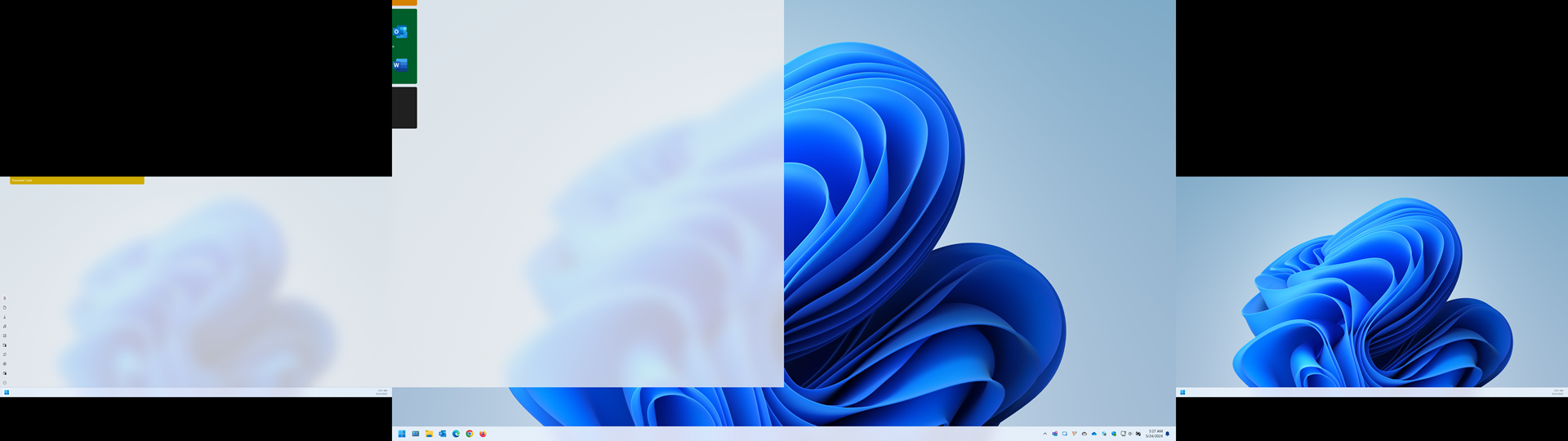
It's probably easiest to just post the screenshots.  The numbers in the ( ) for each is how Windows is identifying the monitor in display properties.  This is what it looks like if I click on the start button for each monitor in this order:

1. Middle Monitor (1) - 32" 3840x2160 - Scale 150%
2. Right Monitor (2) - 27" 1920x1080 - Scale 100%
3. Left Monitor (3) - 27" 1920x1080 - Scale 100%

Everything works as it should in this scenario:


Now this is what it looks like if I click the start button in this order:

1. Middle Monitor (1) - 32" 3840x2160 - Scale 150%
2. Left Monitor (3) - 27" 1920x1080 - Scale 100%

As you can see, going from the higher resolution monitor does not scale properly when going to the third monitor:

This seems like a programming issue since it works fine going from the main monitor 1 to monitor 2.

Reply #7 Top

Hello,
Are you using Full screen start menu on Windows 10 style?

Thank you.
Basj,
Stardock Community Assistant.

Reply #9 Top

I update Support with your information, please wait for their input, appreciate your feedback and patience.

Thank you,

Basj,
Stardock Community Assistant

Reply #10 Top

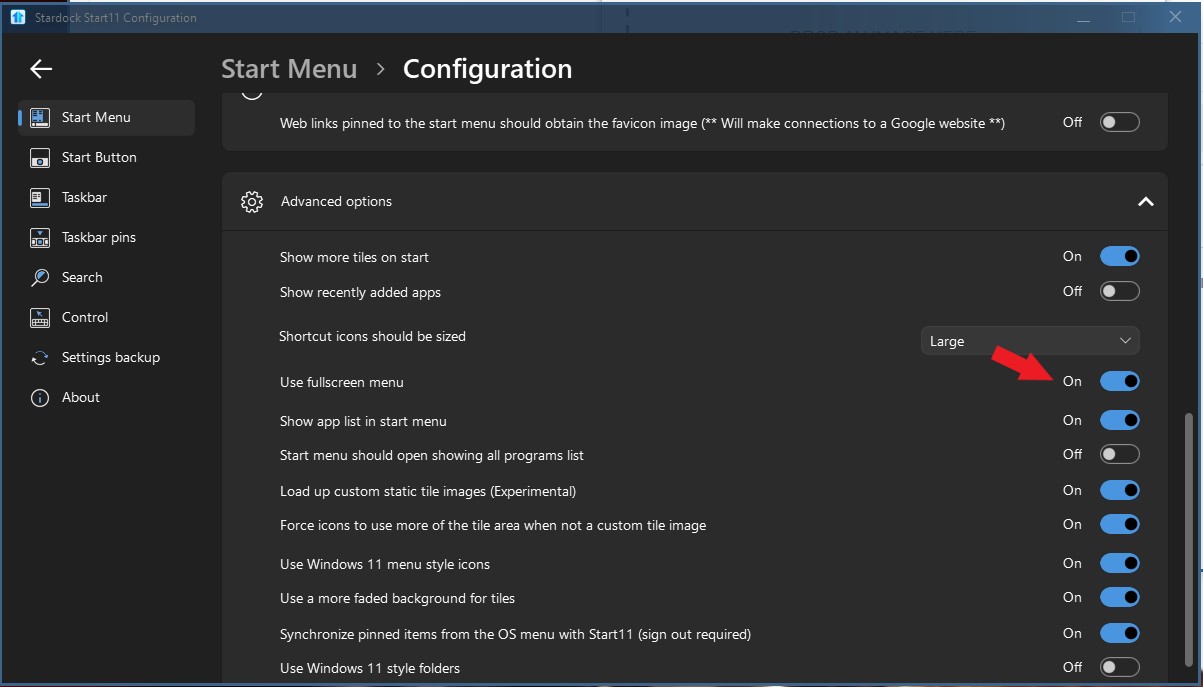
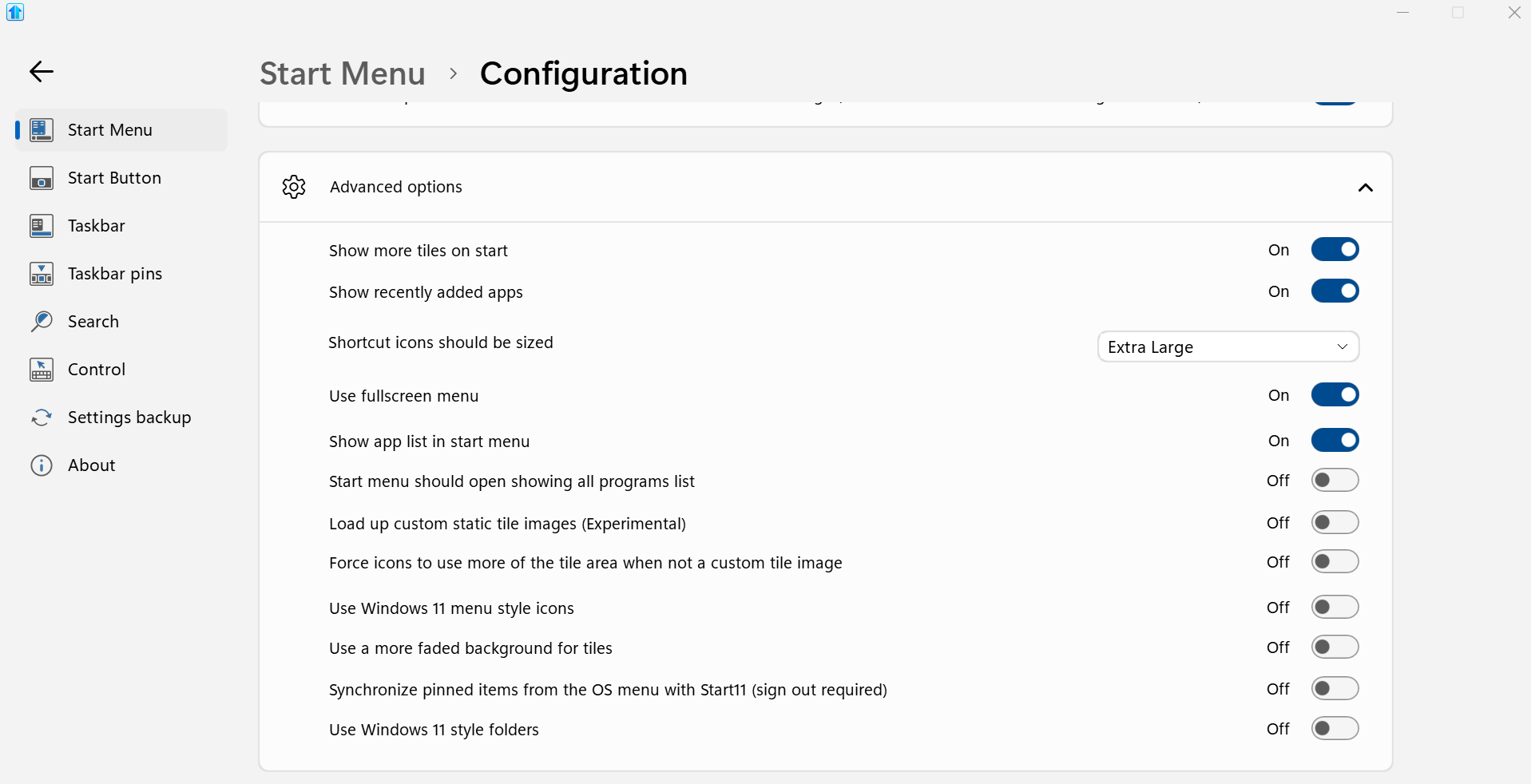
One more thing, just to confirm, when you said full screen start menu. Is was set by option/setting or by click and drag your start menu to fill up your Middle 4K monitor?

By option, should be by turning on this option.

Thank you,

Basj,
Stardock Community Assistant

Reply #11 Top

I have it turned on so the menu is fullscreen.  This is one of the only reasons I bought the Start11 software because I missed using the option for fullscreen from Windows 10.


Reply #12 Top

I have 2 monitors setup. And, I don't see your issue on my system. Just to confirm. As a test, turn off your left monitor. Restart explorer.exe. Retest it, do you see the same issue?

Thank you,

Basj,
Stardock Community Assistant

Reply #13 Top

Hi Scoobynaps,

Please see our Help Center guide for Performing a Clean Boot to see if this resolves your issue.

If so, this should help identify if something else installed is causing an issue with the software.

Adam McGuinness
Stardock Customer Support Specialist