Reply #1 Top

I'm assuming you mean in the All Apps section, and do you mean folders first followed by apps?

What Start menu style are you using?

Reply #2 Top

currently Ive been trying out the windows pro style.

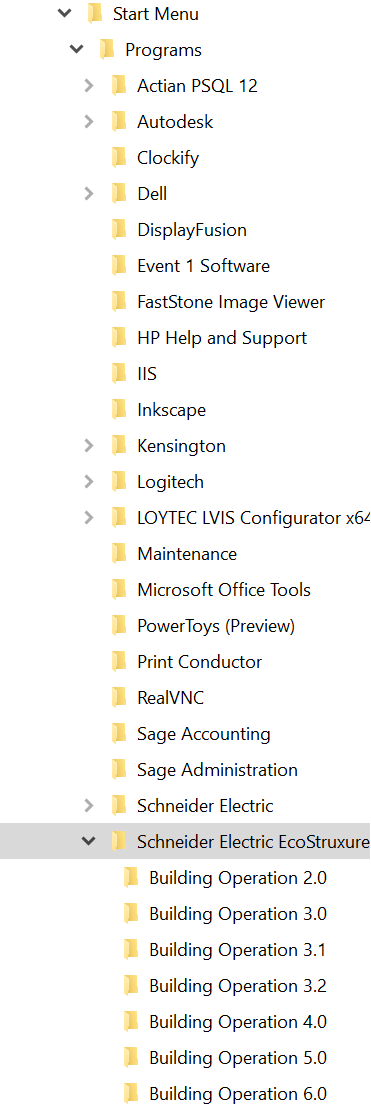
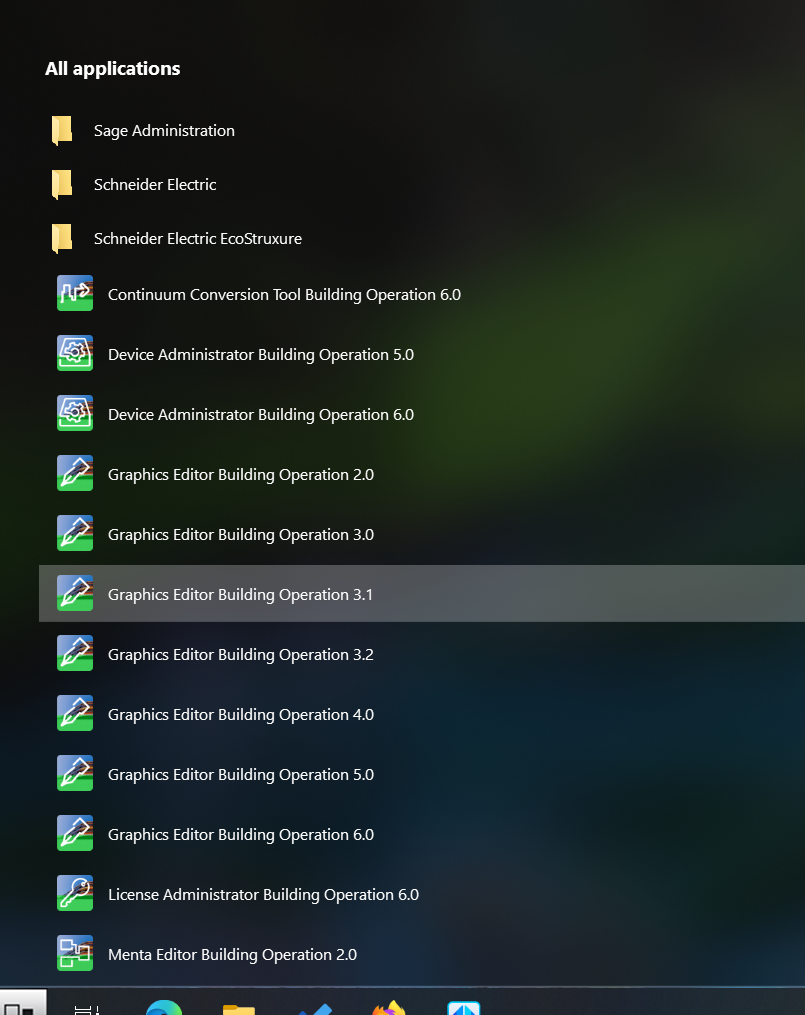
Yes, within the startmenu/programs folder I have multiple versions of a manufacturers software all orgnaized in a parent folder and subfolders. in the start menu all the applications are just within the parent folder. My hopes for Start11 was I could get these applications in the subfolders in the start menu. See images below Below


Reply #3 Top

Try adding a Quick Access shortcut for your Schneider Electric EcoStruxure and Display as a menu. This folder will display in the right pane and I think it will work the way you want it to.

Reply #4 Top

that opens windows explorer to that subfolder in the path above. 

if at all possible, (even using a differnt style) I am trying to get all of those programs that are currewntly in a flat structure to be within their version folder. 

Reply #5 Top

In the Windows 10 style You can pin a folder and then right click>select "Open as folder menu." Pin the Schneider Electric EcoStruxure folder to the Start11 menu and set it to open as a folder menu.

Try this and see if it works.

Reply #6 Top

Let me re-state the OP's question in a different way, as I'm not sure if it was adequately stated or answered.

The bugaboo stems from Windows 10 All Apps flattening to two levels the multiple levels we had in Windows 7.

Imagine the subset structure below, where the first-level folder is “rdTestLevel 1” with one shortcut, and below it is folder “rdTestLevel 2” with one shortcut.

Old Windows 7 would honor that menu structure.
But Windows 10 All Apps flattens that to:
    rdTestLevel 1
       * rdFakeLink1
       * rdFakeLink 2

(It doesn't show folder “rdTestLevel 2”.)

Within the Windows 10 style, within tabs and groups, the suggestion to pin and set “Open as folder menu,” does get the multi-level structure honored, but, as the OP notes, "that opens windows explorer" which sort of accomplishes the goal, but we are no longer in anybody's Start Menu.
(That has been my way of "cheating" in the Window 10 era, anyway.)

The “Quick Access shortcut” is even less useful as it is not in either the main All Apps body list or the tabs/groups area.

What I would be hoping for, and maybe others, is if Start11 would use the detailed menu structure we already have as a whole, rather than us having to add what might be hundreds of subfolders, one by one, to Start11.

(This is my second day learning Start11, so maybe this question has been answered more exhaustively elsewhere.)

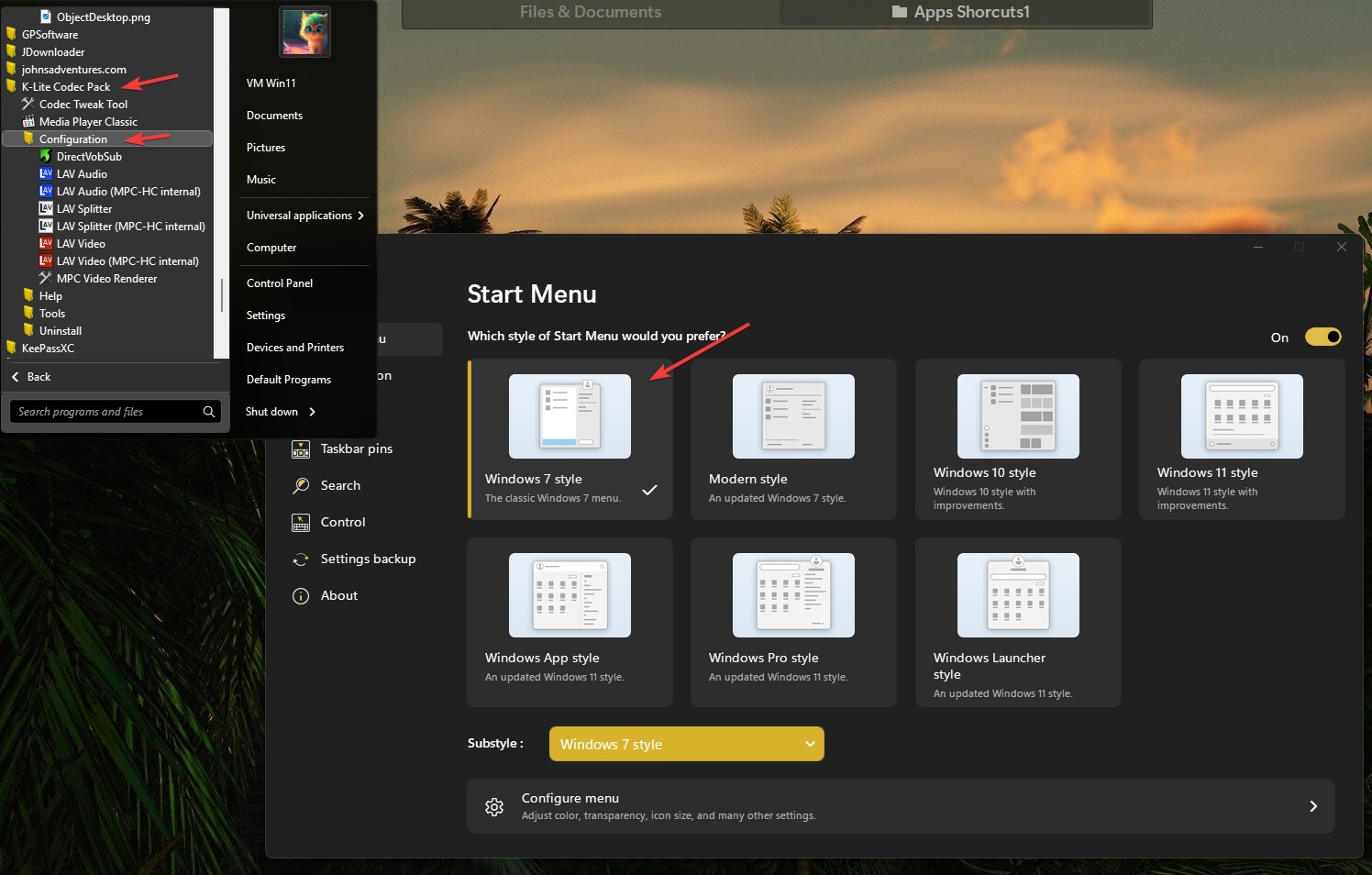
Also, I am aware that Start11's Windows 7-based styles do provide the levels in the All Apps menu, but don't have the neat goodies like tabs, groups, and pages, that the Windows 10 and 11 styles offer. I am hoping for the best of both worlds, not one or the other.

Reply #7 Top

Quoting rd1644882, reply 6

Let me re-state the OP's question in a different way, as I'm not sure if it was adequately stated or answered.

The bugaboo stems from Windows 10 All Apps flattening to two levels the multiple levels we had in Windows 7.

Imagine the subset structure below, where the first-level folder is “rdTestLevel 1” with one shortcut, and below it is folder “rdTestLevel 2” with one shortcut.


Old Windows 7 would honor that menu structure.
But Windows 10 All Apps flattens that to:
    rdTestLevel 1
       * rdFakeLink1
       * rdFakeLink 2

(It doesn't show folder “rdTestLevel 2”.)

Within the Windows 10 style, within tabs and groups, the suggestion to pin and set “Open as folder menu,” does get the multi-level structure honored, but, as the OP notes, "that opens windows explorer" which sort of accomplishes the goal, but we are no longer in anybody's Start Menu.
(That has been my way of "cheating" in the Window 10 era, anyway.)


The “Quick Access shortcut” is even less useful as it is not in either the main All Apps body list or the tabs/groups area.

What I would be hoping for, and maybe others, is if Start11 would use the detailed menu structure we already have as a whole, rather than us having to add what might be hundreds of subfolders, one by one, to Start11.

(This is my second day learning Start11, so maybe this question has been answered more exhaustively elsewhere.)

 
End of rd1644882's quote

Hello,
Sorry to hear you are having issues. Have you tried Windows 7 style? Here is what I get for its "All Program" listing. From what I can see, Windows 10 has change that in how they do the all app listing.

Thank you.
Basj,
Stardock Community Assistant.

Reply #8 Top

Quoting rd1644882, reply 6

Also, I am aware that Start11's Windows 7-based styles do provide the levels in the All Apps menu, but don't have the neat goodies like tabs, groups, and pages, that the Windows 10 and 11 styles offer. I am hoping for the best of both worlds, not one or the other.
End of rd1644882's quote

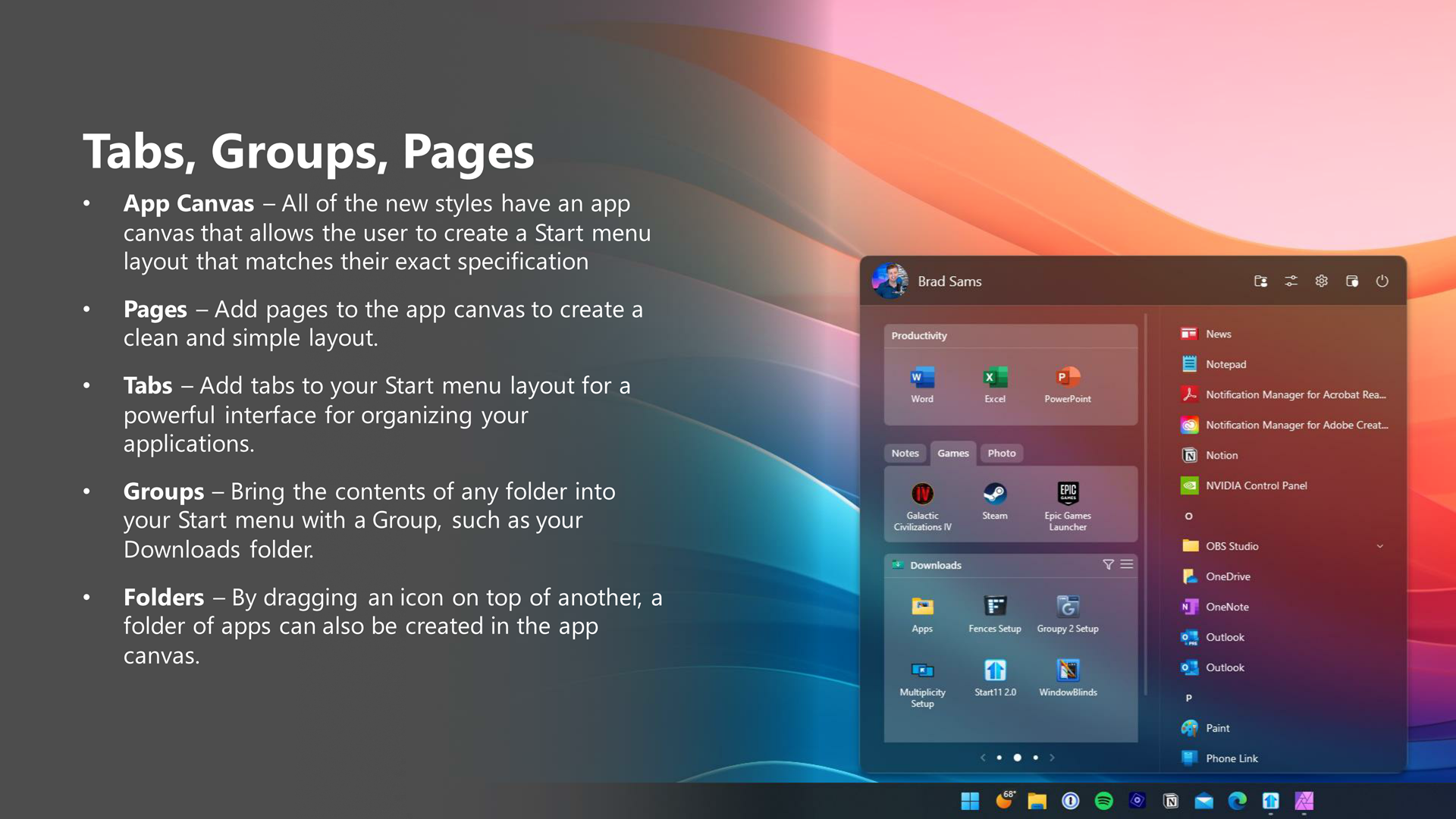
I see now that the advantages of the Windows 10 and 11 Start11 styles with pages/tabs/groups/folders capabilities outweigh the need for the strict menu folder hierarchy I had in Windows 7.
(And I can pin them into a group and navigate them from there, when needed.)

Your advertising material expresses this neatly.

Reply #9 Top

Quoting basj, reply 7

From what I can see, Windows 10 has change that in how they do the all app listing.
End of basj's quote

Yes, and a key point I didn't realize is that Start11 just provides the native Windows 11 All Apps as is, without modification.
So we have to use Start11's own mechanisms to do better.