Is it possible to disable the start menu on the secondary screen?
I have 2 monitors and I want to disable the start menu on the secondary monitor (the primary monitor is unaffected), is this possible?
thanks
I have 2 monitors and I want to disable the start menu on the secondary monitor (the primary monitor is unaffected), is this possible?
thanks
Hello,
Sorry to hear you are having issues. Need to know,
Thank you.
Basj,
Stardock Community Assistant.
Hi,thanks for u reply.
1. windows 11 10.0.26063 insider canary
2. 2.05
By the way, this version of start11 has an incorrect taskbar height on the second screen, because when any window is maximized on the second screen, the window will overlap the taskbar area.


For the your first question try this setting.

Also do note that Stardock do not support Windows insider preview build. However we appreciate your report.
And, please try Start11v2.06.3 Beta and see if the issue appear there.
Thank you,
Basj,
Stardock Community Assistant
Hi,Sorry, I didn't find "Hide the start button on the secondary displays(if any)"

Can you tell me the download address of the beta version? Thank you
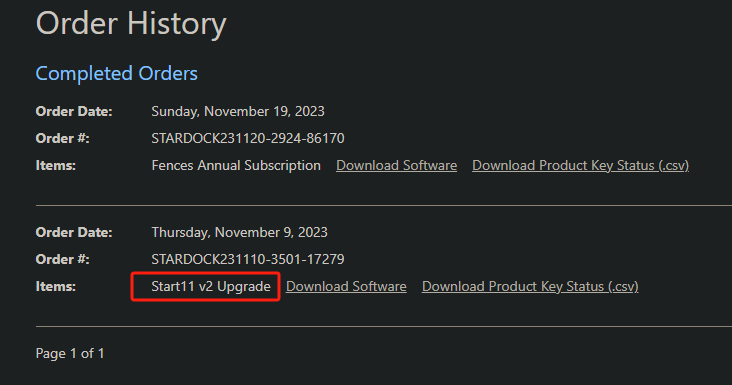
I purchased and upgraded from v1 to v2, but the v2 product was not found on the product page, and there was no "beta download" button.

You can download it from your product account page: https://store.stardock.com/myaccount/products
If you don't find it in that page. Perhaps it is best to raise support ticket using the link below, use the product not receive option. Include all information details. Remember to record down the ticket number for future reference if needed. Do not raise multiple ticket, that will make your ticket back to the end of the line. Send once and wait. Ticket will be answer by the order they send in.
https://stardock.atlassian.net/servicedesk/customer/portal/4/group/13
Thanks
Basj,
Stardock Community Assistant
Thanks, I've submitted a support request
Sorry to bother you again I have upgraded to version Start11_2.0.6.4-j93-Setup_sd.exe But there is still no "Hide the start button on the secondary displays(if any)" option
Additionally, this version will still cause the window to overlap the taskbar area when maximized on the second monitor. I have tried disabling start11 and the system default taskbar works fine.
I know why these functions are no longer available. I need to enable the Enhanced Taskbar function first.


But turning this function on does not help. It only changes the start menu icon and does not hide the taskbar of the secondary monitor.

Your first question was on how to hide Start menu not taskbar, yes?
If you wanted to disable the taskbar on secondary monitor, turn it off in Windows personalization>taskbar setting->untick the "Show my taskbar on all displays.

Thank you,
Basj,
Stardock Community Assistant
Please forgive my typos, I will try it, thank you
Welcome Guest! Please take the time to register with us.