Start11 v2 - Windows Pro Style Settings
from  Stardock Forums
Stardock Forums
Just upgraded to v2, but having some issues with Pro Style.
- Would like to move the 'All Apps' button to the bottom of the menu, with a larger button like with Modern Style, and rename it back to 'All Programs'.
- 'Open Default Windows 11 Menu' is also missing as a Pinnable Installed Application..
- 'Universal Applications' folder missing from Right Side Menu options.
- 'Suggested Apps' bin isn't the same as the previous 'Recent Apps', and the list doesn't clear when using CCleaner>Clean User Assist History. Want to re-enable 'Recent Apps' and not use 'Suggested Apps'. 'Recent Documents' does clear.
- 'All Apps' page should allow for list to be viewed like Modern Style, without grouping programs by letter and universal apps shown at the top. 'Show flat list without folders' does not accomplish this, because apps are still grouped, and as name states, there are no folders.
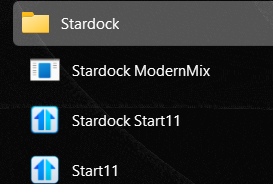
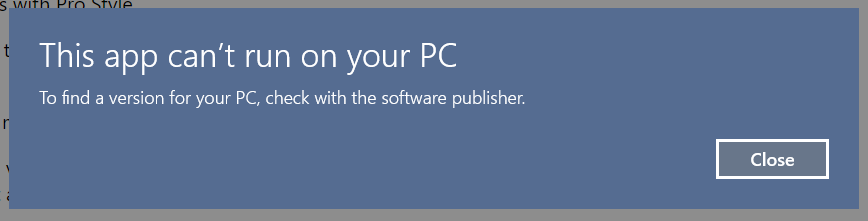
- 'All Apps' page has removed all of the important right-click menu options for each of the programs, such as Properties, Show Path, Rename, Open Folder Location, etc... MUST BE REIMPLEMENTED PLEASE. It is really important to rename some folders, merge programs to new ones, and delete ghost programs. Great example of this; the Stardock folder itself. There is a random new file called 'Stardock ModernMix' that I want to delete, and 2 instances of Start11 where the first one doesn't work.