Bug report: Start11 does not center taskbar properly

Dear Start11 Team,

I am a fan of the product. I bought Start11 to center my taskbar on my Windows 10 PC. However, I have encountered a problem with the software.

Sometimes it works fine after restarting the PC, but other times it does not. This is very frustrating and inconvenient for me. Could you please investigate this issue and provide a solution?

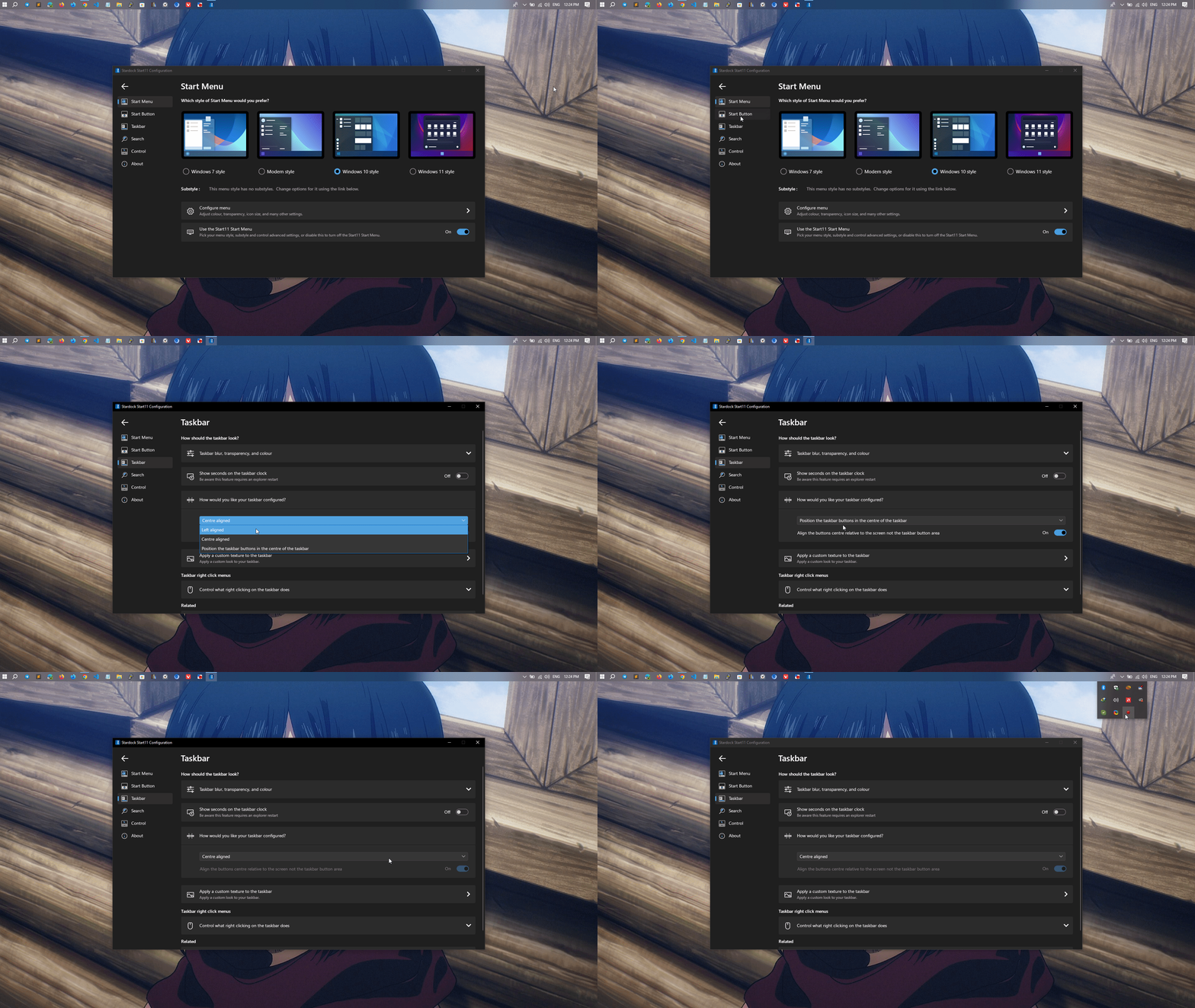
Please refer to the attachment file for the proof

Thank you!
 

4,874 views 24 replies
Reply #1 Top

Hello,
Sorry to hear you are having issues. From your short video show us that you have issue setting taskbar buttons to center, yes? I can not reproduce your issue on my Windows 10 system. Need to know more on your system.

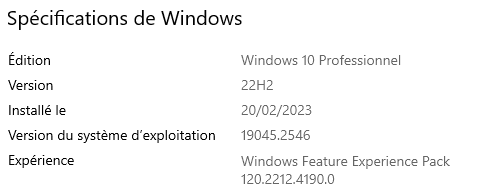
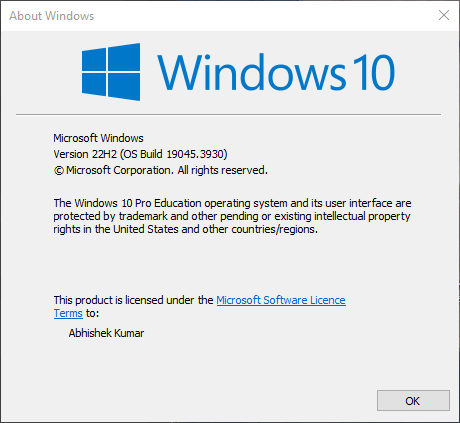
  1. Windows 10 full version number. Use Winver.exe to get those.
  2. Start11 v1 or v2? Also need its full version numbers.
  3. Do you have any other software installed and running in the background.
  4. Single monitor system or multiple system? Need resolution and scale information.

Thanks.
Basj,
Stardock Community Assistant.

Reply #2 Top

Hi Basj,

Thank you for the quick response. Please refer to the below details:

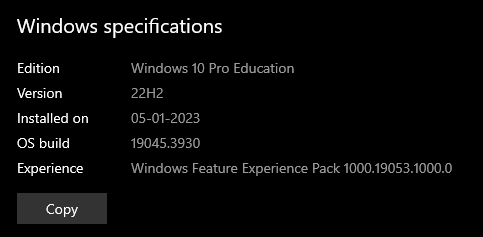
  • Windows Specification: 

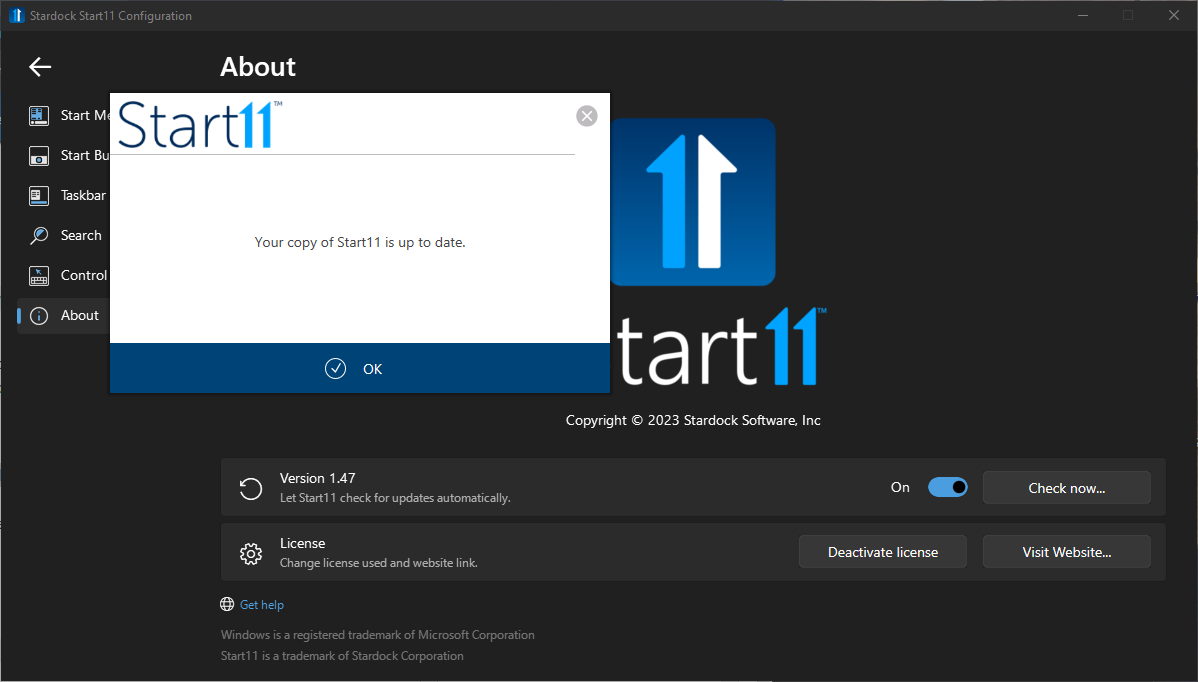
  • Start11 version: v1.47 (latest version)

  • Other software installed and running in the background: Google Chrome, Microsoft Edge, Skype, ShareX, etc
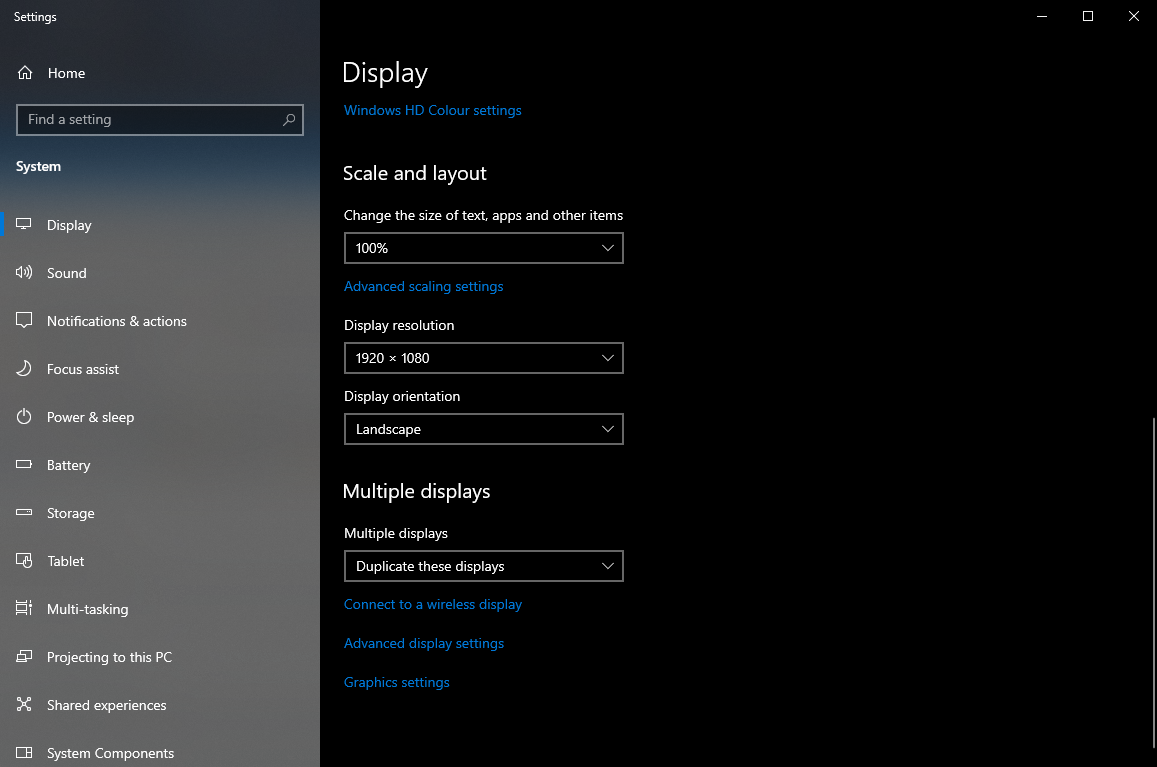
  • The display settings of my laptop and monitor are set to duplicate mode at a resolutionof 1920 x 1080 and a scaling of 100%.

I hope this helpful. Please feel free to let me know if you need any more information from me.

Thank you!

Sincerely,

Abhishek

Reply #3 Top

Thanks for the information. First please try purge and reinstall steps as mention here : [Link]. Just make sure to redownload the latest version from your account page. Reboot after the purge. Reinstall and reboot again after the installation. Retest and report back here.

Thank you,
Basj,
Stardock Community Assistant.

Reply #4 Top

Hi Basj,

The problem was resolved after reinstalling the tool. It is working fine now. I hope it will not give me any issue in the future. If anything happens, I will report it here.

Thank you very much for your prompt response and guidance.

Sincerely,

Abhishek

Reply #5 Top

Great, glad it worked.

Thank you,

Basj,
Stardock Community Assistant

Reply #6 Top

Dear Basj,

I have been experiencing the same issue again after opening my PC. Please refer to the attached file.

I followed the instructions you provided me to fix the issue, but it did not work permanently.

Could you please look into this? I look forward to hearing from you soon.

Sincerely, 

Abhishek

Reply #7 Top

Does the issue happen if you use only one monitor, without the external monitor. Just as a test try that and we can move forward from there.

Thank you,

Basj,
Stardock Community Assistant

Reply #8 Top

When I use only the first monitor and restart my PC, the issue is resolved. However, whenever I select "Duplicate these displays" or "Extend these displays," the issue recurs, or sometimes it works fine.

Most of the time, it's buggy on both displays when I choose "Duplicate these displays" or "Extend these displays. Please fix this issue and make it responsive.

Thanks!

Reply #9 Top

What if you use bottom taskbar? Does the issue still there?

Thank you,

Basj,
Stardock Community Assistant

Reply #10 Top

Hi Basj,

Thanks for the quick response. I tried to reposition taskbar at bottom, but unfortunately, the issue persists.

Update: I wanted to let you know that when I opened the 'Taskbar Settings' on my computer, the problem got fixed for a short time. But, when I restart my PC, the issue comes back. It's a bit unpredictable – sometimes it works, and sometimes it doesn't. Seems like a bug.

Looking forward your response. Thanks!

Reply #12 Top

Hi,

Start11 for Windows 10 makes using an old machine a bit nicer |-)  


I have the same issue - once in a while.

Hope the following helps.

Restarting the taskbar usually fixes it. You can do it manually or use the following batch file.


REG DELETE HKCU\Software\Microsoft\Windows\CurrentVersion\Explorer\Streams\Desktop /F

taskkill /f /im explorer.exe

taskkill /f /im shellexperiencehost.exe

del %localappdata%\Packages\Microsoft.Windows.ShellExperienceHost_cw5n1h2txyewy\TempState\* /q

start explorer.exe


Reply #13 Top

There is a beta Start11 1.5 update which may help with this.  It is available on your store downloads.

Reply #15 Top

Quoting ACNZ, reply 14

I have 2.05.4 and it still does that
End of ACNZ's quote

There is a newer Start11v2.06 beta out. have you tested on that one?

Thank you,

Basj,
Stardock Community Assistant

Reply #16 Top

Hi Basj,


Thanks for the quick reply. I did have difficulty finding the beta.

Finally found it and giving it a try.

Thanks


Reply #17 Top

I have the same issue. Taskbar sometimes doesn't center properly. I have two monitors, and it almost never center both properly. Most of the times, at least one monitor doesn't have the taskbar centered.

I would really appreciate if you could fix this, since this is one of the main feature of Start11. For now I'm on free trial and I don't think I'll buy it without this feature working consistently. 

Thanks 

Reply #18 Top

Quoting AlternativeShit, reply 17

I have the same issue. Taskbar sometimes doesn't center properly. I have two monitors, and it almost never center both properly. Most of the times, at least one monitor doesn't have the taskbar centered.

I would really appreciate if you could fix this, since this is one of the main feature of Start11. For now I'm on free trial and I don't think I'll buy it without this feature working consistently. 

Thanks 
End of AlternativeShit's quote

Hello,
Sorry to hear you are having issues. Need more information on your system.

  1. Windows 10 or 11? And need its full version number. Use Winver.exe
  2. Start11 version number.

Thanks
Basj,
Stardock Community Assistant.

Reply #19 Top

I installed the beta 2.06. The 2nd screen didn't center this time. I toggled "Project" and that fixed it. I think the script above which restarts the taskbar also would.

Reply #20 Top

Quoting ACNZ, reply 19

I installed the beta 2.06. The 2nd screen didn't center this time. I toggled "Project" and that fixed it. I think the script above which restarts the taskbar also would.
End of ACNZ's quote

You on Windows 10 or 11? Full version number please. Use Winver.exe.

Thank you,

Basj,
Stardock Community Assistant

Reply #21 Top

Happened all along but now:

Windows specifications
Edition    Windows 10 Pro
Version    22H2
Installed on    12/01/2024
OS build    19045.4046
Experience    Windows Feature Experience Pack 1000.19053.1000.0

Reply #22 Top

Quoting ACNZ, reply 21

Happened all along but now:

Windows specifications
Edition    Windows 10 Pro
Version    22H2
Installed on    12/01/2024
OS build    19045.4046
Experience    Windows Feature Experience Pack 1000.19053.1000.0
End of ACNZ's quote

I have the same Windows 10 on my system but, I don't see your issue on my system.

What do you mean by this?

Quoting ACNZ, reply 19

toggled "Project" and that fixed it.
End of ACNZ's quote

Thank you,

Basj,
Stardock Community Assistant

Reply #23 Top
Quoting basj, reply 18
    1. Windows 10 or 11? And need its full version number. Use Winver.exe
    1. Start11 version number.
End of basj's quote


Start 11 version 2.05

Reply #24 Top

Quoting AlternativeShit, reply 23

Start 11 version 2.05
End of AlternativeShit's quote

It will be great if you could also show us this issue on a video and post it on your other thread: https://forums.stardock.com/526039

Thank you,

Basj,
Stardock Community Assistant