Start 11 Some apps have small icons in the start menu

This are some apps in the all apps section of my start menu.
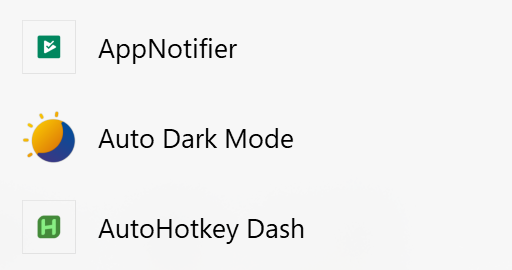
AppNotifier is an android app installed through Windows Subsystem for Android.

Auto Dark Mode and AutoHotkey Dash are windows apps / exes.

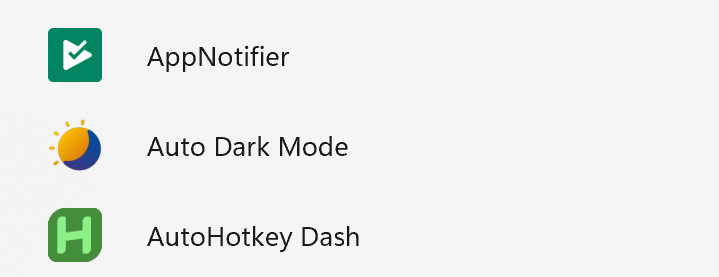
On the default Windows 11 start menu all of these apps show the full image. On Start11 only Auto Dark Mode shows the full image.

1,931 views 8 replies
Reply #1 Top

Hello,
Sorry to hear you are having issues. Can I have a link to get to AutoHotkey Dash. I can not fine it to download and try reproduce it.

Thanks
Basj,
Stardock Community Assistant.

Reply #2 Top

This means those apps seem to lack higher resolution icons.  I.e. anything over 32*32 typically.

In this case the OS opts to put the icon in a box to minimise scaling when larger sizes are requested.

Reply #6 Top

Quoting iamthekings5, reply 5


this is how it looks on the default start menu
End of iamthekings5's quote

Are the icons actually the same size?  Windows switches behaviour once a size threshold is crossed 

Reply #7 Top

I'm not sure, how can I check? They should be the default size / same size since I didn't do anything to modify the default behaviour. Compare it with Start11 and you can see the Start11 icons are shrunken down.

Reply #8 Top

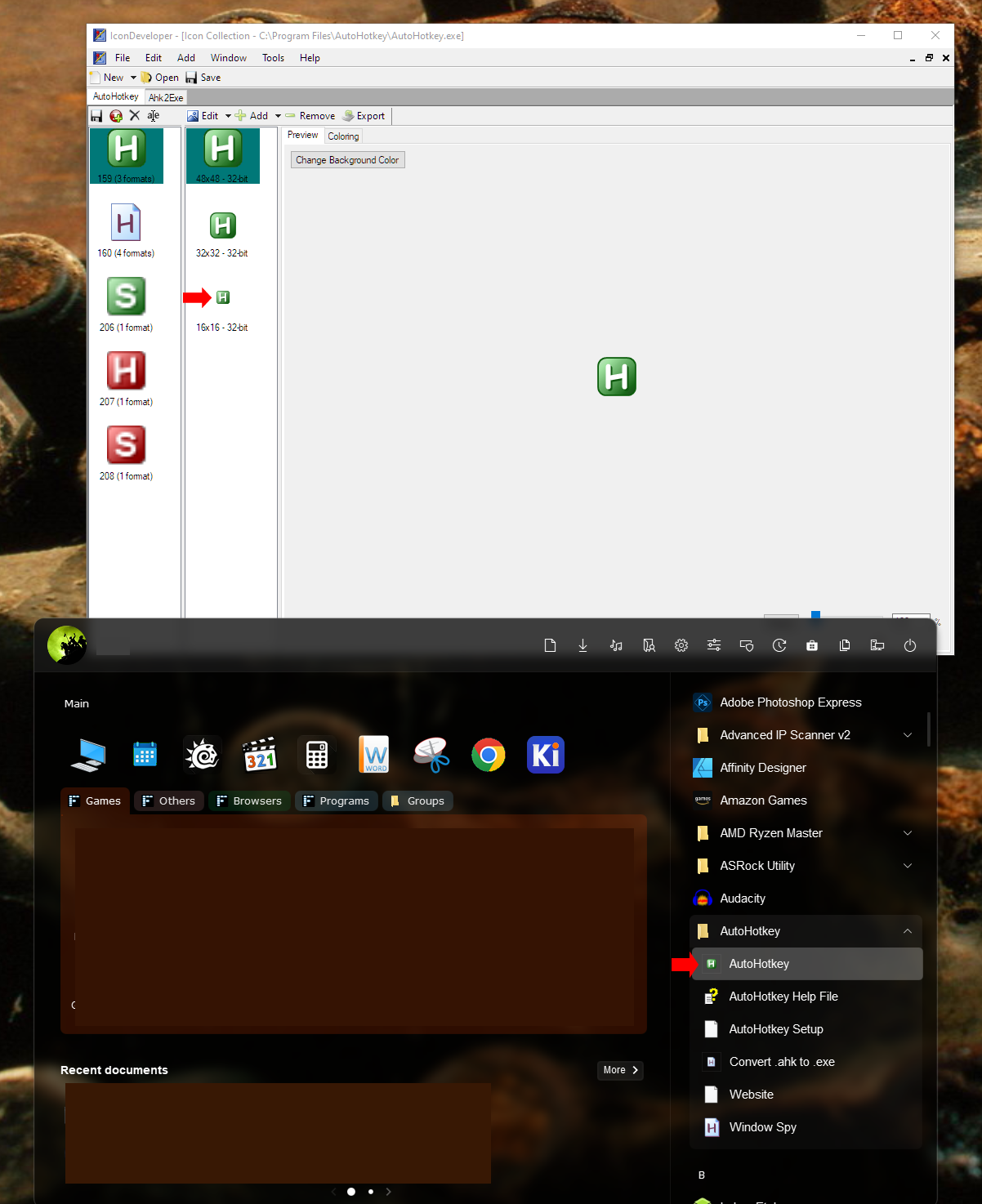
I checked with Icondeveloper and this is icon sizes that come along with Autohotkey.exe, not sure why Start11 is using the smallest one.

Thank you,

Basj,
Stardock Community Assistant