Unknown

How to Disable Groupy for Windows Explorer (SOLVED)

How to Disable Groupy for Windows Explorer (SOLVED)

Please, can anyone tell me how to disable Groupy for Windows Explorer on Windows 11. No matter what I do, Groupy is still showing on the top of Explorer. I ticked: "Automatically exclude from auto grouping..." Anyone?
80,290 views 32 replies +1 Loading…
Reply #26 Top

So I thought to check how it looked on another machine. I haven't messed about too much with this Windows 11 install, pretty much just installed chrome & let it sit there. This installation also has the ribbon above the menubar..

However, Groupy 2 installed reasonably well.  At first it looked like it didn't take, but after I'd closed the tabs that already existed before I rebooted, it seems to be working just fine.

Unfortunately, this is just on a partition on a dual-boot machine as a test installation, so there's not really any of my other software installed to give me any idea of what might be messing things up on my main machine...

Cheers,

Reply #27 Top

Just updated this test install to 23H2 and now my address bar/ribbon looks the same as yours...

At least that little mystery is solved... The update completely breaks my problem office PC though... :-(

Reply #28 Top

Hello,

Sorry, I was away and just managed to get back to this. I see this guy actually had trouble with integration, but that is not related to my issue at all, I don't know why they got into this thread since it is unrelated to the title and misleading for others. I actually wanted to remove Groupy entirely for windows explorer. I am sorry but I much rather prefer the built-in windows tab management and don't want Groupy replacing it nor do I want Groupy on top of the built-in windows tab management. Is this possible?


Windows Version 22H2 (OS Build 22621.2715)

Groupy Verison 2.12


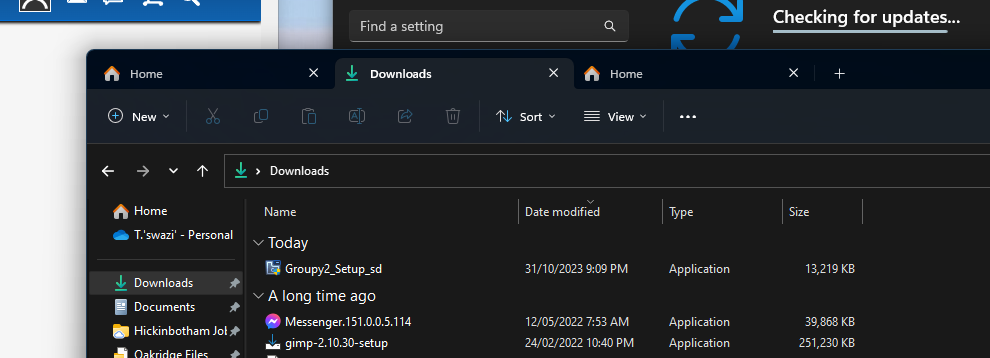
This is how my Explorer window looks:

Reply #29 Top

Quoting otmanzy99, reply 28

I actually wanted to remove Groupy entirely for windows explorer.
End of otmanzy99's quote

Exclude explorer.exe

https://cdn.stardock.us/support/uploads/2023-11-21_10-56-02.mp4

Sean Drohan
Stardock Product Lifecycle Manager

+1 Loading…
Reply #32 Top

Quoting LucaSorvillo, reply 31

i dont want it on my explorer but it continue to appear (only case that i want it is when in group). Look notepad how is clear...

End of LucaSorvillo's quote

That is Windows itself, not Groupy...

https://www.xda-developers.com/windows-11-notepad-tab-support-dev/

https://www.thewindowsclub.com/how-to-use-tabs-in-file-explorer-in-windows-11

Sean Drohan
Stardock Product Lifecycle Manager