No frequently used apps?
from  Stardock Forums
Stardock Forums
Is there not an option to show frequently used apps in the windows 10 style menu?


 Stardock Forums
Is there not an option to show frequently used apps in the windows 10 style menu?
Stardock Forums
Top
Hello,
I believe the is no such option in Windows 10 style menu.
Thanks
Basj,
Stardock Community Assistant.
Stardock Forums
Top
That's in the W11 start menu. The W10 start menu has tiles and program names, but no "favorites".
 Stardock Forums
Top
Stardock Forums
Top
I believe the OP was looking for "Most used application" list, something that Windows 7 and modern style have. Do let me know if missed understand the OP.
Screenshot is from Windows 7/Modern Style.
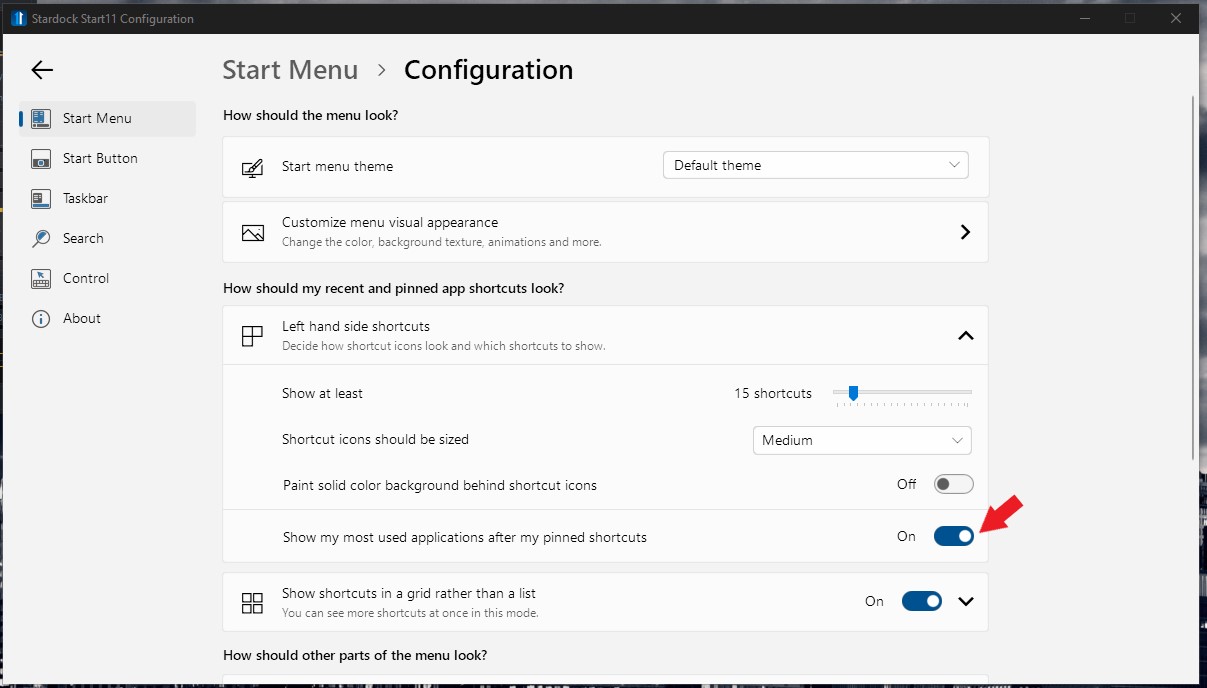
Thank you,
Basj,
Stardock Community Assistant
Stardock Forums
Top
I believe the OP was looking for "Most used application" list, something that Windows 7 and modern style have. Do let me know if missed understand the OP.
Screenshot is from Windows 7/Modern Style.
Thank you,
Basj,
Stardock Community Assistant
Why isn't the same option available for windows 10?
Stardock Forums
Top
Because Microsoft didn't code the possibility for it and place for it onto the W10 menu.
Stardock Forums
Top
Yeah that's not true. Windows 10 definitely has that feature. And also it's unrelated to the discussion because it has nothing to do with Stardock adding it.
Stardock Forums
Top
Post a screenie showing the feature you're referring to, please, and where you're suggesting to add it.
Stardock Forums
Top
Post a screenie showing the feature you're referring to, please, and where you're suggesting to add it.
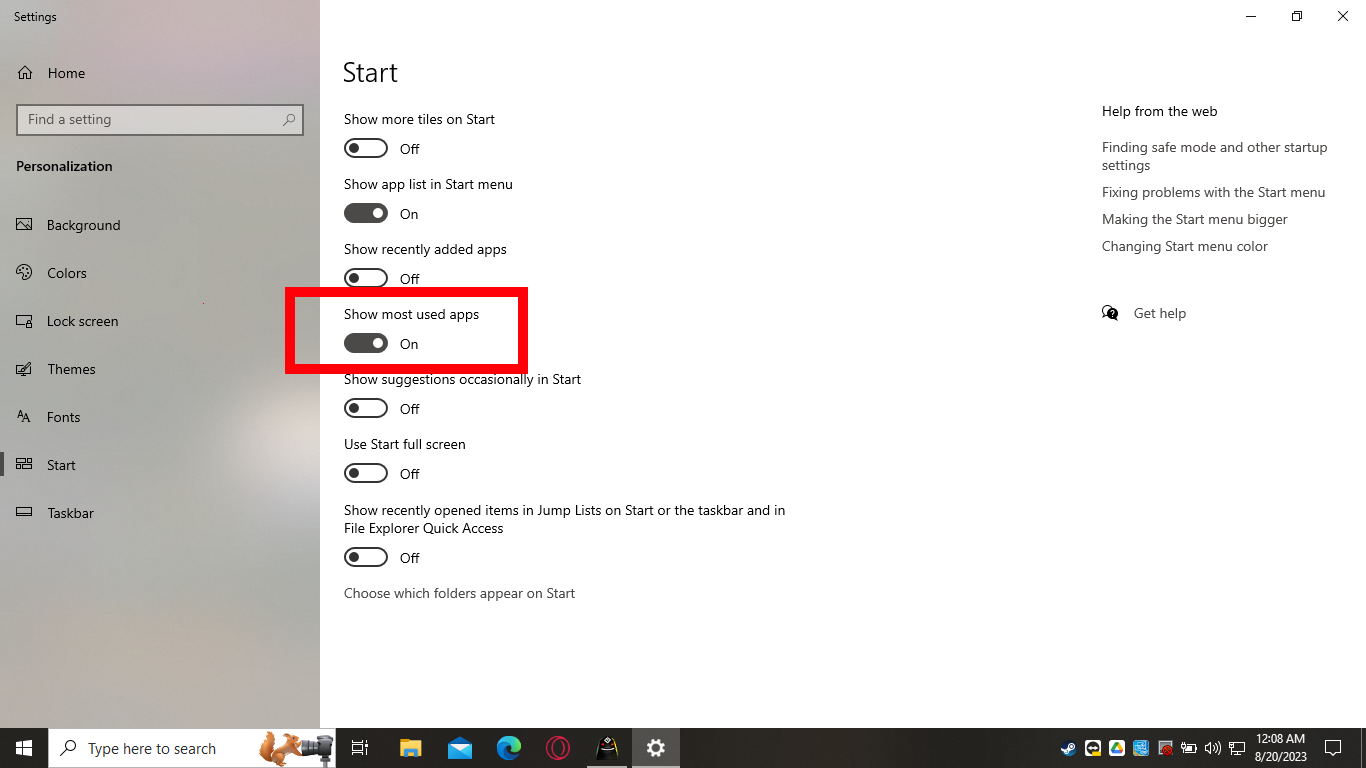
And here's where it would go
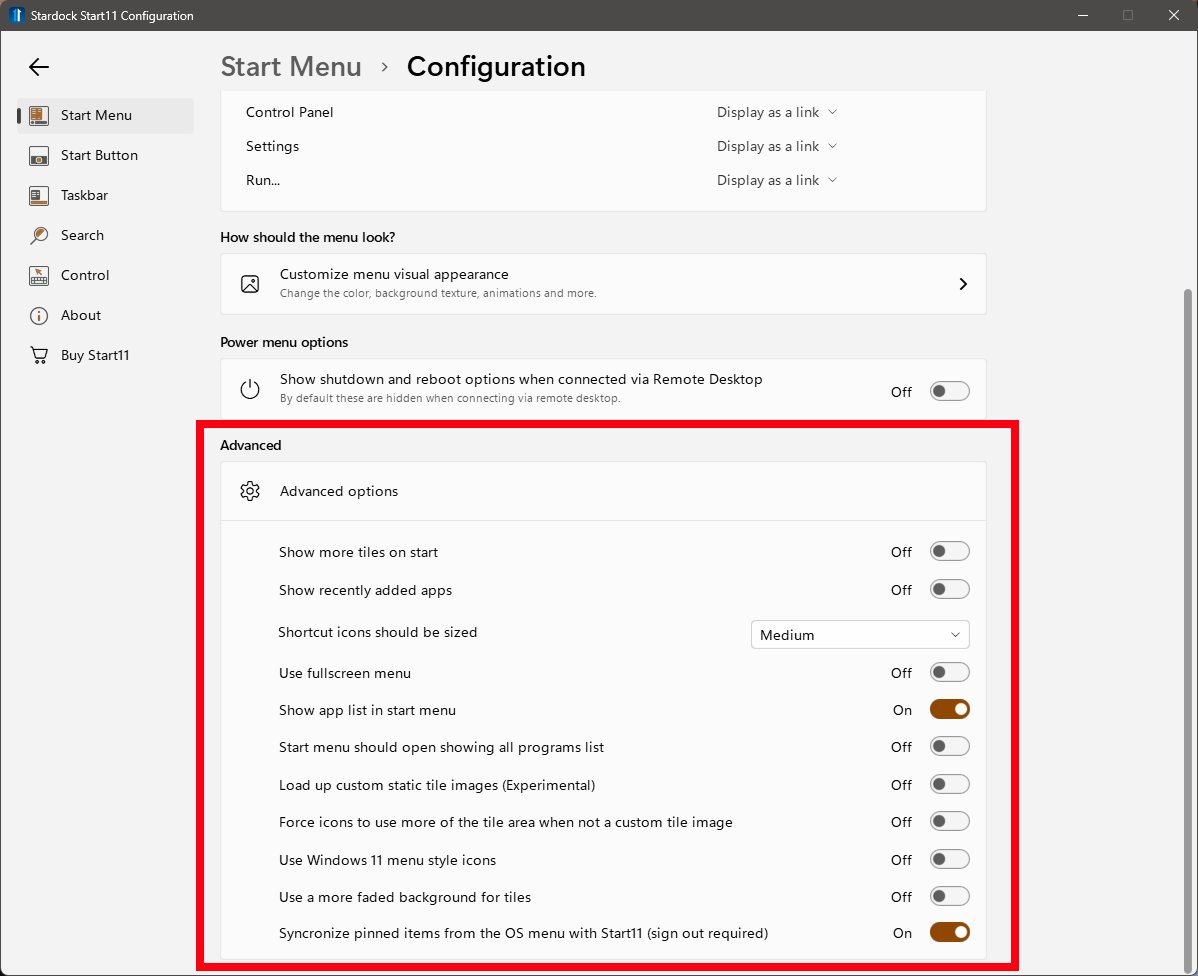
Stardock Forums
Top
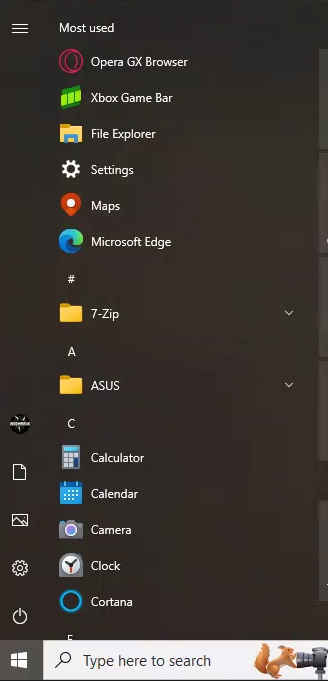
Yes, that's in Settings. What I meant was an actual screenshot of a W10 Start menu with those frequently used apps on it. Also, that 'show most used apps' requires a change in privacy settings, and not all users are open to sharing that info with MS ("Let Windows track app launches to improve Start and search result").
Stardock Forums
Top
Stardock Forums
Top
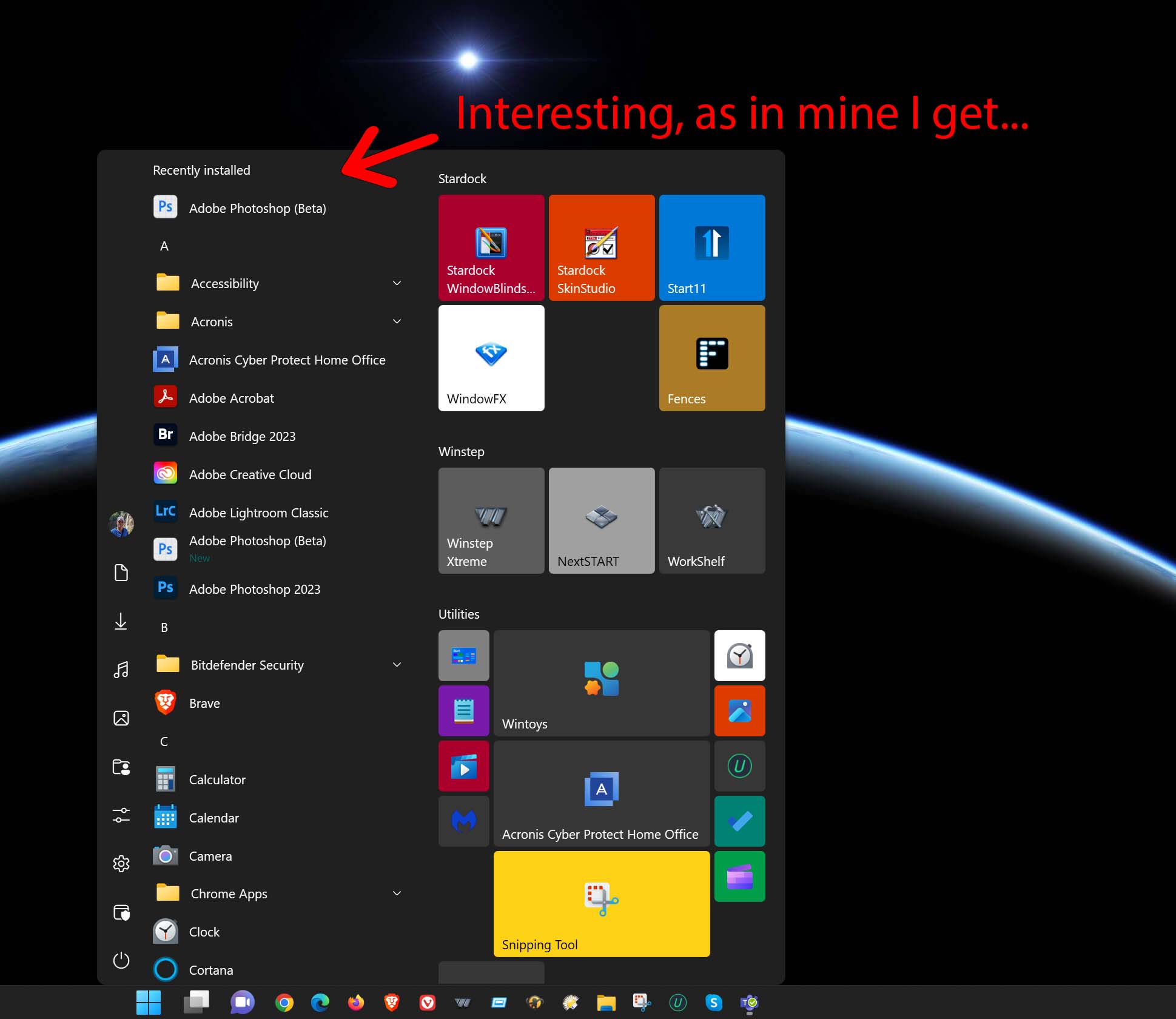
That's incorrect. It has to be enabled in Windows Settings>Start to not be grayed out in Start11, and that requires enabling the setting in Windows which requires that alteration of privacy "Let Windows tack app launches...").
https://www.thewindowsclub.com/show-most-used-apps-settings-is-disabled-greyed-out
Stardock Forums
Top
Windows has tracked that information for decades. It is stored locally.
Without that data Start11 has no information to use to show recent apps which is why it is disabled for the Windows 7/modern menu in that case.
We are aware of interest in having similar for Win10/11 style menus.
Stardock Forums
Top
That's incorrect. It has to be enabled in Windows Settings>Start to not be grayed out in Start11, and that requires enabling the setting in Windows which requires that alteration of privacy "Let Windows tack app launches...").
https://www.thewindowsclub.com/show-most-used-apps-settings-is-disabled-greyed-out
Stardock does not rely on Microsoft to track it's own applications.
Stardock Forums
Top
Reread what I answered and linked.
Stardock Forums
Top
Reread what I answered and linked.
I'm not talking about Windows I'm talking about the Stardock software. In the Start11 settings there is no option to show frequently used applications for the windows 10 style menu even though the other menu styles have it. And even microsoft themselves offer it as a default option.
Welcome Guest! Please take the time to register with us.