Start11: option to hide recent documents fly-out?

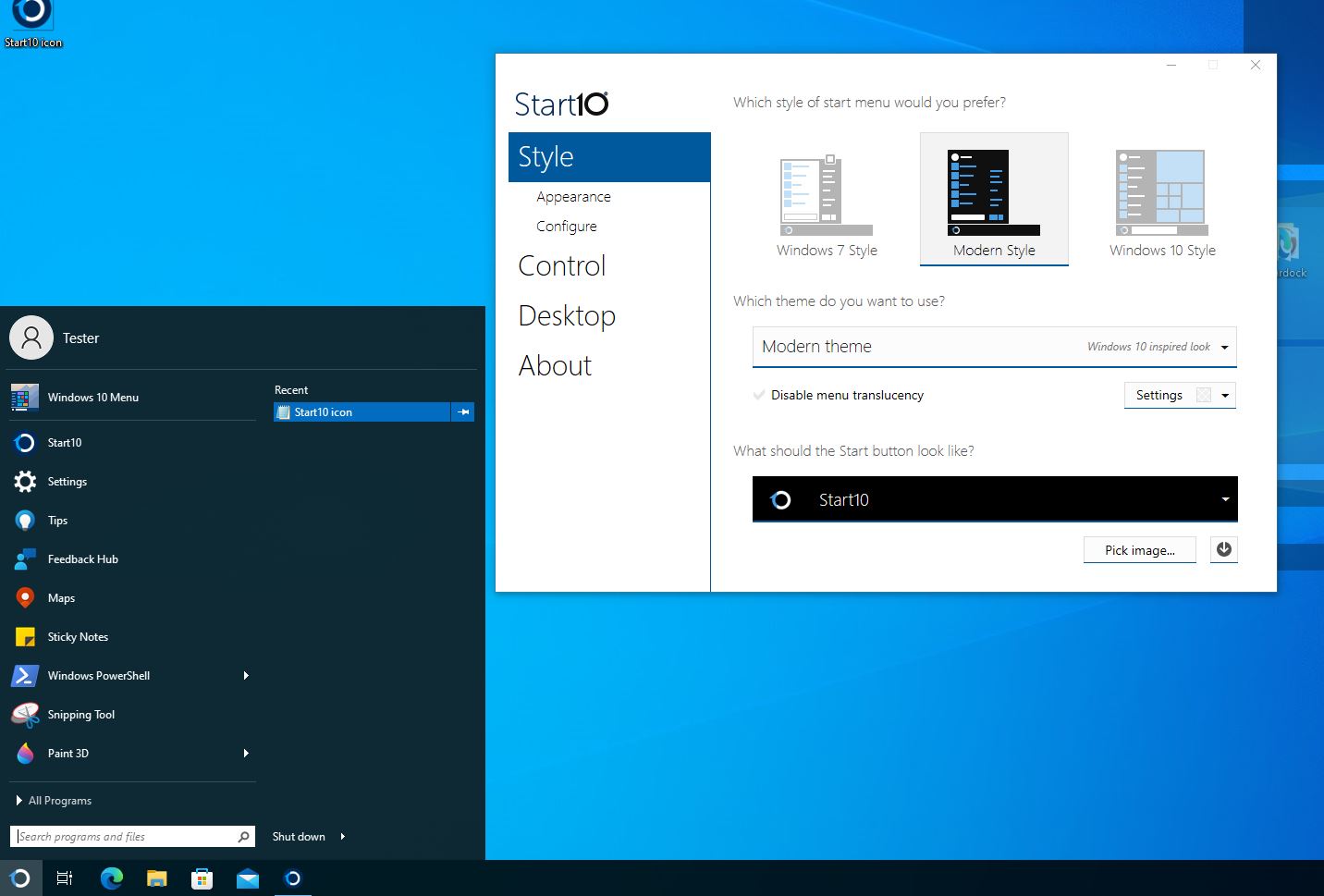
I'm using the "Modern Style" start menu - it has this annoying submenu that flies out:

It's very distracting - it covers up the right-hand shortcuts (computer, settings, etc.) and it can't be closed once it flies out.

Could we please have an option to turn that off?

I just purchased Start11 and everything else is just perfect!

What a relief to get rid of the lousy taskbar and start menu in Win 11. 😁👌❤️


1,632 views 3 replies
Reply #1 Top

Hello,
Sorry to hear you are having issues. But, if you just move your pointer up or down one row, where there is no "right pointy arrow", the fly out should return to no fly out type.

Thanks
Basj,
Stardock Community Assistant.

Reply #2 Top

I see, hmm. I still wish the submenus weren't there - they weren't there in Start10, so it would be nice if they could be made optional. It's just too busy for my taste. I have practically everything else turned off. I really just want a simple menu with my apps and that's it. :-)

Reply #3 Top

Windows 7 and Modern Style was taken from actual Windows 7 menu which work like that. And, It is still there in Start10.

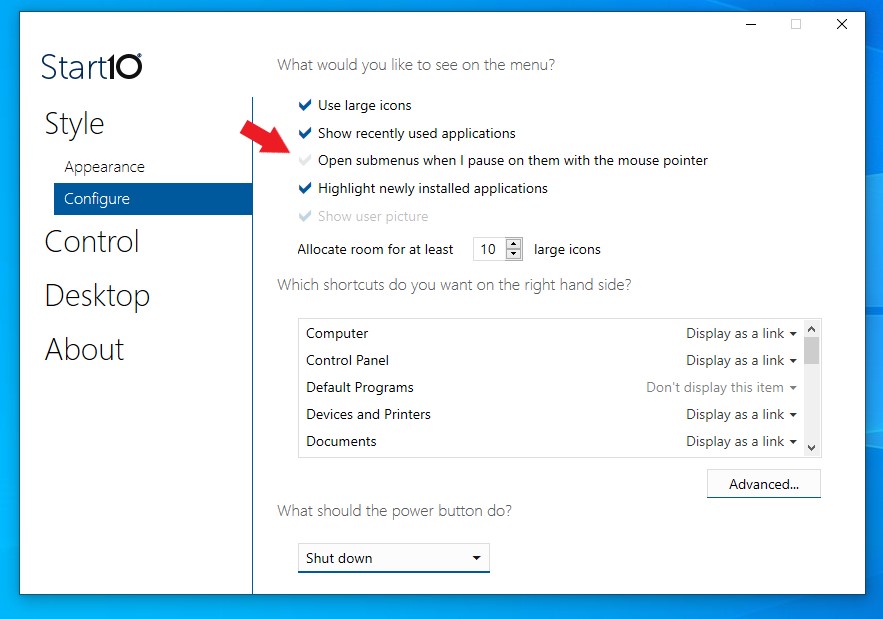
However, I do notice there is an option in Start10 to disable auto open sub menus when mouse over it.

Not sure if this option is available in Start11, since I can not find it myself. I have forwarded your problem/question to Stardock Support Team for their assistance. Please keep an eye on this thread for any updates. We appreciate your feedback and patience.

Thank you,

Basj,
Stardock Community Assistant