Fences 4

Visability

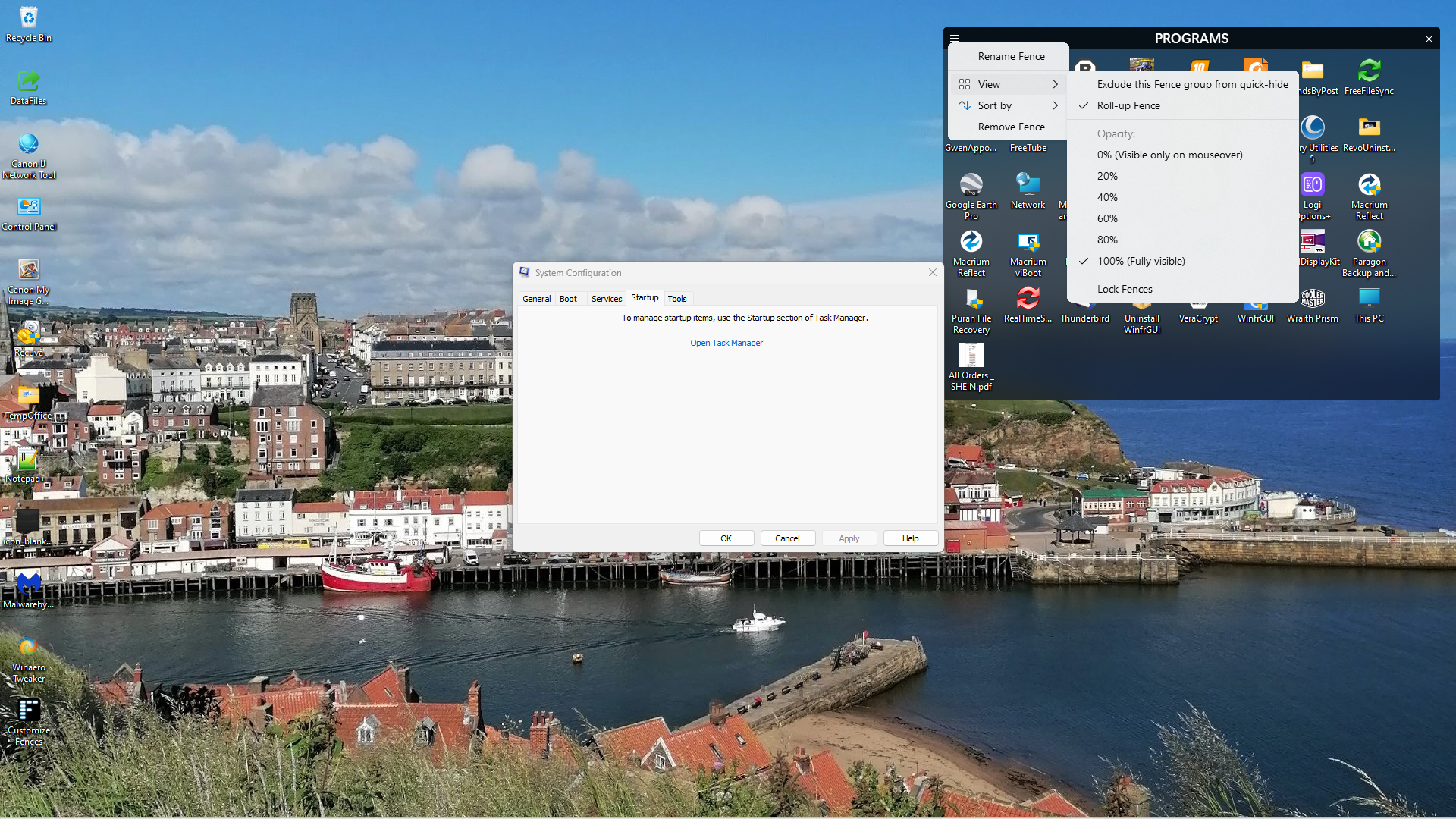
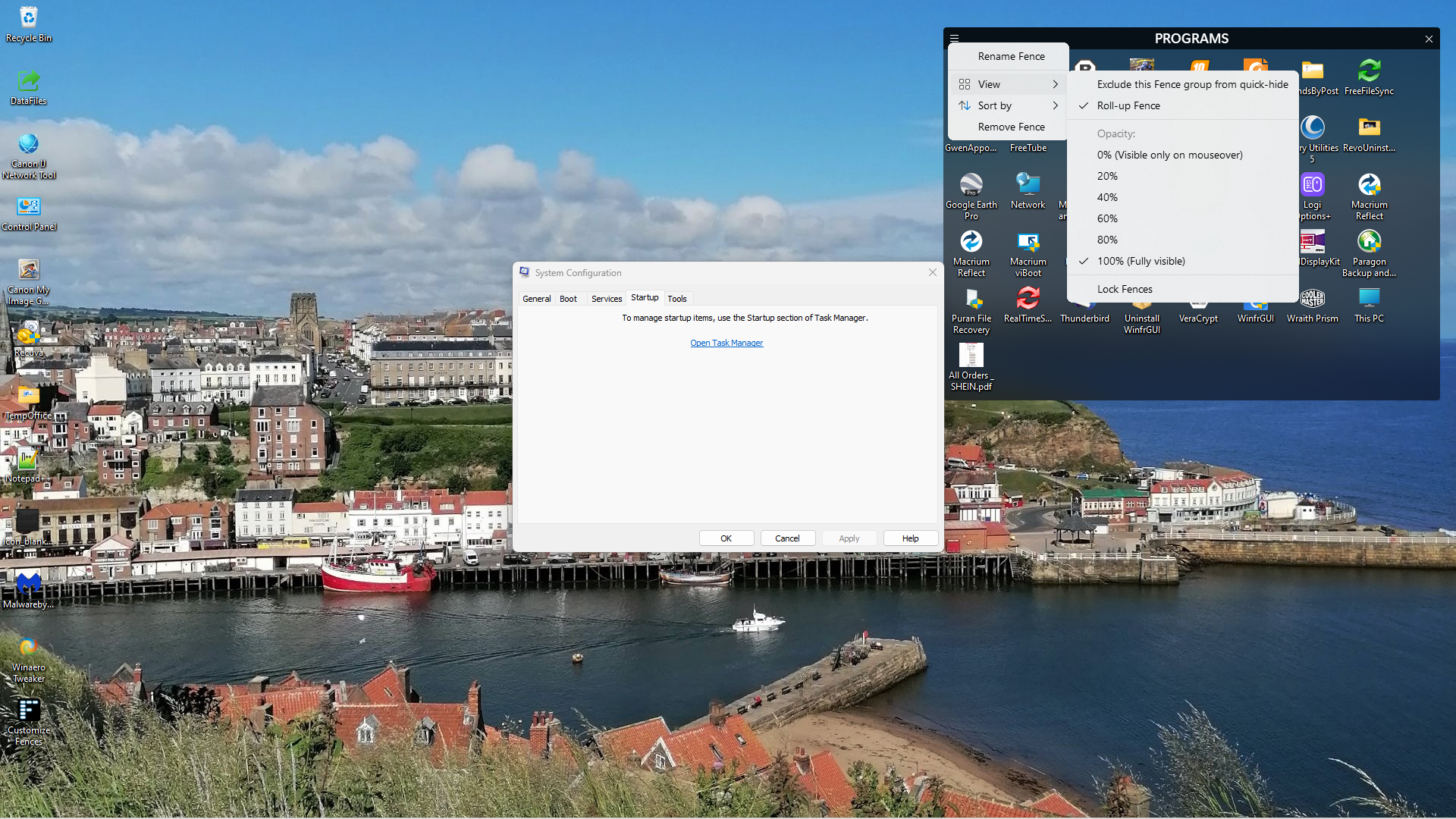
I have Fences 4 on my Win 11 and trying to adjust the visibility from 20% to whatever wont work.

If I activate the dropdown by a click on the three lines top left, none of the menu works when I try to adjust anything. I.E Visibility from 20% to say 60% or Exclude this Fence from quick hide wont work, it stays the same?

9,125 views 19 replies
Reply #1 Top

Hello,
Sorry to hear you are having issues. Need more information on your system and issue. Please refer here: https://support.stardock.com/space/SHC/1387954197/Contacting+Stardock+About+Fences+Issues also please post a video showing us these issues to help us understand it better.

Thanks
Basj,
Stardock Community Assistant.

Reply #2 Top

Well its quite simple really as I posted in my first file, the drop down menu has NO effect on the fences desktop appearance. I can't adjust the visibility or anything else from this menu? I have tried to use the purge and reinstalled Fences and the visibility is now stuck on 100% and won't adjust to 20% or any other %. It will hide and reappear on double clicking the desk top?

Reply #3 Top

Quoting UrbanFox2, reply 2

Well its quite simple really
End of UrbanFox2's quote
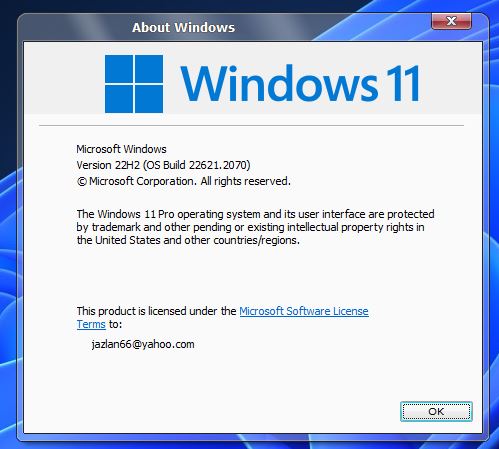
No. We need to know your Windows version and your Fences version simply to be able to try to reproduce the issues you have. Quite simple really.

Reply #5 Top

The full version number, please.

The exact version of Windows can be obtained by running Winver.exe from a search. Posting an image of that would be sufficient. Example:

Reply #6 Top

We need Windows full version number please. Something like this. V22H2 (OS Build 22621.2070)

Thank you,

Basj,
Stardock Community Assistant

Reply #8 Top

Hello, have you by any chance mod your default Windows 11 right click menu to change old Windows 10 style right click menu?

Thank you,

Basj,
Stardock Community Assistant

Reply #9 Top

Good Morning, I have modified the default Win 11 using your software Start 11. Could this be classing with Fences?


Reply #10 Top

Quoting UrbanFox2, reply 9

Good Morning, I have modified the default Win 11 using your software Start 11. Could this be classing with Fences?

 
End of UrbanFox2's quote

They shouldn't clash at all. Maybe supply a screenshot or video showing this clash?

Reply #11 Top

I was asking about desktop right click menu, not Start menu. If you have not please try cleanboot and see if there is conflict with other software. Please refer to this guide: https://forums.stardock.com/486084/fences-support-faq#cleanboot. Please try it and report back.

Thank you,

Basj,
Stardock Community Assistant

Reply #12 Top

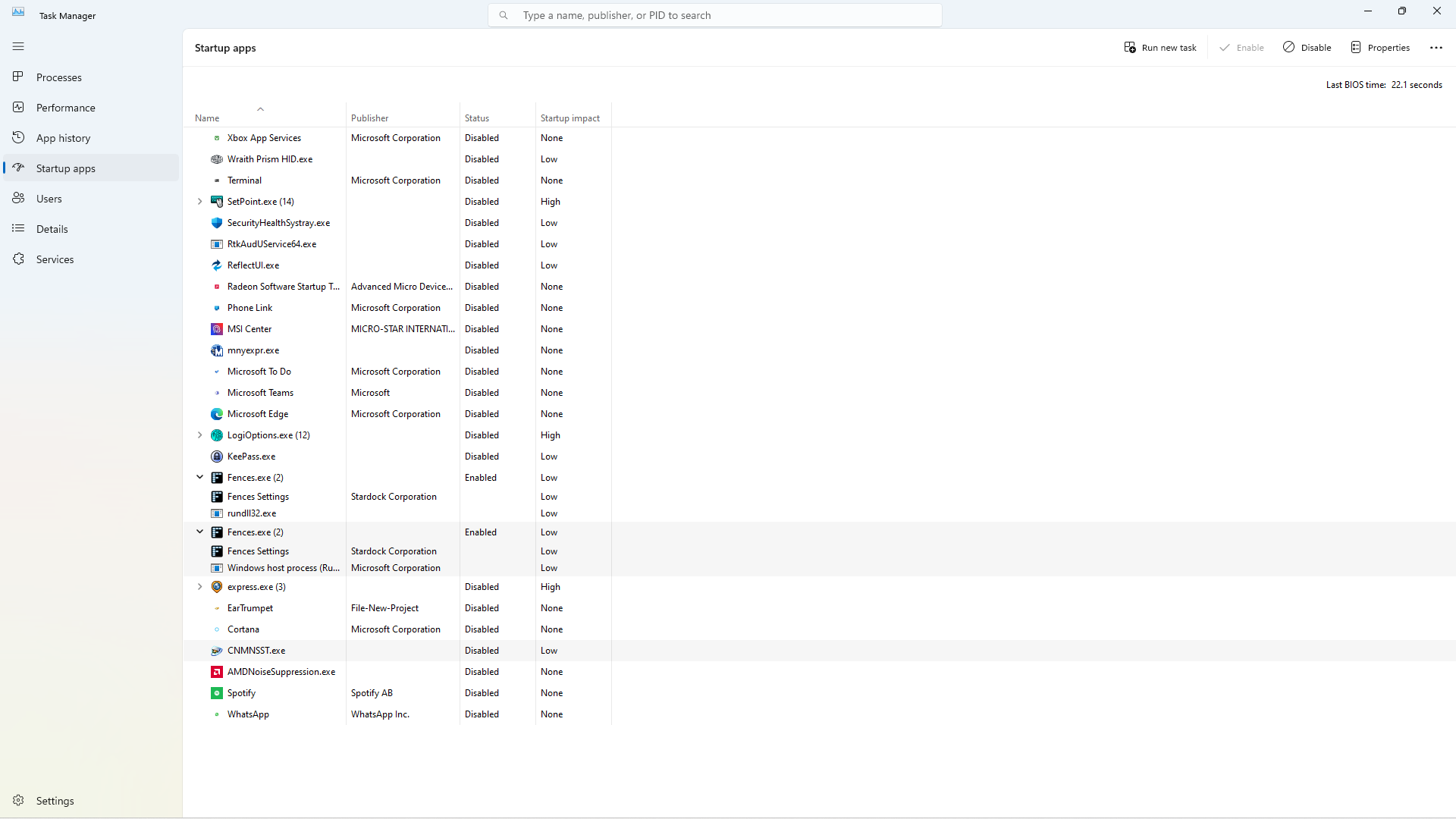
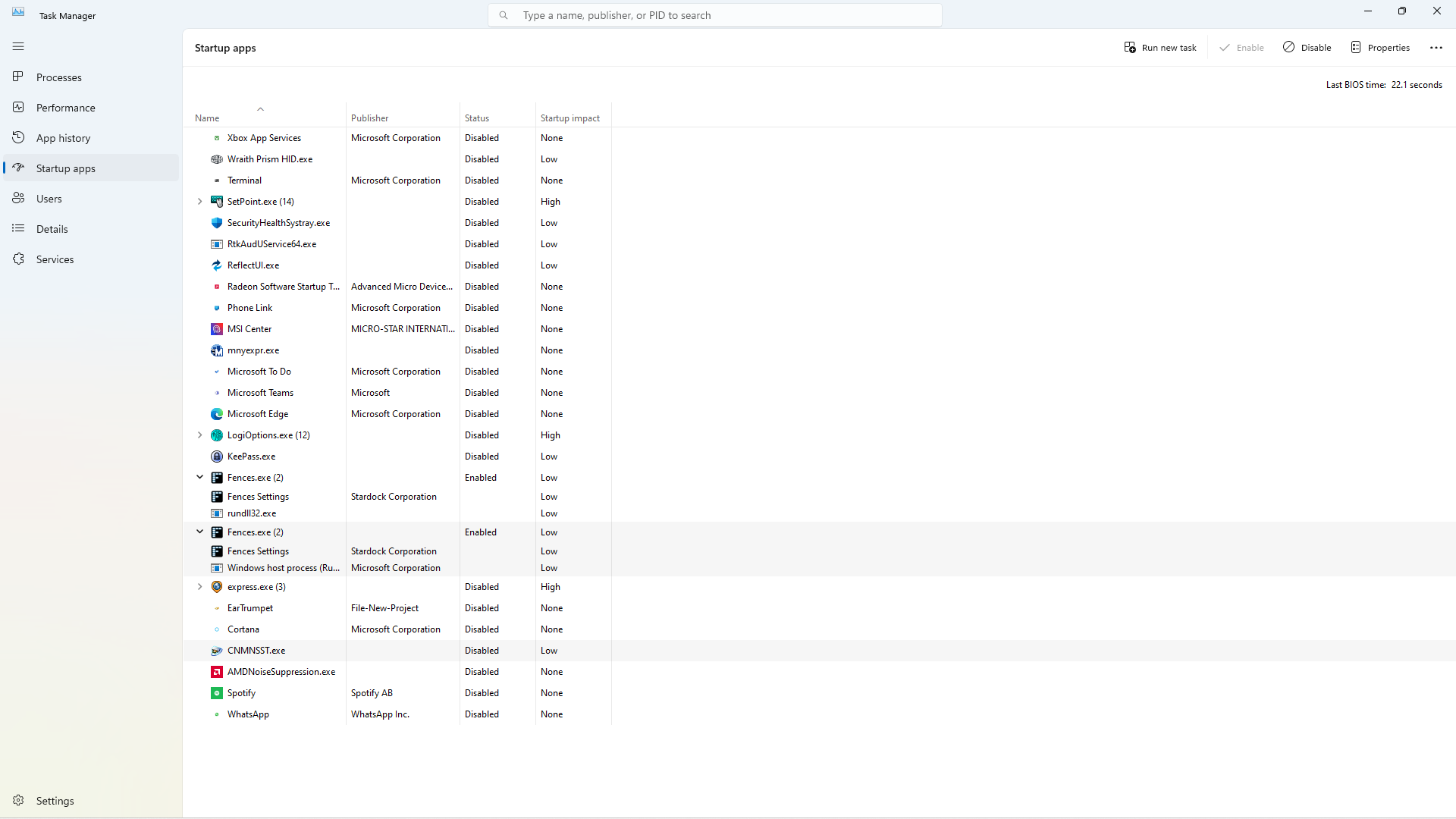
Hi, I have done a clean boot with all start programs disabled except the two Fences. Still the same, can't configure visibility, lock fences or change name. The two Fences on Start Menu are Fences.exe, Fences settings and rundll32.exe Hope these screen shots help?

Thank You

TaskMan

Reply #13 Top

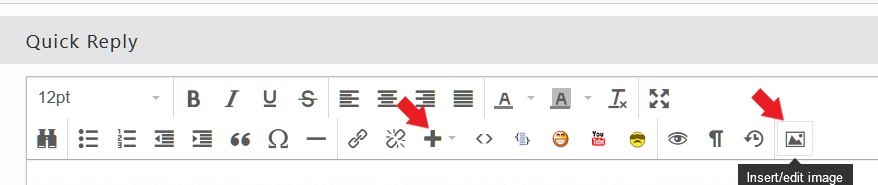
The screenshot is too small. Please post a bigger one. Use one of these buttons to post image.


Thank you,

Basj,
Stardock Community Assistant

Reply #16 Top

Look like there is something strange on the Task manager startup . Please try purge and reinstall steps as mention here : [Link]. Just make sure to re download the latest version from your account page. Reboot after the purge. Reinstall and reboot again after the installation. Retest and report back here.

Thank you,
Basj,
Stardock Community Assistant.

Reply #17 Top

OK, tried your suggestions with Fences Purge, no difference to Fences. I also tried with BCUninstaller and removed all left overs, again with no change to Fences. Also if I right click on the desktop, view, configure fences, that also doesn't work but Fences.exe will give the config editor? Fences appears to work in all other manor, will roll up, hide on double click but nothing from the drop down menu is accepted, i.e. view, roll up, rename, remove fence?

Thank You

Reply #19 Top

Sorry, I'm not prepared to mess abt with a Sandbox to get Fences working has it should. I will use it as is for the time being and install any future update to see if it improves the software, failing that its far easier to remove than improve.

Thank You for your input and time.