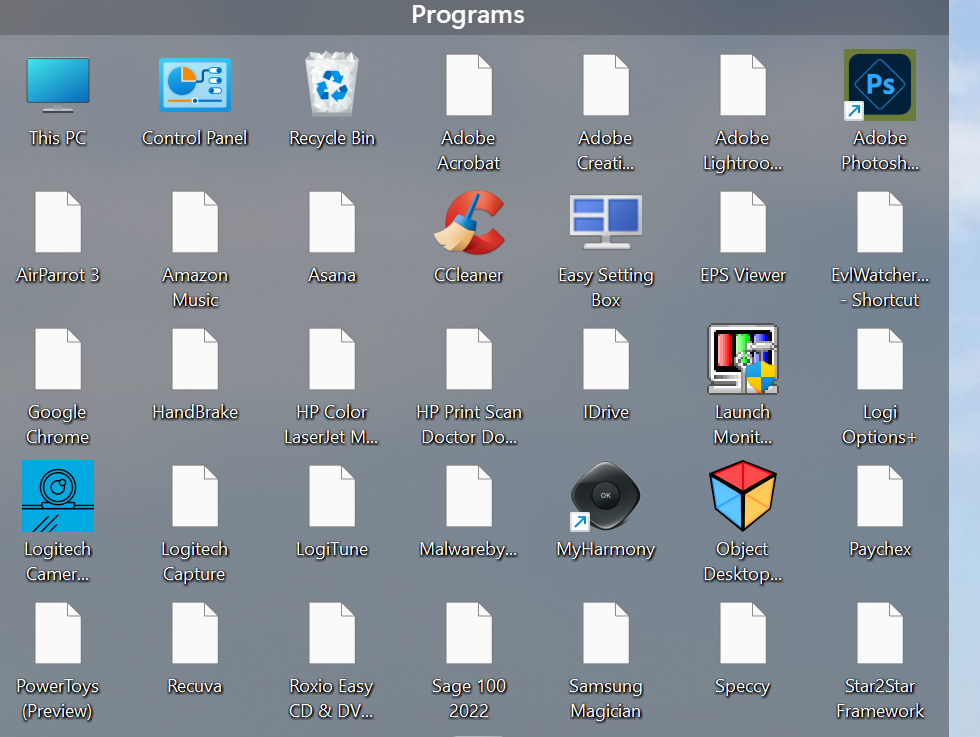
icons in fences are only showing white boxes

All my icons in fences have recently changed to white boxes.

I changed my 2nd monitor recently and surmise that something changed at that point.

I cannot seem to get the icons back.

Any thoughts?

Thanks

Phil


12,714 views 24 replies
Reply #3 Top

Quoting steveroesch, reply 2

I'm having the same issue.
End of steveroesch's quote

Hello,
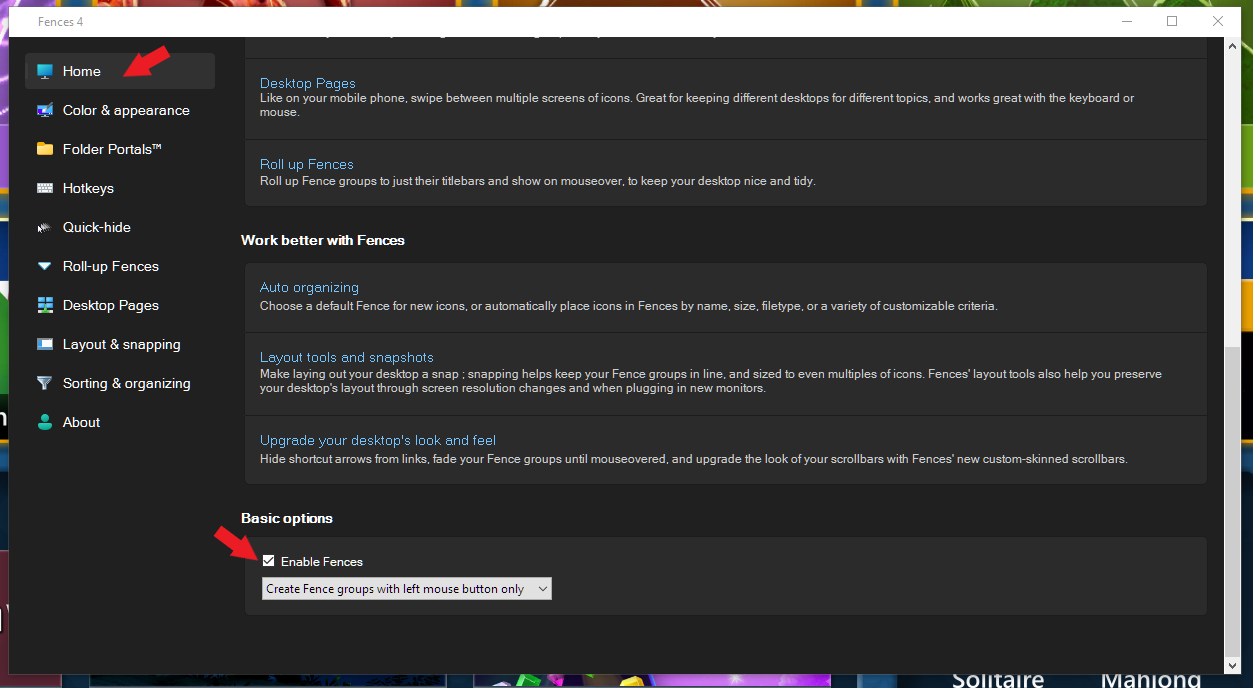
Sorry to hear you are having issues. Just as a test, if you disable Fences, the icons will drop into your desktop page. Does all the white icons application shortcut return to its original icons? To disable Fences 4 refer screenshot below.

Thanks
Basj,
Stardock Community Assistant.

Reply #4 Top

Here ya go.

Device name Chinook

Processor Intel(R) Core(TM) i7-8700K CPU @ 3.70GHz   3.70 GHz

Installed RAM 32.0 GB

System type 64-bit operating system, x64-based processor

Pen and touch Pen and touch support with 10 touch points

Edition Windows 11 Pro

Version 23H2

Installed on ‎9/‎28/‎2022

OS build 22631.2115

Experience Windows Feature Experience Pack 1000.22659.1000.0


I have fences on my other monitor that will intermittently go completely white boxes like the above example. right now they are fine. I have been able to reproduce if i lock the screen, let the screen blank because of inactivity.


Hope thats enough.


Phil


Reply #5 Top

Hello Phil,

You on Fences 3 or 4? Which version number? Also if you disable Fences does the correct icons reappear? Refer to my screenshot on Reply#3

Thank you,

Basj,
Stardock Community Assistant

Reply #7 Top

Fences 4.21

When I disable fences, the white boxes are still there. If i do a display refresh the icons come back. I can then restart fences and the icons are correct (for now)

Something weird is going on. This never used to happen.


Phil


Reply #8 Top

Quoting steveroesch, reply 6

If I uninstall Fences, the icons return to normal. 
End of steveroesch's quote


Quoting pjkemp, reply 7

Fences 4.21

When I disable fences, the white boxes are still there. If i do a display refresh the icons come back. I can then restart fences and the icons are correct (for now)
Something weird is going on. This never used to happen.
Phil
End of pjkemp's quote

Please try purge and reinstall steps as mention here : [Link]. Just make sure to redownload the latest version from your account page. Reboot after the purge. Reinstall and reboot again after the installation. Retest and report back here.

Thank you,
Basj,
Stardock Community Assistant.

Reply #9 Top

After all that work, I still get white boxes.

Can you replicate this issue?

I'm about done all the troubleshooting I can afford to do at this time.

Please let me know what you are doing to resolve this. 

Phil


Reply #10 Top

So far this is not able to be reproduced by Stardock staff on multiple different machines, which is why we have the asks of going through various different troubleshooting steps. It could be a conflict with another program that you have installed that we do not.


Paul Scroggins
Associate Technical Support Analyst

Reply #11 Top

Quoting pjkemp, reply 4

Edition Windows 11 Pro

Version 23H2

Installed on ‎9/‎28/‎2022

OS build 22631.2115
End of pjkemp's quote

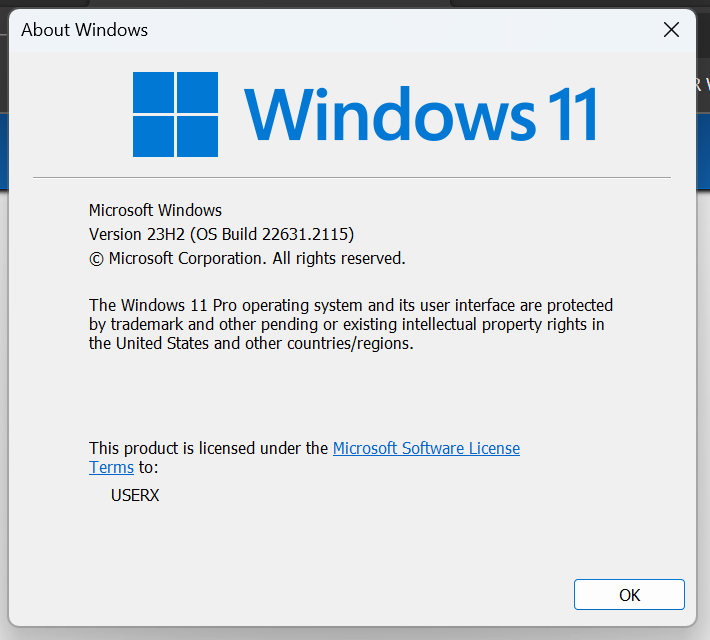
Both of you on the same version?

Thank you,

Basj,
Stardock Community Assistant

Reply #13 Top

I'm on 4.21, but Object Desktop says to Update. I run Update, but nothing changes - it's still 4.21 and Object Desktop still says to Update.

Reply #14 Top

Quoting steveroesch, reply 13

I'm on 4.21, but Object Desktop says to Update. I run Update, but nothing changes - it's still 4.21 and Object Desktop still says to Update.
End of steveroesch's quote

There is no update, it is an issue with the Object Desktop Manager program setup

What version of Windows are you running? (winver.exe)

Paul Scroggins
Associate Technical Support Analyst

Reply #15 Top

Quoting steveroesch, reply 13

I'm on 4.21, but Object Desktop says to Update. I run Update, but nothing changes - it's still 4.21 and Object Desktop still says to Update.
End of steveroesch's quote

There have been endless notifications regarding this. Disregard Object Desktop Manager. Instead, check your software version number against what is available through clicking on your avatar in the top blue bar > Downloads > Object Desktop Manager tab,  View Individual Downloads and scroll down the alphabetically ordeed software.

Link: https://store.stardock.com/myaccount/products

Reply #16 Top

I dont know what the other (steve) customer config looks like, but the only thing I can think of is that I have two monitors on my system. they are different resolutions and they are different manufacturers. This issue seems to have appeared when I went from two same manufacturer monitors running the same resolution.

Just a thought.

Phil


Reply #17 Top

pjkemp and Steveroesch,

From the release notes on the Insider Win11 build  22631.2115:

  • [NEW] In some cases, the icons on your desktop may all go blank. If this happens, using the refresh option in the desktop context menu should resolve it.

Also of note, we do not support Insider, dev, canary, ect. builds of Windows


Paul Scroggins
Associate Technical Support Analyst


Reply #19 Top

Quoting steveroesch, reply 18


End of steveroesch's quote

I think that confirms the issue and why we cannot reproduce it!


Paul Scroggins
Associate Technical Support Analyst

Reply #21 Top

Yup, that would seem to be it! Thanks

Phil


Reply #23 Top

I have had the same problem. Went to task manager, did search for explorer.exe, right-clicked on Windows Exlorer, and left-clicked on restart, and icons reappeared.

Reply #24 Top

Most of my desktop icons become white and blank intermittently throughout the day.  "Refresh" brings back the original icons, but it continues to happen multiple times each day. Folder icons are not affected, and it happens primarily in three of four Stardock Fences currently active on my desktop. Both program icons and MS Office app file types are affected, but some items in the fourth Fence are not affected.  Similar extensions in the other three Fences turn white and blank. Opening the Beta version of Edge (Microsoft Edge Version 116.0.1938.36 (Official build) beta (64-bit) will most often, but not always cause the icons to become white and blank. 

Standock Fences version 4.21.  Windows Enterprise Insider Preview 11 (64-bit), Insider build 25921.rs_prerelease.230728-1521. Microsoft 365 MSO (Version 2307 Build 16.0.16626.20086) 64-bit, plus many other programs.

I assume this is a problem generated by an Insider preview release, but thought I would report the issue in this Forum as well.