
Start11 post-activation hook or scrollwheel volume change.

Problem with Power Mixer

I'm a user of Actual Solution's Power Mixer which has a feature to scroll with the mouse wheel anywhere over the task bar in order to raise / lower the audio volume. To me this is one of the most useful things on my system because I always wear a headset and change the volume constantly.


The issue I'm having is that when Start11 starts up and replaces the task bar, then this feature of Power Mixer stops working until I restart the Power Mixer service ( C:\Program Files\Power Mixer\srvman.exe ). So basically after every boot or wake-up from sleep (which I send my machine often to in order to save energy), or Explorer crash, I need to call a Python script which restarts the service, while manually granting elevated UAC admin privileges, which has become very annoying.


Maybe the very best solution would be to add this feature (change main Windows volume via scroll wheel) directly into Start11 as an option, also with scroll sensitivity (how much to scroll for a given increment/decrement in volume). Then I would deactivate this feature in Power Mixer. And maybe this would also fix the limitation of only being able to use the main monitor's task bar for volume change while the task bars on the two other monitors can't offer this feature.


The alternative would be to add a hook which triggers a custom command, with elevated privileges, in order to have the custom command restart the service.


Thanks in advance.
2,234 views 3 replies
Reply #1 Top

Hello,
I have forwarded your problem/question to Stardock Support Team for their assistance. Please keep an eye on this thread for any updates. We appreciate your feedback and patience.

Basj,
Stardock Community Assistant

Reply #2 Top

Hi Soundlinker,

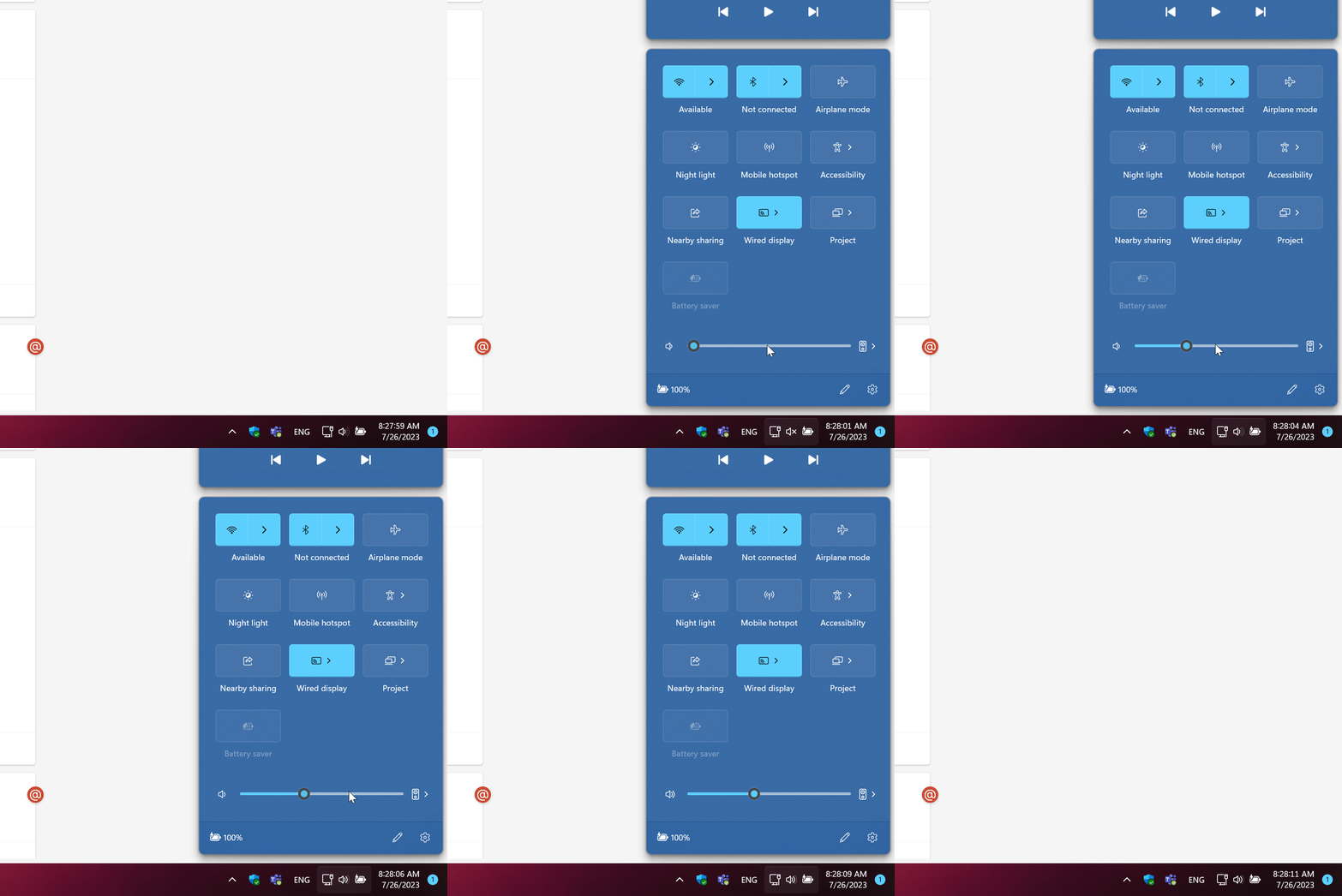
The built-in volume control does work with the scroll wheel in Start11.

What version of Windows (winver.exe) and version of S11 are you running?


Paul Scroggins
Associate Technical Support Analyst

Reply #3 Top

Hi Paul.


Actually, the truth is that Windows 11 by itself allows to use the scroll wheel over the small icon in order to change the volume without clicking on it in order to open the dialog which your gif shows.


But the difference is that Power Mixer applies this effect to the entire taskbar, so that there is no need to hunt for a 16x16 pixel small icon, since the entire width of the monitor is available for scrolling. In addition to that, you just have to move the mouse down to the taskbar, and there is no going beyond the taskbar because the mouse will stop over it, since there is nothing below it.


I don't need to look at where I move the mouse to, because no precision positioning is expected, I just know "move down" and then use the mouse wheel as the volume fader, for example to quickly lower the sound because someone started talking to me.


Please believe me that it makes a huge difference if you're constantly adjusting the audio levels. Maybe you could try Power Mixer for a while and enable the feature in order to get a feel for it.


Thank you for getting back to me so quickly, I hope my explanation sounds reasonable.


I'm using Windows 11 Pro 22H2 22621.1992 with Windows Feature Experience Pack 1000.22644.1000.0 and Start11 Version 1.47
