Fences shrink in size after using Remote Desktop

Hello,

Been a user for years, thank you Stardock!

I'm having an issue with my fences!

Problem:  
When i access my laptop that contains fences from RDP Remote Desktop, something happens to my fences sizes.  When i return to using my monitors on the same computer I RDP'd into, the fences are smaller and smaller each subsequent time.  

Attempted solutions:
I have tried to pin the fences.   I have also tried making the fences small enough to where they would fit in the RDP's smaller resolution size.

Expected behavior:
The fences should stay exactly where I had left them (perhaps with "pinning") whether or not I'm in RDP, or have just recently used RDP.  They should not continue to change size smaller and smaller and need to be relocated on the desktop.


Thank you!


image of problem:

https://imgur.com/a/e8KofBk

https://imgur.com/z991SIZ
8,657 views 9 replies
Reply #1 Top

Hello,
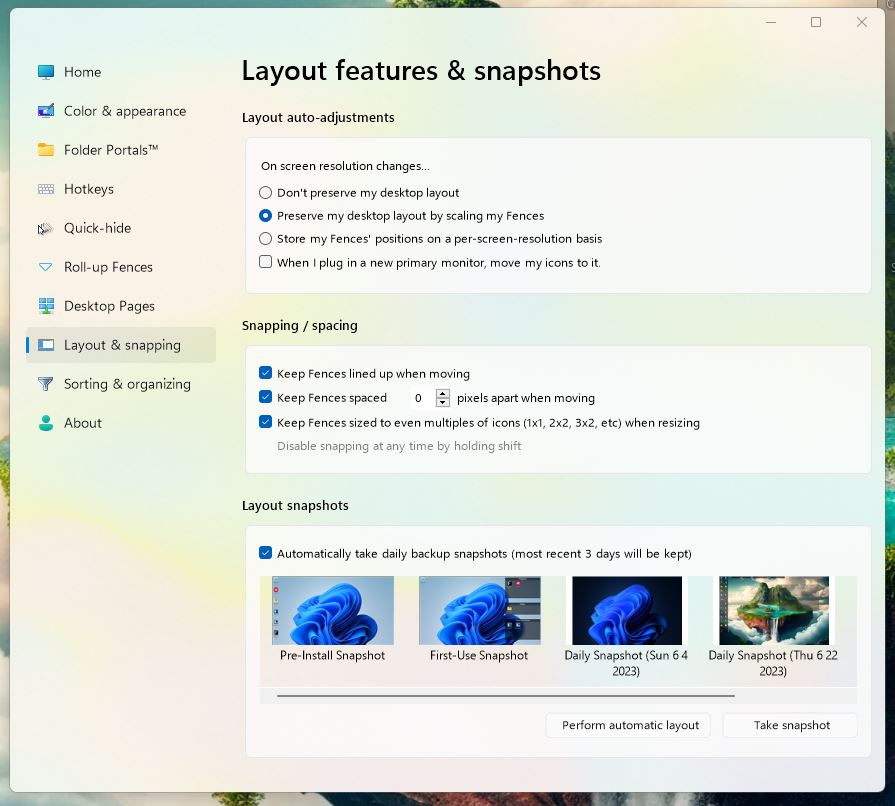
Sorry to hear you are having issues. Have you tried Fences restore layout snapshot?

Thanks
Basj,
Stardock Community Assistant.

Reply #2 Top

hello,

i know of that feature, but should i be having to activate that every day?  in the evening i switch to RDP and in the morning i go back to in person monitor

Reply #3 Top

you know, i havent tried "store my fence group position on per screen basis"

let me see if that helps

i will get back to you

Reply #4 Top

nope its still shrinking.


how can i prevent this from happening?   can we fix this bug?


Reply #5 Top

I've search this forum and something similar came up and I believe Support have answer it there: https://forums.stardock.com/503620/

Thank you,

Basj,
Stardock Community Assistant

Reply #6 Top

this is not a good workaround.  it should be automated.  right now it would be easier to simply uninstall.

can we get a fix for this issue?

Reply #7 Top

Hello,
I have forwarded your problem/question to Stardock Support Team for their assistance. Please keep an eye on this thread for any updates. We appreciate your feedback and patience.

Basj,
Stardock Community Assistant

Reply #8 Top

hello friends,

i found a great workaround!   you much check the settings to remember the locations between changes of resolutions.   then (but only once per RDP/resolution change) you must resize the icons as desired. 

i noticed that it kept the correct sizes at that point. 

thank you very much and mark this issue resolved with this acceptable workaround.

Much love to stardock!

Reply #9 Top

Awesome, glad you found a working workaround. Thank you for reporting it.

Thank you,

Basj,
Stardock Community Assistant