
NOW ANNOUNCING: Groupy 2, The Only Universal Tab Experience for Windows
Groupy 2 begins an open beta period today
 Stardock Forums
Stardock Announces Groupy 2, the Only Universal Tab Experience for Windows
Groupy 2 enters public beta today
Stardock announced Groupy 2, a program that brings a universal tab experience to Windows. Groupy is a powerful tool that keeps information tabbed and organized by allowing users to drag and drop multiple applications and documents together, grouping them in a familiar tabbed interface for easy access.

Groupy 2 is designed for Windows 10 and Windows 11. Once installed, creating groups with the app is simple: drag a window to another window, which combines into a single window, with tabs showing in the title bar. To ungroup apps, drag the tab off the group.
The new Groupings feature for Groupy 2 allows the user to save a group of applications together, pin them to the taskbar, and then launch them all at once – tabbed together and ready to go – with just a single click. The new Accents feature simplifies the process of adding a touch of color to a tab, making it easy to associate a specific task or assignment with a particular color.
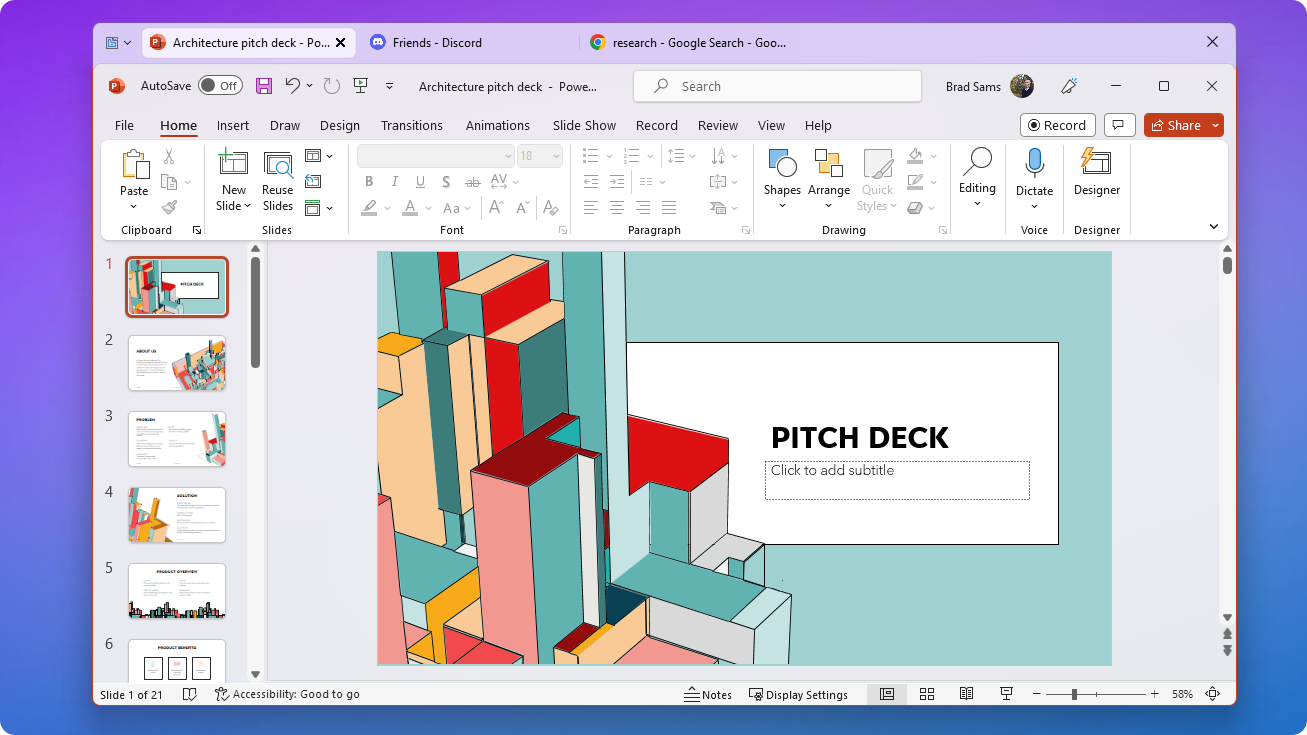
Multiple tab designs take personalization another step further, allowing users to stylize their experience in a way that best suits their preferences. Groupy 2's updated design matches the Windows 11 interface, providing a sleek and modern look, and its enhanced functionality supports seamless integration with File Explorer.
"Groupy 2 brings a modern, universal tab experience to Windows 10 and 11” said Brad Sams, Vice President of Stardock Software "Groupy 2 is the easiest way to organize the windows on your desktop. With the new Groupings feature that lets you launch multiple applications with a single click, your workflow will never be the same."
   |
|---|
Groupy 2 is currently in beta for a special limited-time price of $6.99.
If you are a current Object Desktop member, the beta is free to use and available in your account.
To join the beta or to learn more, visit our website.
