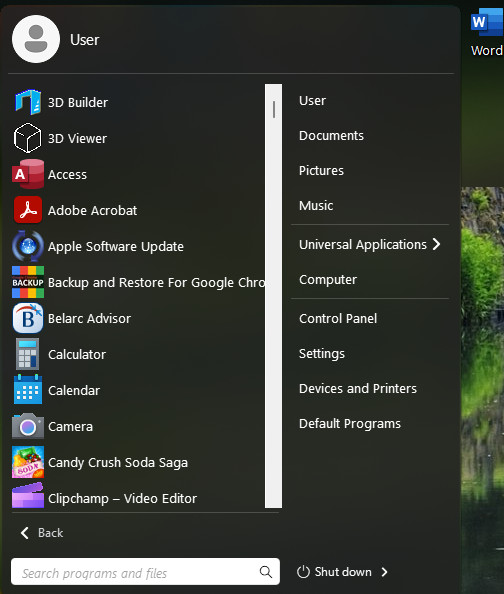
Which ever Style I choose in Start 11 I cannot get All progams to display

I am running Windows 11 64bit

Not being a geek I need exact instructions on how to do this
1,066 views 1 replies
Reply #1 Top

Hello,
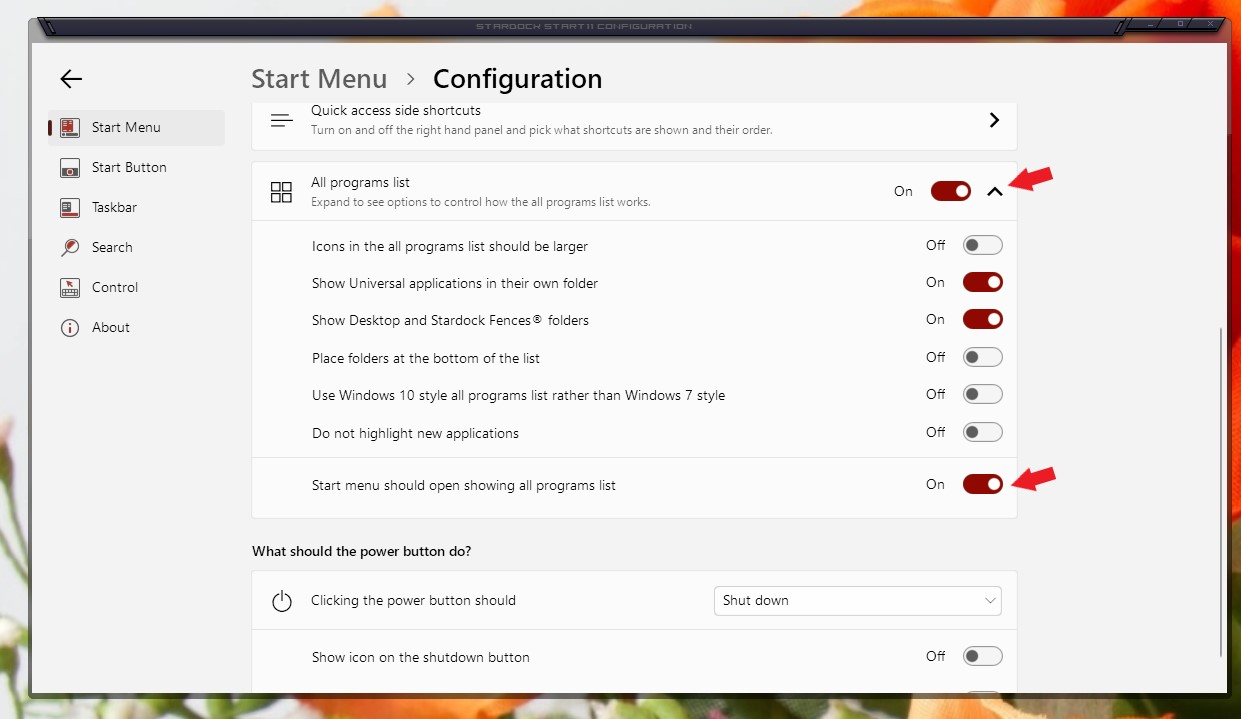
Sorry to hear you are having issues. Try this. Open Start11 configuration Windows. Under Windows 7 or Modern Style->Click on Configure menu->You should see something like the screenshot below. Turn on "Start menu should open showing all programs list".

Thanks
Basj,
Stardock Community Assistant.