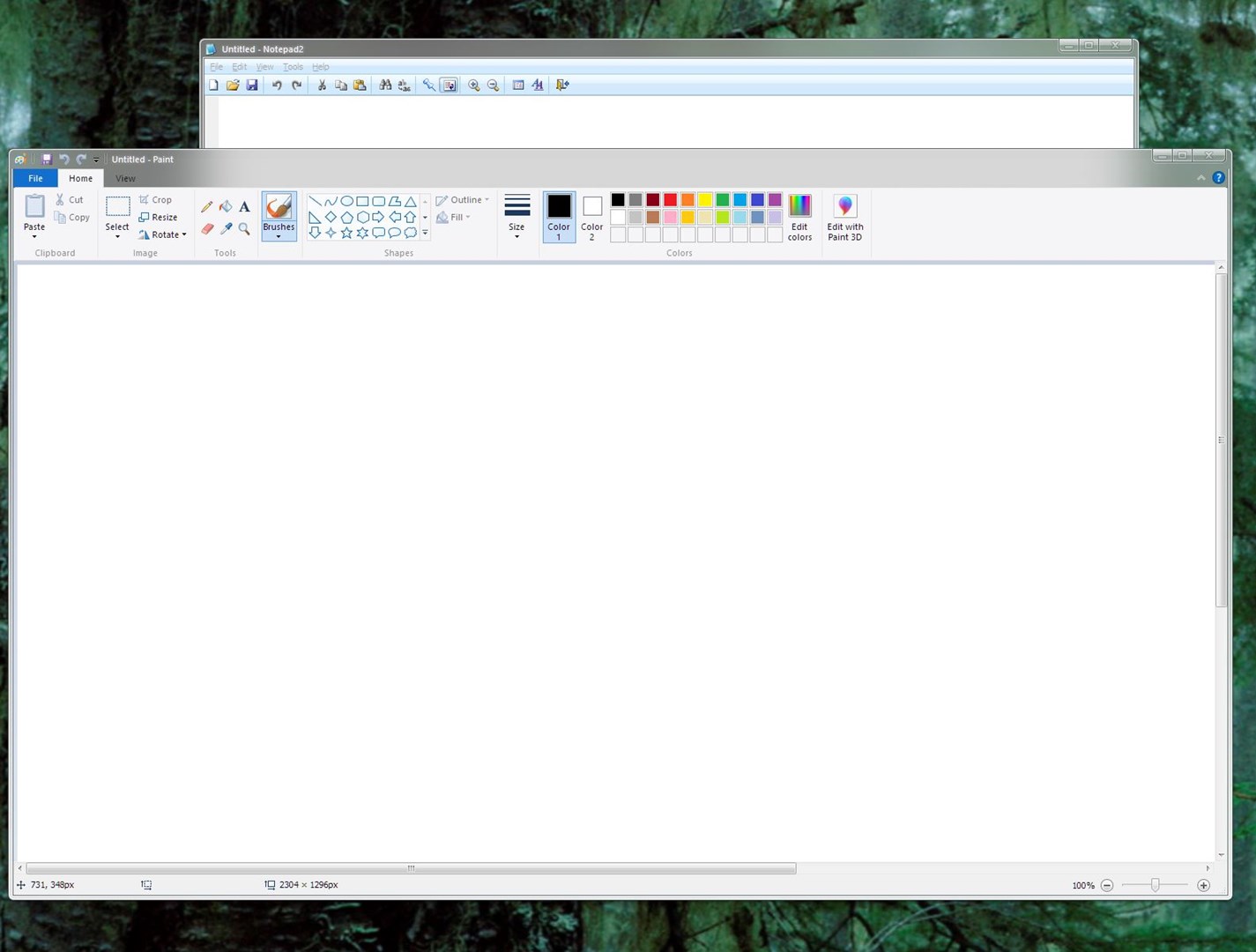
Skinning Issue? Maybe?

Hello, made an account only for this, I just got windowblinds a day or two ago and I've already gotten a nice skin, works great, only issue is it has this weirdness with the aeroglass around the titlebar for MS paint, If I exclude the program to only exclude the titlebar it'll remove the aeroglass within it, the program normally has a white top below the actual titlebar, but here it got merged, I hope I'm explaining this right, I have no idea if this is an issue with the skin itself, or just my luck. If need skin for testing LMK
If anyone has fixes or advice please let me know, if there is no fix, thanks for trying anyway.


6,105 views 6 replies
Reply #1 Top

Hello,
Sorry to hear you are having issues. Need to know more on your system.

  1. Windows 7,8,10 or 11? And Needs its full version numbers. Use Winver.exe to get those numbers.
  2. Which skin you're using for the screenshots?

Thanks
Basj,
Stardock Community Assistant.

Reply #2 Top

Why are you excluding paint from WB?

Reply #3 Top

Hi sorry for late reply. I'm using Windows 10 21H2, updated completely and the skin I'm using is BetterAero7X, but that is strikingly similar to the Diamond theme that comes with WB itself, which has the same issue with the program

Reply #4 Top

I thought it'd be a quick solution, which unfortunately it wasn't so I removed it from the exclusion list, finding other solutions to possibly fix it..

Reply #5 Top

This is what I get, but, I can't see the issue. Maybe I am looking at a different thing. I am on diamond here.

Thank you,

Basj,
Stardock Community Assistant

Reply #6 Top

It's the "file, home, view" toolbar that also gets skinned with the glass, I don't think there is a fix for this unfortunately, though I don't really like the appearance I don't think there's a fix, thank you for your help regardless