Reserving The Edge of Screen in Object dock with Start 11

Hi


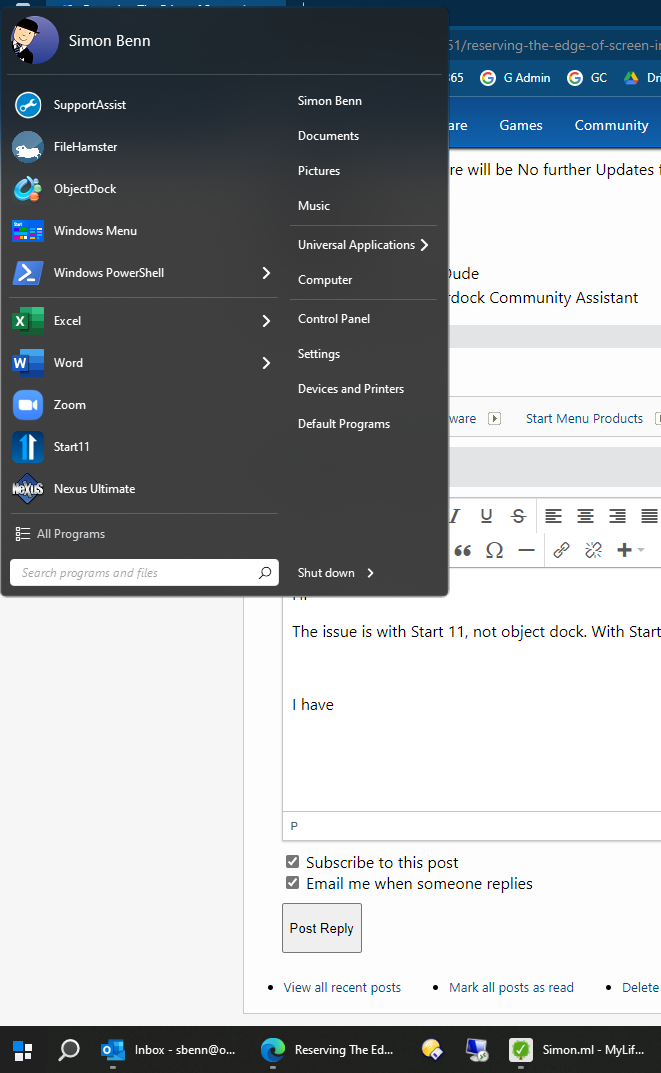
I have Start 11 and object dock. I have been using them together since inception but have an issue with Start 11 and reserving the edge of the screen by the task bar. It will reserve the edge if you select left, top or right, but if you choose bottom, which I do, it does not reserve the edge and the full screen covers the menu up.


If I uninstall Start 11, the issue is resolved and the space is reserved.


I thought it was an object dock issue but I purchased Nexus dock and it has the same behaviour; won't reserve the bottom area above the task bar.


Please can you look into this for me please.


Many thanks
2,574 views 5 replies
Reply #1 Top

Hello,

Sorry to hear you are having issues.

Object Dock is No Longer Supported for Win10/11

some features will still work but others won't .

There will be No further Updates for OD .


AzDude
Stardock Community Assistant

Reply #2 Top

Hi 

The issue is with Start 11, not object dock. With Start 11, you cannot reserve the screen by the taskbar.


I have Nexus Ultimate, another dock program and the behaviour exhibits that same in that. 


Also, the start menu randomly appears up the top of the screen. Needs some bug fixing for both issues.


Reply #3 Top

Hello,

Sorry to hear you are having issues.

Doesn't sound like your running the latest version v1.25

try uninstall reboot and reinstall v1.25 reboot and then test .


AzDude
Stardock Community Assistant

Reply #5 Top

ObjectDock is not supported on Windows 10 or 11.  It has many issues one of which is causing the start menu to show at the top of the screen.

With regards to the reserve space at the bottom of the screen, this is not supported with the Start11 enhanced taskbar.