
Start 11 enhanced taskbar option greyed out
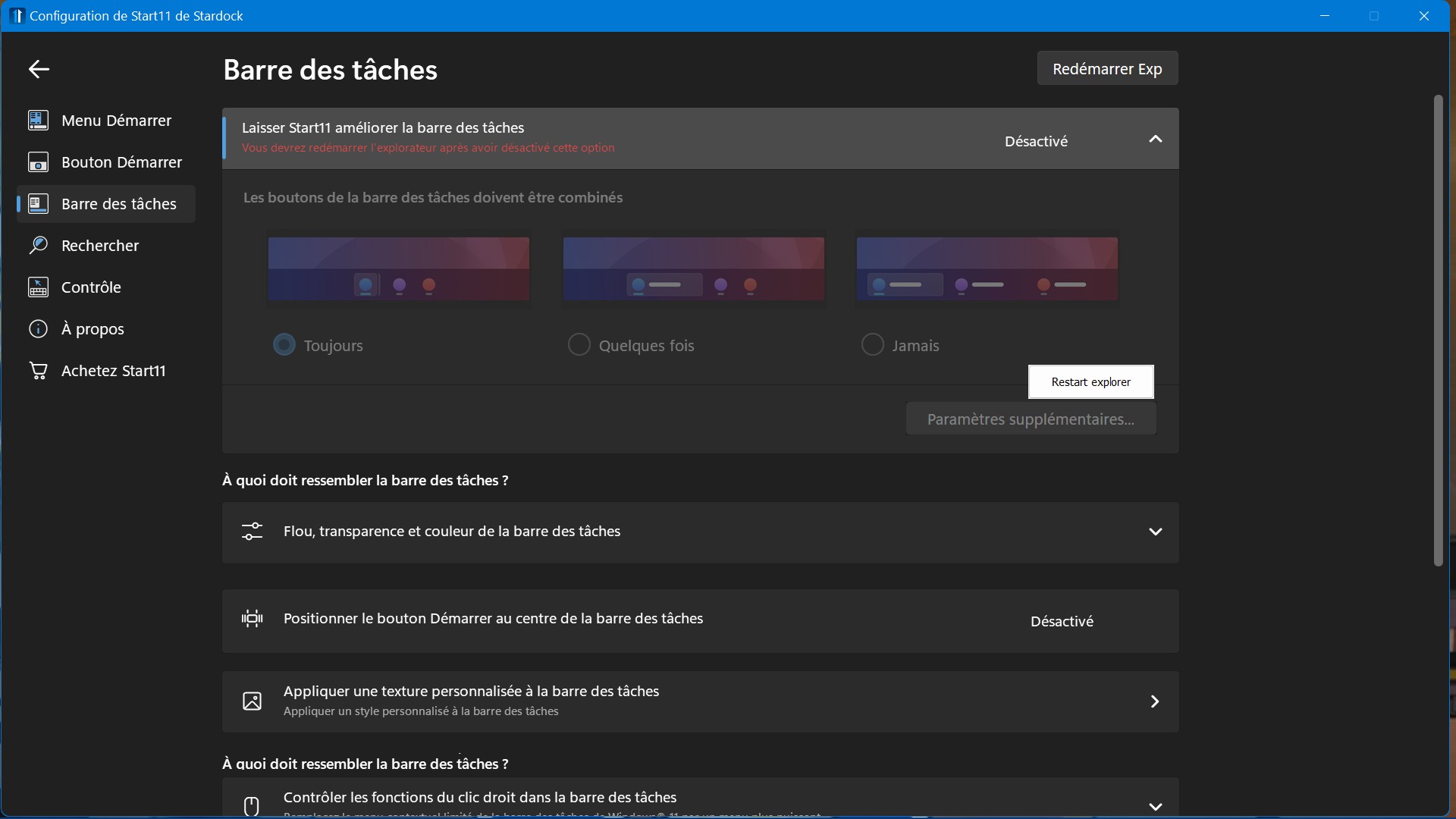
As you can see in this screenshot I can't turn on the enhanced taskbar option. Restarting explorer doesn't fix the issue.
I'm using Windows 11 Home 21H2 build 22000.739
Stardock will be closed for the week starting on Monday, June 29th and we will be returning on Monday, July 6th. We will be monitoring support tickets and forums during this time but expect delays in responses during this time.
As you can see in this screenshot I can't turn on the enhanced taskbar option. Restarting explorer doesn't fix the issue.
I'm using Windows 11 Home 21H2 build 22000.739
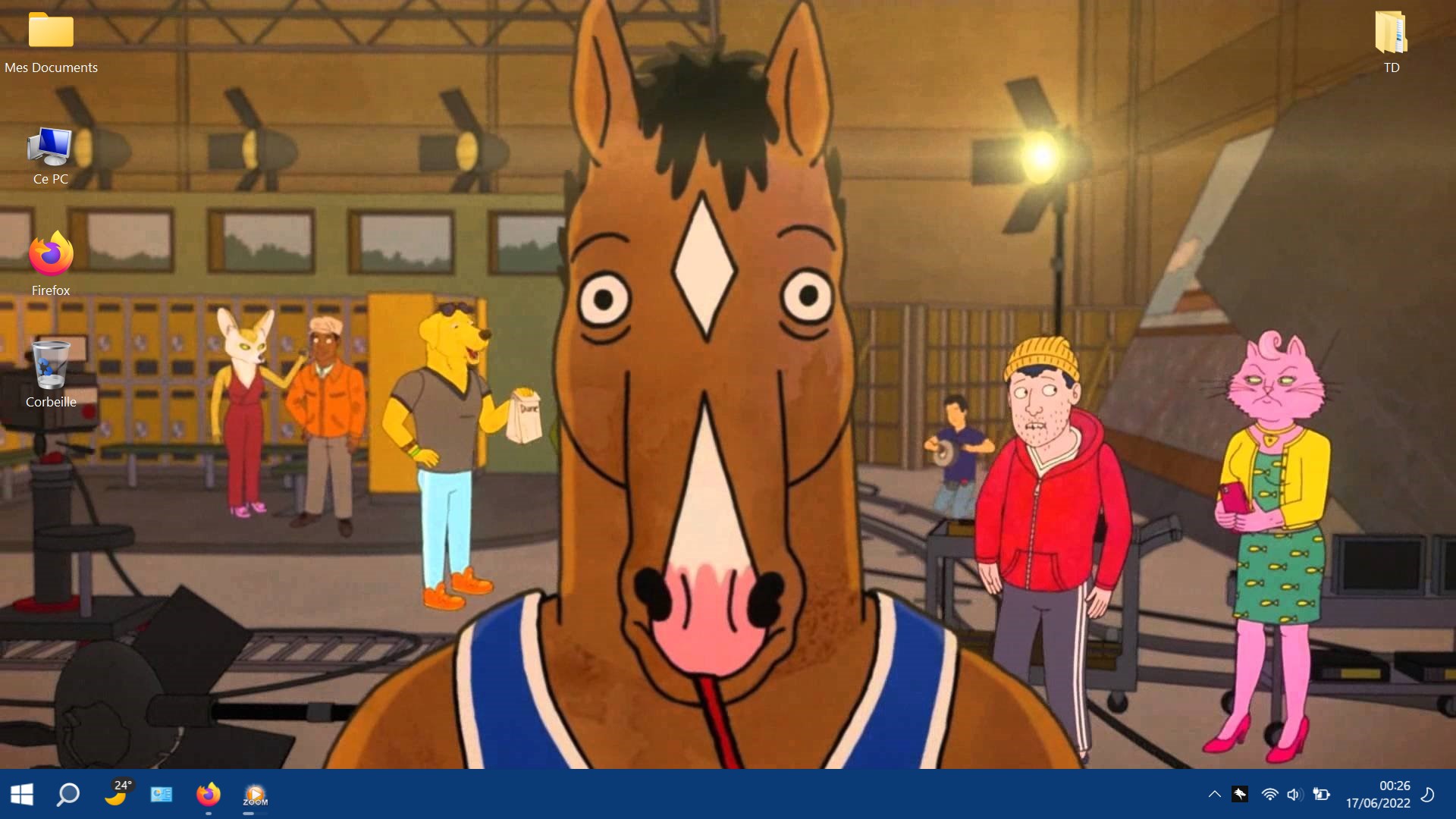
Can you post a screenshot of your taskbar please.
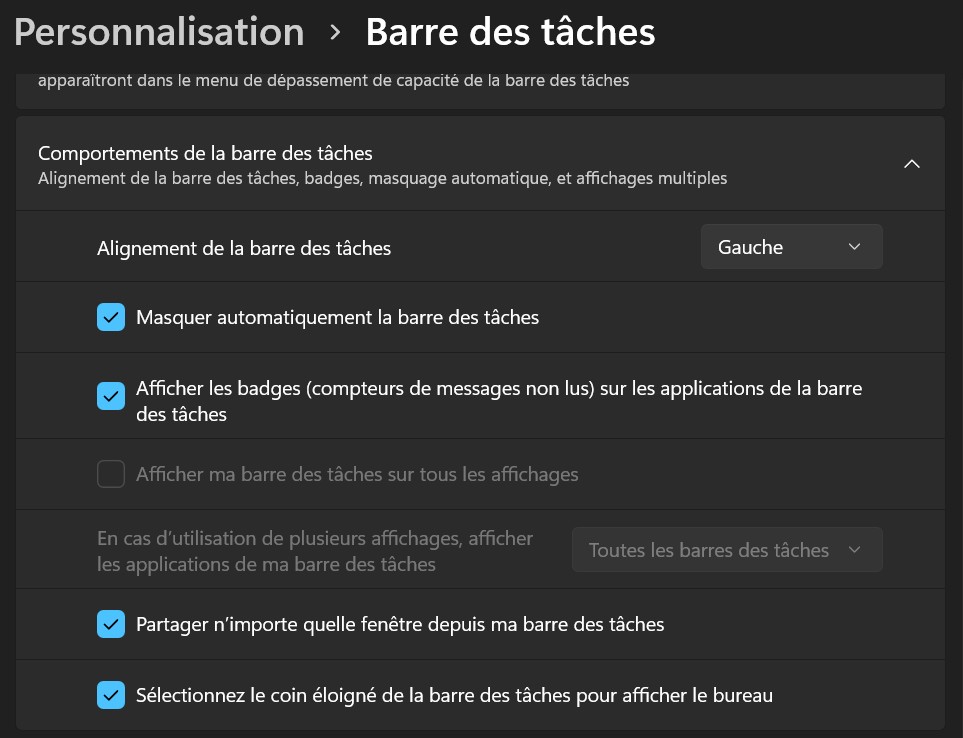
Sure. First picture is "behavior of the taskbar" options in "Personalisation" > "Taskbar in case it's of any use.


I tried to change windows settings to english, even with start11 in english the issue is still there so not a language issue.
I'm on a laptop, maybe it's related to monitor options?
I purged start 11 with the .bat provided here https://forums.stardock.com/505872/start11-support-faq#reinstalling and reinstalled and it fixed the issue.
Good to hear
Welcome Guest! Please take the time to register with us.