Start menu tile icons disappear after restart

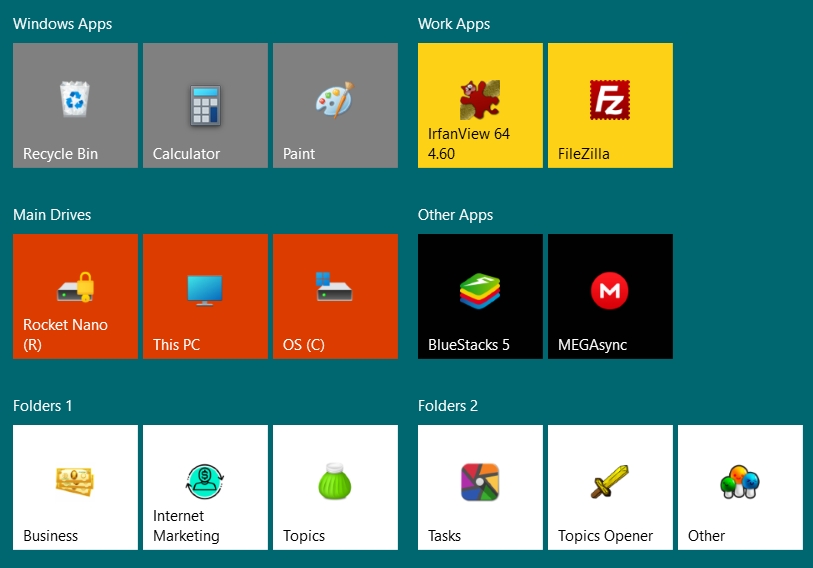
The below image is part of my Start Menu with Start11. Upon restart, the app tile icons remain, but all of the folders lose their tile icons. Note that all of these folders have custom icons instead of the regular folder icon. 

I believe this could be happening because those folders are on an external drive, which I have to enter the password before it is accessible.

This did not happen with Windows 10, and the tiles were always there. So it seems to be a new problem with Start11 / Windows 11.

There is no way to refresh the icons. I have even tried adding a replacement image for the icon, then clicking to reset to default.

As a workaround, I thought to create a new folder on the C Drive and set all of these folders to have a custom icon from inside that folder, but it seems Start11 only allows images and not icons to be selected.

So what can I do to fix this problem? Can you update your software to fix this bug?
 

1,778 views 3 replies
Reply #1 Top

Hello,
Sorry to hear you are having issues. I have forward your problem/question to Stardock Support Team for their assistance. Please keep an eye on this thread for any updates. We appreciate your feedback and patience.

Basj,
Stardock Community Assistant.

Reply #2 Top

I have done some more testing and found a workaround. If I set Lock Menu it so far has kept them.

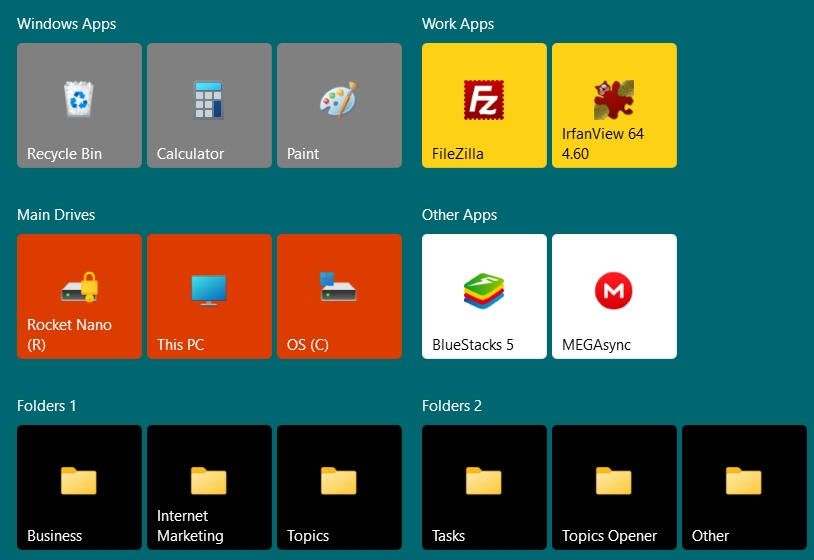
But even when I did that, it was a nightmare to fix it. With lock menu on or off, no matter if I deleted the folders and tried to add them to Start Menu again, they would come without the icon on the tile again. The icons had also disappeared from them in the start menu list to the left. Surprisingly, I could drag that item into the start menu tile section to the right, and it would come back with the icon, but it would not fix the left start menu problem. Eventually I went to C:\Users\Username\AppData\Roaming\Microsoft\Windows\Start Menu\Programs and deleted them all from there, then added them back, then set Lock Menu. All seems to be fine after that.

So this is no longer an urgent one for me, but I put this extra info there so you can look into it and include a fix in a future release.

Picture below for reference.

Reply #3 Top

Thanks for the detailed bug feedback, going to try to repro this.