Pin to Start menu (Start11) not sticking

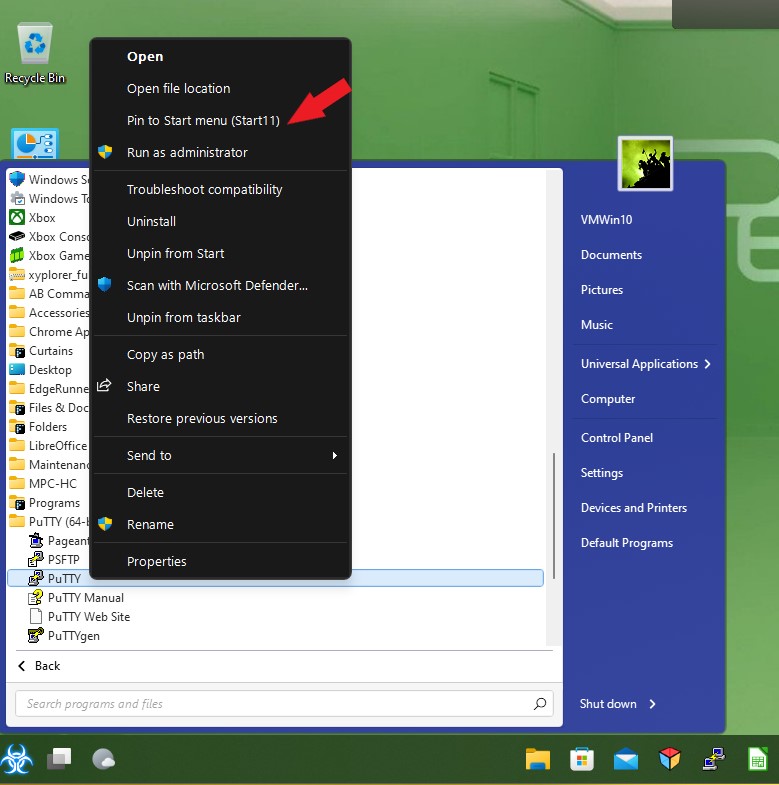
Hi. I've been using Start for years now and am a big fan. I just replaced a laptop yesterday with an HP laptop running Windows 11 so bought a five-pack of Start11. Most of the set up has been just like it's been for Start10 but I'm having trouble adding apps to the Start11 menu. I've been right clicking programs like I always have and choose "Pin to Start menu (Start11)" like I have in prior versions, but the programs aren't "sticking" on the Start11 menu. None of the programs are getting added, so I'm not finding a way to customize the ones I use regularly. Any help would be appreciated.

3,782 views 13 replies
Reply #1 Top

Hello,
Sorry to hear you are having issues. Need to know more on your system.

  1. Windows 10 or 11? Also need its full version number please. You can use Windows "Winver.exe" to get those.
  2. Start11 version install.

Thanks
Basj,
Stardock Community Assistant.

Reply #2 Top

1. Windows 11, version 21H2 (OS Build 22000.675).

2. Start 11, version 1.24.

Any advice would be appreciated. Thank you.

Reply #3 Top

I believe there are some different method to pin thing to Start11 Windows 11 style.

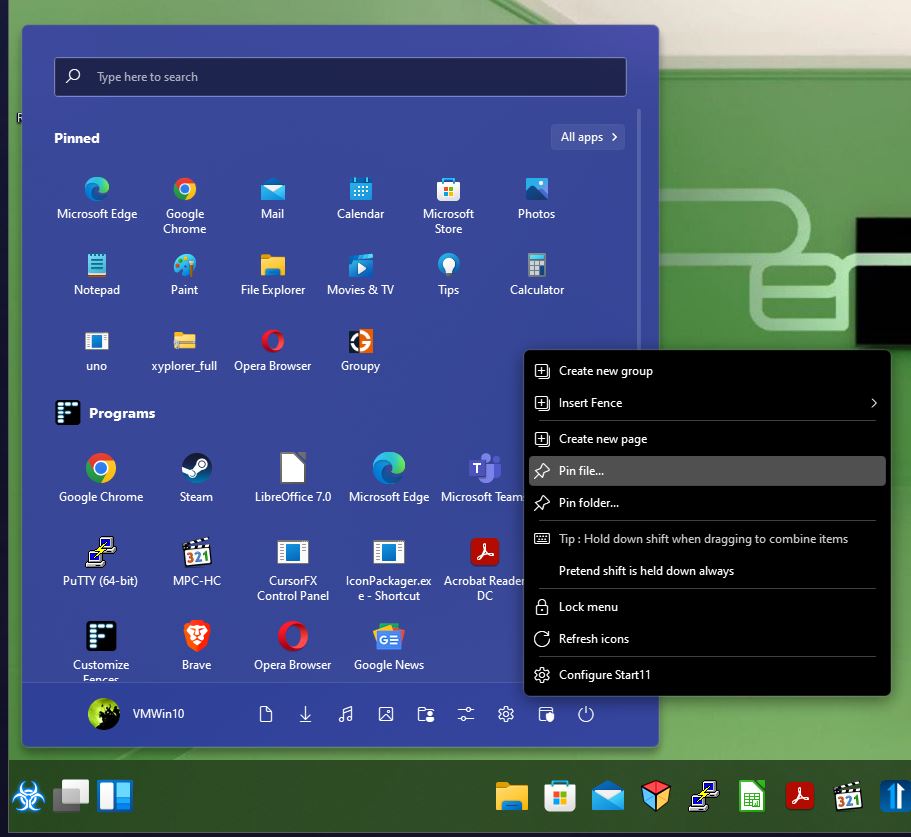
1. You can right click the startpanel and select "Pin file" or "Pin Folder" that should open up File browser, just need to browse to and select the file or folder of your choice.

2. On desktop icons just right click on them an "Pin to Start" should work.

3. Within Windows Explorer sometimes right click menu don't show "Pin to Start" item. My workaround is make a shortcut to that file and use the shortcut to "Pin to Start". Not sure why, might be how new Windows 11 right click menu system.

Thank you,

Basj,
Stardock Community Assistant

Reply #4 Top

Thanks for the reply. One thing I neglected to point out is that I am (yeah old school) fond of Windows 7. So, I have selected Windows 7 style. The pinning of apps doesn't show at all in that interface in your program.

Reply #5 Top

For Windows 7/Modern style, go to all program-> right click and the item you want to pin and select

For desktop icons, right click on those item->Show more options->Pin to Start11

For within Explorer. Same, right click on item->Show more options->Pin to Start11

Thank you,

Basj,
Stardock Community Assistant

Reply #6 Top

Thanks for the reply. Indeed, I can get one (just one) program to stick this way in addition to Start11 which is put there through the options. In Start10, I could set up a series of my several most used programs there. Anything beyond just two at the top just don't "stick" when I do exactly what you indicate. Is this a bug or am I doing something wrong?

Also, in prior versions, I could shrink down the size of the icons on the start menu so I could fit in a lot more programs.

Thanks for continuing to work on a good product.

Reply #7 Top

Please post a video and show us how you pin those not sticking applications on Start11. That way we can see where you done it wrong if any and work from there.

Thank you,

Basj,
Stardock Community Assistant

Reply #8 Top

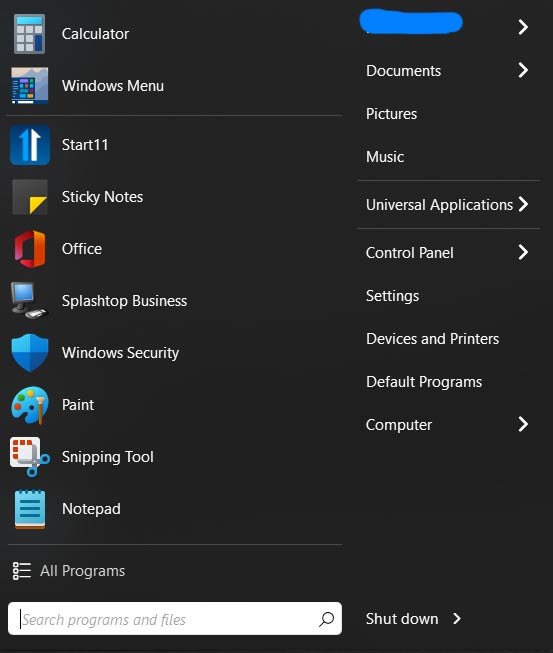
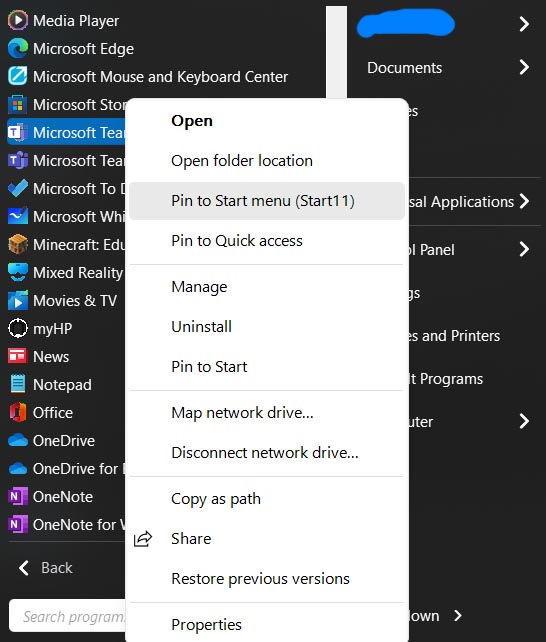
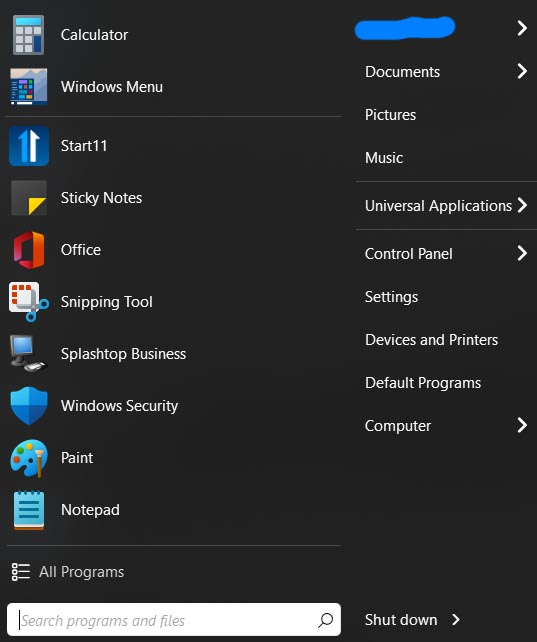
I haven't figured out yet how to do a screen video in Windows 11, but hopefully these 3 screen shots help. The first is my Start11 menu in the Windows 7 mode. The second is me right clicking a program in the programs menu like you indicated above. The third is my Start 11 menu after doing so (which does NOT have Teams as I selected). This is exactly how I did this in the last couple versions of Start and it always worked seamlessly. Something is definitely different in Start11.

Any help would be appreciated.

Reply #9 Top

First need to know if it just something wrong with the installation. Just uninstall, reboot (important). Download again the latest version from your account (V1.24), install using that file, reboot and retest if the problem still there. Report back here.

Thank you,

Basj,
Stardock Community Assistant

Reply #10 Top

Hello,

Sorry to hear you are having issues.

I checked it on mind with v1.24 and it works/pins for me .


AzDude
Stardock Community Assistant

Reply #11 Top

Thank you both. I just uninstalled Start11 (choosing to wipe out settings), rebooted, then reinstalled a version right from the website, and the pin right click option still isn't working. It previously allowed two pins (the Windows start menu and one thing I pinned) to stick. Now, the only thing pinned is the Windows start menu. There must be some incompatibility somewhere. I'm probably going to just use a combination of Start11 and the regular Windows menu to do what I need, which is a bummer. Thanks.

Reply #13 Top

It seems that there is some sort of incompatibility in Start11, but I haven't done the work to isolate it. Of note, this functionality is NOW present for me, but only if I right click "send to Start11" in the folders where programs are stored (e.g., not desktop or start menu shortcuts/aliases). I'm still tweaking my new laptop so haven't forensically isolated what has led to this functionality now being improved but a couple things I did yesterday was switch from Windows Defender to Avast and also customize gestures on my touchpad.

While it's still not the functionality I saw in Start10, it's close enough that I can now make it work!