Inbetween Monitors

I have 5 monitors.   
4 monitors on one machine, 1 on the other (let's call them monitors A,B,C,D and 1).   
The 1 monitor is in between  C and D.   
How can i setup to seamlessly move from A to B to C to 1 to D?

3,113 views 4 replies
Reply #1 Top

Hello,

I have forwarded your report to the Stardock support team for their review and recommendations.

Please keep an eye on this thread for any updates.

We really do appreciate your feedback, thanks.

Reply #2 Top


The 1 monitor is in between  C and D.   
How can i setup to seamlessly move from A to B to C to 1 to D?
End of quote

There can be no 'between' for monitors on separate systems - not currently, however. Future versions of MP may include such an option.

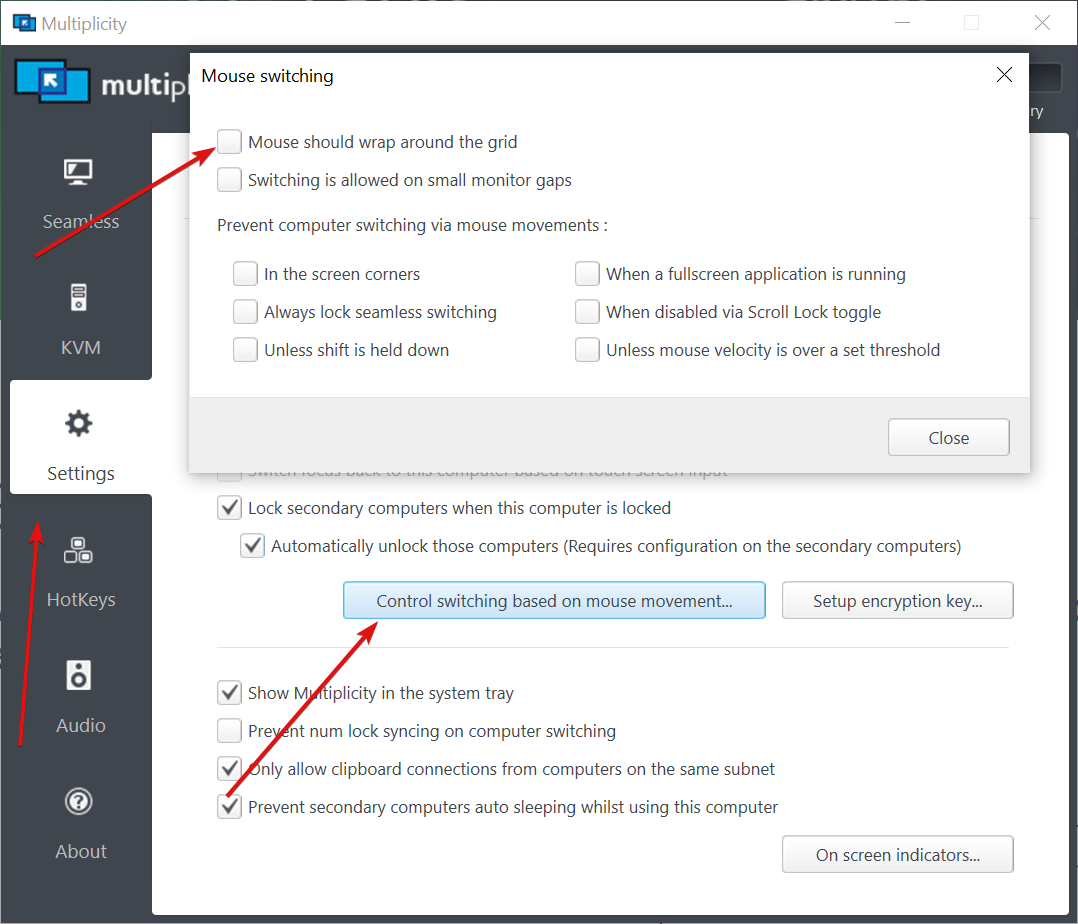
Not sure how it will help here but there is the wrap-around option - where you can move from the last monitor of the last system and have it wrap back the 1st of the 1st system:

Sean Drohan
Stardock Product Lifecycle Manager

Reply #3 Top

I appreciate the quick response and the extra info.    I've been using Multiplicity for many years, it's been a great utility.  

I guess Multiplicity would need to have a monitors configuration in the settings.   Currently i can place 1 computer on whatever side of the primary.   Multiplicity would need to gather the monitor info from each computer, then allow you to arrange monitors within the Multiplicity settings (like we can do with computers).  

I look forward to the feature.   I'll work around it for now.   Thanks and have a great day.

Reply #4 Top

Quoting AnalogScott, reply 3

I guess Multiplicity would need to have a monitors configuration in the settings.   Currently i can place 1 computer on whatever side of the primary.   Multiplicity would need to gather the monitor info from each computer, then allow you to arrange monitors within the Multiplicity settings (like we can do with computers).  
End of AnalogScott's quote

That is nearly exactly how I have written the feature for a 'Multiplicity 4 ideas' doc I have internally - that the MP grid needs to be monitors of the respective connected PCs , not the PC themselves (something we can configure via a 'sever' component most likely).

In any case, I wanted to convey that such a feature is indeed on our radar.

Thanks for the feedback.

Sean Drohan
Stardock Support Manager