v1.24 Start11 Taskbar Colour Problem
Sent the following to support@stardock.com:
V1.24
https://forums.stardock.com/508404/page/5/#3852806 and also replies #112 and #113.
Regards
Stevie
Sent the following to support@stardock.com:
V1.24
https://forums.stardock.com/508404/page/5/#3852806 and also replies #112 and #113.
Regards
Stevie
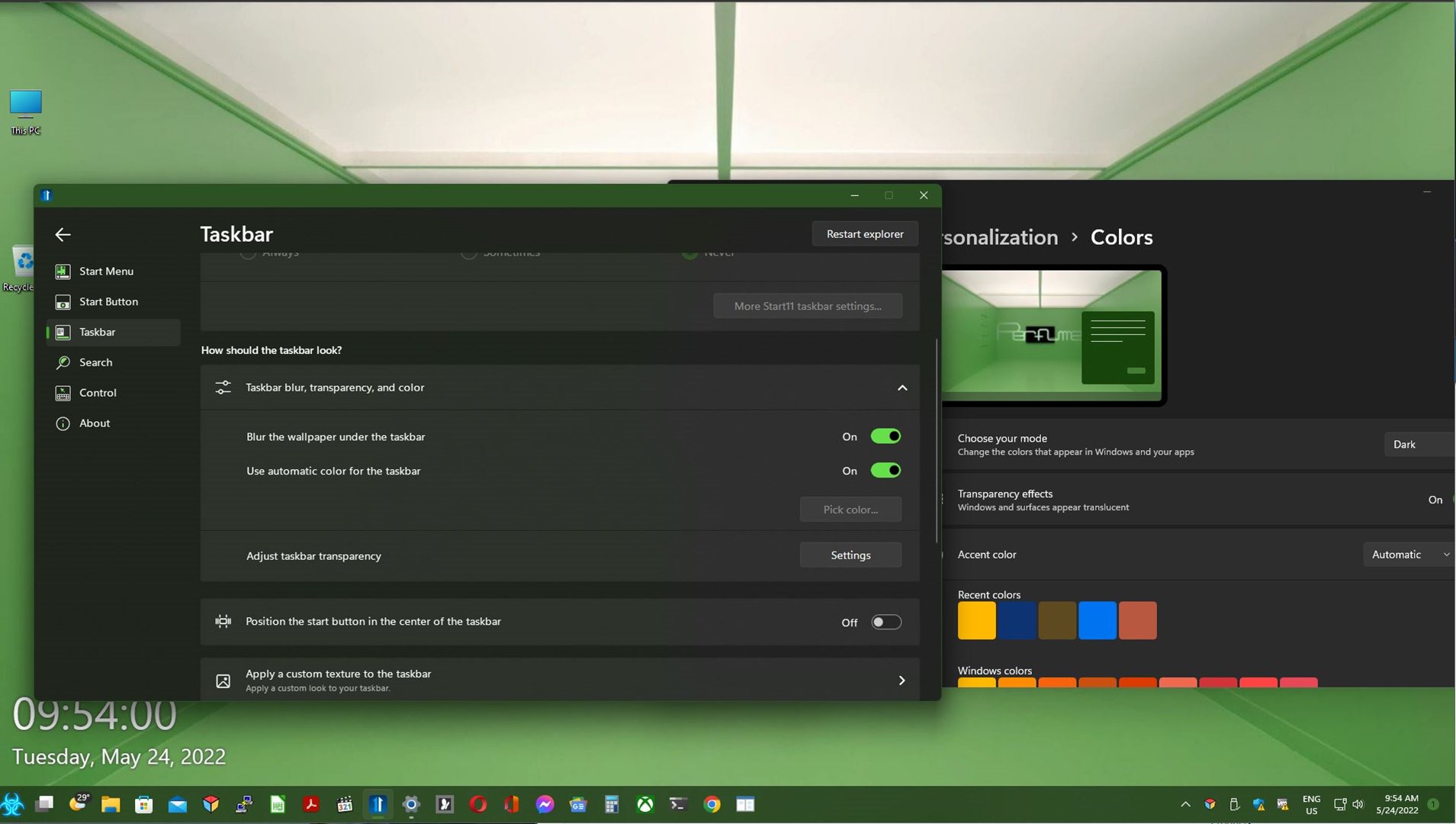
Hello,
Sorry to hear you are having issues. You on Windows 10 or 11? And also need to know full version numbers please. Use Winver.exe to get those.
Thanks
Basj,
Stardock Community Assistant.
Hi Basj
Windows 11 Home (version 21H2) build 22000.675
Thanks
Stevie
I tested it on my system and I can't seem to reproduce your issue on my system. Not sure if we are referring to the same thing though.

Thank you,
Basj,
Stardock Community Assistant
Hi Basj
Unfortunately I'm not sure what you're wanting to achieve which could be why there may be no potential reproduction on your system.
What has happened is the colour of the taskbar is 'milder' than that before updating from v1.22 to v1.24. I subsequently turned on 'Use automatic color for the taskbar' which returned the taskbar to the colour before updating to v1.24, and subsequently restarting to apply the update (and finding a new taskbar colour). However, turning it on hasn't lasted. It is back to that milder colour despite the setting still on.
Regards
Stevie
Maybe you can post screenshots for us to understand your issue better.
Thank you,
Basj,
Stardock Community Assistant
The problem is I don't have screenshots of the colour of the taskbar prior to the update. All i can post is a screenshot of the setting enabled with the current colour of the taskbar (which did change when I enabled use automatic color for taskbar to what it was pre-update).
I don't know if that is much use or help.
EDIT: if you want screenshots, please indicate what of.
Screenshots of what is an issue for you. Anyway, I have forward your problem/question to Stardock Support Team for their assistance. Please keep an eye on this thread for any updates. We appreciate your feedback and patience.
Basj,
Stardock Community Assistant
The default transparency level has been tweaked slightly which might be what you are seeing as it was incorrect before (vs the OS). You just need to adjust the taskbar transparency slider to be a little more solid. It isn't helped that Microsoft don't seem to be able to decide on a level to use by default in the OS with it changing between Win10, 11 and later Win11 builds.
I guess the trouble is, after updating from v1.22 to v1.24 it had changed. Enabling the 'use automatic colour' DID change it back to the original colour - but that didn't last long. So I'm wondering why Start11 changed the taskbar colour when I enabled the setting, and despite the setting still being on, its reverted back out of the blue.
Hmmm, interesting. Having done nothing, I've just noticed the colour is back to how it was pre-update. I hope it sticks.
Welcome Guest! Please take the time to register with us.