Start11 is behaving crazy after version 1.01

Hi all.

I installed new version ( v1.01 ) of Start11 and my Start Menu buttons went crazy after several hours of use. I have been using middle-position of Start Menu.

I restarted my desktop PC but the anomaly continued.

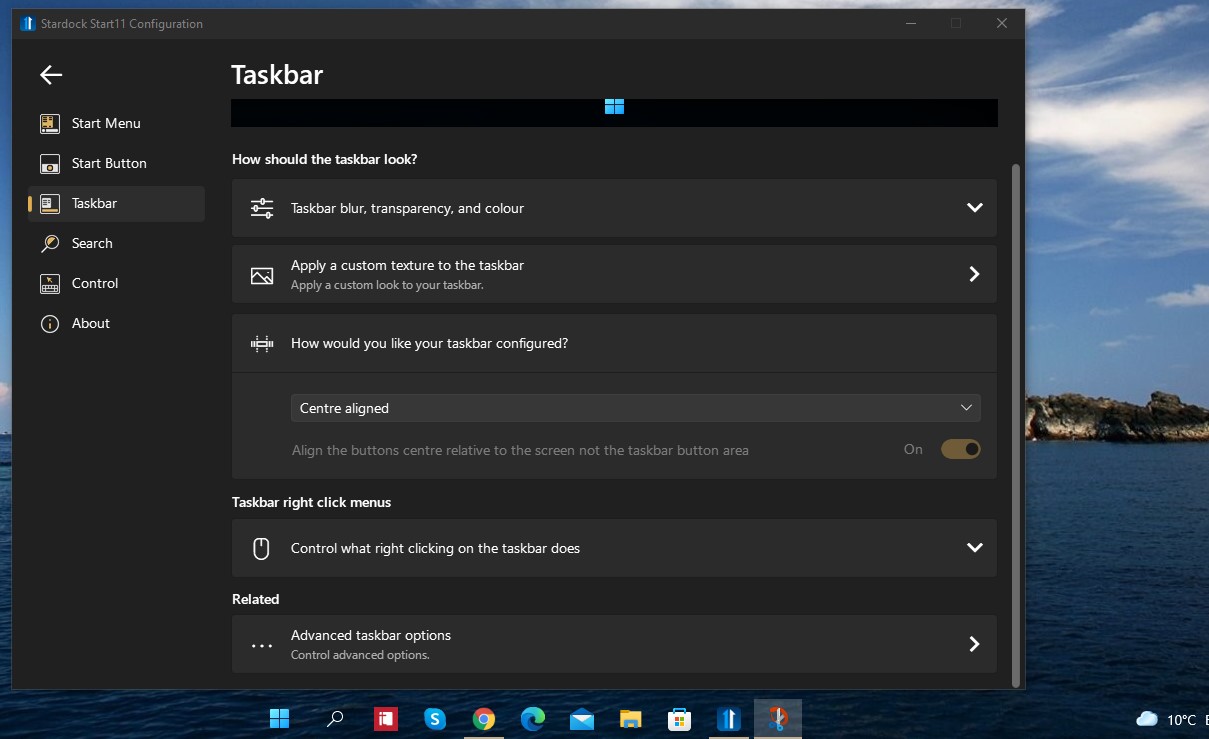
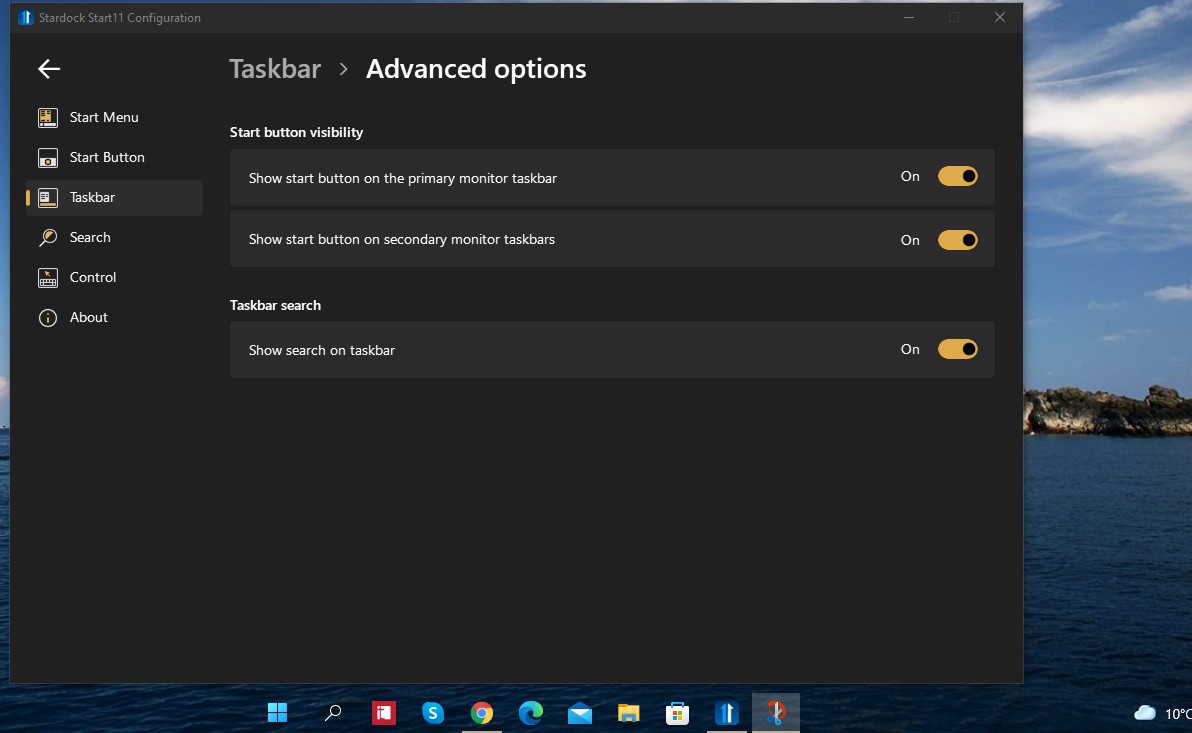
Start Menu button and Search icon separated from the rest of the middle-position icons.

Now I cannot put all icons back in the middle position.

Please note this happened after I opened Start11 configuration app but did not make any change of setting. I was just browsing through the settings to see if anything new added.

Any solution ???
2,185 views 6 replies
Reply #1 Top

Hello,
Sorry to hear you are having issues. Please try purge and reinstall steps as mentioned here: [link]. Just make sure to redownload the latest version from your account. Reboot after the purged. Reinstall, and Reboot again after the installation. Retest it. Report back here.

Basj,
Stardock Community Assistant.

Reply #2 Top

It sounds like you have set start11 to centre taskbar buttons but not the start button.

This will be on the taskbar page in start11 settings.

Reply #3 Top

@Basj,

Thank you very much for your prompt response.

I ran the .bat file and it re-installed the Start11 app. Everything's fine now.

After installation, I activated the product. After activation, the activation window asked for activation a second time. But that was it.

Regards

Reply #4 Top

@Neil Banfield, 

Hi.

I am sorry I couldn't understand your solution.

I said I didn't touched anything in Settings pages. Assuming I did something without knowing, could you please let me know which setting I should have touched.

This is what you posted:"...It sounds like you have set start11 to centre taskbar buttons but not the start button...." Please indicate which settings I may have changed without knowing ? How can I separate Taskbar buttons and Start button ?


Regards

Reply #5 Top

Quoting suatcini, reply 4

@Neil Banfield, 

Hi.

I am sorry I couldn't understand your solution.

I said I didn't touched anything in Settings pages. Assuming I did something without knowing, could you please let me know which setting I should have touched.

This is what you posted:"...It sounds like you have set start11 to centre taskbar buttons but not the start button...." Please indicate which settings I may have changed without knowing ? How can I separate Taskbar buttons and Start button ?

Reduced 69%
Original 1209 x 739


Reduced 70%
 
Original 1192 x 733


Regards

End of suatcini's quote

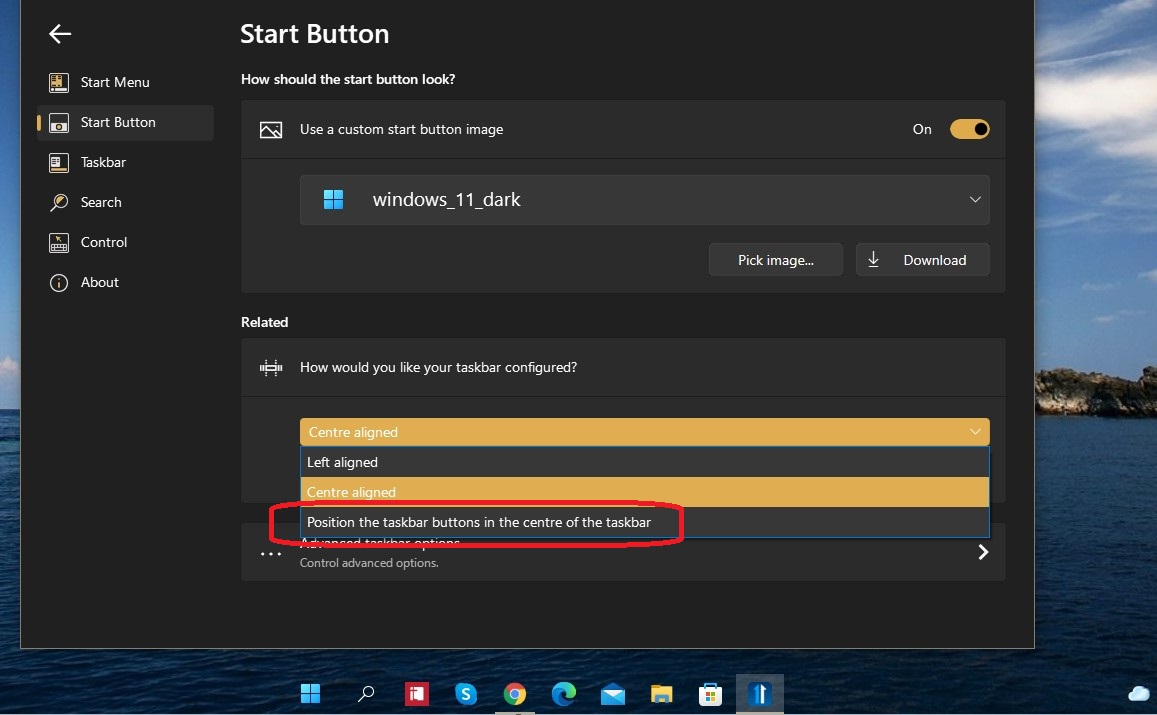
On the setting "How would you like your taskbar configured" you have Centre aligned picked.  This has three options Left Aligned, Centre aligned and position the taskbar buttons in the centre of the taskbar.  The third one only centres the buttons and leaves the start button and search on the left side.

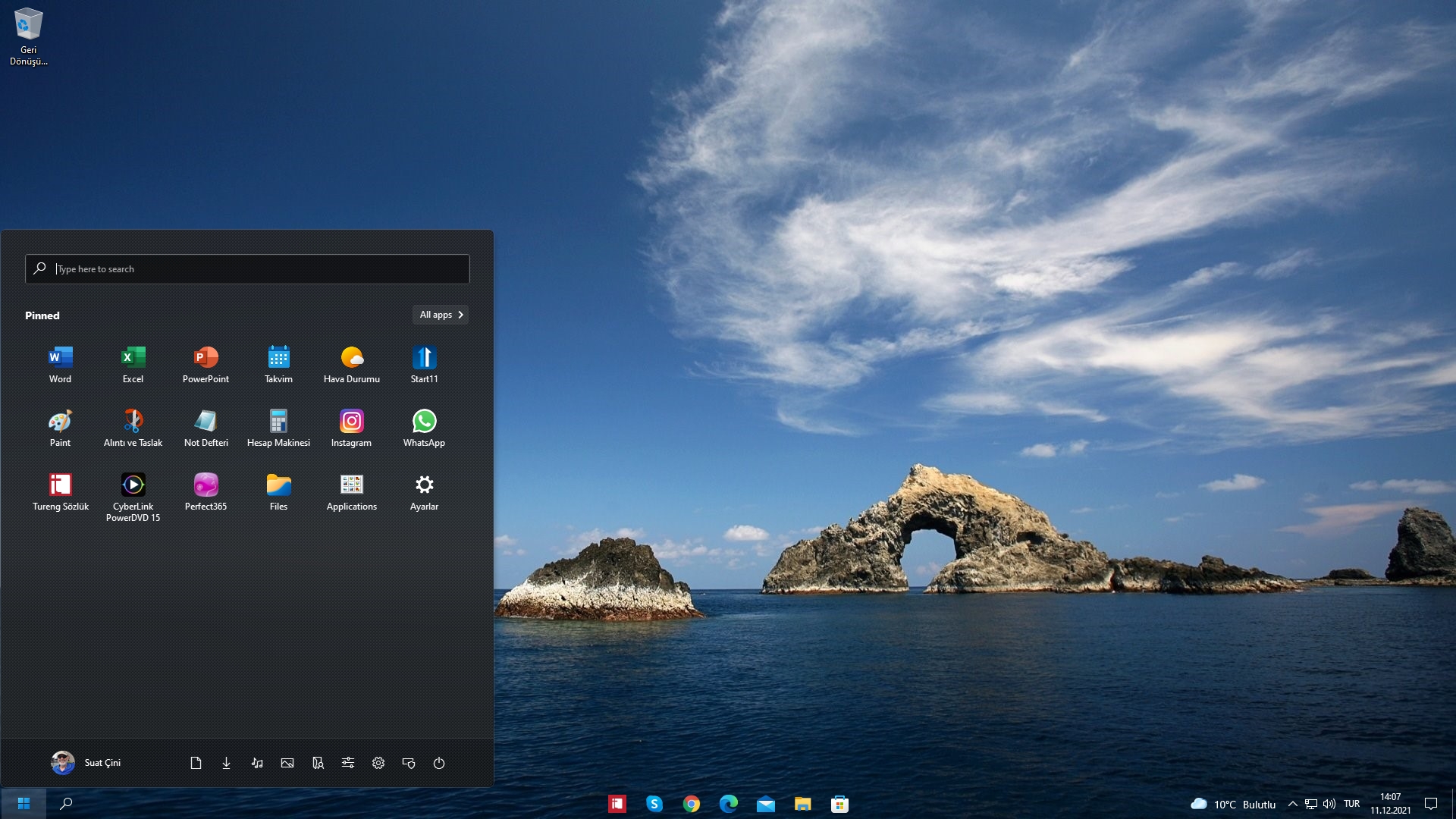
Your initial screenshots show the buttons centred and the start button and search on the left suggesting the third option was picked, but your most recent screenshot shows everything centred so I am a little unsure on if you now have what you want?

Reply #6 Top

@Neil Banfield,

Thank you for the clarification.

Your solution is correct, partly. If I select the choice as shown in the picture, the Start Menu button moves to the far left end of taskbar but Search button disappears. In my case, Start Menu button and Search button both moved to the far left of taskbar. Besides, I said I did not change any setting. I was just browsing through the settings pages. 

Anyway, my issue is resolved now and it is always good to know something new. 

Thank you both very much for your solutions to resolve my problem.

Regards