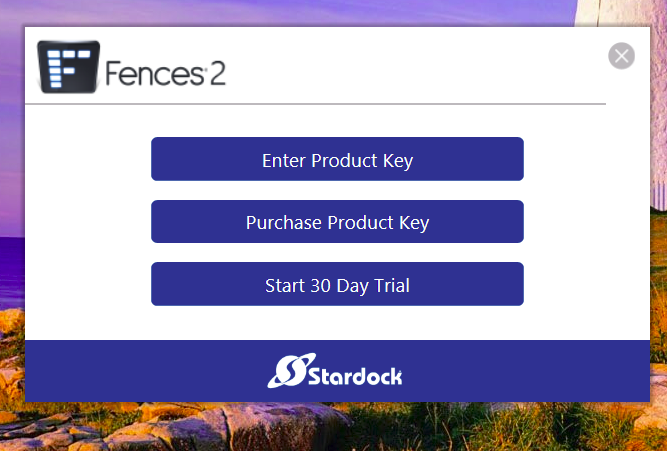
can't enter product key

hello,

I've got purchased Fence's licence today.

but can't enter product key on app

coz no response and no change when I push [enter product key] button of Fence app.


How can I fix this problem ??


Regards,

9,282 views 11 replies
Reply #1 Top

Hello,

Sorry to hear you are having issues. Need more information on your system.

  1. Windows 10 or 11? Windows version numbers. Use Windows own Winver.exe to get to it.
  2. Fences version you're trying to activate.
  3. Have you tried uninstall, reboot, reinstall, reboot and retest?

Thanks

Basj,

Stardock Community Assistant.

Reply #2 Top

Hello, try to turn off and restart the computer, if it does not work, maybe you have a key, maybe already used or just check again carefully if this key can be entered incorrectly and therefore you can not activate it and if it does not help, you probably need to buy a new key

Reply #3 Top

Quoting markus093, reply 2

Hello, try to turn off and restart the computer, if it does not work, maybe you have a key, maybe already used or just check again carefully if this key can be entered incorrectly and therefore you can not activate it and if it does not help, you probably need to buy a new key
End of markus093's quote

What are you talking about?

Thank you.

Basj,

Stardock Community Assistant.

Reply #4 Top

I'm having the same problem.  When I get the following pop up and I click on "enter product key" the pop up just disappears.  I have a product key but cannot get to the place to put it in.  Also there used to be a place to see which computers are using which product/product key.  Two of mine just fried over the holiday and we cannot even boot them up with boot drives.  They are about 10 years old and ready to die but I cannot delete them from the 5 allowed for eqch product key.


Reply #5 Top

Quoting tedcoll, reply 4

I'm having the same problem. When I get the following pop up and I click on "enter product key" the pop up just disappears. I have a product key but cannot get to the place to put it in. Also there used to be a place to see which computers are using which product/product key. Two of mine just fried over the holiday and we cannot even boot them up with boot drives. They are about 10 years old and ready to die but I cannot delete them from the 5 allowed for eqch product key.
End of tedcoll's quote

Hello,
Sorry to hear you are having issues. You can use this guide to deactivate old activation : https://forums.stardock.com/486311/accounts-and-activation-support-faq#deactivateproduct. Do let us know if you still need our assistance.

Thanks
Basj,
Stardock Community Assistant.

Reply #6 Top

Thank you, I found what I needed to deactivate Fences but I still can't install it on my laptop.  See above - When I click to enter the product key, the box just disappears.

Reply #7 Top

Please try purge and reinstall steps as mentioned here: [link]. Just make sure to redownload the latest version from your account. Reboot after the purged. Reinstall, and Reboot again after the installation. Retest it. Report back here.

Thank you,

Basj,
Stardock Community Assistant

Reply #8 Top

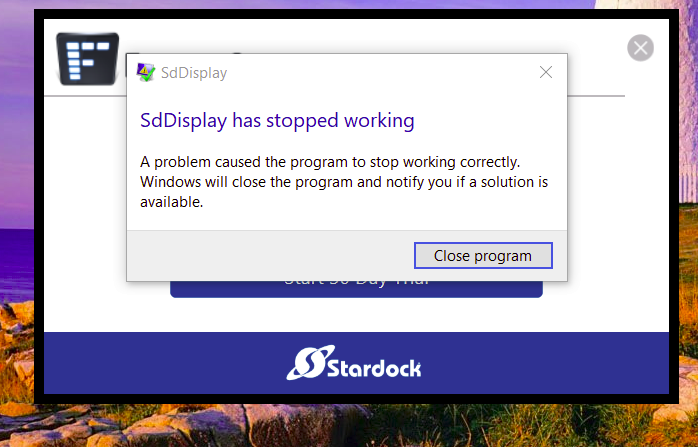
We have progressed to a different problem. I uninstalled, rebooted computer, downloaded again, tried to install, clicked on enter product key and the pop up did not disappear.  IT did this. This is new.


Reply #9 Top

Hello,

I have forwarded your report to the Stardock support team for their review and recommendations.

Please keep an eye on this thread for any updates.

We really do appreciate your feedback, thanks.

Reply #10 Top

In case this was missed, Reply #4 is talking about Fences 2 here. Many years old and quite possibly not compatible with Windows 10/11.

Reply #11 Top

Actually I am using fences 2 on Windows 10 on another computer and that is the one I'm trying here.  I have a license for fences 3 but it annoys me with the constant nagging to update which only causes more problems.  Took my husband more than a week to work his way out of that disastrous update.  Just for the fun (??) of it, I tried to install fences 3 and got the same as I did in reply #8.