Start11 dual monitor / task view

I'm having an issue with the "task view" button being overlaid by the task view button, and thus unselectible.  

Primary monitor (centered):

Secondary monitor (centered):

Secondary montor, hover Spotify to click:

If I right click the taskbar and toggle "Show Task View button" off and back on again, the secondary monitor looks like this (temporarily):

As soon as I open/close and app, or move it to or from my secondary monitor, the "Task View" overlays the leftmost icon again.

5,186 views 7 replies
Reply #1 Top

Hello,

Sorry to hear you are having issues. I can't reproduce your issue. Need to know more on your system.

  1. Windows 10 or 11?
  2. Any other 3rd party application installed on changing your taskbar or Startmenu?

Thanks

Basj,

Stardock Community Assistant.

Reply #2 Top

I am running Windows 10.  I keep it updated.  I patched yesterday to Version 21H2 (build 19044.1387).  Also, yesterday I uninstalled a Microsoft Store app call "TranslucentTB".  The problem persisted though.

This morning I'm not having the issue.  I'll post again to this thread in a day or two whether I see the issue again or not.

Reply #3 Top

Okay, still happening. 

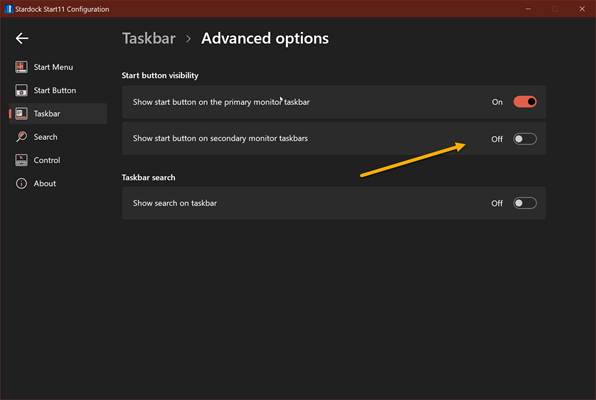
I captured a short video of my second screen to show it.  I have the taskbar configured to only display apps that are on the current display.  I also have the start button defined to only display on the primary monitor.  Watch the taskbar as I drag two windows onto the second display.  Then I change the focus between the windows to better show what's occurring. 

Reply #4 Top

Thanks for the video. One question, where is the start button on your secondary monitor?

Basj,

Stardock Community Assistant.

Reply #6 Top

Okay, I can reproduce this issue. I have forward your problem/question to Stardock Support Team for their assistance. Please keep an eye on this thread for any updates. We appreciate your feedback and patience.

Basj,

Stardock Community Assistant

Reply #7 Top

Start11 dual monitor / task view
November 23, 2021 9:51:15 AM from Stardock Forums
I'm having an issue with the "task view" button being overlaid by the task view button, and thus unselectible.  
End of quote

Quoting basj, reply 6

Okay, I can reproduce this issue. I have forward your problem/question to Stardock Support Team for their assistance. Please keep an eye on this thread for any updates. We appreciate your feedback and patience.

Basj,

Stardock Community Assistant
End of basj's quote

I have created an internal ticket to have this looked at.

Thanks for the report.

Internal ref: ODNT-3052

Sean Drohan
Stardock Support Manager