Start11 Improvement and feature request (Windows 10 Style Start Menu in Windows 11)

Hi everyone,

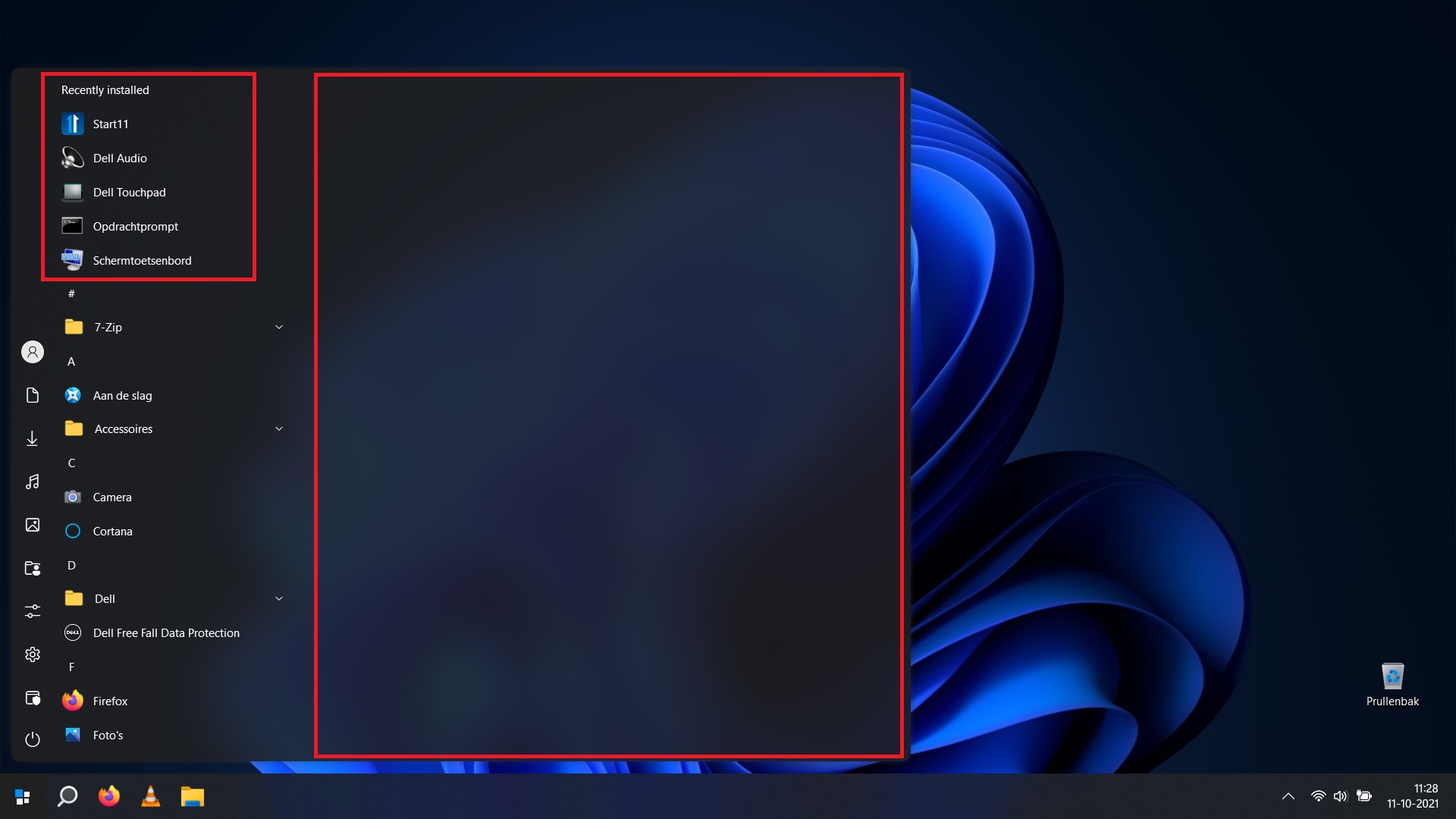
when I remove all the tiles from the Windows 10-style Start Menu in Windows 11 (with Start11), the menu does not resize back to it's correct format. The panel that contained the tiles is still expanded although empty. A reboot did not help unfortunately (see image). Also, I can't seem to get rid of the "Recently Installed" part of the Start-menu that causes unnecessary clutter.


Would be great if these things could be fixed / implemented in the near future :-)

1,971 views 3 replies
Reply #1 Top

There are two things I really badly need the Windows 11 start menu to do, and these can be done through Start 11.  I like the new start menu, I really do but, PLEASE can you have the Windows 11 modern menu in Start 11 do the following...

  • Be resizeable easily with a mouse drag (if it isn't already)
  • Have the Recommended section configurable so it ONLY shows files from my Documents folders, and so I can turn off Pictures, Music, Video and other files from appearing in the list.

Many thanks :grin:  

Reply #2 Top

Hello,
I have forward your request to the Stardock Support Team for their review and recommendations. Please keep an eye on this thread for any updates. We really do appreciate your feedback, Thanks

Basj,
Stardock Community Assistant.

Reply #3 Top

Hello,

I just bought and installed the Start11 beta on my test laptop. If it wasn’t for this fantastic app I woudn’t even think of using Windows 11 on my main desktop. I’m using the Windows 10 Start Menu configuration.


Three things I seem to miss on first sight:

- Get rid of “recently installed” in the start menu.

- I can’t drop apps onto each other to create a folder in the start menu like was possible in Windows 10.

- I can’t add folders to the taskbar that fold out to show subfolders and items inside those like in Windows 10.