NOW AVAILABLE: Release Candidate 1 Update for Start11

Enhance the Start Menu and Restore Classic Functionality with Start11

Get into the Beta

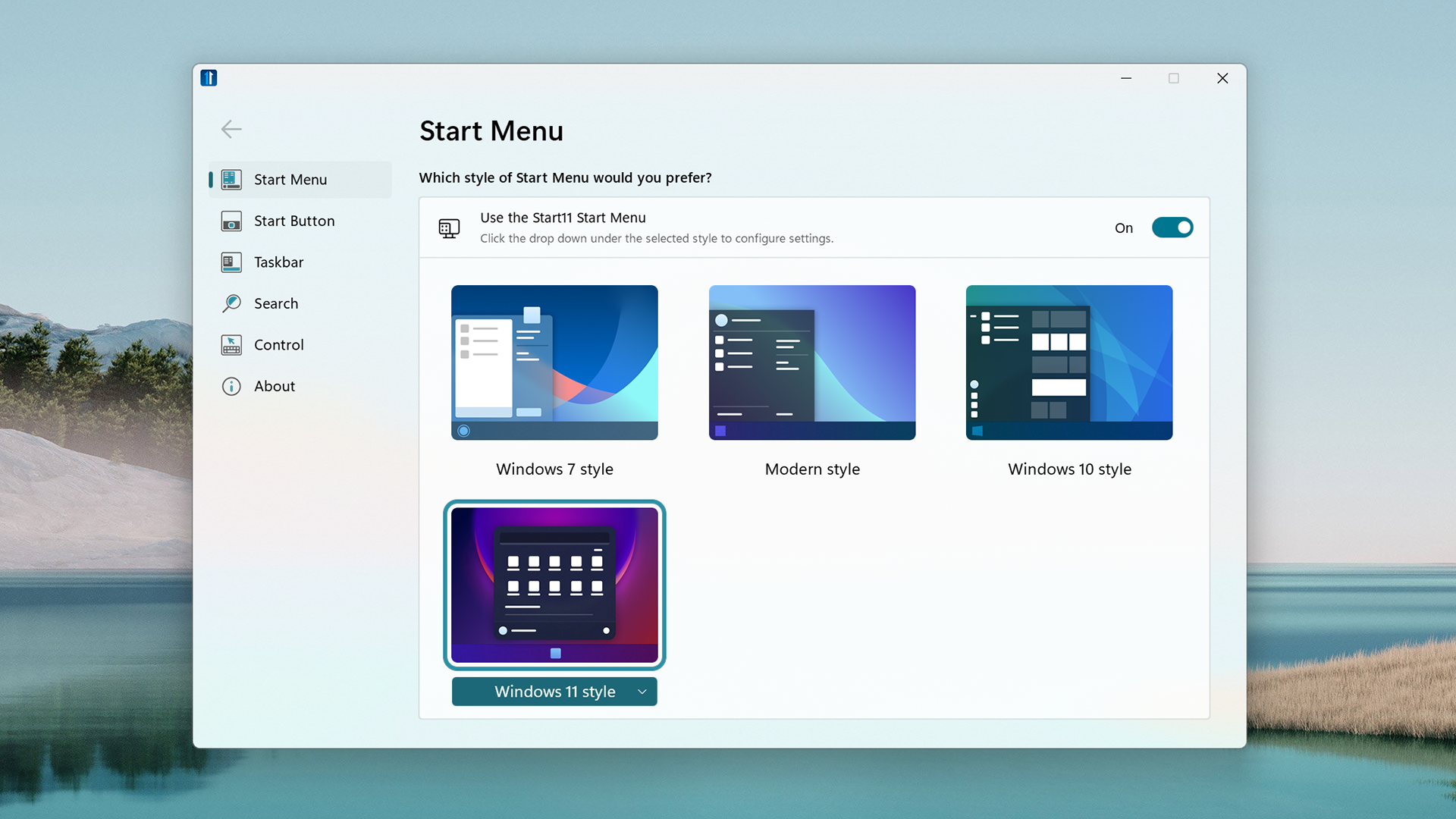
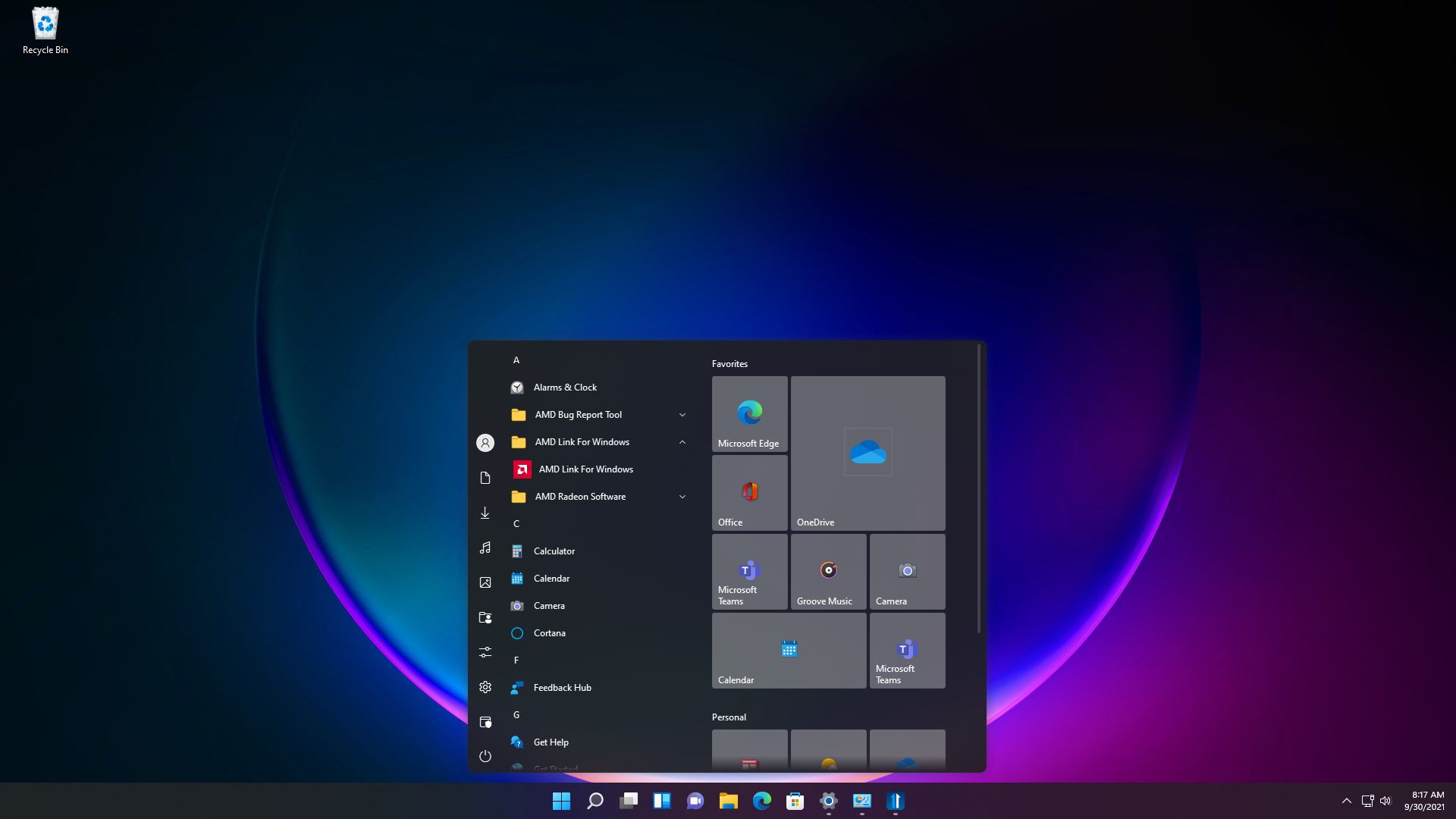
Stardock announced the availability of the Release Candidate 1 update for Start11, a program that allows users to customize the Windows Start menu and taskbar. This update brings several new Start menu layouts to choose from, restored context menu functionality, enabled repositioning of the taskbar, plus one of our users’ favorite features: Fences integration. As with previous editions of StartX products, Start11 allows users to restore the Start menu to appear as it does in previous versions of Windows, as well as customize and enhance its functionality.  
Start11
Start11

Start11 is designed for Windows 11 and Windows 10 and comes loaded with features intended to make Windows more productive and personal. Start11 supports moving the Start button to the middle or to the left, adjusting the taskbar size, re-ordering quick access shortcut lists, options for adjusting grid spacing, enhanced classic and modern search experiences, and much more.  

For users who want to personalize their Start menu, Start11 offers robust customization options ranging from aesthetic to functional. The software enables enhanced Windows 10 and Windows 11 style Start menus, a compact Windows 7 design, optional Windows 11 style for classic menus, and many additional settings that let you configure your personalized Start menu.  

Start11 extends this to support a host of new Start menu ideas such as the concept of pages, minimalism, and features for our enterprise customers.

Start11
Start11

The Start11 beta is currently available for $4.99.
Get into the Beta


18,864 views 30 replies
Reply #1 Top

Start 11 RC looking good, but when I move the taskbar to the top of the screen the quick access flyout still appears at the bottom (not worried about that) and the top section is clipped off - some bugs still then. 

Reply #2 Top

Quoting Paul, reply 1

Start 11 RC looking good, but when I move the taskbar to the top of the screen the quick access flyout still appears at the bottom (not worried about that) and the top section is clipped off - some bugs still then. 
End of Paul's quote

Unfortunately that is a limitation of the OS.  There is a logic error inside the Microsoft code which causes it to clip incorrectly.  Thankfully that is generally just the header bit.

Reply #3 Top

I thought that originally the capability of moving the taskbar to the side of the screen was going to be a feature, is that still on the list?  It's baffling to me that Microsoft would move tabs to the side in its Edge browser, and then take a giant step backwards in not allowing the taskbar to go to the side in Windows 11.

Reply #4 Top

Quoting scottawny, reply 3

I thought that originally the capability of moving the taskbar to the side of the screen was going to be a feature, is that still on the list?  It's baffling to me that Microsoft would move tabs to the side in its Edge browser, and then take a giant step backwards in not allowing the taskbar to go to the side in Windows 11.
End of scottawny's quote

It is fair to say Stardock are looking at taskbar feature requests based on user requests such as your one.

Reply #5 Top

The "center" option is not working for me on Windows 10.

The items are centered, but the windows button is still on the left side.

Reply #6 Top

Quoting tobiasstengg, reply 5

The "center" option is not working for me on Windows 10.

The items are centered, but the windows button is still on the left side.
End of tobiasstengg's quote

This would be correct for Windows 10.

On Windows 10 the start button is on the left, but the taskbar buttons are centred.

Reply #7 Top

Windows 11 style requests:

- Add option to hide recently installed apps in the all apps list

- All apps list, add option to change to Windows 7 style (just like modern style option), so with nested folders (and separate universal apps folder)

- Add option to show most used applications (between pinned and recent documents?)

- Add ability to create a new pinned group, instead of whole new page

- Scroll wheel on mouse should move between pages. Some mice have a scroll wheel that can tilt. This should also move between pages.

- Ability to control (max) number of recent documents

Reply #8 Top

Will the taskbar be able to be moved to the top or sides of the monitor? Microsoft is restricting it to the bottom. I haven't had a taskbar on the bottom for years.

Reply #9 Top

Thanks for the great work! But I still find several problems when moving the taskbar to the top of the screen:

  1. The start menu appears at the left of the screen (my taskbar is center aligned); but the search panel appears normally in the center.
  2. The app previews (when mouse is on an opened app icon) as well as the right-click menus of input method, quick access button in the taskbar don't work as they should.

I was wondering if this is the farthest we can go due to the system limitations, or these issues can be further fixed ;-)

Reply #10 Top

Quoting mattmoe, reply 9

Thanks for the great work! But I still find several problems when moving the taskbar to the top of the screen:


    1. The start menu appears at the left of the screen (my taskbar is center aligned); but the search panel appears normally in the center.


    1. The app previews (when mouse is on an opened app icon) as well as the right-click menus of input method, quick access button in the taskbar don't work as they should.


I was wondering if this is the farthest we can go due to the system limitations, or these issues can be further fixed ;)

End of mattmoe's quote

What is happening with the app previews?  They should appear below the taskbar as normal.

If this was an upgrade of 0.9 over 0.55 could you uninstall, reboot and then install 0.9 again.

Reply #11 Top

hoe heb vandaag jullie upgrade in de mail bekomen en heb deze dan gedaan maar nu krijg ik geen uur meer in de taskbalk


Reply #12 Top

Thank you for the reply. I have done what you said, and the app previews turn out to be working normally on either primary or secondary monitors, but never both (I'm using two monitors). I think the app preview is no big deal, but I really hope the start menu could go back to the middle, and the right-click menus of the quick-access button, etc. could appear below the taskbar.

Reply #13 Top

how did you get your upgrade in the mail today and then did it but now I don't get an hour in the taskbar


Reply #14 Top

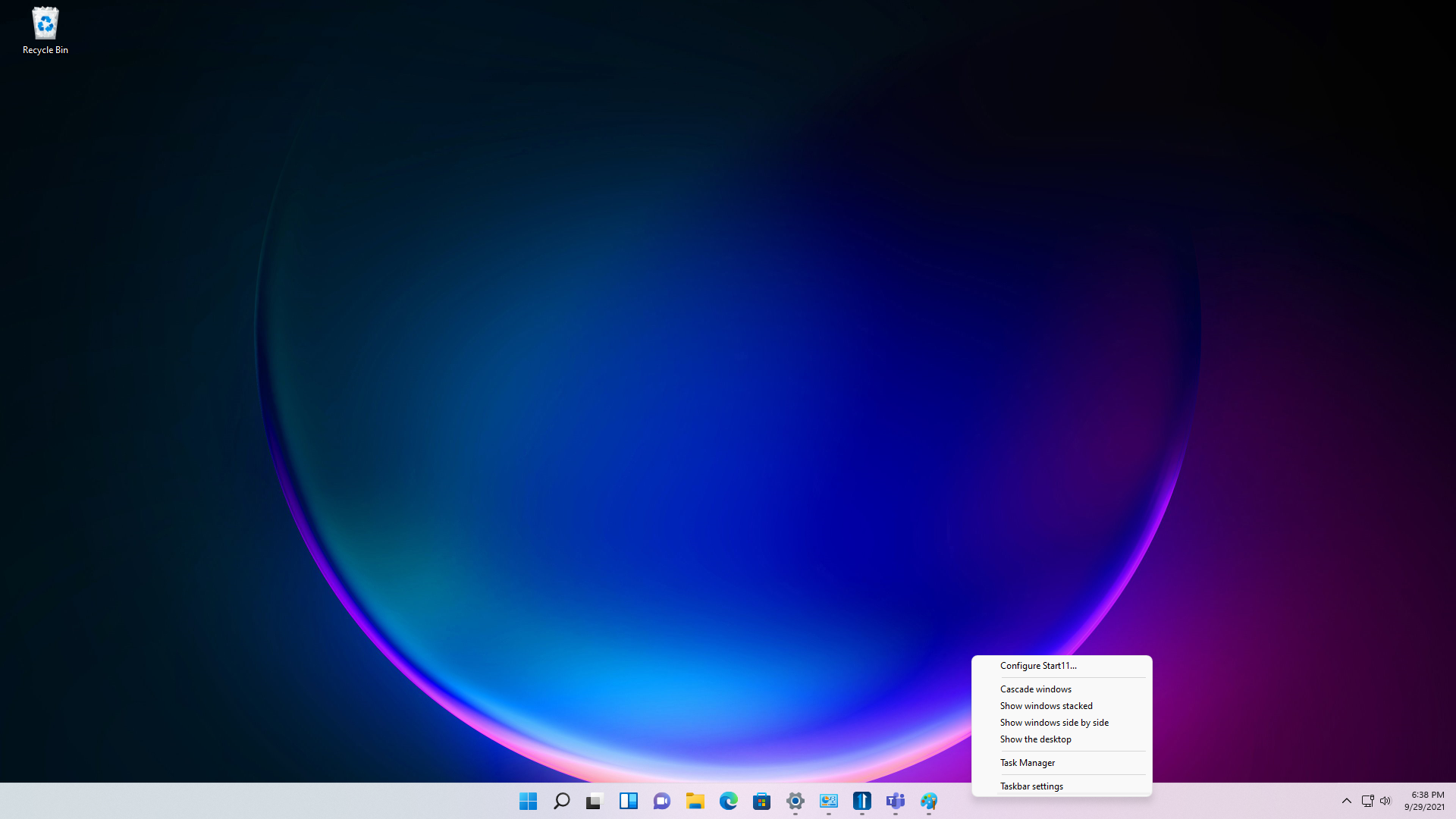
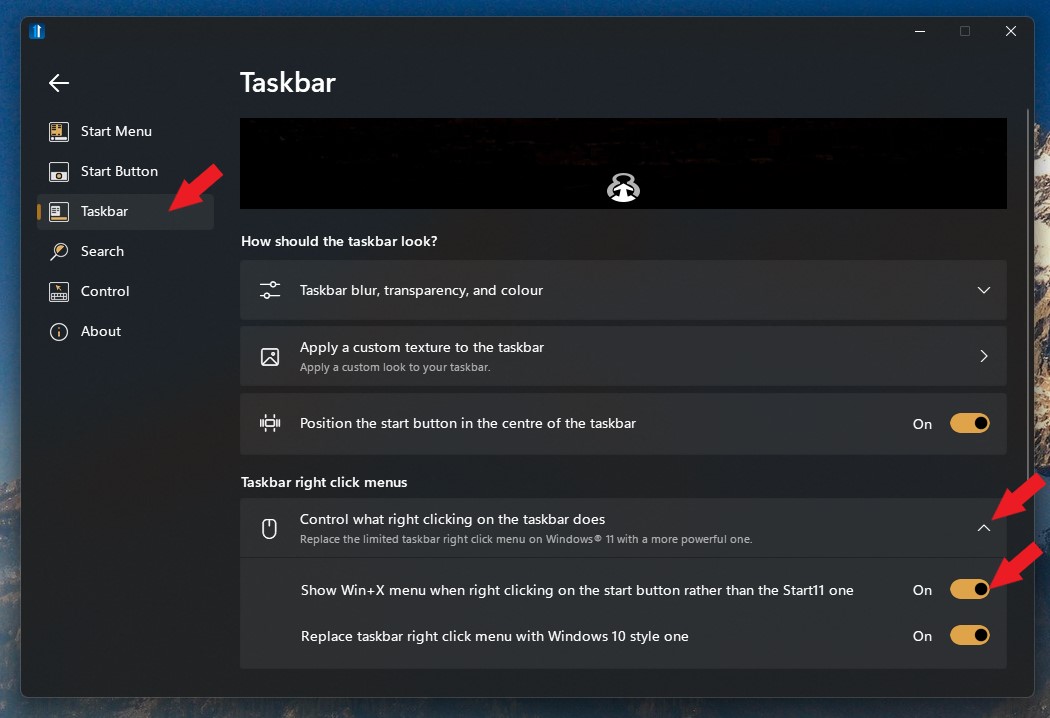
In Start 10. right-clicking on the Start button brought up the various Start 10 configuration options, which was very convenient. In Start 11 this feature seems to have disappeared. Can we have it back please? 

Reply #15 Top

Quoting brigg2, reply 14

In Start 10. right-clicking on the Start button brought up the various Start 10 configuration options, which was very convenient. In Start 11 this feature seems to have disappeared. Can we have it back please? 
End of brigg2's quote

Hello,
Sorry to hear you are having issues. But, you should be able to get it back if you turn the option on. Refer to screenshot below.


Basj,
Stardock Community Assistant.

Reply #17 Top

Quoting tobiasstengg, reply 16

Ok. Could we have an option to center the start button too?
End of tobiasstengg's quote

You on Windows 10 or 11?

Thank you,

Basj,
Stardock Community Assistant

Reply #18 Top

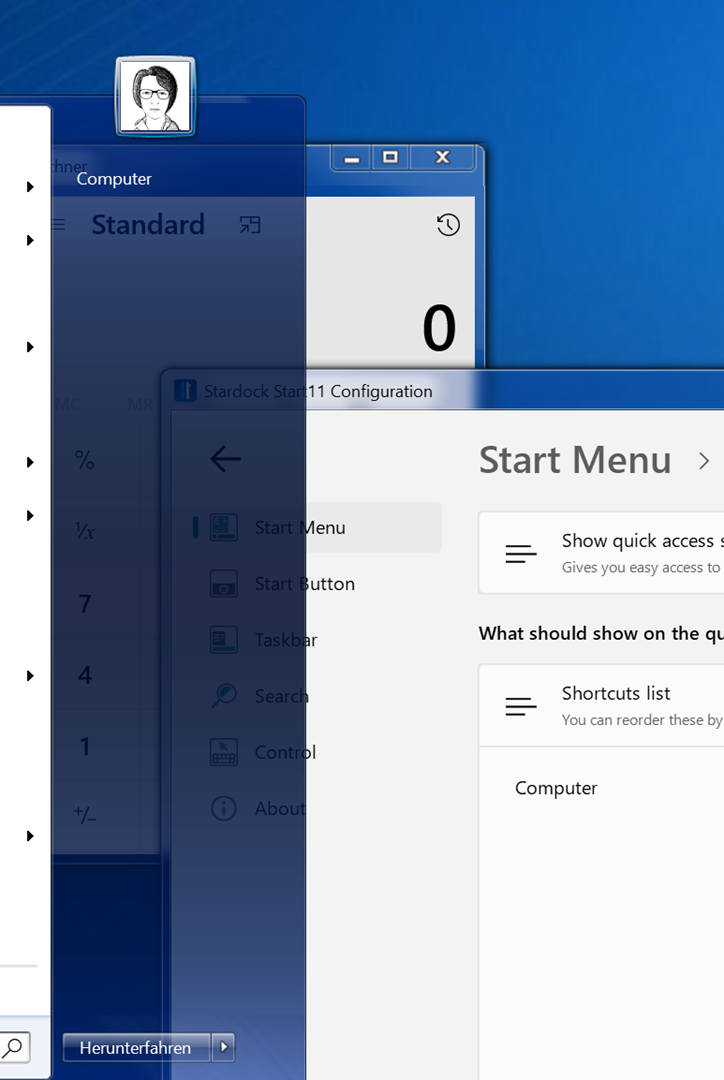
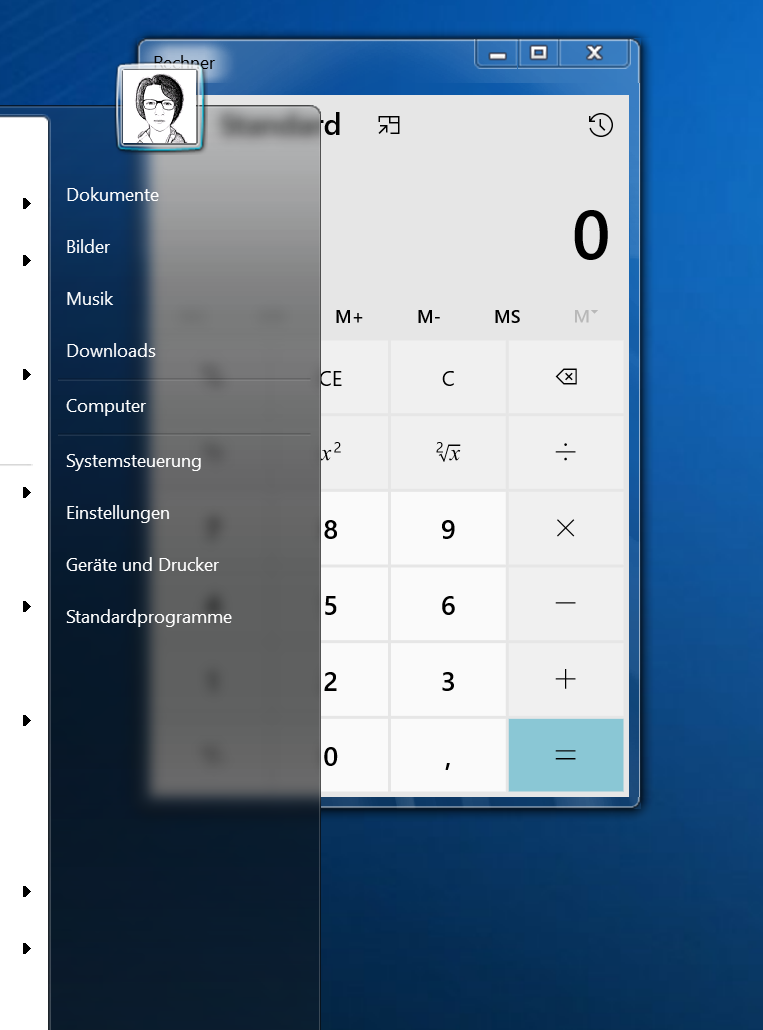
When WindowBlinds skins are applied to the start menu, the background blur is not working. I am using Windows 10. Will this be fixed in the future?

Reply #19 Top

Quoting Jinchaku, reply 18

When WindowBlinds skins are applied to the start menu, the background blur is not working. I am using Windows 10. Will this be fixed in the future?
End of Jinchaku's quote

What WB Theme you're on for testing?

Thank you,

Basj,
Stardock Community Assistant

Reply #20 Top

I am using the BetterAero7x theme. I also have set WindowBlinds to use the non-acrylic blur. I am using Windows 10 21h1.

Reply #21 Top

Quoting Jinchaku, reply 20

I am using the BetterAero7x theme. I also have set WindowBlinds to use the non-acrylic blur. I am using Windows 10 21h1.
End of Jinchaku's quote

Please post a screenshot of what you're seeing on your system.

Also, please post a link where I can download the BetterAero7x theme please.

Thank you,

Basj,
Stardock Community Assistant

Reply #23 Top

Okay, I reinstalled the new version and took a screenshot. It can clearly be seen that the background is not blurred.

Reply #25 Top

Looks great! 
Although I didn't see any mention or existence of "Never Combine Taskbar Buttons" option? I think it's essential
Also, can you drag and drop files into the taskbar buttons to open a file in Photoshop for example?