Start 11 Font Resize

Make Menu Font Bigger or Smaller

There seems to be an issue with the Menu Font size setting. When the Menu Font is changed to 90%, the font gets extremely large until a restart  of the computer is performed. Windows 11 ver. 22000.132

Configuration Setting at Menu Font size at 90%

Config Setting at 90%

After the change to 90% (extremely large font size)

Config at 90%

Following a Restart of the computer the font size is now 90%
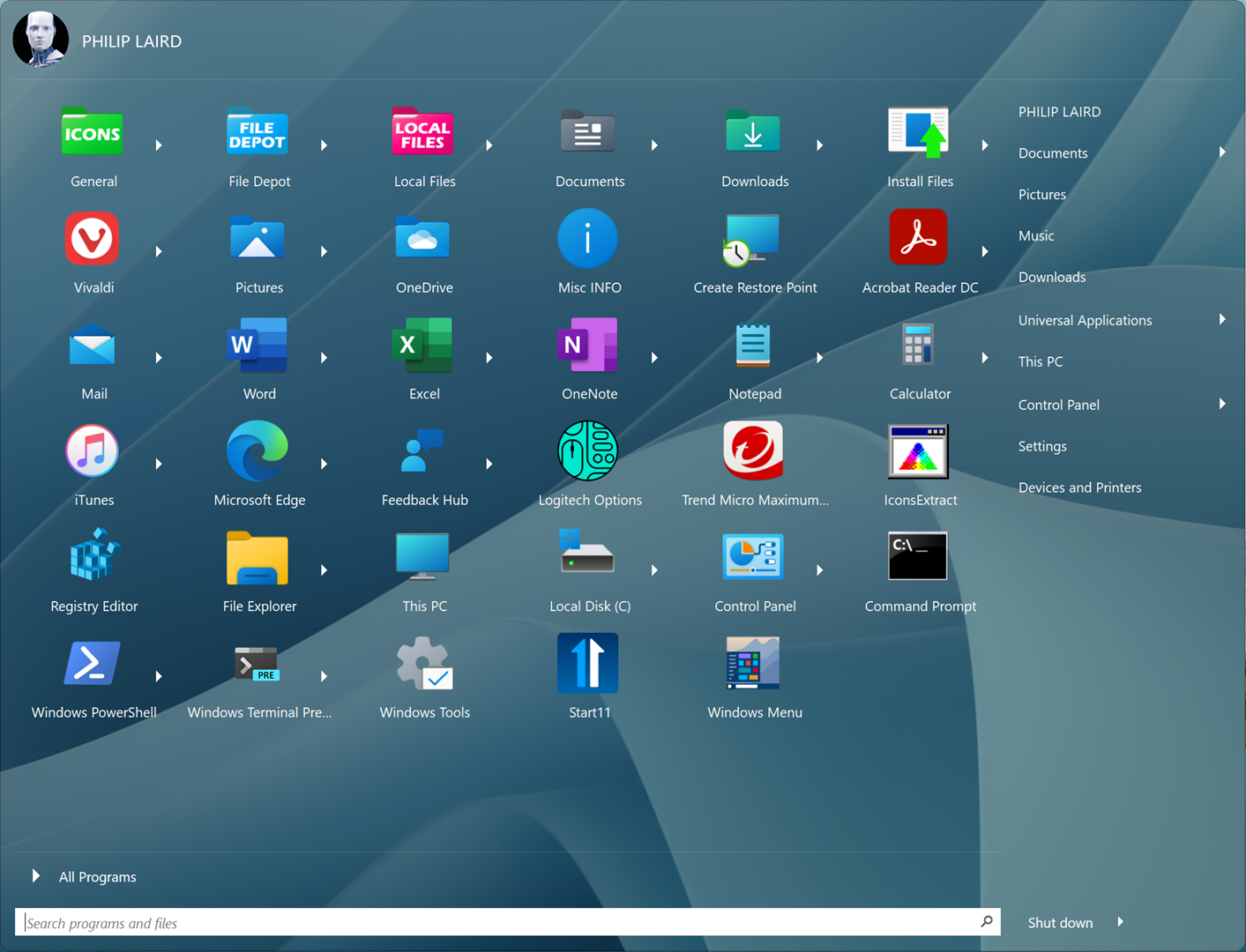
Following Restart

4,958 views 8 replies
Reply #1 Top

Hello,
Sorry to hear you are having issues. This is known issue, should be resolve on next beta update. Ref : https://forums.stardock.com/506365. Appreciate your feedback and patience.

Thanks
Basj,
Stardock Community Assistant.

Reply #2 Top

I have the same problem, but my fonts are bigger than my icons. I have now disabled start 11 as I cannot get it usable.

Reply #3 Top

Quoting JCrous, reply 2

I have the same problem, but my fonts are bigger than my icons. I have now disabled start 11 as I cannot get it usable.
End of JCrous's quote

Actually you can reset the size back to 100 and reboot. It should be back to normal size by than.

Thank you,

Basj,
Stardock Community Assistant

Reply #5 Top

It is 2023 and I am running the latest version of Start 11 and the same thing is happening. This type of error should not be happening in an official release; I expect this in a beta version. Please figure this out and fix it.

Reply #6 Top

Quoting aasr-sva, reply 5

It is 2023 and I am running the latest version of Start 11 and the same thing is happening. This type of error should not be happening in an official release; I expect this in a beta version. Please figure this out and fix it.
End of aasr-sva's quote

Hello,
Sorry to hear you are having issues. Strangely, if I remember correctly, you're the first one reporting the font issue in 2023.  It is better if you give us more details on your issue. Please refer here: https://support.stardock.com/space/SHC/1387003915/Contacting+Stardock+About+Start+Product+Issues.


Basj,
Stardock Community Assistant.

Reply #7 Top

Hi there, I've been experiencing this same issue for several weeks also. Is there any update as it makes the experience terrible?

Also, where has the tile columns setting moved too? I'm limited to 4 currently, but has so much horizontal space I could be using.

Thank you.

Reply #8 Top

Quoting mikecbiggs, reply 7

Hi there, I've been experiencing this same issue for several weeks also. Is there any update as it makes the experience terrible?

Also, where has the tile columns setting moved too? I'm limited to 4 currently, but has so much horizontal space I could be using.

Thank you.
End of mikecbiggs's quote

Hello,
Sorry to hear you are having issues. But, need more details on your issue also.. as usual please refer here and provide information on requested.

Thank you.
Basj,
Stardock Community Assistant.