Prevent shortcut getting made in start menu when software runs

Hi There, I was wondering if anyone could help me figure out how to prevent an installed software (in my case Line messenger) automatically create a shortcut in the start menu whenever I run it. 

I'm using:  Win 10 (19042.1055), Start10 ver1.97. & Start10 Modern Style for the star menu.  
Thank you in advance! ^_^  

2,561 views 9 replies
Reply #1 Top

Hello,
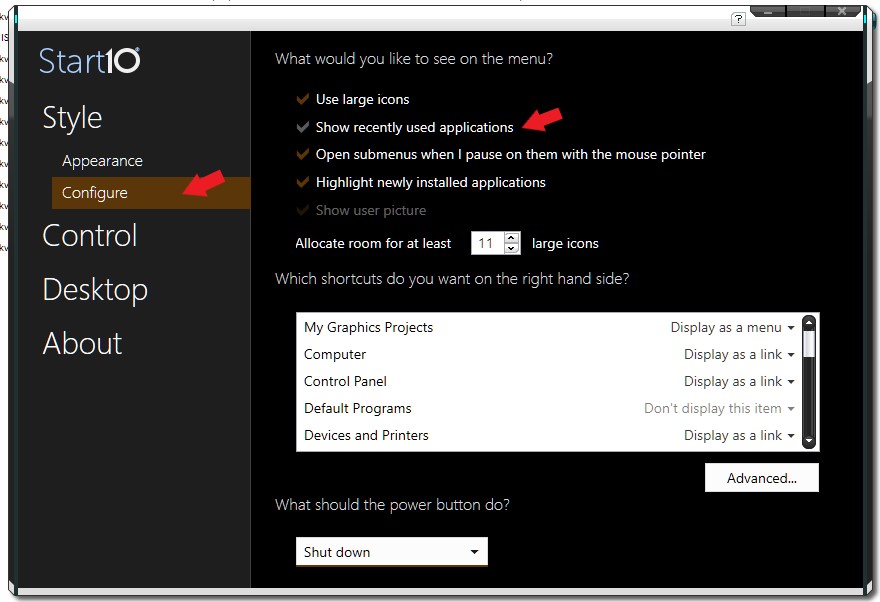
Sorry to hear you are having issues. You can disable "Show recently used application" And for those you like to appear on Start10 menu. Use the "Pin to Start10" option on it.

Thanks
Basj,
Stardock Community Assistant.

Reply #2 Top

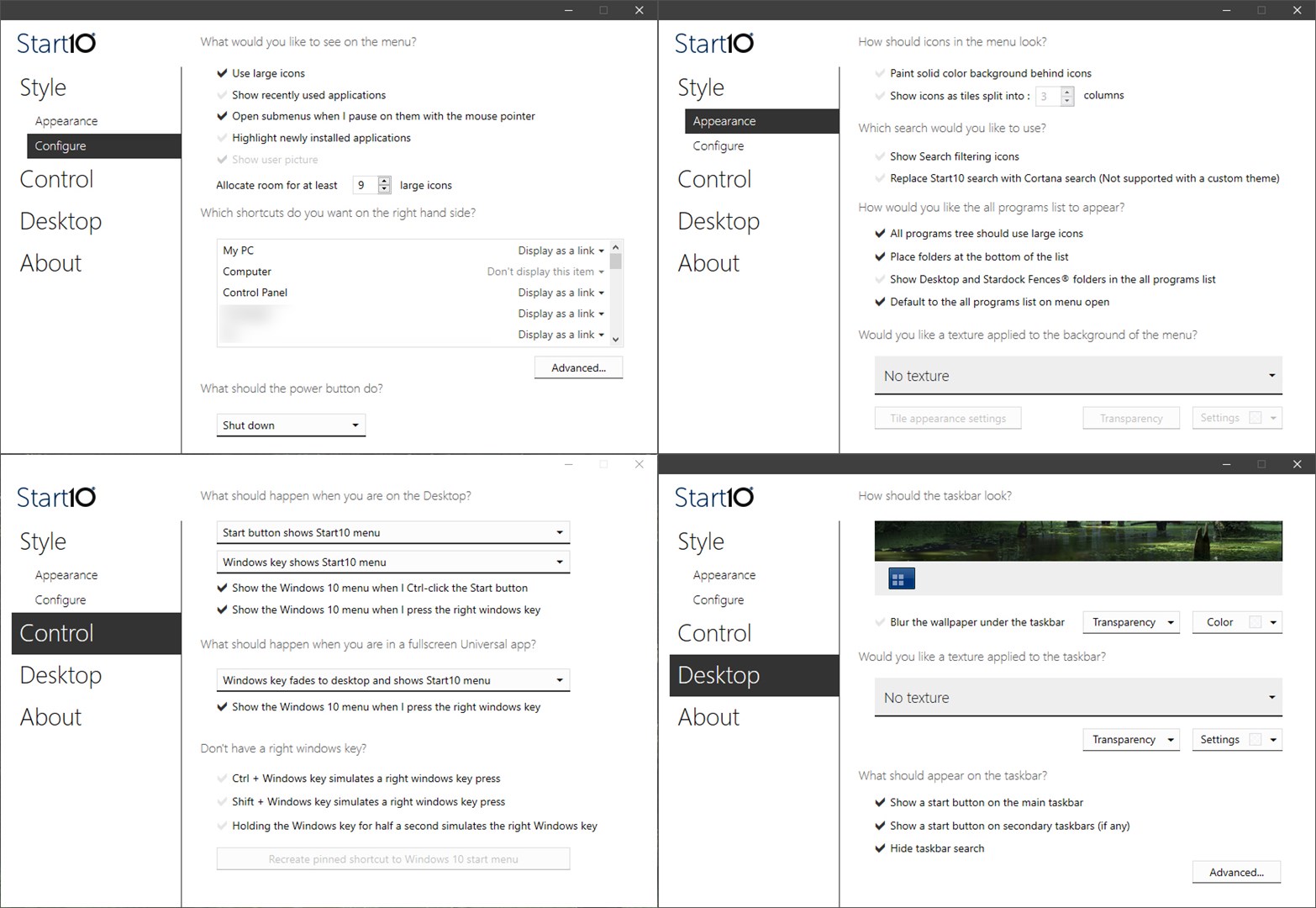
Thank you, but actually I already have it off. Here's my menu settings, anny idea what causes it? Is it because its .exe is in AppData (not program file) ?  

Reply #3 Top

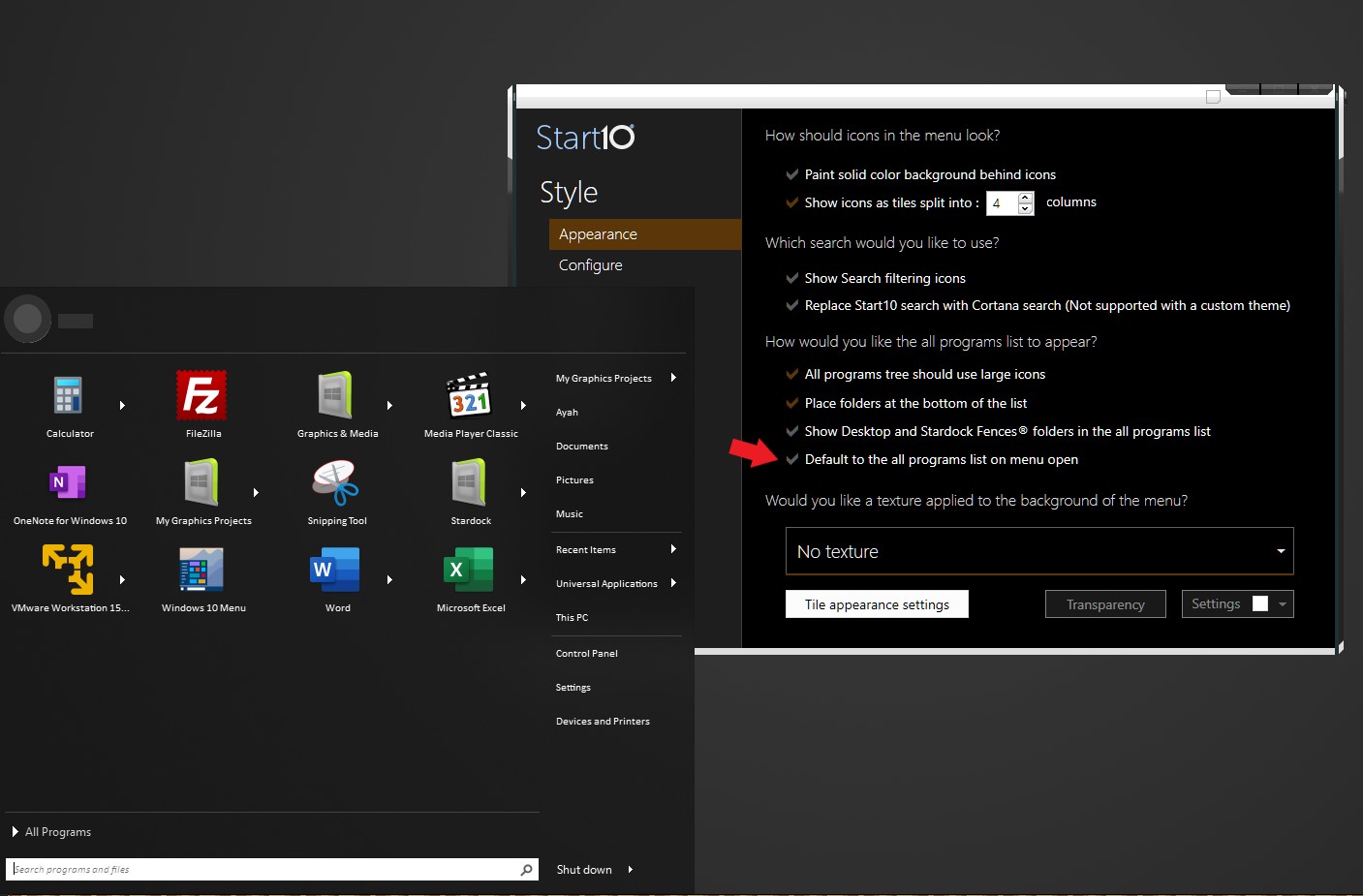
It might be because you are in "All Program" Mode. Try disable that and see if that help.

Thank you,

Basj,
Stardock Community Assistant

Reply #4 Top

just tried it & unfortunately it didn't solve it :( 

I actually wont mind if it is only 1 software, but it is more than 1, I think it is software specific. 


Reply #5 Top

With you disabled the "Default to the all programs list on menu open", and disabled "Show recently used application". It recent item still show up on the Start10 left panel when you press the Start Button?

Can you please post a screenshot on that. So that I can forward your issue to Support and Dev team.

Thank you,

Basj,
Stardock Community Assistant

Reply #6 Top

Glad to. Any chance if it is fixed, you would update me here?  

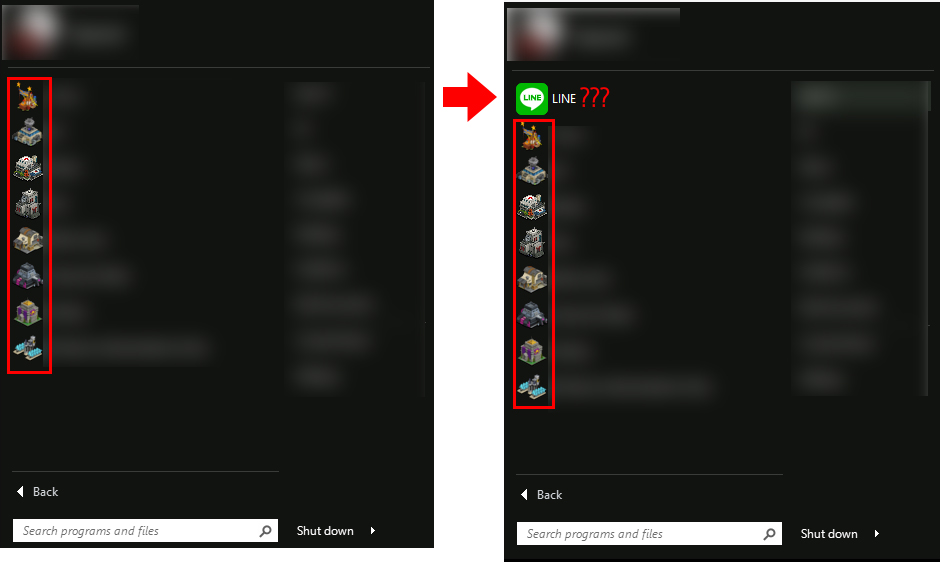
As you can see, when I run line messenger & eM Client, those 2 icon popping up in the start menu. 


Reply #7 Top

Hello,
I have forward your problem/question to Stardock Support Team for their assistance. Please keep an eye on this thread for any updates. We appreciate your feedback and patience.

Basj,
Stardock Community Assistant

Reply #8 Top

Quoting vainard, reply 6

Glad to. Any chance if it is fixed, you would update me here?  

As you can see, when I run line messenger & eM Client, those 2 icon popping up in the start menu. 

Reduced 31%
Original 909 x 1080


End of vainard's quote

I think those applications may be recreating their shortcuts in the start menu.

You would need to contact the developers to ask them how to stop that as Start10 will show whatever shortcuts exist.

My best guess here is those apps auto update and on each update the installer remakes shortcuts.  I wouldn't be shocked to find they create a new folder for each update and thus have to recreate shortcuts each time.  Personally I dislike that practice.

Reply #9 Top

Thank you for checking it! 

That's my guess too, since it only happen on those 2 software (at least in my case), because bunch of others software are not doing that.