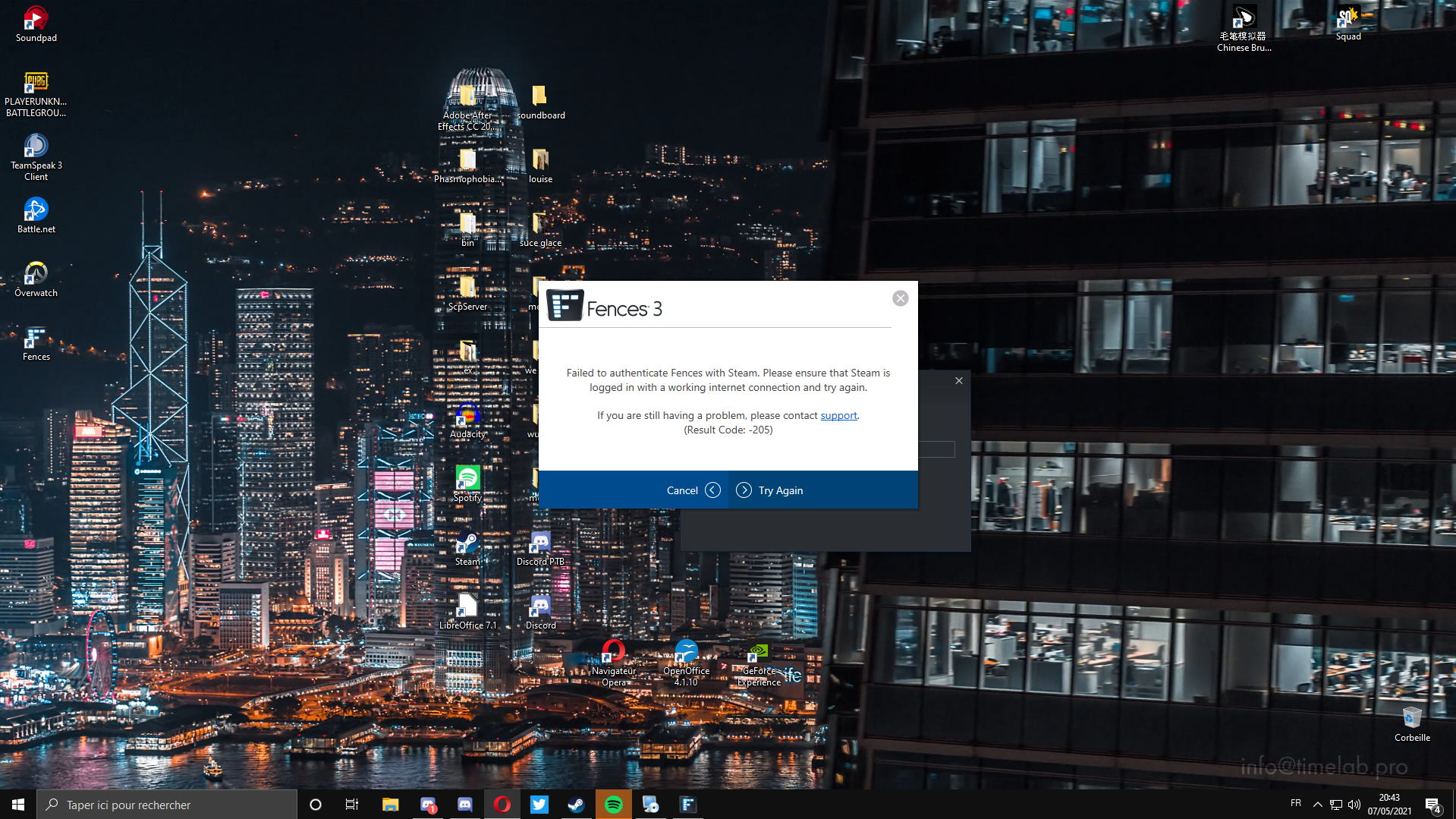
Fence don't work on Steam

Hello

I bought Fence 3 on steam in December 2020 and there is 1 month, my Fence ask to me to enter a product key while I have already buy it.

I try to unistall, run sassteam.exe and even format my computer but it alway ask to me to enter a product key.

I have already try all solutions but any soltution work.

13,212 views 15 replies
Reply #3 Top

Follow the instructions here to purge and uninstall from Steam.

https://forums.stardock.com/486084/fences-support-faq#reinstalling


Reply #5 Top

Hello,

Sorry to hear you are having issues.

Make sure you are Logged into your Steam Account , first.

before installing from Steam .


AzDude
Stardock Community Assistant

Reply #7 Top

From the Purge reinstall steps : You need to do the purge first than do uninstall option in Steam. Than reinstall from Steam only.


For Steam Purchases:
Even after using the purge file, you still need to use the 'uninstall' option:

Then re-Install from Steam and Steam only.

Please DO NOT change any of the default settings until you verify that the application is running as expected in its default state.


Thank you,

Basj,
Stardock Community Assistant

Reply #9 Top

Hello,
I have forward your problem/question to Stardock Support Team for their assistance. Please keep an eye on this thread for any updates. We appreciate your feedback and patience.

Basj,
Stardock Community Assistant

Reply #10 Top

Hello,

Sorry to hear you are having trouble.

If you are using a VPN connection, disable it and try again.

Sean Drohan
Stardock Support Manager

Reply #12 Top

Quoting shaiikaru, reply 11

Hello, I don't using VPN
End of shaiikaru's quote

Something is blocking it from communicating with us.

Sean Drohan
Stardock Support Manager

Reply #14 Top

Quoting shaiikaru, reply 13

Is there any solution ?
End of shaiikaru's quote

It not an issue with the app, something else unknown is blocking it.

Try creating a new Windows Admin account and activating:

https://support.microsoft.com/en-us/windows/create-a-local-user-or-administrator-account-in-windows-10-20de74e0-ac7f-3502-a866-32915af2a34d

Sean Drohan
Stardock Support Manager