Fences locks up for 60 seconds
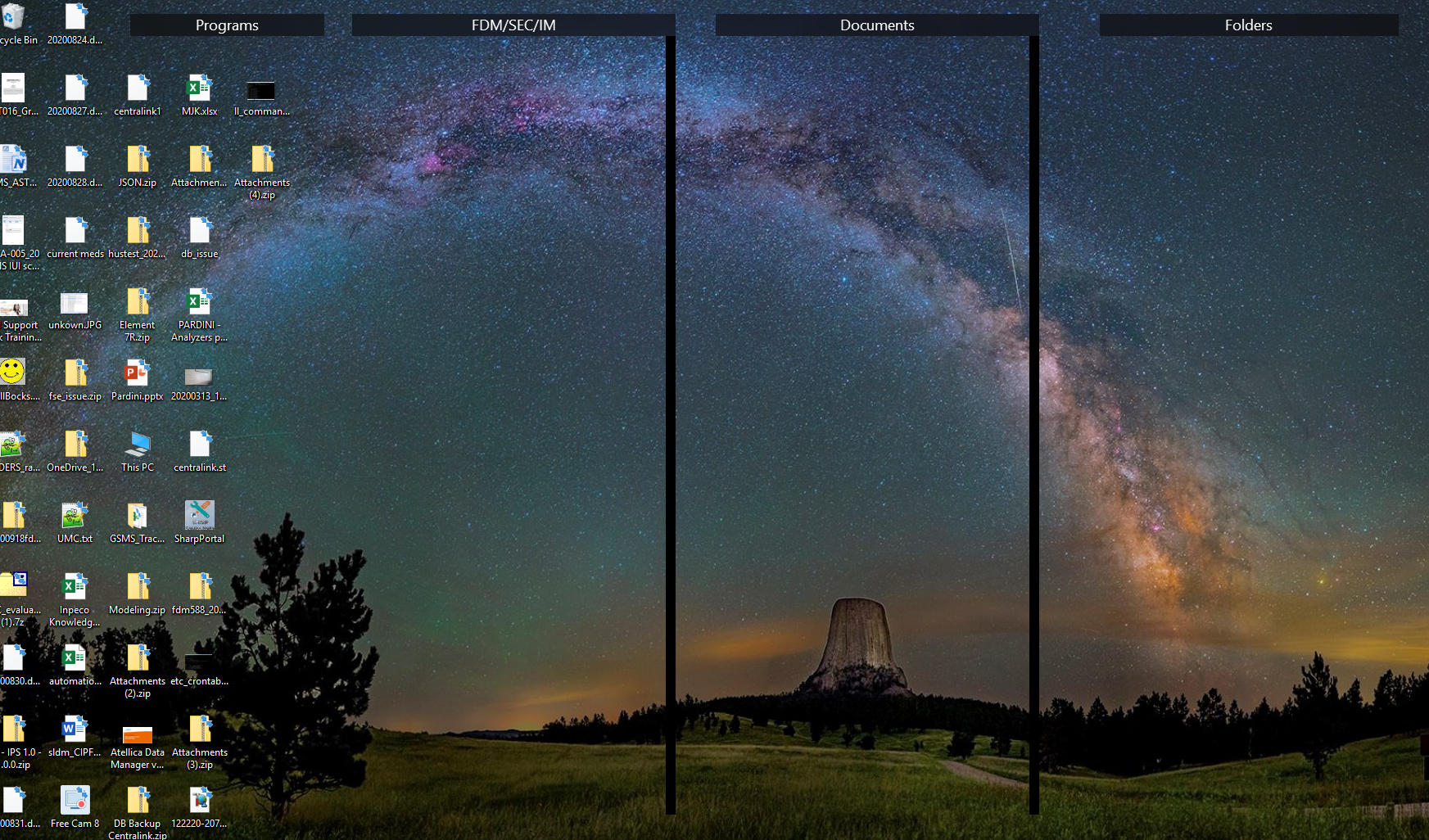
Weird thing. My desktop will lock up from time to time for 60 seconds and the fences show outlines. Anyone seen this before ?

Weird thing. My desktop will lock up from time to time for 60 seconds and the fences show outlines. Anyone seen this before ?
Hello,
Sorry to hear you are having issues.
What version of Windows are you running ( full numbered version )
Version of Fences ?
AzDude
Stardock Community Assistant
HP ZBOOK 15 G3
Version of Fences 3.0.9.11
Windows 10 Enterprise 64 bit
Version 1803
OS build 17134.1792
Intel Core i7-8850H CPU @ 2.60GHZ
16GB DDR4
NVIDIA Quadro P2000 4 GB GDDR5
Need few information:
Thank you,
Basj,
Stardock Community Assistant
1.) Yes it is a corporate laptop
2.) Yes updates are handled by them
3.) We us TrendMicro and we are part of a domain with group policies
Hello,
Please refer to this thread : https://forums.stardock.com/502301
Thank you,
Basj,
Stardock Community Assistant
This does not address my issue. I do not have to reinstall to correct the issue.
Hello,
I have forward your problem/question to Stardock Support Team for their assistance. Please keep an eye on this thread for any updates. We appreciate your feedback and patience.
Basj,
Stardock Community Assistant
Interesting, does it happen often enough that if you uninstall Fences you'll know if that did the trick pretty quick? I haven't seen it before so want to make sure it's Fences doing it.
I will uninstall then reinstall and see if it still does it
Hello,
You do this PURGE: https://forums.stardock.com/486084/fences-support-faq#reinstalling
Reboot and ReInstall the latest version from your account https://store.stardock.com/myaccount/products/
Reboot then test .
AzDude
Stardock Community Assistant
I reinstalled. I had to re-create my fences. After all that i still get locked up and then it unlocks in about 30 seconds or so. Here is what my screen looks like during the lock up.

Hello,
Sorry to hear you are having issues.
Did you do Reply # 10 Purge I laid out .
or regular uninstall ?
AzDude
Stardock Community Assistant
Yes Reply # 10 Uninstall procedure No help
Hello,
Just to be clear on the purge part, purge and uninstall is a different thing. Did you do the purge as the link listed? If yes, than we can move on to next step.
Please try the cleanboot to see if there is a conflicting application as mentioned here : https://forums.stardock.com/486084/fences-support-faq#cleanboot. Try that and report back.
Thank you,
Basj,
Stardock Community Assistant
Hello,
Sorry to hear you are having trouble.
If you still have this after the purge \ reinstall, and open up task manager, what process(es) do you see getting thrashed?
Sean Drohan
Stardock Support Manager
Welcome Guest! Please take the time to register with us.