How do I remove my desktop icons from Start10 menu
from  Stardock Forums
Stardock Forums
I have icon on the Desktop I don't need them on Start10 menu.
redwdc
 Stardock Forums
I have icon on the Desktop I don't need them on Start10 menu.
redwdc
Hello,
Sorry to hear you are having issues.
Not really about your issue , want to show us a screenshot .
You can delete items from your Start 10 Menu.
AzDude
Stardock Community Assistant
AzDude
If I delete these items from the Start10 menu it deletes them from my desktop.
In the picture if Officejet icon on the start menu is the same one as on the desktop.

Did you try adding the shortcut to your Desktop
from C/program files .
If items is deleted from strat 10 menu. ?
In the case of the Officejet Icon it has been on my desktop since I installed the drivers several years ago.
When I switched to Start10 it showed up on the Start10 menu without me doing anything (along with all of the other 50 icons on my desktop). If I create a new desktop icon it shows up on the Start10 menu without me doing anything.
If I delete the Officejet icon from the Start10 menu it is also deleted from the desktop at the same time without me doing anything.
If I press Ctrl and left click the start button to get the Windows start menu there are no desktop icons on it.
Hello,
Sorry to hear you are having issues. Please take a screenshot of your desktop icons on your Start10. And we also need to know.
Thanks
Basj,
Stardock Community Assistant.
Sorry, I have missed your screenshot. From that screenshot, I assume that is from all program menu, which is linked to your installed application. And on your desktop that one is a shortcut icons to the installed application. For those on your Start10 "All Program", all program that you installed will be listed there. I don't think you can delete it there. But you can delete those shortcut icons.
Also you might need to turn off the "Default to the all programs list on menu open" as show below. And only show those icons you want instead.

Thank you,
Basj,
Stardock Community Assistant
Hello,
Sorry to hear you are having trouble.
Please see if you have this enabled:
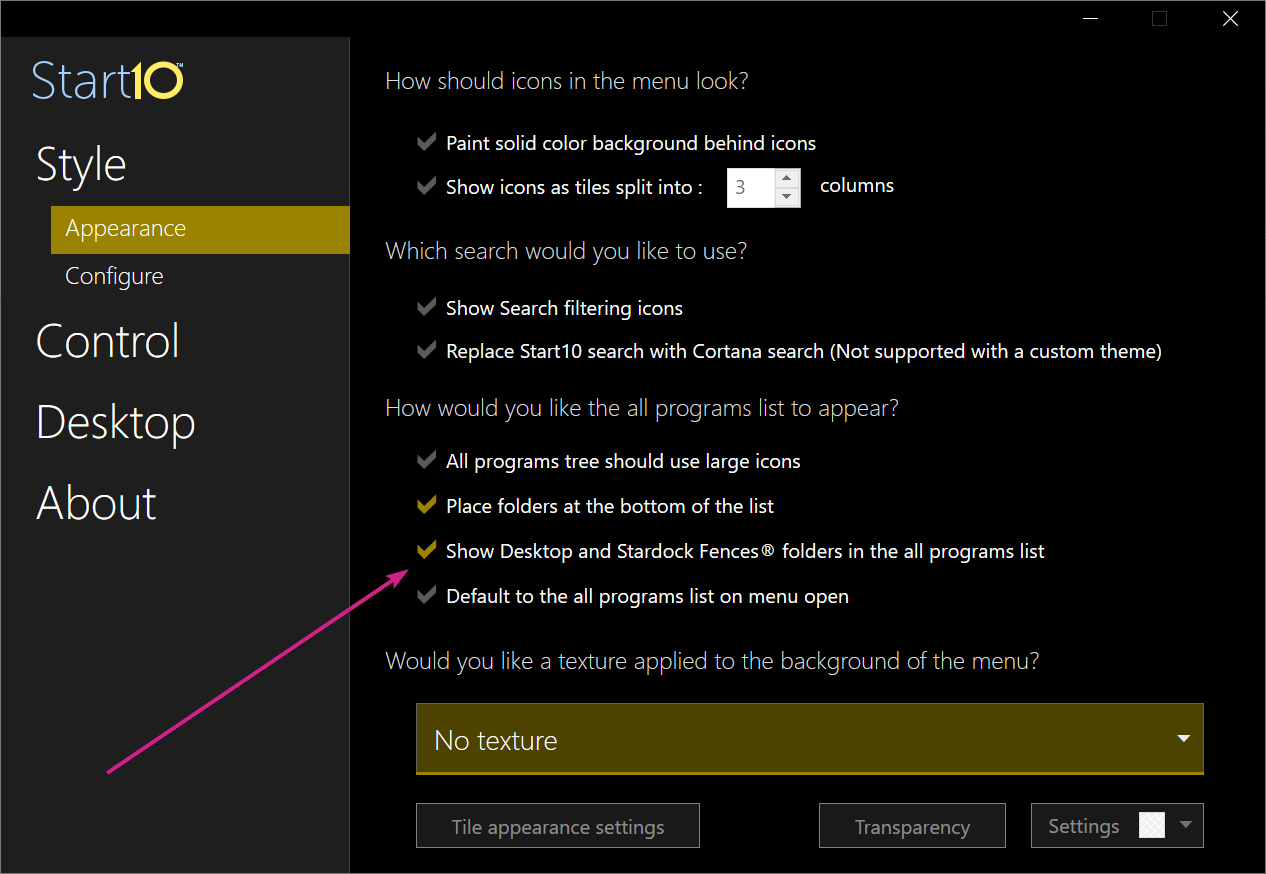
Sean Drohan
Stardock Support Manager
sdRohan
Thank you that was it. I must have clicked it by mistake. How can I change the background of the settings window? Mine are white and the checkmarks are hard to see.
Start10 UI is Windows 10 'Dark Mode' aware:
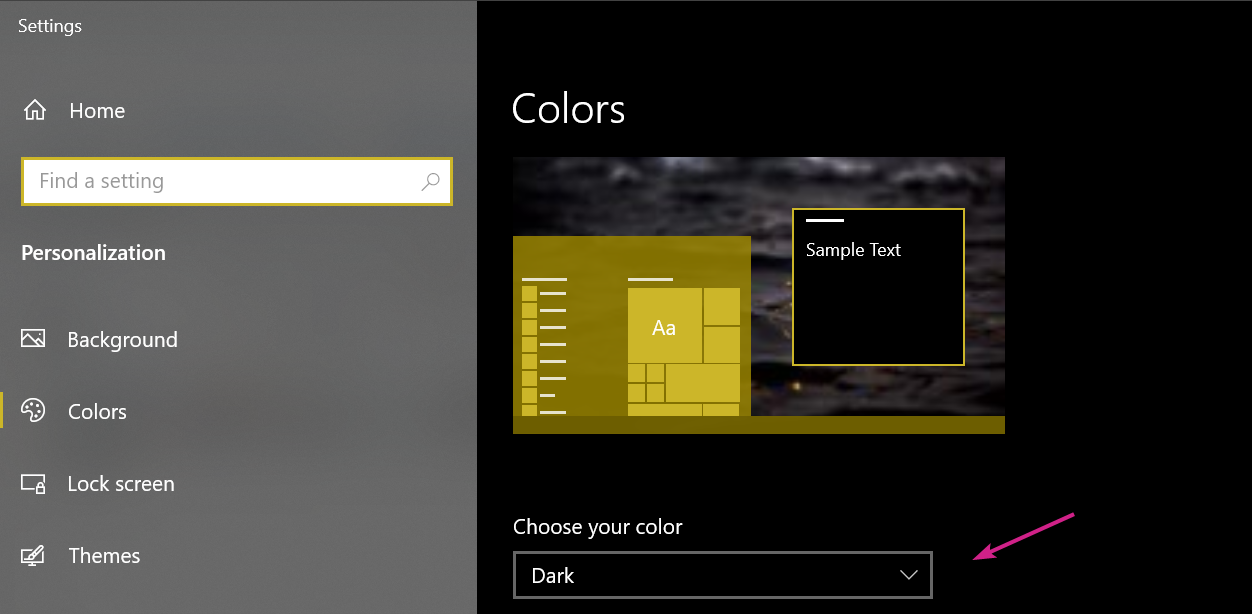
Sean Drohan
Stardock Support Manager
Welcome Guest! Please take the time to register with us.
Select a reason for giving karma:
You're about to visit an external site:
Sign up here to get the latest news, updates, and special offers delivered directly to your inbox.