Font not showing up everywhere.

Hi, so I was using Windowblinds on my new pc and was liking it. I decided to make a skin just for me. I changed the font to a custom font I had downloaded on my computer. I knew that it was going to work because on my old pc, a custom font changed pretty much everything. So I did it again but it didn't change mostly everything like on the old pc. 

Things that don't have text that had it on my old pc:  Clock, my apps on my Desktop, and most parts of File Explorer.

If you are curious the font used is Spongeboy Me Bob (https://www.dafont.com/spongeboy-me-bob.font)

28,149 views 17 replies
Reply #1 Top


I changed the font to a custom font I had downloaded on my computer.
How? Did you use SkinStudio? There are usually several fonts used in one skin and using SKS is the way to do it and it's more than one setting for every skin.

Reply #2 Top

Yes I used SkinStudio. The font was just an option with all of the other fonts, so I set everything to have that font.

I was using my computer after 3 restarts and 1 round of updates and it didn't change anything. Also switching to some specific skins I had (like Windows Zero by adni18 for example), the custom font works. Just not with most other skins i had downloaded/were pre-built into WindowBlinds.

Reply #3 Top

Hello,
Sorry to hear you are having issues. Please share your modded skin so that we can test it for you. I am not really good on font part of Windowblinds but would be interesting to test it. BTW, what is different between your old and new pc? Need to know things such as.

  1. Windows version in that old pc vs the new one.
  2. Windowblinds version in old pc vs new one.
  3. And any other details.

Thanks
Basj,
Stardock Community Assistant.

Reply #4 Top

Link to skin
This was a few months ago that I used my old PC and it doesn't even run windows anymore but this was only a few months ago and the laptop was running the version of Windows 10 2004 that was out at the time and the latest version of Windowblinds as of a few months ago. This new laptop runs the latest update of Windows 10 2004 and the latest Windowblinds version. New laptop is a Dell G7 7500 and the old laptop is a Lenovo ideapad 110. The software used to edit the images is Paint.Net (not the windows store version it's the version from the official download site) I hope that extra info helps. Also my start button is broken after editing.

Reply #5 Top

Hello, please share the "wba" file please.

Thank you,

Basj,
Stardock Community Assistant

Reply #6 Top

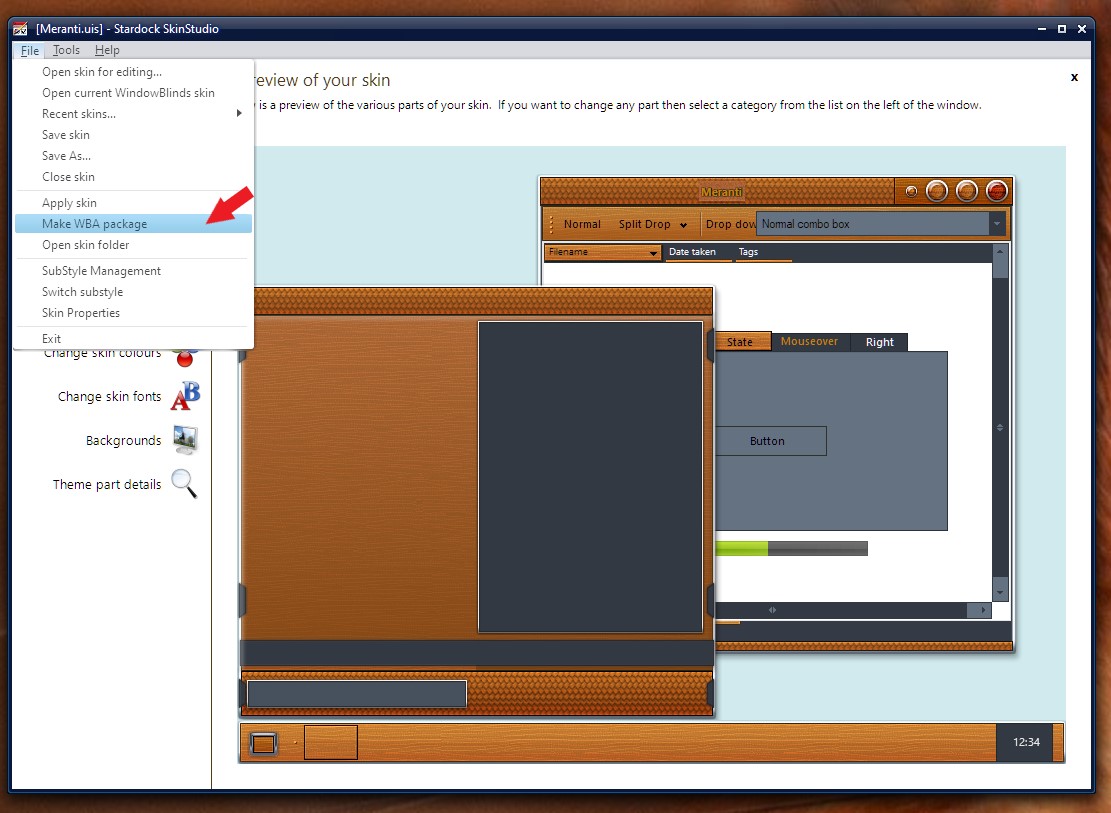
I am new to skin making. How do I make a .wba file? Renaming my zipped .rar archive just gives me an error.

Reply #7 Top

Use this.

Thank you,

Basj,
Stardock Community Assistant

Reply #9 Top

I don't see that font applied with this theme. Might need more time to scan through.

Thank you,

Basj,
Stardock Community Assistant

Reply #10 Top

I change something and the Explorer use the correct font now. Try this. Make sure to change all your substyle.

Thank you,

Basj,
Stardock Community Assistant

Reply #11 Top

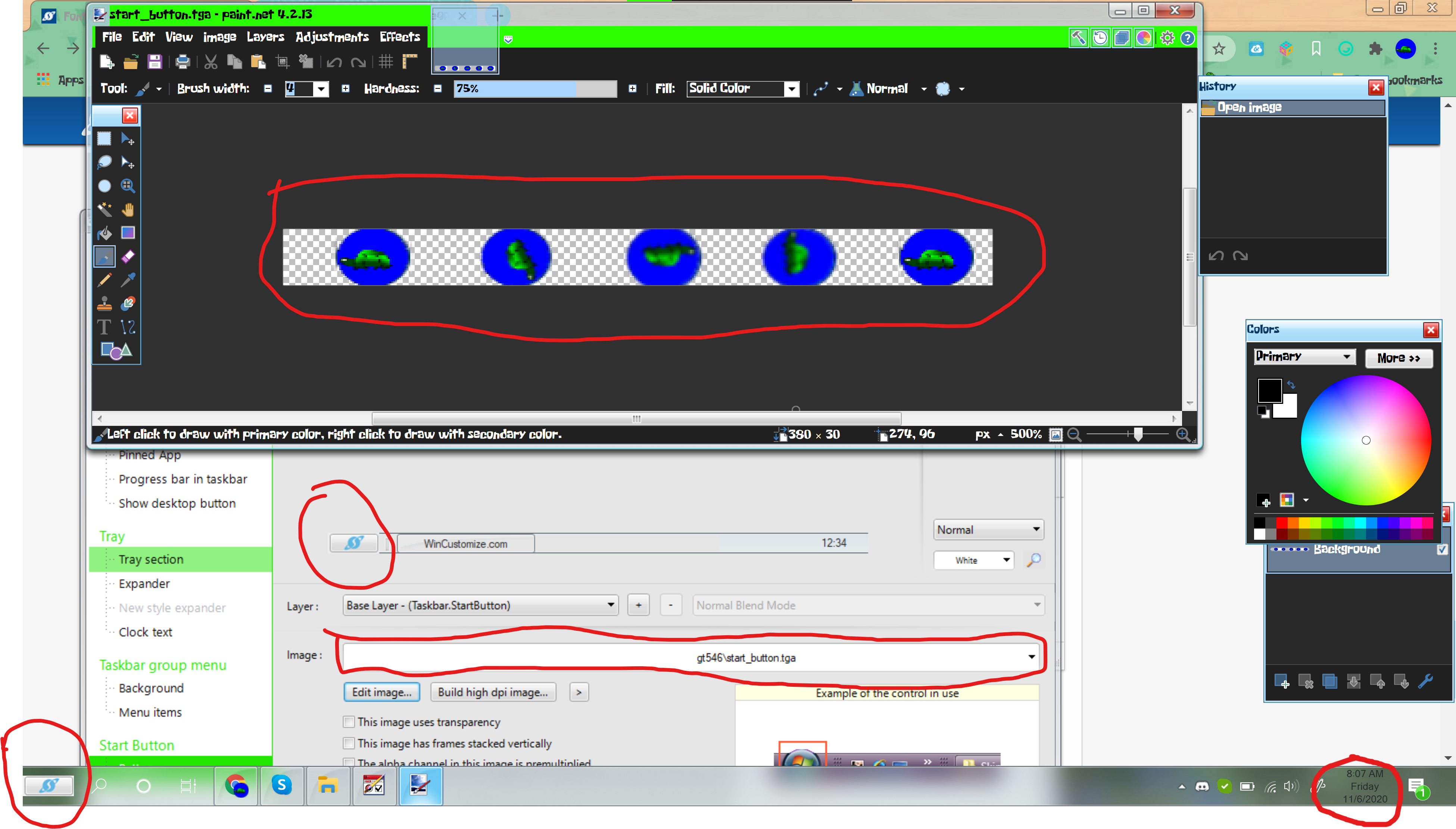
Well, it works everywhere, except the clock. Also my start button is broken? I edited start_button.tga (with paint.net via the edit image button in skin studio) and now it just shows up as a stardock logo in a rectangle. I am guessing its a placeholder image for errors with loading the image selected? Here is an image of it which includes broken start button and the incorrect color and font on the clock.

Reply #12 Top

Hello...

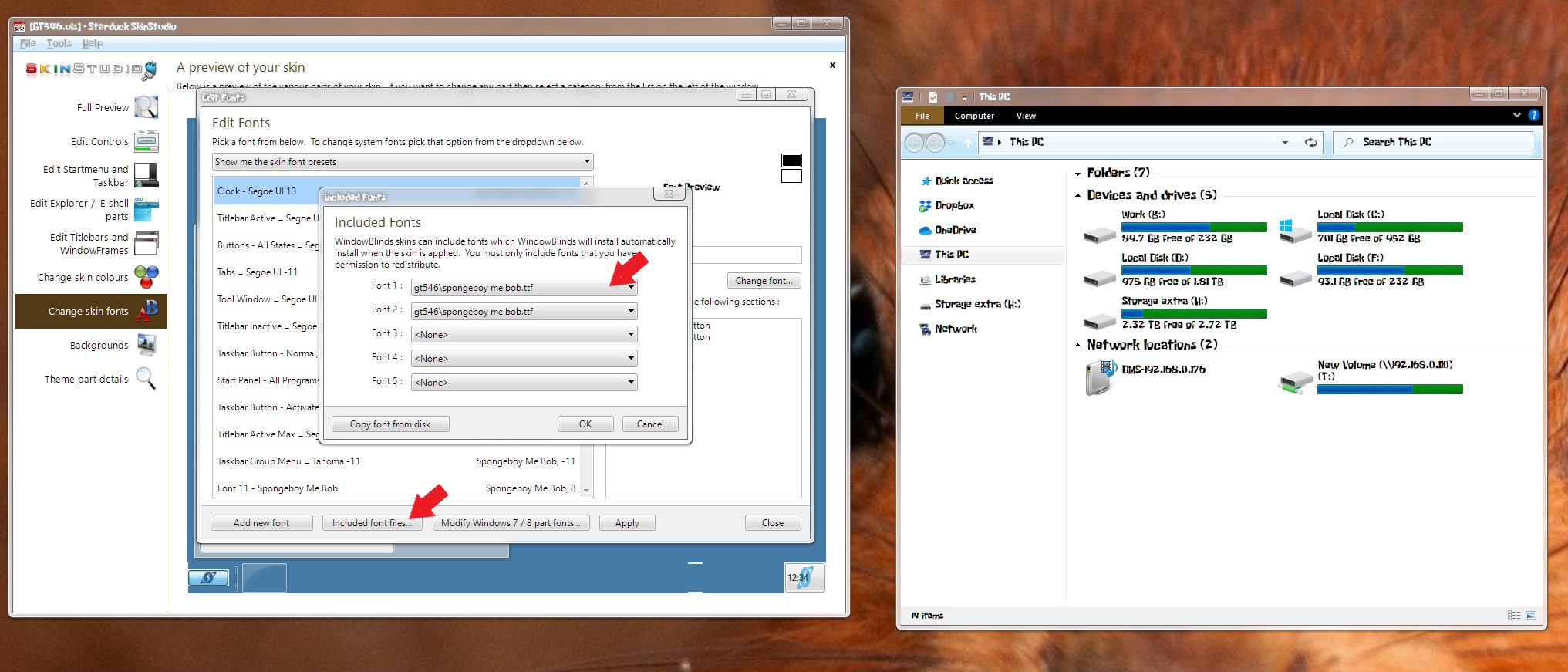
To change the clock font please change this.. refer to screenshot below.

To change the Startbutton please refer to screenshot below to import your own graphics into skinstudio. It best to name your new graphics with something else from the original graphics so you don't get confused.

Note : I saw few mistakes done on your mod. For example there is a mistake on horizontal taskbar background graphics. It should have only 2 state. Top and Bottom. You put it to be 5, which should not be. If you interested to learn there is tutorial on skinstudio on how to do things here : https://forums.wincustomize.com/447931/page/1/#3781427

Thank you,

Basj,
Stardock Community Assistant

Reply #14 Top

Great, Glad to help.

Thank you,

Basj,
Stardock Community Assistant

Reply #15 Top

Dude, you're cool! I recently tried to create a cool font for myself, but I could not bring it to the ideal. I create advertising banners for stores in my city and the customer somehow roughly explained what font he wants. I spent a lot of time creating it, but it didn't turn out exactly what I needed. After spending a lot of time, I despaired and decided to look on the Internet, hoping that God would hear me. I really put my heart into this order. And oh, yes, found the perfect font that I've been looking for for so long. I certainly had the idea that I could have done this before, but everything that is not done is all for the best!

Reply #16 Top

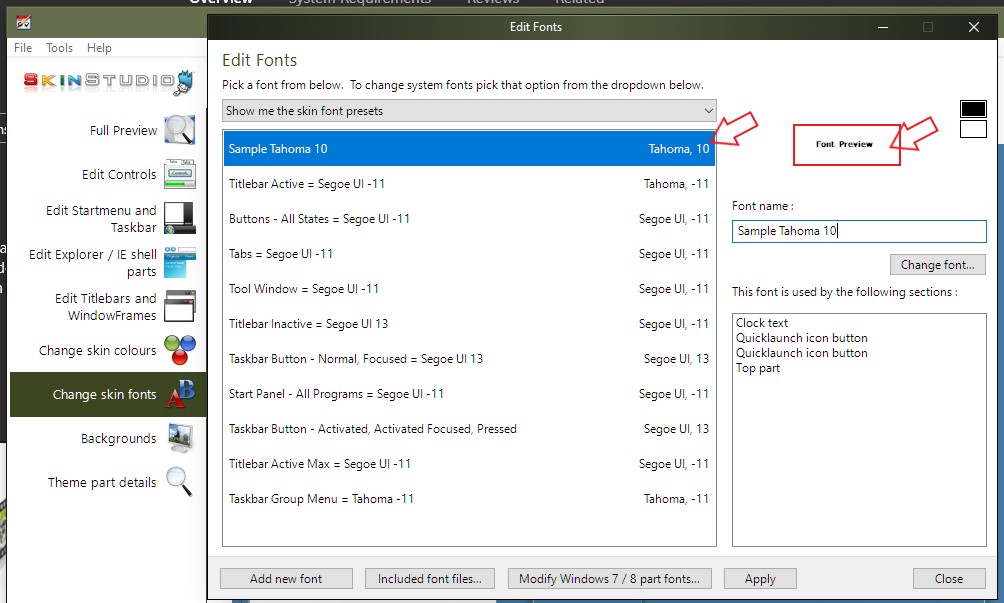
What is the difference between Tahoma 10 and Tahoma -11?

Reply #17 Top

Quoting S, reply 16

What is the difference between Tahoma 10 and Tahoma -11?

Font size different, not sure what the font size convention is but look to me Tahoma 10 is smaller while Tahoma -11 is bigger. I don't really sure how it work, but I just see the Font preview in Skinstudio to see if it work for my design.

Thank you,

Basj,
Stardock Community Assistant