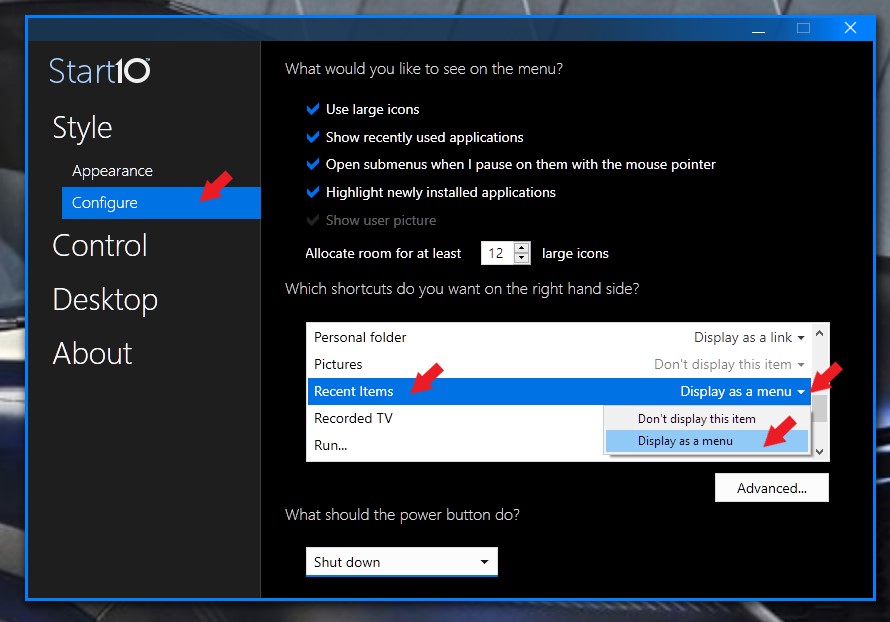
Recent Items in Start Menu
from  Stardock Forums
Stardock Forums
Somehow in my old Start8 I added the Windows 'Recent Items' to the right side (grey area) of the Start8 Start button.
I finally bought a Windows 10 system and immediately purchased Start 10.
I added a shortcut to my desktop (%UserProfile%\AppData\Roaming\Microsoft\Windows\Recent)
Right clicked on it and selected Pin To Start (Start 10).
Now the link to Recent Items is there on Start 10/Start but as an icon on the left side (white area) instead of as a menu item on the right side (grey area).
Is there a way to add Recent Items over on the right side (grey area) of Start 10/Start button menu?
Thanks.