Disable New Version Notification?

how do i disable this completely, i don't ever want to see the start10 splash screen asking if i want to install the latest update or the option to ask me later - is this possible?
3,512 views 8 replies
Reply #1 Top

Hello,
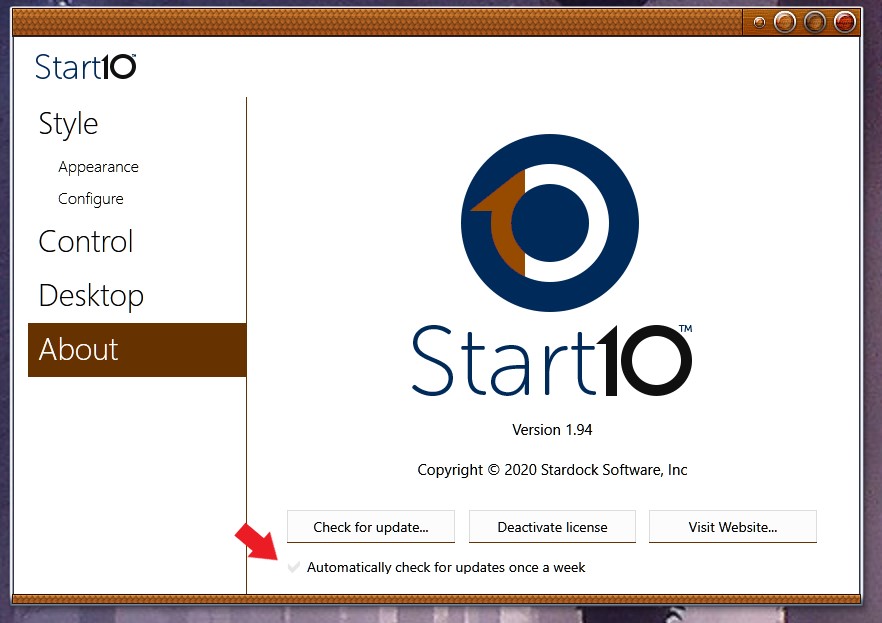
Sorry to hear you are having issues. In Start10 there is option to enable/disable "Automatically check for updates once a week". Its in Start10 config Windows > About.

Basj,
Stardock Community Assistant.

Reply #2 Top

that doesn't work, it's unchecked on both of my machines yet i still get a an annoying splash screen telling me that a new version is available with the option to update or remind me later.... months ago i stumbled across a bat file that blocked this from happening, worked like a charm, but i've manually updated my start10 versions since then which removed the patch and i can no longer find it.

windows 10 machine.


Reply #4 Top

thanks for the suggestion but i'm tired of uninstalling and reinstalling start10 in order to get rid of the splash screen, does anyone know about the bat file that fixes this that i mentioned earlier, where i can find it, or is there a registry edit that will fix this?

Reply #5 Top

has this "issue" ever been fixed, the ability to disable the update nag screen? above suggestions don't work, is there any way to stop start10 from constantly notifying me to update? even after i update? it's annoying as hell, it's almost like constant spam.

Reply #7 Top

is that .bat file any different than the .bat file listed above as a "solution" that doesn't work?

Reply #8 Top

I believe, the bat file from Mike respond Reply#3 is for purging Start10 from your system nothing to do with updates check.

Thank you,

Basj,
Stardock Community Assistant