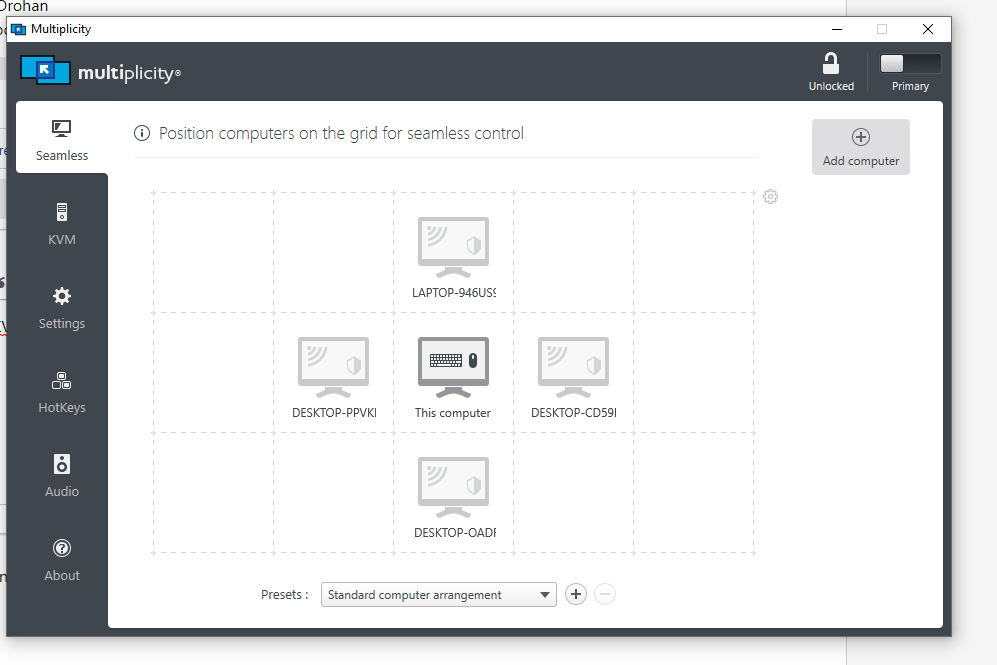
Switch to seamless mode from KVM

I bought multiplicity ($39.99 version that lets me connect up to 9 pcs) and accidentally selected KVM mode. How do I switch this to seamless? I tried to uninstall and re-install, but KVM was automatically selected. 


Also, when I try to add more than 1 computer to KVM mode it's telling me I have to upgrade, even though I bought the version that allows me to connect 9 PCs


Final issue is, when I connected a PC in KVM mode and went to switch to that computer, I got an error that says "couldn't connect, either blocked by a firewall (don't think so, but how can I check?), offline (not true), is a primary (it is a secondary), or has KVM mode disabled... how do I check if it has KVM mode disabled? 

8,278 views 12 replies
Reply #2 Top

Nothing in the FAQ tells me how to switch to seamless mode from KVM.

Reply #3 Top

Hello,
I have forwarded your questions/problems to the Stardock Support team for their assistance. Please keep an eye on this thread for any updates. We appreciate your feedback and patience.

Thank You,
Basj
Stardock Community Assistant.

Reply #4 Top

Hello,

Sorry to hear you are having trouble.

I bought multiplicity ($39.99 version that lets me connect up to 9 pcs) and accidentally selected KVM mode. How do I switch this to seamless? I tried to uninstall and re-install, but KVM was automatically selected. 
End of quote

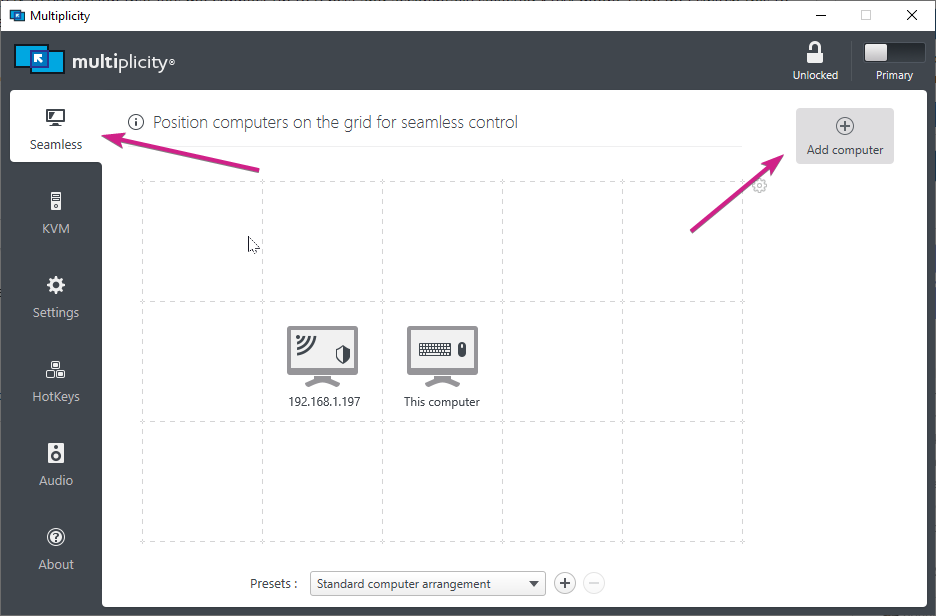
There is really no 'switching' between the two, you just need to have the PC configured on the Seamless tab:

Note that you cannot use Seamless to a PC that has an active KVM connection.  To use Seamless again, just end the KVM connection.

Also, when I try to add more than 1 computer to KVM mode it's telling me I have to upgrade, even though I bought the version that allows me to connect 9 PCs
End of quote

KVM has 9 (1 Primary, 8 Secondary) Seamless connections available - only 1 concurrent KVM connection:

how do I check if it has KVM mode disabled? 
End of quote

On the Secondary:

Sean Drohan
Stardock Support Manager

Reply #5 Top

Sorry how do I end the KVM connection? When I hover over the multiplicity icon on my computer's nav bar, it says "KVM mode," but I have also added my computers to the seamless grid:

I don't see anything in the KVM or settings tab that let's me 'turn off' KVM mode?


Reply #6 Top

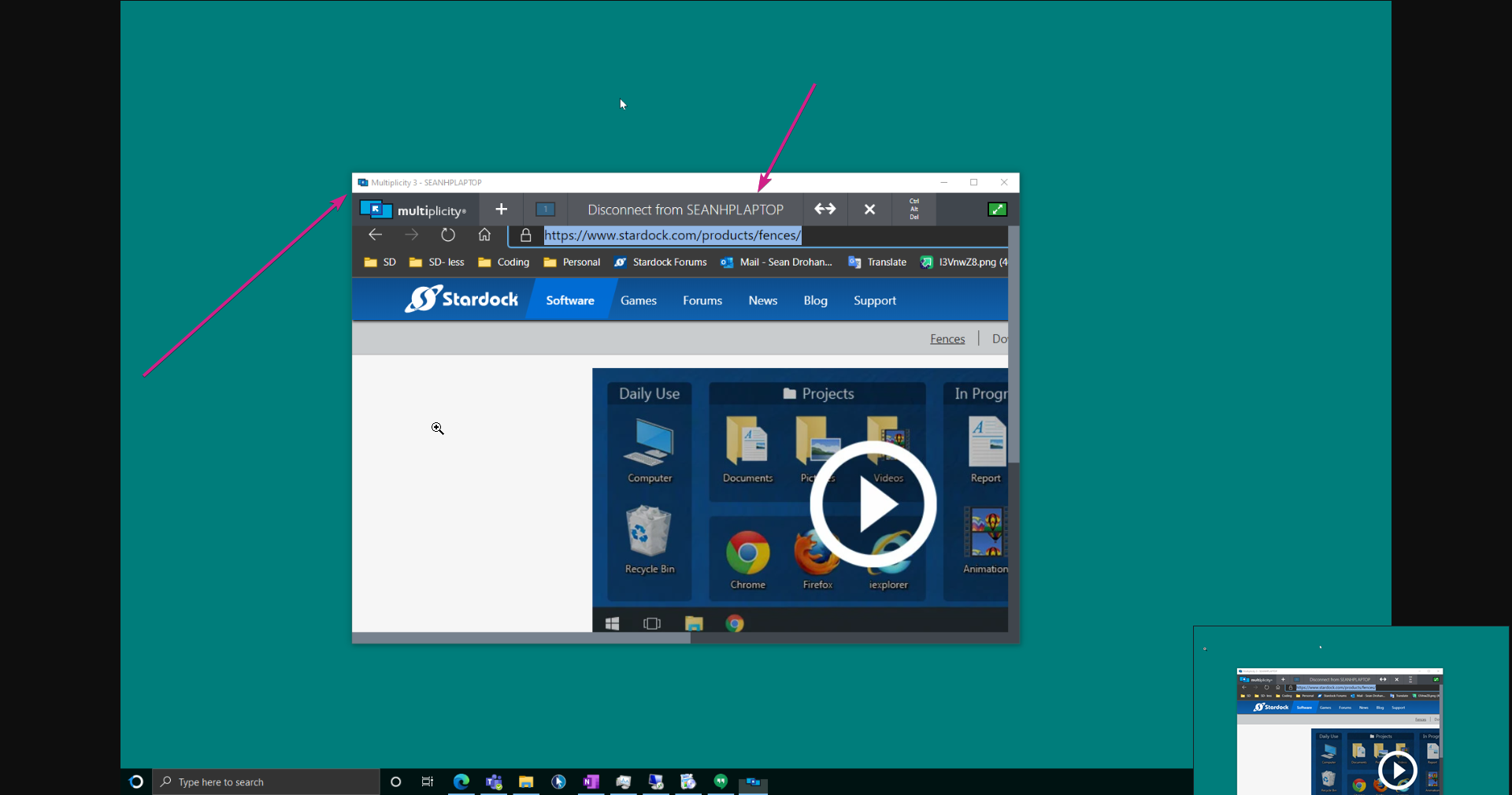
KVM connections would be something you would initiate manually:

And would be clear that a connection window was open. With the KVM session window open, hovering near the title bar will expose an options menu - with a disconnect option.

Once a KVM session to a PC has ended, Seamless connections to that same PC is again allowed. 

Sean Drohan
Stardock Support Manager


Reply #7 Top

Sorry but I've never enabled a KVM connection, see my first post, no KVM connection worked. See the image below, I have nothing set up here for KVM 

Reply #8 Top

Then I need to know what the core problem is - what cant you do that you want to do?

Sean Drohan
Stardock Support Manager

Reply #9 Top

I can't actually use multiplicity, I want to be able to use the feature that I paid $40 for. My multiplicity still says "KVM mode" but I have no KVM added (see from my screenshot) and none of my other computers have KVM mode enabled... you can see from my first screenshot that I have the computers put on the seamless grid, but it's not working. To be specific, my understanding of what should happen when I am in seamless mode is that I move my mouse to the left, and it hops over to my laptop and I can start controlling my laptop from my mouse. Currently when I move my mouse to the left of my monitor, it's hitting a brick wall :D 

Reply #10 Top

Quoting xerislight, reply 9

my understanding of what should happen when I am in seamless mode is that I move my mouse to the left, and it hops over to my laptop and I can start controlling my laptop from my mouse. Currently when I move my mouse to the left of my monitor, it's hitting a brick wall  
End of xerislight's quote

'It' in 'hops over' would be the mouse cursor to the PC on the same desk - not that it would initiate a KVM connection to a remote PC (not on same desk or headless - no monitor) and show its Screen on the primary.

This - in detail - describes the primary differences between KVM and KM (Seamless):

https://forums.stardock.com/486104/multiplicity-support-faq#seamlesskvm

If your laptop is not physically 'to the left' of the Primary, then you are not using Seamless correctly.

Seamless works exactly as if you had multiple monitors hooked up to the same PC - you can 'Seamlessly' transition the cursor from one monitor to another.

If that is your understanding, we can stop referring to KVM as that is not what you are wanting - you are not wanting to connect to a PC that is not currently on your Desk that you can actually see physically.

With that settled, and if you still cant traverse the Primary mouse to the Secondary monitor, you need to ensure that the connection is working:

https://forums.stardock.com/486104/multiplicity-support-faq#connectionissues

Sean Drohan
Stardock Support Manager


Reply #11 Top

Excellent! This worked thank you so much. Apologies if my earlier questions were not clear. It appears to be working properly now! Thanks

Reply #12 Top

Quoting xerislight, reply 11

Excellent! This worked thank you so much. Apologies if my earlier questions were not clear. It appears to be working properly now! Thanks
End of xerislight's quote

Very glad to hear it - what eventually worked to fix it for you?

Sean Drohan
Stardock Support Manager