Recent Items Fence
Cannot Exclude Folders...
 Stardock Forums
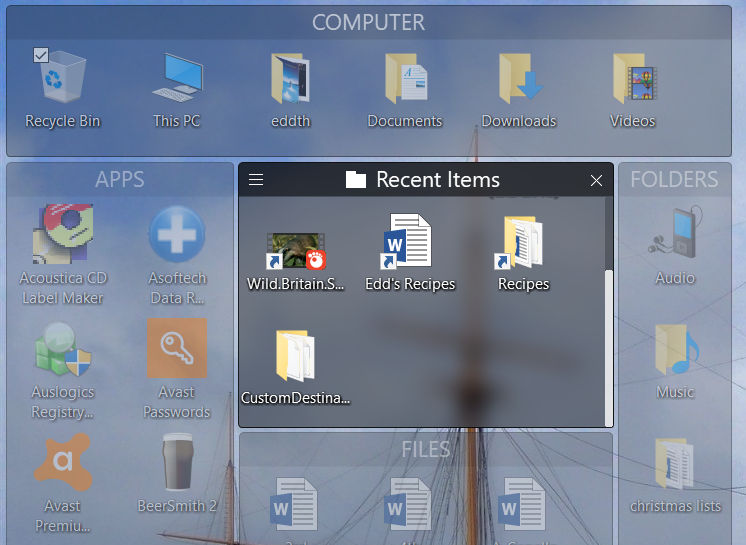
The "Recent Items" menu entry in my Start10 menu is great - it lists all the recent files I have accessed - documents, music, videos, etc. One day I thought "Wouldn't it be great to have another fence on my desktop that contained this Recent Items list, and it would save me a couple of clicks every time I want to access one." And so I right-clicked on it and lo and behold there is an option to move it to the desktop as a fence. Job done!
But then I discovered that while the "Recent Items" in Start10 only displays files by default, the Recent Items fence displays absolutely everything - every single folder you open to get to something gets listed in there. This makes for a pointless list, and it also crowds out the files that you might actually want to find and open. It has killed the concept, unfortunately, making this fence function useless. I have searched for a way to change this, but it does not seem to be an option, i.e. it appears to be coded into either this software or Windows 10 at a level a simple user can not adjust.
Has anyone else tried this and figured out how to make it work? I would appreciate any tips.
Cheers!