Deploy Icons to Specified Fences Names

So this might be a long shot, but we have fences for Windows 10 and are looking for some automation. I have tried keyword searches to no avail. What we are trying to do is the following:


1. The Fence already exists with a certain title on all machines.

2. We want to deploy icons to said fences to machines in our network

3. Basically we want something like shortcut a and shortcut b go in fence 1


Has anyone heard of doing anything like this?

7,033 views 8 replies
Reply #1 Top

Hello,
I have forward your request to the Stardock Support Team for their review and recommendations. Please keep an eye on this thread for any updates. We really do appreciate your feedback.
Thanks.
Basj
Stardock Community Assistant.

Reply #2 Top

Hello,

1. The Fence already exists with a certain title on all machines.

2. We want to deploy icons to said fences to machines in our network

3. Basically we want something like shortcut a and shortcut b go in fence 1
End of quote

Please see:
https://forums.stardock.com/486084/fences-support-faq#fencesdeployment

Sean Drohan
Stardock Support Manager

Reply #3 Top

Quoting sdRohan, reply 2

Hello,

1. The Fence already exists with a certain title on all machines.

2. We want to deploy icons to said fences to machines in our network

3. Basically we want something like shortcut a and shortcut b go in fence 1


Please see:
https://forums.stardock.com/486084/fences-support-faq#fencesdeployment

Sean Drohan
Stardock Support Manager

End of sdRohan's quote


Thanks, I've already checked there and it's not quite what I'm looking for. I did get a response from support yesterday and they told me it's not possible. Thanks all for the help!

Reply #4 Top

Quoting Hill_PCTech, reply 3

I did get a response from support yesterday and they told me it's not possible. Thanks all for the help!
End of Hill_PCTech's quote

I believe I recall - you wanted to use rules on Folder Portals and that is indeed not possible. 

Sean Drohan
Stardock Support Manager

Reply #5 Top
Quoting sdRohan, reply 4
Quoting Hill_PCTech,

I did get a response from support yesterday and they told me it's not possible. Thanks all for the help!


I believe I recall - you wanted to use rules on Folder Portals and that is indeed not possible. 

Sean Drohan
Stardock Support Manager

End of sdRohan's quote


Here's a better description if it helps. Fences is already installed on all machines in the company. We set up 'Fence A,' Fence B,' and 'Fence C.' Each of them have icons placed in them at the time of new user setup. What I'm trying to do outside of that is whenever I want a new icon added or to replace an existing icon, I want to be able to take the icon from a shared location and 'copy' it to Fence A for either existing user, specific user, or all existing users and have them be automatically placed into that Fence instead of just going to the next available space on the Desktop.

Reply #6 Top

Hello,

I have forwarded your report to the Stardock support team for their review and recommendations.

Please keep an eye on this thread for any updates.

We really do appreciate your feedback, thanks.


AzDude
Stardock Community Assistant

Reply #7 Top

Replace and new are different.

Replace:
Whatever method you choose to get the new - but same name - file / icon on the box - Fences should still have it where it was (in a Fence or not) because it has the same name.

New File:
Is different... What you want is for a rule that you create in Fences to be scriptable and, as far as I know, that is not possible.  I will get with the lead dev to verify, however. 

Basically it would be that you place a file on the desktop and script running a Fences rule to get it into a Fence. 

Ill let you know if it can be done after I hear back from the lead Dev

Sean Drohan
Stardock Support Manager

Reply #8 Top

The more I think about this, there is no reason a rule would not act on any new icon placed on the Desktop by any means - it's just that Fences rules won't work on a Fences folder portal. 

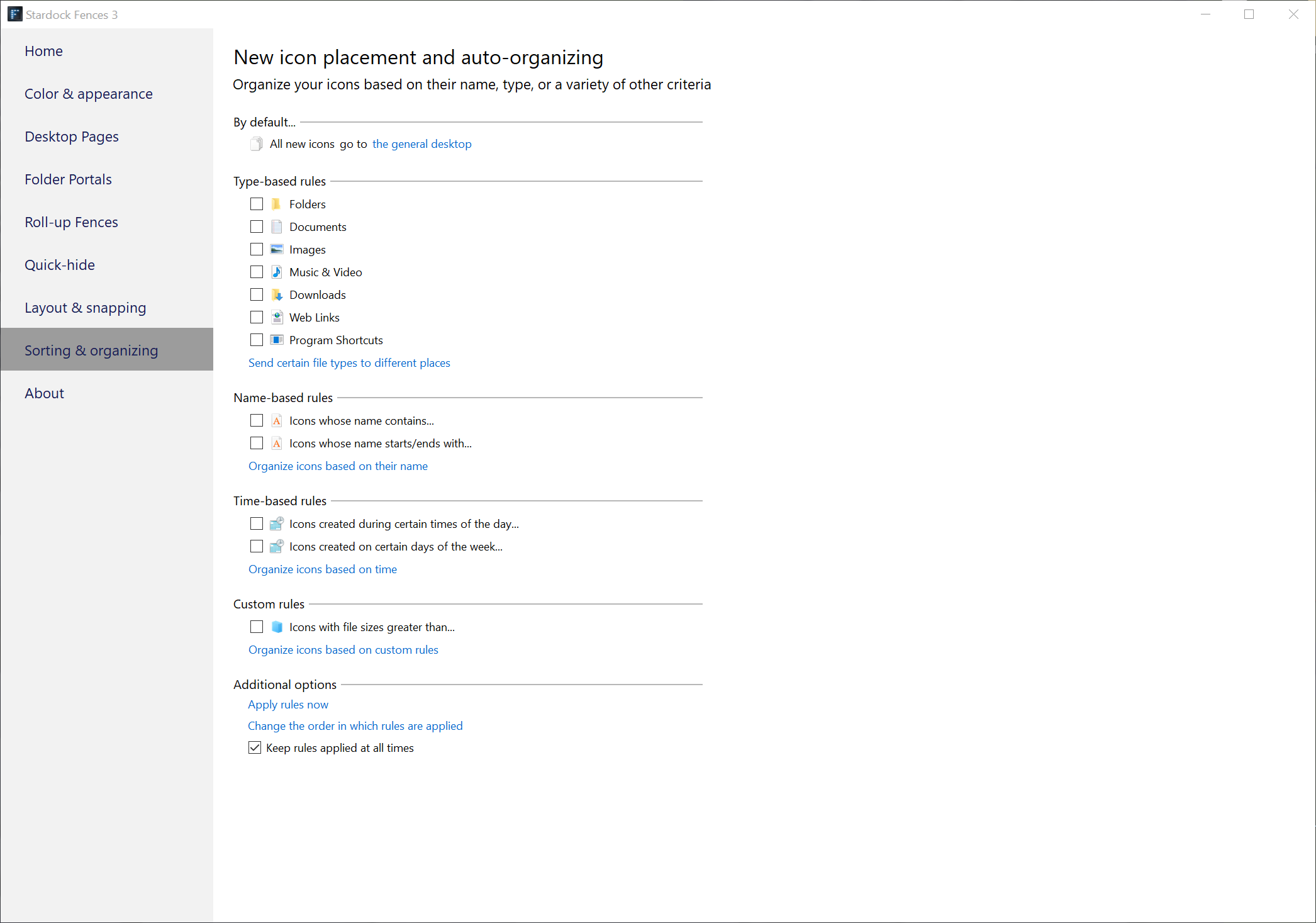
So, get the icon on the desktop by any means you prefer and set up a rule in Fences for the name, type, etc:

Sean Drohan
Stardock Support Manager