Secondary screen issue
My client is having an issue getting icons to appear in fences on the second display.
When I attempt to restore a previous snapshot it does not resolve. The snapshot displays the icons correctly.
My client is having an issue getting icons to appear in fences on the second display.
When I attempt to restore a previous snapshot it does not resolve. The snapshot displays the icons correctly.
Hello,
I have forwarded your report to the Stardock support team for their review and recommendations.
Please keep an eye on this thread for any updates.
We really do appreciate your feedback, thanks.
AzDude
Stardock Community Assistant
I appreciate your quick response!
My client informs me he manually placed the items back into place. Any restore point would fail to properly display on the desktop.
Same problem with my dual monitors
Hello,
Sorry to hear you are having issues. Need to know more, from both of you.
1) Windows version. Please use Winver.exe for full version numbers.
2) Fences version.
3) Monitors setups on both monitors. Resolution on each monitors, scaling on each monitors (100%,125%,150% etc), connection type on each monitors (VGA,HDMI,DP,DVI,USB etc).
Thanks
Basj,
Stardock Community Assistant.
Hello,
Sorry to hear you are having trouble.
If at all possible, this would be best resolved if your client could participate in the thread directly.
Has this ever worked or no, icons have never properly displayed on the 2nd monitor?
If it has worked, what has changed (new monitor, new connection type, multi-monitor software installed (Ultramon, Display Fusion, Nvidia Surround))?
How is the 2nd monitor connected - is it part of a docking station - connected to a laptop or no, directly connected via - HDMI, Displayport, other - to a desktop?
When this happens, does a restart of Windows Explorer resolve the issue:

Does a purge, reinstall, restore snapshot work to resolve it:
https://forums.stardock.com/486084/fences-support-faq#reinstalling
Sean Drohan
Stardock Support Manager
Hello,
I have more information on my dual monitor question about the Fences with Fences version 3.0.9.11 and Windows 10 - 1809.
When I set up the fences on the 2nd monitor, they will stay on the 2nd monitor until I power off both monitors at the end of the day and when powered back up , all the fences migrate over to Monitor #1 . Let me know if there is a setting change I should make with my display.
Thanks for your help. Bryan H
Ok, but when both monitor are again on, does a snapshot restore work to resolve any misplacement?
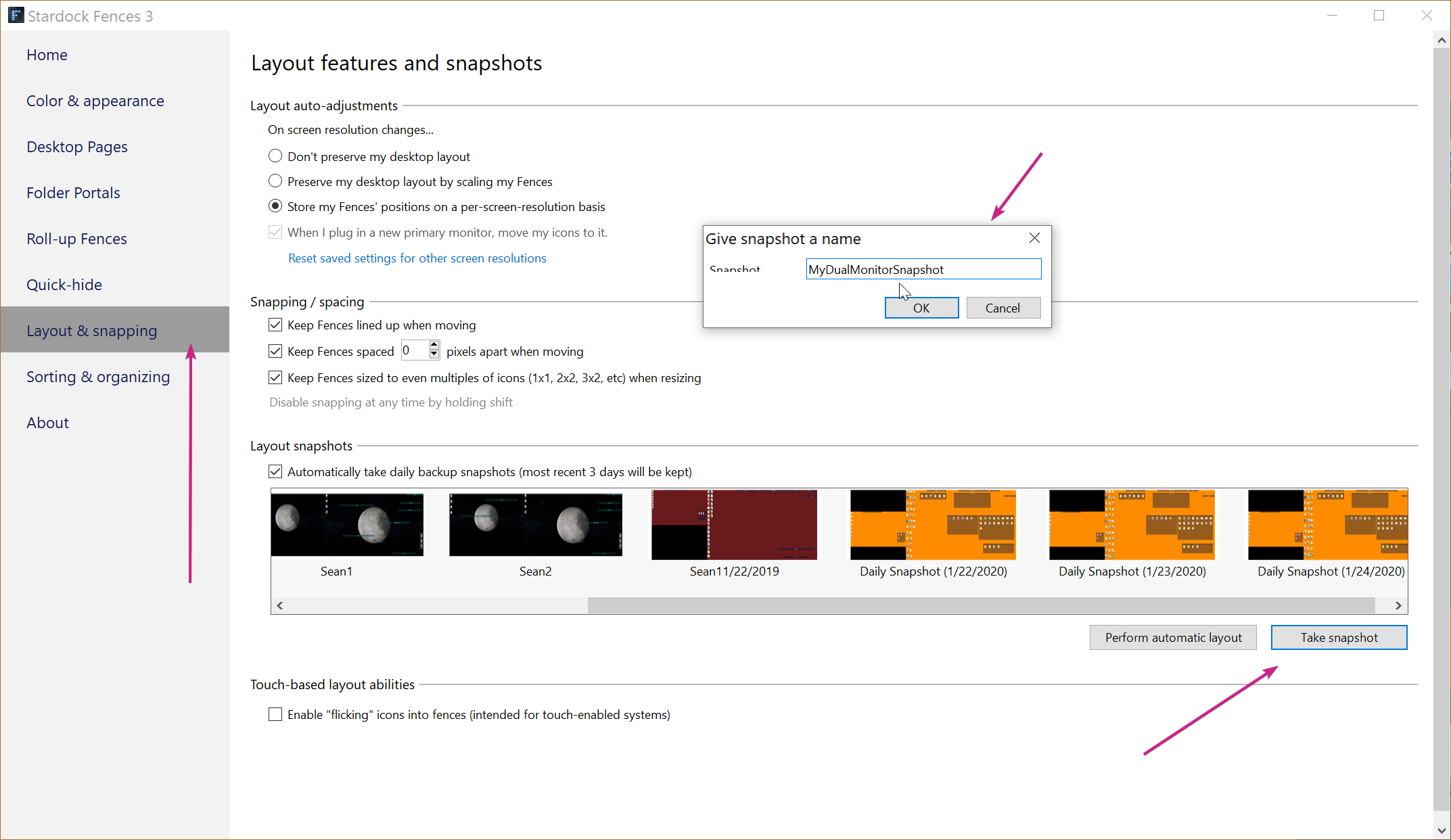
It would be prudent to, when all monitors are on, and Fences / Icons are where they are wanted, manually create a snapshot of them and name it accordingly:

If when this occurs, and both monitors are on, restore the snapshot.
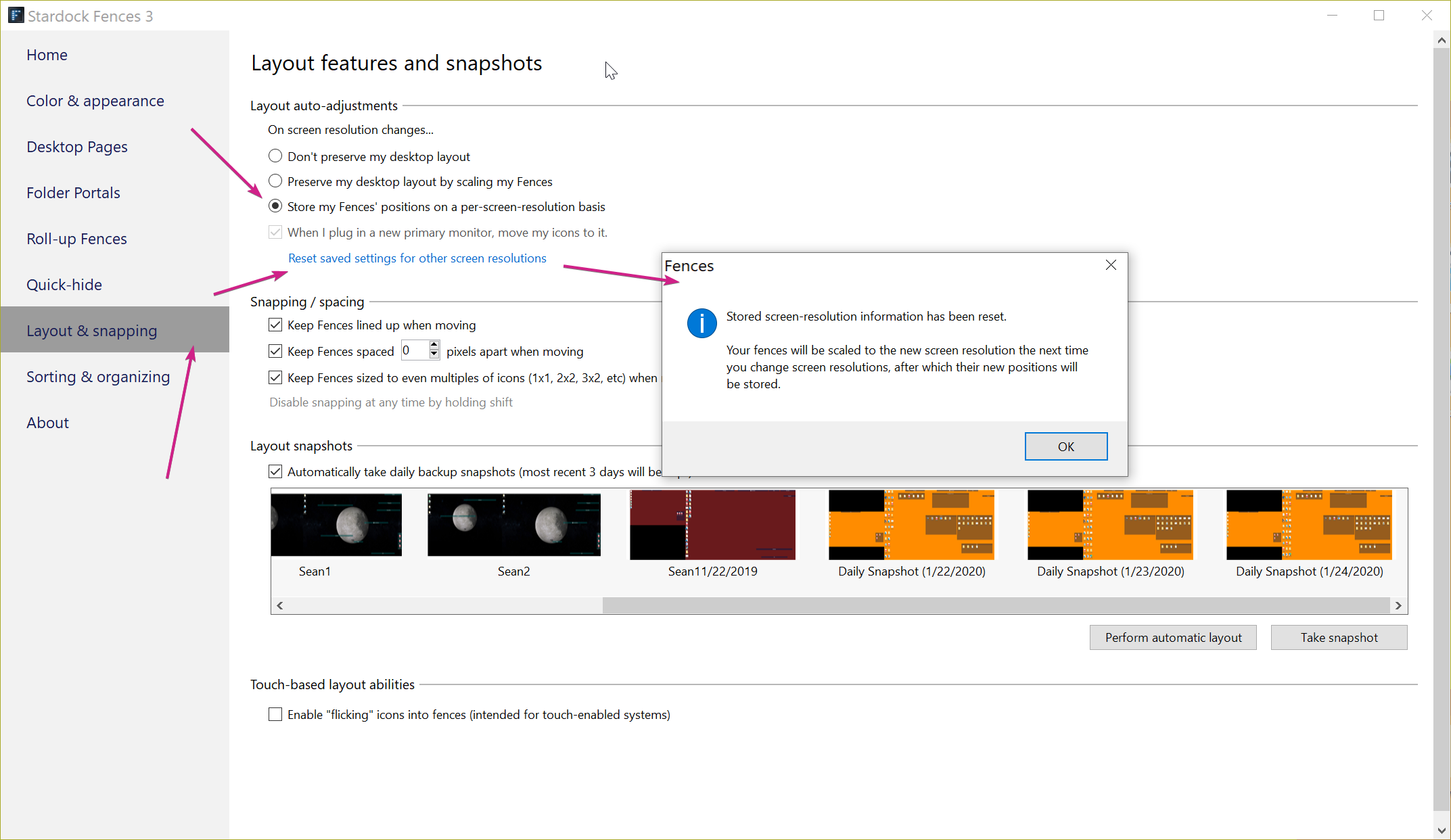
It might prove helpful to also reset the layout and have this setting:

Sean Drohan
Stardock Support Manager
Thank you, all is working properly on my Dual Monitor set up. Just needed to get into the settings of the Fences.
Good to hear. What it what I noted or did you do something else?
Sean Drohan
Stardock Support Manager
Welcome Guest! Please take the time to register with us.